TireMinder Smart TPMS: A Practical How-To for Drivers
Learn how to install, calibrate, and troubleshoot TireMinder Smart TPMS for accurate tire pressure monitoring. Practical steps, safety tips, and maintenance guidance for dependable TPMS performance.


Using TireMinder Smart TPMS, you will install the sensor, pair it to your vehicle, and verify tire pressures for accurate readings. This quick answer outlines the essential steps, tools, and safety checks to ensure reliable alerts and consistent performance. Expect a simple setup, TPMS reset guidance, and practical troubleshooting tips for common car models. The guidance assumes a standard passenger vehicle and basic hand tools.
What is TireMinder Smart TPMS? Overview and core components
TireMinder Smart TPMS is a wireless monitoring system that uses sensors mounted on each wheel to relay tire pressure data to a central display, usually via a dedicated receiver or a mobile app. The sensors continuously measure pressure and temperature, sending alerts when readings fall outside the recommended range. For drivers, this means real-time awareness of low pressures, leaks, or sudden changes that could affect handling and fuel economy. According to Tire Pressure Tips, understanding how these sensors interact with your vehicle’s CAN bus and the app ecosystem helps you interpret warnings accurately and avoid false alarms. The system typically includes four valve-stem sensors, a control unit, mounting hardware, and a companion app for setup and calibration. Because TPMS behavior varies by vehicle make and model, you’ll also need the vehicle’s recommended tire pressures from the owner’s manual or the door placard. The Tire Pressure Tips team emphasizes starting with baseline pressures and verifying them with a trusted gauge before finalizing TPMS targets.
Why TPMS matters for safety and maintenance
Tire pressure is a critical factor in vehicle safety, fuel efficiency, and tire life. A properly functioning TPMS acts as an early warning system, helping drivers avoid underinflated tires that can lead to tire failure, reduced braking performance, and uneven tread wear. Reliable TPMS data also aids in maintaining optimal handling characteristics, especially in corners or during emergency maneuvers. The Tire Pressure Tips analysis highlights that consistent monitoring reduces the risk of driven wheel misalignment caused by uneven pressure distribution and helps protect tire sidewalls from excessive stress. Beyond safety, maintaining recommended pressures supports better fuel economy and shorter stopping distances, reinforcing the value of a dependable TPMS in daily driving.
How TireMinder Smart TPMS works in practice
The system relies on battery-powered sensors paired to a receiver or smartphone app. Each sensor transmits periodic readings of pressure and temperature, which your car’s ECU may cross-check or display on a dedicated screen. In practice, you’ll install the sensors on each wheel, pair them to the hub or app, and set target pressures for front and rear tires according to your vehicle’s specifications. The sensors operate wirelessly, so installation is about secure mounting and proper sealing. The Tire Pressure Tips team notes that signal range and battery life depend on sensor placement and weather conditions, so expect periodic maintenance to keep readings accurate.
Step-by-step overview of setup and usage
To get started, familiarize yourself with the app interface and any vehicle-specific calibration steps. A well-designed TPMS system provides clear dashboards, color-coded alerts, and easy access to recent readings. With TireMinder, you’ll see a live pressure readout, historical trends, and notifications for abnormal conditions. Keep in mind that some vehicles require a reset procedure after tire changes or sensor replacement. Regularly confirm sensor batteries are fresh, seals are intact, and there are no fuel or air leaks around the tire cores. The Tire Pressure Tips team recommends documenting baseline pressures for reference during maintenance or seasonal changes.
Calibration, verification, and ongoing checks
Calibration typically involves setting the correct target pressures for each wheel and confirming readings against a manual gauge. After calibration, verify all four tires show reasonable values within a tight band around the target. Periodic checks—especially after changes in temperature or tire size—help ensure long-term accuracy. The Tire Pressure Tips guidance stresses rechecking after road trips or seasonal swings, since ambient temperature and driving conditions influence tire pressure. Keeping a simple log of baseline readings makes it easier to spot drifting readings before they become safety issues.
Troubleshooting common issues and errors
Common problems include delayed sensor readings, inconsistent alerts, or lost connections between sensors and the receiver. Start by checking battery status, ensuring sensors are properly mounted, and confirming the app is up to date. If readings appear erratic, recalibrate targets and re-pair sensors. Weather, moisture, and road salt can affect signal quality, so store the device in a dry location and keep wheel areas clean. When in doubt, consult the TPMS manufacturer’s support resources and verify vehicle compatibility.
Maintenance, replacement, and long-term care
To maximize longevity, inspect sensor housings for cracks, replace damaged valve stems, and keep seals clean. Periodic battery checks are essential; most TPMS sensors use replaceable batteries with a limited lifespan. As tires wear or get replaced, ensure sensors are reinstalled correctly and re-paired if necessary. The Tire Pressure Tips team suggests scheduling periodic diagnostics, especially before winter driving or long road trips, to catch any impending sensor issues early.
Authority and learning resources
For authoritative context on tire pressure and safety, consult official sources such as the National Highway Traffic Safety Administration (NHTSA) and energy or automotive safety guidelines available through .gov and .edu domains. These sources reinforce best practices for tire maintenance, verifying that your TPMS setup adheres to recognized safety standards. Ongoing education helps you interpret TPMS alerts correctly and stay compliant with vehicle-specific requirements. The Tire Pressure Tips team encourages drivers to cross-reference manufacturer recommendations and stay proactive about maintenance.
Tools & Materials
- TireMinder Smart TPMS sensor kit(Includes sensors, receiver/app transmitter, and mounting hardware)
- Digital tire pressure gauge(Use for baseline checks and cross-verification)
- Smartphone with Bluetooth(For app pairing and real-time data access)
- Valve stem tool or TPMS installation tool(Assists sensor mounting and cap installation)
- Owner’s manual / vehicle specifications(Can provide vehicle-specific tire pressure targets)
- Work gloves and rags(For handling and cleanup during install)
Steps
Estimated time: 20-40 minutes
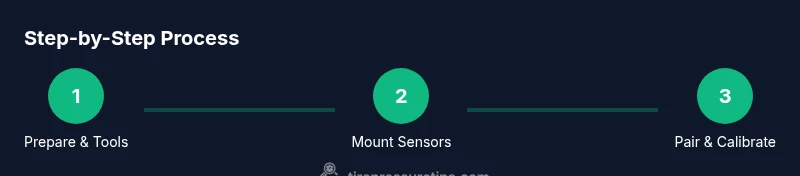
- 1
Prepare the vehicle and workspace
Park on a level surface, engage parking brake, and chock the wheels opposite the tire you are servicing. Gather the sensors, mounting tools, and the app-ready device. Remove any debris from the valve stems and wheel where sensors will mount to ensure a clean seal.
Tip: Double-check the tire sidewalls for damage before starting; a damaged tire can compromise sensor mounting. - 2
Install sensors on all wheels
Remove old valve caps and mount each TireMinder sensor on the corresponding wheel’s valve stem. Tighten by hand first, then use the appropriate tool to snugly secure without over-tightening. Ensure sensors sit flush and seals are clean to prevent air leaks.
Tip: Hand-tighten only to avoid damaging the sensor threads; never rely on excessive force. - 3
Pair sensors with the app
Open the TireMinder app and initiate pairing. Follow on-screen prompts to link each wheel sensor to the correct wheel position. Confirm the app shows four corresponding readings with no gaps in data.
Tip: If pairing fails, reboot the phone and reinitiate Bluetooth pairing from the app’s settings menu. - 4
Set target tire pressures
Refer to your vehicle’s door placard or owner’s manual for recommended pressures. Enter front and rear targets into the app or control unit so alerts trigger at the correct thresholds. Save the settings and run a quick verify check with the dashboard gauge or a handheld gauge.
Tip: Record the targets in a small notebook or the app notes for quick reference during maintenance. - 5
Verify readings and confirm calibration
Take a baseline reading with a calibrated gauge across all four tires. Compare with the TPMS display; if any value deviates beyond 1-2 psi, adjust target pressures and recheck. Test a short drive to ensure the system updates readings in real time.
Tip: Perform a quick lap around the block to generate real driving conditions for the app to pull fresh data.
Frequently Asked Questions
What is TireMinder Smart TPMS and how does it work?
TireMinder Smart TPMS uses wheel-mounted sensors to monitor tire pressure and temperature, sending data to a receiver or app. It provides real-time alerts if pressures fall outside the recommended range, helping you maintain safety and efficiency.
TireMinder Smart TPMS uses wheel sensors to monitor pressure and temperature, sending alerts to your phone or receiver for immediate awareness.
Do I need to recalibrate after changing tires?
Yes. After replacing tires, recheck target pressures and re-pair sensors if required. Recalibration ensures readings reflect the new tires and any changes in load or speed ratings.
Yes, recalibrate after tire changes to ensure readings match the new tires.
What should I do if a sensor stops transmitting?
First confirm battery life and check connections. If needed, reseat the sensor or replace it. Verify the app shows all four tires again after re-pairing.
Check battery and reseat the sensor; re-pair if needed to restore transmission.
Can TPMS readings be affected by temperature?
Yes. Temperature changes influence tire pressure, so expect readings to shift with weather. Re-check and adjust targets after significant temperature swings.
Temperature can change tire pressure, so re-check targets after big weather shifts.
Is a standalone gauge necessary with TPMS?
A digital gauge is helpful for baseline checks and cross-verification, but a well-calibrated TPMS usually provides reliable readings.
A good gauge helps verify TPMS readings, especially during setup.
How often should I inspect TPMS sensors?
Inspect sensors during regular tire maintenance, at least every 6 months or before long trips. Look for corrosion, loose fittings, or damaged seals.
Check sensors during routine tire maintenance, about twice a year.
Watch Video
What to Remember
- Identify and prepare all components before mounting.
- Pair sensors and verify four-wheel coverage in the app.
- Calibrate to manufacturer-recommended pressures for accurate alerts.
- Regularly inspect sensors and tires to prevent drift and false alarms.