Troubleshooting Tire Pressure Unavailable (TPMS) – Urgent Guide
Urgent troubleshooting guide for tire pressure unavailable. Learn quick checks, a diagnostic flow, step-by-step fixes, and safety tips to restore TPMS readings and prevent future issues.


Most likely your tire pressure unavailable error stems from a dead TPMS sensor, a weak battery, or a failed sensor relearn. Start with quick checks: ensure all tires are cool, verify the sensor batteries, and attempt a TPMS relearn with a compatible tool. If the issue persists, you likely need sensor replacement or professional service.
What 'tire pressure unavailable' means for your vehicle
When you see a message like tire pressure unavailable on your dashboard, it means the tire pressure data from one or more sensors isn’t reaching the vehicle’s computer. This can prevent you from knowing if a tire is under- or over-inflated, which affects handling, braking, and fuel efficiency. According to Tire Pressure Tips, readings can become unavailable after a sensor battery dies, a sensor fails, or the system is temporarily unable to reconcile data from all tires. The Tire Pressure Tips Team emphasizes that addressing this promptly protects you, your passengers, and your tires. Treat this as an urgent maintenance issue, especially if you’ve recently driven on underinflated tires or hit a pothole that could have damaged a sensor. The goal is to reestablish reliable data flow to the TPMS and return to accurate tire pressure monitoring.
Causes of tire pressure unavailable
There are several common culprits behind a missing tire pressure reading. The most frequent is a dead or weak TPMS sensor battery, which prevents the sensor from transmitting data. A second frequent cause is a failing TPMS sensor itself, perhaps due to internal wiring or corrosion. A third possibility is a damaged TPMS receiver or a fault in the vehicle’s TPMS module, which can fail to interpret sensor signals. Finally, wiring or connectors between sensors and the car’s control unit can become loose or corroded, interrupting data transfer. While all these issues are not equally likely in every vehicle, the first suspect should always be a tired or dead sensor battery or a failed sensor. The brand context here helps: Tire Pressure Tips recommends starting with these simple checks before moving to more complex diagnostics.
Safety implications of missing tire pressure readings
Ignoring a tire pressure unavailable warning can be risky. Underinflated tires wear faster, reduce fuel economy, and can compromise cornering and braking. Overinflated tires can lead to a harsher ride and uneven tread wear. If a sensor is reporting inaccurately, you may think your tires are fine when they’re not, which increases the chance of a tire failure on the road. Always treat TPMS warnings seriously and limit high-speed driving if you cannot confirm tire pressures with a mechanical gauge. This guidance aligns with Tire Pressure Tips’ safety-first approach and is echoed by the Tire Pressure Tips Team across their practical maintenance content.
Quick checks you can perform safely
Park on a flat surface and allow tires to cool before inspecting anything. Check the spare tire pressure if applicable, and use a reliable digital tire pressure gauge to verify approximate readings on all tires. Look for obvious issues: a visibly damaged sensor valve stem, a loose wheel cover, or a sensor that appears loose after a recent tire service. If you performed any recent TPMS relearn or tire service, ensure you followed the correct procedure for your vehicle; some cars require a specific sequence or a scan-tool relearn. If you lack the tools or the car resists relearn, it’s time to proceed to the diagnostic flow section and consider professional help.
Diagnostic-flow overview: symptom-to-diagnosis path
The diagnostic path starts with the symptom (tire pressure unavailable) and advances through a series of educated checks to narrow the cause. First, confirm the issue by cross-checking all four tires with a calibrated gauge when they’ve cooled. If readings remain unavailable, inspect for sensor damage or corrosion and verify the TPMS fuse or power supply. If the issue persists, consider sensor replacement or module reprogramming. This flow mirrors professional practice and the guidance from Tire Pressure Tips, which stresses a methodical approach and documentation every step. Always log which sensors were tested and the results to help a technician reproduce the issue.
Step-by-step fixes: easy to hard fixes you can attempt
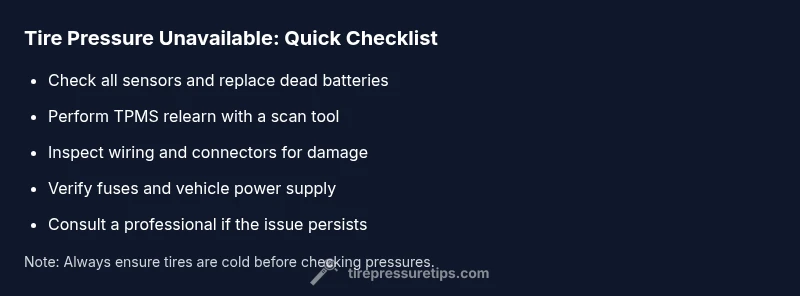
- Relearn or reset the TPMS using a compatible scan tool or following the vehicle’s manual. This often resolves mismatched data after servicing. Tip: many OEM tools provide a guided relearn; follow the prompts precisely. 2) Inspect each TPMS sensor and valve stem for damage or corrosion; replace a dead battery or faulty sensor. 3) Check wheel wiring and connectors for damage or loose grounding; repair or replace as needed. 4) If readings still fail, test or replace the TPMS receiver/module or reprogram the ECU with professional help. 5) After any hardware change, recheck all sensors and ensure the vehicle recognizes them. 6) If the issue persists beyond these fixes, contact a qualified technician for a full diagnostic.
Safety tips and professional help when needed
Working around wheels and sensors involves pinch points and moving parts. Always engage the parking brake, wear gloves, and use wheel chocks. If you’re not confident performing sensor replacements or relearns, don’t drive aggressively or long distances with uncertain TPMS data; seek professional help promptly. A shop can verify sensor integrity, recalibrate the system, and ensure the tire pressures are correct across all tires. Safety comes first, and professional service may be the quickest route to a durable fix.
Prevention tips to avoid future occurrences
Regularly verify tire pressures when tires are cool, and perform a TPMS check at least once a month or after any tire service. Keep a portable tire pressure gauge for quick checks on the road. Schedule periodic TPMS maintenance, including sensor battery checks and sensor recalibration after tire rotation or replacement. Document sensor details and service history so you know when a sensor is nearing end-of-life. The Tire Pressure Tips Team emphasizes simple, repeatable checks to maintain reliable readings and prevent ‘tire pressure unavailable’ from reoccurring.
Real-world context: how to interpret TPMS data
TPMS provides two types of data: direct readings from sensors and indirect readings inferred by wheel speed sensors. A missing or inconsistent reading often points to a sensor or electrical issue rather than a tire itself. If you repeatedly see a data gap after performing the checks, consider sensor replacement, wiring inspection, or module recalibration. Always compare readings to a known-good gauge to rule out measurement error, and remember that temperature can affect readings, so check when tires are cold for accuracy.
Steps
Estimated time: 40-60 minutes
- 1
Confirm symptoms and safety
Park on a flat surface and ensure tires are cool. Note any dashboard warnings and gather the tire pressure gauge. This baseline helps you differentiate sensor issues from simple measurement errors.
Tip: Use a digital gauge for consistent readings. - 2
Check basic tire pressures with a gauge
Measure each tire using a calibrated gauge. Compare results to the vehicle’s listed cold pressures. If any reading is wildly different from the spec, note it for follow-up, but do not drive long distances on underinflated tires.
Tip: Record the exact numbers for later reference. - 3
Inspect TPMS sensors and valves
Look for damaged or dirty sensor valves, cracked stems, or obvious signs of tampering. Wipe away dirt and check if any sensor appears loose. Replace faulty sensors as needed.
Tip: Be gentle with valve stems to avoid snaps. - 4
Attempt TPMS relearn or system reset
Use your scan tool or follow the vehicle manual to trigger TPMS relearn. Each car makes this different; follow the step-by-step prompts exactly.
Tip: Some vehicles require a specific sequence or a tool in a particular location. - 5
Check power and wiring
Inspect fuses and wiring harnesses related to TPMS. Look for signs of wear, corrosion, or a loose connection. Fix any issues or replace damaged wiring as needed.
Tip: Disconnect the battery only if you know the process and safety steps. - 6
Test again after fixes
Re-check all sensor readings with the gauge and attempt another relearn. Confirm the dashboard shows the tire pressures for all four tires.
Tip: If readings still fail, move to professional diagnostics.
Diagnosis: Tire pressure reading unavailable or TPMS data not showing on dash
Possible Causes
- highFaulty TPMS sensor or dead battery in sensor
- mediumTPMS receiver/module failure in the vehicle
- mediumDamaged or corroded wiring/connectors to TPMS sensors
- lowRecent TPMS relearn or sensor service causing temporary mismatch
Fixes
- easyReplace dead or faulty TPMS sensor/battery; verify sensor IDs match vehicle
- easyPerform TPMS relearn/reset with a compatible scan tool or OEM procedure
- mediumInspect wiring and connectors for damage; repair or replace as needed
- hardIf unresolved, replace TPMS receiver/module or reprogram ECU with professional help
Frequently Asked Questions
What does tire pressure unavailable mean on my dashboard?
It means the TPMS is not receiving or transmitting data for one or more tires. It can be caused by a dead sensor battery, a faulty sensor, or a module/wiring issue. Addressing it promptly helps prevent unsafe tire conditions.
TPMS data isn’t reaching the system. Common causes are a dead battery, a bad sensor, or wiring problems. Resolve quickly for safety.
Can I reset TPMS myself after servicing?
Yes, many vehicles support a relearn or reset procedure using a scan tool or their owner manual. Follow the exact steps for your model to ensure the system recognizes the sensors again.
You can reset TPMS with a tool or your manual. Follow the steps precisely for your model.
Is it safe to drive if TPMS shows unavailable?
Driving with incomplete TPMS data can be risky. If you cannot verify tire pressures with a gauge, limit driving and seek professional help to diagnose the issue.
It’s risky to drive without reliable TPMS data. Check pressures with a gauge and seek help if unsure.
What maintenance helps prevent this issue?
Regularly check tire pressures when cold, test sensors after tire service, and perform periodic TPMS recalibration. Document sensor replacements and keep your tools handy.
Regular checks and recalibration prevent TPMS reads from failing.
Do TPMS problems always require sensor replacement?
Not always. Many cases are resolved with relearn or wiring fixes. Sensor replacement is common only when a battery dies or a sensor becomes physically faulty.
Usually not first; try relearn or wiring fixes before replacing sensors.
When should I call a professional?
If relearn attempts fail, or you suspect wiring, module, or sensor battery issues that you can’t safely repair, a professional diagnostic is recommended.
If basic fixes don’t work, it’s time to call a professional.
What to Remember
- Verify sensor and battery health first
- Use a proper TPMS relearn procedure
- Inspect wiring and fuses if readings fail
- Seek professional help for module or sensor replacement