Tire Pressure Sensor Fault but Tires Are Fine: Urgent Troubleshooting
Facing a tire pressure sensor fault but tires are fine? Learn quick checks, diagnostic steps, and trusted fixes to restore accurate TPMS readings and keep you safe on the road.


The most likely cause is a faulty TPMS sensor or a dead battery; tires may look fine, but the system misreads. Quick fix: verify air pressures with a reliable gauge, scan for fault codes with a TPMS tool, and relearn sensors after any rotation or service. If the warning persists, replace the faulty sensor.
Understanding TPMS and the tire pressure sensor fault but tires are fine scenario
TPMS, or Tire Pressure Monitoring System, is designed to alert you when a wheel’s pressure drifts outside the manufacturer-recommended range. A fault can trigger a warning even when your tires appear to be properly inflated. The tire pressure sensor fault but tires are fine scenario is more common than you might think. According to Tire Pressure Tips, many drivers encounter this issue after tire rotation, after a battery change in the sensor, or when the vehicle’s software needs a relearn. Recognizing that the fault may not reflect an actual flat or underinflated tire helps you approach the problem calmly and systematically. Start with simple checks and keep in mind that some sensor issues can mimic a normal pressure reading. This is especially true in cold weather, when pressure changes are more pronounced, and TPMS sensors can misread or fail to register the new pressure accurately.
By understanding the fundamentals of how TPMS works and what a «tire pressure sensor fault but tires are fine» message could mean, you can triage quickly and avoid unnecessary tire service. A calm, methodical approach saves time and money while reducing the risk of driving with an undetected leak or damaged sensor. The Tire Pressure Tips team emphasizes a structured check, not guesswork, to pinpoint the root cause and decide whether a simple relearn, sensor replacement, or professional diagnostics are needed.
(null)
Steps
Estimated time: 25-60 minutes
- 1
Gather tools and verify pressures
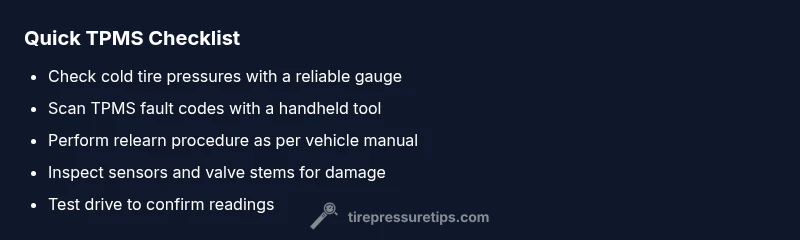
Before touching sensors, collect a reliable TPMS scan tool, a tire pressure gauge, and access to your vehicle manual. Check all tires when cold and compare against the recommended pressures in your owner’s manual or door placard. Note any readings that differ from the vehicle display.
Tip: Cold tires give the most accurate readings; avoid checking after a long drive. - 2
Read TPMS fault codes
Connect the scan tool to your vehicle’s OBD port (or wheel sensor interface) and pull the TPMS fault codes. Record the sensor IDs and any codes returned. This step helps you know whether the issue is sensor-related or a software glitch.
Tip: Some codes point to specific sensors; write them down for easier replacement if needed. - 3
Attempt a TPMS relearn
Follow the relearn procedure for your vehicle (many brands have a button method or a push-and-drive relearn). Relearning helps the system re-sync sensors with the control module after rotations, repairs, or battery changes.
Tip: If your car requires driving to complete the relearn, do a short test drive in a safe area. - 4
Inspect sensors and valves
Visually inspect each sensor valve stem for cracks, corrosion, or damage. If a sensor battery is accessible, check its age or consider replacing the sensor if it’s near the end of its typical life (usually several years).
Tip: Don't over-tighten valve cores when reseating sensors to avoid leaks. - 5
Verify readings post-relearn
With the relearn complete, recheck tire pressures again and monitor the dash message. Confirm that the TPMS display now reflects each wheel’s actual pressure and that the warning does not reappear.
Tip: If the warning returns, you may have a faulty sensor or a deeper electrical issue. - 6
Seek professional diagnostics if needed
If the fault persists after the steps above, book a TPMS diagnostic with a professional shop. They can perform comprehensive testing, recalibration, and sensor replacement with factory-grade tools.
Tip: Professional service can prevent misdiagnosis and ensure your TPMS works reliably.
Diagnosis: TPMS warning light or message shows a fault even though tires look properly inflated
Possible Causes
- highSensor battery is dead or sensor failing
- mediumSensor not recognized due to improper relearn after rotation or service
- lowControl module or software glitch causing incorrect fault codes
Fixes
- easyUse a TPMS scan tool to read fault codes and confirm which sensor or system component is at fault
- easyPerform the relearn procedure for the TPMS sensors as specified by the vehicle manufacturer
- mediumInspect valve stems and sensors; replace a dying battery or faulty sensor if needed
- hardIf the fault persists after relearn and sensor checks, consult a professional for a full TPMS diagnostic
Frequently Asked Questions
What does it mean when the TPMS warning shows a fault but tires seem fine?
It usually means a sensor issue, battery failure, or a relearn needed after maintenance. Visual inflation may look okay, but TPMS readings differ from actual pressures. Use a diagnostic tool to confirm.
A TPMS fault often points to a sensor or relearn issue rather than a true tire problem.
Can a simple relearn fix a TPMS fault?
Yes, many faults resolve after a proper relearn procedure, especially after tire rotation or battery service. If the light returns, the sensor may be failing.
A relearn can fix many TPMS faults, but if it keeps coming back, the sensor may need replacement.
Do I need special tools to relearn TPMS?
Some vehicles allow relearn with a dash sequence, but many require a TPMS scan tool or dealer tools. Check your owner’s manual for exact steps.
Some cars just need a button procedure, others need a TPMS tool.
How long do TPMS sensors last?
Most TPMS sensors last several years, but batteries can die earlier in some models. Regular checks help catch failures before they trigger a warning.
Sensors usually last years, but batteries wear out.
When should I replace a TPMS sensor?
Replace if the sensor fails to read after a relearn, shows frequent faults, or if the battery is dead. Always verify with a diagnostic scan.
Replace a sensor that won’t communicate reliably.
What to Remember
- Check cold tire pressures first
- Run a TPMS scan to identify faulty sensors
- Relearn TPMS after rotations or service
- Replace or service sensors if faults persist