Tire Pressure Sensor Program Tool: A 2026 Guide for TPMS
Master tire pressure sensor programming with a dedicated tool. Read, configure, and verify TPMS sensors on common vehicles with clear steps, safety tips, and troubleshooting guidance.


You will learn how to identify, install, and use a tire pressure sensor program tool to calibrate TPMS sensors, read sensor IDs, and update wheel sensor codes. You’ll need a compatible tool, a vehicle's service manual, and a laptop or smartphone with software. Expect 30-60 minutes depending on model. This guide also covers safety considerations and testing results.
Understanding tire pressure sensor program tools
If you're maintaining a modern vehicle, you know TPMS sensors are essential for monitoring tire pressure. A tire pressure sensor program tool is a specialized device or software suite that helps you read, reprogram, relearn, or replace TPMS sensor IDs and wheel positions. According to Tire Pressure Tips, using a dedicated tool reduces sensor misreads and speeds up service when you replace worn sensors or wheel assemblies. The Tire Pressure Tips team found that hands-on familiarity with the tool yields more reliable pressure data than ad hoc methods. In practice, these tools communicate with TPMS sensors via the vehicle’s OBD port or through the wheel’s sensor harness, sometimes requiring an external power source. The tool typically supports several sensor brands (e.g., aftermarket sensors and OEM units), and it offers functions such as reading current sensor IDs, mapping wheel positions, and re-learning codes after tire changes. For DIY enthusiasts, owning a tool that’s compatible with your vehicle family can save trips to the shop, reduce the risk of errors, and help you maintain correct inflation more consistently. In this article, we’ll break down what the tool does, how to choose one, and how to use it safely across common scenarios.
How TPMS sensors work and why programming tools matter
TPMS sensors monitor tire pressure and temperature to alert drivers when pressure drops below a safe threshold. Each sensor is linked to a wheel position and a vehicle ECU that interprets data for the driver display. Programming tools are important because they allow you to read sensor IDs, re-learn positions after wheel swaps, and ensure the ECU recognizes replacement sensors. Without proper programming, a new sensor may read inaccurately or fail to trigger warnings, leading to incorrect tire pressures and unsafe driving conditions. As vehicles evolve, TPMS communication standards expand, and programming tools must support a growing range of sensor brands and firmware levels. The right tool simplifies the relearn process, reduces guesswork, and provides a verifiable log of changes for maintenance records.
Types of tire pressure sensor program tools
There are several categories of tools used for TPMS programming. Hardware-based handheld devices often plug into the OBD port or connect wirelessly to a sensor reader. Software-based tools run on laptops or smartphones and communicate through a dedicated dongle or Bluetooth adapter. Some tools are vehicle-specific, offering deep integration for a single brand, while others are multi-brand and more versatile for a mixed fleet. Features vary: sensor ID readouts, wheel position mapping, re-learn routines, live data streaming, and data export options. When choosing between a basic dongle and a full-featured platform, consider your vehicle models, the need for offline operation, and the frequency of tire service in your shop. In general, multi-brand tools tend to be more flexible, but may require more time to learn due to broader functionality.
Choosing a tool: compatibility, features, and pricing
Compatibility is the first filter. Confirm the tool supports your vehicle year, make, and model, as well as the sensor brands you use (OEM and aftermarket). Key features to look for include sensor ID reading, wheel mapping, relearn and programming routines, and verification tests. Some tools offer cloud-backed logs, firmware updates, and batch processing for fleets. In terms of cost, tool prices vary widely based on capabilities; expect a range that reflects features such as live data, coding, and multi-brand support. According to Tire Pressure Tips analysis, investing in a well-supported tool pays off in accuracy and efficiency over time, especially for frequent tire maintenance tasks. Always check for software updates and manufacturer support to ensure long-term reliability.
Safety and prerequisites before using any tool
Before starting, ensure you follow basic safety practices. Park on a flat surface, apply the parking brake, and wear eye protection. Never operate tools with the vehicle running in an unsafe environment, and avoid damaged wiring or loose connectors. Have the vehicle service manual handy to confirm relearn procedures and sensor specifications. If you’re unsure about a procedure, consult a professional or use manufacturer guidance. These precautions help prevent accidental sensor damage, erroneous readings, or injury during the programming process.
Preparing your vehicle for TPMS programming
Begin with a visual inspection of tires and sensors. Confirm tire pressures are at recommended levels per the vehicle’s specification and record current readings before any changes. If you’re replacing a wheel or sensor, inspect the valve stem, rim, and sensor mounting hardware for damage. Disable or minimize external power drains (e.g., DC-powered lights) during programming to avoid interference. Organize wheel positions (front-left, front-right, rear-left, rear-right) and keep a map handy for accurate relearn workflows. After preparing the tires, connect the programming tool and follow its prompts for a smooth relearn.
Step-by-step overview of a typical TPMS programming workflow
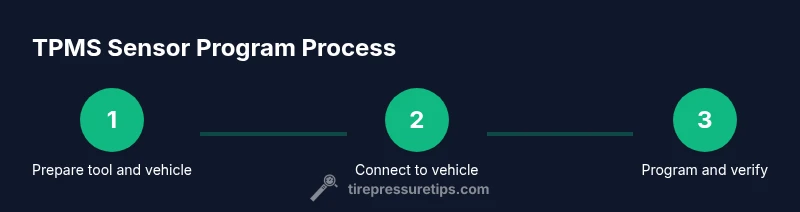
A typical workflow involves four core phases: (1) connect and authenticate the tool with the vehicle, (2) read current sensor IDs and wheel positions, (3) perform relearn or programming as needed, and (4) verify the changes with test readings and a short road test. A well-documented process reduces the chance of mis-mapped sensors and incorrect IDs. Remember to save logs after each step and confirm the ECU acknowledges the changes. This overview helps you understand the sequence before diving into detailed steps in the next section.
Troubleshooting common issues and how to avoid them
Common issues include tools failing to communicate with sensors, incorrect relearn results, or ECU warnings after programming. Always verify tool compatibility with the exact vehicle year, make, and model. Check connections, power supply, and sensor battery health. If you encounter inconsistent readings, re-run the relearn with the correct wheel positions and tether the tool to a stable power source. For stubborn problems, consult the tool’s support resources or a service professional to avoid misdiagnosis.
Practical tips and maintenance after programming
After a successful programming session, perform a short drive to trigger TPMS recalibration and verify readings at multiple speeds and temperatures. Keep a written log of sensor IDs, wheel positions, and tool firmware versions for future maintenance. Regularly update the tool’s software and firmware to stay compatible with new sensor generations. Store spare parts like extra valve stems and sensors in a labeled kit for quick replacements. Finally, periodically check tire pressures and TPMS warnings to ensure ongoing accuracy.
Tools & Materials
- Tire pressure sensor program tool(Choose a tool compatible with your TPMS system and vehicle year/model)
- OBD-II adapter or USB cable(Connects to vehicle's diagnostic port when needed)
- Laptop or smartphone with TPMS software(Ensure software supports your tool and sensor types)
- TPMS sensor IDs and wheel position map(Have on-hand for reference)
- Digital tire pressure gauge(Precise tire inflation checks during testing)
- Safety gear (gloves, eye protection)(Optional but recommended)
Steps
Estimated time: 30-60 minutes
- 1
Verify tool compatibility
Check that the tool supports your vehicle's year, make, and model, and that sensor brands (OEM and aftermarket) are covered. Confirm required software versions and any firmware updates before starting.
Tip: Double-check model compatibility in the tool’s user manual. - 2
Prepare vehicle and workspace
Park on a flat surface, engage the parking brake, and power down the vehicle. Gather wheel maps and set up a clean workspace with good lighting to avoid misreading sensor IDs.
Tip: Ensure tires are cool to get accurate pressure readings. - 3
Identify sensor IDs and wheel positions
Use the tool to read current sensor IDs and map them to wheel positions. Record IDs for future reference and ensure you know which position each sensor currently occupies.
Tip: Label each wheel position with its corresponding ID for quick reference. - 4
Connect tool and power
Connect the tool to the vehicle’s OBD port or wheel module as instructed, and power the tool. Ensure a stable connection and verify power indicators before proceeding.
Tip: If the tool supports battery power, ensure fresh batteries or a stable power source. - 5
Read and verify sensor data
Run a read operation to confirm current sensor data and IDs. Compare against your wheel-position map and look for any discrepancies.
Tip: If readings don’t match, re-seat sensors or retry the read operation. - 6
Program or relearn sensors
Perform the relearn or programming steps required for your sensor types. Follow the tool prompts to assign correct IDs and wheel positions.
Tip: Avoid rushing; allow the tool to complete each step fully before continuing. - 7
Verify changes with a test
Use the tool to verify the updated IDs and perform a short drive to confirm TPMS warning lights behave correctly and readings stabilize.
Tip: Record the final readings and ensure consistent results across cycles. - 8
Document results and log data
Save a complete log: tool version, sensor IDs, relearn configuration, and any notes about the vehicle. This aids future maintenance and troubleshooting.
Tip: Keep a copy of the log with the vehicle’s service records.
Frequently Asked Questions
How does a tire pressure sensor program tool work?
A TPMS tool reads sensor IDs, maps wheel positions, and programs or relearns sensors so the ECU recognizes the correct sensors for each wheel.
A TPMS tool reads IDs, maps wheels, and programs sensors so the car recognizes each wheel’s sensor.
Is it risky to program TPMS sensors yourself?
Programming is generally safe if you follow the tool prompts and vehicle procedures. Inaccurate relearns can cause false warnings, so verify with a test drive.
DIY TPMS programming is safe when you follow prompts and test thoroughly after.
Do all vehicles support TPMS programming tools?
Most modern cars support TPMS programming, but compatibility varies by model and year. Check the tool’s supported vehicle list before buying.
Most newer cars support it, but always verify compatibility first.
Can I program sensors myself or should I go to a shop?
For common replacements and relearns, a DIY approach with a good tool works well. Complex diagnostics or intermittent issues may require a shop.
DIY works for many cases, but seek a shop for complex problems.
Will programming affect tire performance readings?
Yes, incorrect programming can cause inaccurate readings or warnings. Proper relearn and verification are essential for accurate results.
If done correctly, readings stay accurate; otherwise, warnigns may occur.
What if the tool cannot communicate with the vehicle?
Check connections, confirm power, and ensure software is up to date. If problems persist, consult the tool’s support resources.
Check connections and updates; contact support if the issue continues.
Watch Video
What to Remember
- Choose a compatible Tire Pressure Program Tool.
- Back up sensor data before starting.
- Follow calibration steps exactly to avoid mismatches.
- Test sensor readouts after programming with a quick drive.
- Document tool settings and sensor IDs for future maintenance.