Tire Pressure Sensor Programmer: Step-by-Step TPMS Relearn
Learn how to use a tire pressure sensor programmer to read, relearn, and calibrate TPMS sensors safely. This guide covers compatibility, step-by-step programming, safety, and troubleshooting to keep tires accurately monitored.


According to Tire Pressure Tips, a tire pressure sensor programmer lets you read, relearn, and calibrate TPMS sensors for your vehicle. This guide walks you through compatibility checks, step-by-step programming, and common troubleshooting. You’ll learn how to avoid false TPMS alerts and keep tires properly monitored.
Understanding tire pressure sensor programmers
A tire pressure sensor programmer is a handheld or laptop-based tool that communicates with TPMS sensors inside each wheel. It reads current sensor IDs, writes new data, and guides relearn procedures so the vehicle’s TPMS control unit recognizes each tire correctly. The Tire Pressure Tips team stresses that accuracy hinges on using the right programmer for the vehicle and following a clean, methodical workflow. This section breaks down what these devices do, how they differ from generic scanners, and when to reach for a TPMS programmer rather than a basic tire pressure gauge. You’ll learn about sensor types (valve-stem vs. direct-mounted), data formats, and the importance of a stable power source during programming. By the end, you’ll know what to expect from a high-quality TPMS programmer and how it can simplify maintenance, repairs, and upgrades.
How TPMS sensors transmit data and why programming matters
TPMS sensors continuously monitor tire pressure and transmit RF signals to the vehicle’s TPMS receiver. When a sensor is replaced, battery health changes, or wheel alignment occurs, the control unit may not recognize the sensor until it’s relearned. Programming aligns the sensor’s ID with the car’s module, updates calibration values, and ensures the correct tire position is assigned. Without proper programming, you may see false warnings, delayed readings, or a persistent TPMS light after maintenance. This section explains relearn concepts, common hardware interfaces, and why software updates from the sensor manufacturer can improve reliability.
Compatibility and feature considerations when choosing a programmer
Not all TPMS programmers work with every vehicle. You’ll need to verify compatibility with your make, model, year, and the sensor type used by the OEM. Look for features like vehicle relearn mode, online firmware updates, and the ability to read sensor data (battery status, frequency, and ID). Some programmers require a dealership license for certain models, while others offer universal relearn procedures. Consider whether you need OBD-II access, standalone handheld operation, or laptop integration for batch programming. In addition, assess the availability of manufacturer-specific codes vs. generic IDs, as the right choice can save time and reduce the risk of misprogramming.
Safety, legality, and best practices when programming TPMS sensors
Safety comes first when working around wheels and tires. Never program sensors while the vehicle is on the lift or with tires under load. Use wheel chocks, proper PPE, and a clean workspace to avoid dust and debris that can interfere with readings. Be mindful of local regulations; some jurisdictions restrict aftermarket TPMS work, especially if it involves vehicle immobilization features. Always refer to the vehicle’s service manual for the official relearn steps and avoid circumventing OEM procedures. Proper documentation of sensor IDs, configuration data, and re-learn time helps maintain a verifiable maintenance history.
High-level programming workflow (overview of steps)
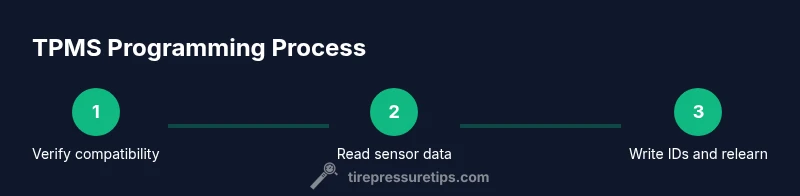
A typical TPMS programming workflow includes: identifying target sensors and vehicle model, preparing the workspace and devices, reading current sensor data, writing new IDs or calibrated values, performing relearn procedures, and verifying readings. This block outlines the sequence at a high level, so you know what to expect before you begin. Depending on the tool, you may perform some steps in an on-vehicle mode or require wheel removal. In all cases, ensure power is stable, the sensor is compatible, and you have a clear log of the changes.
Common pitfalls and troubleshooting strategies
Misconfigured IDs, mismatched sensor types, and failing relearn sequences are the top causes of TPMS faults after programming. Double-check that you’re using the correct sensor type for your wheel and that the car’s relearn procedure matches the vehicle year and trim. If the TPMS light remains after programming, recheck the sensor data, confirm the IDs, and perform the relearn step again. Ensure the battery in the programmer is healthy and that firmware is up to date. Troubleshooting steps should be logged for future reference.
Maintenance, documentation, and post-program checks
After programming, document each sensor’s ID, part number, and calibration data. Store a backup set of IDs in your notes or a maintenance log for quick reference. Recheck tire pressures and road-test the vehicle to confirm a successful relearn. Periodically verify sensors during seasonal tire changes and before long trips. Regular maintenance reduces the chance of TPMS faults and keeps your monitoring system reliable.
What to expect on the road after programming and when to recertify
A successful TPMS relearn should provide accurate readings for all four tires, with the TPMS warning light functioning as designed. If readings appear inconsistent, recheck pressures and reverify sensor IDs. Some vehicles require periodic re-certification after battery changes or tire rotations. In general, expect improved warning accuracy and consistent tire pressure readings after a proper programming session.
Tools & Materials
- Tire pressure sensor programmer(Dedicated device or laptop-based tool capable of reading/writing TPMS sensor data.)
- Vehicle service manual or OEM relearn guide(Check exact relearn steps for your make/model; follow manufacturer procedures.)
- Digital tire pressure gauge(Use to verify pressures before and after programming for accurate baselines.)
- Replacement TPMS sensors (optional)(If upgrading or replacing faulty sensors, ensure compatibility with vehicle.)
- Safety gear (gloves, eye protection)(Protect hands and eyes when handling tires and wheel hardware.)
- Wheel chocks and wheel removal tools(Only use when necessary to access sensors; follow safe lifting procedures.)
- Maintenance log or digital notes app(Record sensor IDs, calibration data, and relearn timestamps.)
- Battery tester for programmer(Periodic check of programmer battery helps avoid mid-session power loss.)
Steps
Estimated time: 45-75 minutes
- 1
Verify compatibility
Confirm vehicle year, make, model, and tire sensor type. Check the TPMS relearn requirements for your exact configuration before touching any hardware.
Tip: Refer to the OEM procedure to avoid introducing incorrect IDs. - 2
Prepare workspace and safety gear
Set up a clean, well-lit area. Place wheel chocks, wear gloves, and ensure the vehicle is stable before removing any components.
Tip: Have a timer handy for any required wait periods during relearn steps. - 3
Read current sensor data
Connect the TPMS programmer to each sensor to capture IDs, battery status, and current calibration. This establishes a baseline before changes.
Tip: Document IDs in a log for traceability. - 4
Write new IDs or calibrate
Using the programmer, write the new IDs or calibration values as dictated by the relearn procedure. Ensure the data matches the vehicle’s requirements.
Tip: Double-check each sensor’s data before writing to avoid cross-assignment. - 5
Perform relearn
Follow the vehicle-specific relearn sequence (manual or OBD-based). This step re-associates sensors with wheel positions in the ECU.
Tip: Some vehicles require ignition-on steps; don’t skip the exact order. - 6
Verify and document
Re-read sensor IDs to confirm changes and note the successful relearn. Take roadside readings and ensure the warning light extinguishes after a short drive.
Tip: Keep a record of the final sensor IDs and timestamps for future maintenance.
Frequently Asked Questions
Do I need to relearn TPMS sensors after programming?
Yes. Most modern vehicles require a relearn to bind the new or updated sensor data to the car's TPMS control unit. The exact steps vary by make and model, so follow the OEM procedure or your programmer's guided workflow.
Yes, you usually need to relearn the sensors after programming to ensure proper readings.
Can I program TPMS sensors myself or should I go to a shop?
You can program TPMS sensors yourself if you have a compatible TPMS programmer and access to the vehicle's relearn steps. Some vehicles require dealer-level procedures or tools, so verify before starting.
You can do it yourself if you have the right tools, but some cars may need dealer procedures.
Are aftermarket TPMS sensors compatible with all vehicles?
Many aftermarket sensors are compatible with a wide range of vehicles, but compatibility depends on sensor type, size, and vehicle-specific codes. Always confirm with the vehicle’s manual or the sensor manufacturer.
Aftermarket sensors can work on many cars, but check compatibility first.
What safety precautions should I follow when using a TPMS programmer?
Work in a clean, stable area and keep the vehicle supported. Do not program sensors while the wheel is loaded or the car is in motion. Wear PPE and follow manufacturer safety instructions.
Work in a stable area, don’t program while the wheel is loaded, and wear safety gear.
What if the TPMS warning light stays on after programming?
Recheck sensor IDs, confirm relearn steps, and verify tire pressures. If the light persists, re-run the relearn sequence or consult the OEM procedure. Persistent faults may indicate a bad sensor.
If the light stays on, verify IDs and relearn steps, then re-test.
Is TPMS programming legal and does it affect warranties?
Programming TPMS sensors with approved tools is generally permitted, but some warranty terms or vehicle policies may vary. Always ensure your method complies with local regulations and OEM guidelines.
Generally allowed with proper tools, but check warranty terms and regulations.
Watch Video
What to Remember
- Verify vehicle compatibility before programming.
- Follow OEM relearn procedures for reliable results.
- Document sensor data and keep a maintenance log.
- Test drive to confirm TPMS readiness and accuracy.
- Regularly update firmware and use proper calibration data.