How to Use a Tire Pressure Monitor Reset Tool: A Practical Guide
Master the tire pressure monitor reset tool with a step-by-step guide, essential tools, and safety tips to relearn TPMS sensors and keep tires properly inflated.


Using a tire pressure monitor reset tool relearns TPMS sensors after inflating tires, replacing sensors, or rotating wheels. This guide shows how to choose the right reset tool, follow the relearn procedure for your vehicle, and verify accurate readings. Expect about 20–40 minutes with common tools.
What is a Tire Pressure Monitor Reset Tool and Why You Might Need It
A tire pressure monitor reset tool is a device or software that communicates with your vehicle’s TPMS to relearn the sensor data after changes like air inflation, tire rotations, or sensor replacement. When you alter a tire, the car’s ECU may lose track of which tire is in which position, triggering a warning light or inaccurate readings. According to Tire Pressure Tips, a reliable reset tool helps perform the relearn procedure without guesswork, saving time at the shop and ensuring the dashboard displays correct pressures. You might need a reset tool when you replace a TPMS sensor, install a new set of tires, or after a tire patch requires a sensor recalibration. There are two primary relearn paths: automatic relearn by driving and manual relearn via the tool. Knowing which path your vehicle requires is essential for a successful relearn. The goal is to restore the vehicle’s ability to identify each tire’s position and report accurate pressures. Always verify tool compatibility with your exact year, make, and model before starting.
What a Tire Pressure Monitor Reset Tool is and How It Fits into TPMS Maintenance
In practice, the reset tool acts as the bridge between sensors and the vehicle’s ECU. For vehicles with automatic relearn, you may simply drive for a short distance after inflating to the correct pressure; for others, a manual relearn in the tool’s menu is required. This distinction matters because using the wrong path can leave the TPMS light on or misreport tire pressures. The Tire Pressure Tips team emphasizes that understanding your vehicle’s relearn method reduces frustration and ensures a stable TPMS state after service. Always start with the owner’s manual to confirm whether your model uses an automatic relearn or a manual relearn approach.
Why a Reset Tool Improves Accuracy and Safety
Maintaining proper tire pressure reduces wear, improves fuel efficiency, and enhances safety by ensuring the TPMS alerts you when a tire is underinflated. A reset tool helps you validate the entire system after pressure adjustments or tire changes, ensuring your readings reflect actual conditions. Without a proper relearn, you may see false or stale readings, which can mislead you about tire health. This is why a reputable reset tool, used correctly, is a valuable asset for any driver or shop. The Tire Pressure Tips analysis highlights that a deliberate relearn process aligns sensor data with real-world tire pressures, contributing to consistent performance on the road.
Tools & Materials
- Dedicated tire pressure monitor reset tool(Ensure compatibility with your vehicle’s make/model and TPMS type (sensor-based or relearn via ECU).)
- OBD-II scanner with TPMS relearn capability(Some vehicles require OBD-II-based relearn; check compatibility first.)
- Digital tire pressure gauge(Use for initial inflation checks and cross-validation.)
- Vehicle owner’s manual(Verify relearn procedures and any model-specific steps.)
- Flashlight or work light(Use in dim garages to clearly see valve stems and tool interfaces.)
- Pen and notepad(Record tire pressures and relearn outcomes for your records.)
Steps
Estimated time: Total time: 25-40 minutes
- 1
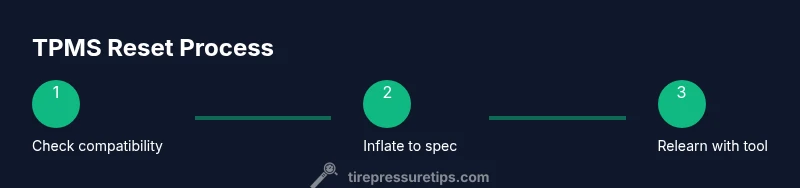
Verify vehicle compatibility and gather tools
Check your car’s manual to confirm whether it uses an automatic relearn or a manual relearn method. Gather the reset tool, OBD-II scanner, module-specific adaptors, and a reliable tire pressure gauge. Preparing the right tools prevents delays during the relearn process.
Tip: Double-check that the reset tool supports your exact make/model; incompatibility can trigger errors. - 2
Inflate tires to the recommended pressure
Use the digital gauge to verify each tire is at the recommended level from the owner’s manual or door jamb sticker. Correcting pressure before initiating the relearn ensures sensor data matches actual conditions.
Tip: If you’ve just driven, wait a minute for temperatures to equalize before measuring. - 3
Power the tool and select the relearn mode
Turn on the reset tool and choose the TPMS relearn option that matches your vehicle’s make. If you’re using an OBD-II scanner, connect it and navigate to the TPMS relearn menu.
Tip: If your tool prompts for vehicle year or VIN, enter accurate data to avoid a failed relearn. - 4
Initiate the relearn sequence
Follow the tool’s prompts to begin the relearn process. This may involve holding a button, cycling ignition, or selecting a tire position in a specific order.
Tip: Some cars require you to perform a drive cycle after triggering relearn in the tool. - 5
Complete the relearn and drive to validate
After the tool confirms success, drive the vehicle for 5–15 miles at steady speeds to complete the relearn in many makes and models. Recheck tire pressures after driving to confirm stability.
Tip: If the light remains on, recheck pressures and consider repeating the relearn or consulting the vehicle manual. - 6
Document results and perform a final verification
Record the final tire pressures and the relearn status. If the TPMS light is off and the gauge readings align with actual pressures, you’ve completed the process successfully.
Tip: Keep a spare note with the relearn date for future reference.
Frequently Asked Questions
Do I always need a reset tool to relearn TPMS?
Not always. Some vehicles relearn automatically after inflating to spec, while others require a manual relearn via a dedicated tool or scan tool. Always check your owner’s manual for the approved method.
Many cars relearn automatically after you set the tires to the correct pressure, but some require a manual relearn using a TPMS tool or scanner.
What if the TPMS light stays on after relearn?
If the light remains on, recheck all tires for correct pressure, confirm sensor positions, and retry the relearn procedure. If it still fails, there may be a faulty sensor or a system fault that needs professional inspection.
If the light stays on, double-check tire pressure and repeat the relearn. A persistent issue may require sensor inspection.
Can I relearn TPMS without driving afterward?
Some systems require a short drive cycle after the relearn to finalize the sensor data in the ECU. If your vehicle’s manual specifies a drive cycle, follow that instruction.
Many vehicles need a short drive after relearn to finalize readings.
Is a universal reset tool safe for all makes?
Universal tools cover many makes but may not support every model or sensor type. Verify the tool’s compatibility list before purchasing or using it.
Universal tools work for many cars but check compatibility first.
What should I do if a sensor is faulty?
If a sensor is suspected faulty, replace it according to the manufacturer’s instructions, then relearn with a compatible tool. Do not rely on a partial fix.
If a sensor is faulty, replace it and relearn with the appropriate tool.
Does TPMS calibration require special maintenance?
Yes. After sensor changes or long-term weather shifts, recheck with a gauge and ensure the TPMS is calibrated for your vehicle. Routine maintenance can prevent future relearn issues.
Sensor changes or weather changes may require recalibration.
Watch Video
What to Remember
- Use a compatible reset tool for reliable relearn results
- Inflate to correct pressure before starting
- Follow the vehicle’s relearn path (automatic or manual)
- Verify success by driving and rechecking readings