GM Tire Pressure Relearn Tool: A Practical Guide for TPMS Reset
Learn how to use the GM tire pressure relearn tool to reset TPMS after tire work or sensor replacement. This guide covers model compatibility, required tools, a detailed step-by-step process, troubleshooting, safety tips, and verification steps for a successful relearn.


You’ll learn how to use the GM tire pressure relearn tool to reset TPMS after tire service or sensor replacement. The guide covers when relearning is required, which GM models need it, and a safe, step-by-step approach with troubleshooting tips, required tools, and how to verify success. No guesswork is involved when following official procedures and best practices.
Understanding TPMS and the GM Relearn Tool
TPMS, or Tire Pressure Monitoring System, uses sensors in each tire to monitor pressure and alert you to changes. After tire rotation, replacement, or sensor service, many GM vehicles require a relearn to re-sync sensor data with the vehicle computer. The GM tire pressure relearn tool is designed to perform this reinitialization accurately. According to Tire Pressure Tips, relying on the official relearn workflow reduces false warnings and helps you regain reliable tire-pressure monitoring quickly. This section explains the basic concepts and why a proper relearn matters for safety and fuel efficiency.
Vehicle Compatibility and When Relearn is Required
GM’s relearn process is model-specific. Some GM passenger cars and SUVs require a TPMS relearn whenever sensors are replaced or tires are swapped for winter or performance tires. Others use universal steps that can be completed with a GM-approved scanner. Always consult the owner's manual or GM service documentation for your exact model year. If the TPMS warning light behaves oddly after service, a relearn is a prudent diagnostic step to restore accurate readings and maintain awareness of tire conditions.
What You Need Before You Start
Before powering anything, gather the essentials. You’ll need the GM tire pressure relearn tool (or a GM-approved scan tool that supports TPMS relearn for your model), the vehicle owner’s manual, a reliable tire pressure gauge, and a capable inflator for topping up pressures to spec. Have a clean workspace, parking brakes engaged, and wheel chocks if available. This preparation helps minimize interruptions and ensures that readings reflect true cold pressures. Remember to check the tires for any leaks or damage before starting.
Step-by-Step Relearn Process Overview
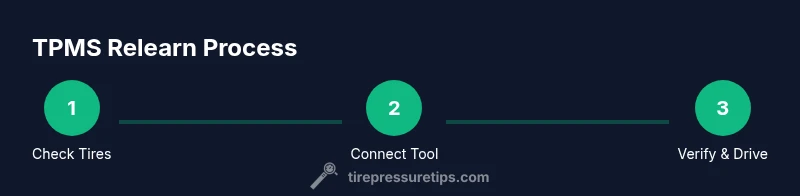
The relearn flow typically follows a precise sequence, which includes preparing the vehicle, entering relearn mode, initiating the calibration, and confirming success. The GM tool will guide you through each step with prompts. A clean, well-lit workspace helps you observe LED indicators and error messages clearly. This overview provides the roadmap: verify tire pressures, connect the relearn tool, select the correct procedure in the tool, run the calibration, then drive as required by GM’s guidelines to finalize the process.
How the GM Tire Pressure Relearn Tool Works in Practice
In practice, the GM relearn tool reads sensor IDs, matches them to the vehicle’s tire locations, and updates the TPMS control unit. After sensors are calibrated, the system uses a short drive to average sensor data and complete learning. Be mindful of battery status on sensors, as weak batteries can hinder the process. The tool will report success with a green indicator or a clear confirmation message. If the tool reports errors, recheck sensor placement and ensure the vehicle is in the correct relearn mode.
Troubleshooting Relearn Issues and Common Errors
If relearn fails, common culprits include low tire pressure, aged or weak TPMS sensors, or incorrect vehicle mode selection. Double-check all tires are within the recommended range, and reattempt the procedure with seasoned steps from the GM tool prompts. Some users see a blinking TPMS light before a successful relearn; in that case, complete the drive cycle required by GM to lock in the sensor data. If failures persist, consult GM service literature or seek professional support.
Safety Considerations and Best Practices
Always perform TPMS relearn with the vehicle on a flat surface, in park, and with the parking brake engaged. Wear eye protection and gloves as needed, especially when handling tires and tools. Do not exceed the maximum tire pressure specified on the sidewall when inflating. If you notice a persistent leak or a sensor fault, halt the process and address the issue before retrying. Following safe practices protects you and preserves tire integrity during the relearn.
Verifying Relearn Success and Next Steps
After completing the relearn, validate by observing the TPMS indicator behavior and, if available, scanning the system with the relearn tool. The light should behave normally—off when all tires are correctly inflated and on only for genuine warnings. Drive the vehicle for a short trip per GM guidelines to complete the learning cycle, and recheck pressures at cooled state. Document the date and model for future maintenance.
Alternatives and When to Seek Professional Help
If your GM model uses a non-standard TPMS or you encounter repeated failures, alternatives include inspecting individual sensors or visiting a GM dealership or certified shop. Some older GM vehicles may require battery replacement in the sensor or sensor replacement before relearn can complete. When in doubt, a professional TPMS service ensures correct sensor mapping, calibration, and long-term reliability.
Tools & Materials
- GM tire pressure relearn tool(Official GM tool or GM-approved compatible scanner; verify compatibility with model year and TPMS type)
- Vehicle owner’s manual(Refer to model-specific relearn steps and cautions)
- Tire pressure gauge(Use to confirm cold pressures before and after relearn)
- Air compressor or inflator(To bring tires to recommended cold pressures before starting)
- Wheel chocks and safety gear(Optional safety items for added stability and eye protection)
Steps
Estimated time: 30-60 minutes
- 1
Check prerequisites
Inspect tires for damage and ensure all are within the correct cold-pressure range. Gather the relearn tool and your vehicle manual. Confirm the environment is safe and the vehicle is in park with parking brake engaged.
Tip: Verify all tires are at the recommended cold pressures before starting. - 2
Power and connect
Turn the ignition to the accessory position and connect the GM relearn tool to the vehicle’s OBD port or designated data connector as per your GM tool instructions. Ensure the tool has a fresh battery or is properly powered.
Tip: Use the tool’s built-in battery check to confirm power levels before proceeding. - 3
Select the relearn procedure
In the GM tool interface, choose TPMS relearn for your exact model and tire setup. Confirm sensor type and locations as prompted by the tool.
Tip: Double-check model-year prompts to avoid mapping errors. - 4
Initiate calibration
Start the calibration sequence and allow the tool to read sensor IDs and map them to wheel positions. Do not move the vehicle while the tool is calibrating.
Tip: If calibration stalls, power cycle the tool and retry the step. - 5
Perform the required drive cycle
Follow GM’s instructions for the required drive distance and conditions to complete the relearn. This often involves a short drive on typical road speeds.
Tip: Avoid aggressive acceleration during the drive cycle to ensure reliable learning. - 6
Verify status and correct pressures
Check that the TPMS indicator is off and re-scan with the tool if available. Confirm each tire matches its target pressure when cold.
Tip: Document the final readings for maintenance records. - 7
Finalize and document
Record the relearn date, model, and any sensor details. If lights return, recheck steps or consult GM service literature.
Tip: Keep a simple log to simplify future maintenance or sensor work.
Frequently Asked Questions
What is a GM tire pressure relearn tool and when do I use it?
A GM tire pressure relearn tool re-syncs TPMS sensor data with the vehicle computer after tire work or sensor replacement. Use it when the TPMS warning light indicates sensors or tire positions may be out of sync, per GM guidelines.
The GM relearn tool re-syncs sensor data after tire work. Use it when the TPMS light shows potential sensor or position issues.
Do all GM models require a relearn after sensor replacement?
Not every GM model requires a relearn after sensor replacement, but many do. Check your owner's manual or GM service documentation for model-specific requirements and the recommended procedure.
Many GM models require a relearn after sensor replacement. Check your manual for model-specific steps.
Can I perform TPMS relearn without the GM tool?
Some GM vehicles support relearn via built-in prompts or universal scanners, but using the GM tire pressure relearn tool ensures correct sensor mapping and reduces errors.
Some vehicles can relearn with generic tools, but the GM tool improves accuracy.
Why does the TPMS light flicker or stay on after relearn?
Flickering or persistent lights usually indicate a sensor issue, improper relearn procedure, or low tire pressures. Recheck pressures, retry the relearn if needed, and consult guidelines if it persists.
If the light flickers or stays on, recheck pressures and retry the relearn. Seek service if it continues.
How long does a typical relearn take?
A typical relearn takes around 30 to 60 minutes, depending on model and sensor condition. Following the tool prompts helps keep it within this window.
Most relearns take about half an hour to an hour when done with the proper steps.
Is it safe to drive after relearn is completed?
Yes, once the relearn is confirmed and TPMS readings are correct, you can drive normally. Avoid long trips immediately after if you’re unsure about sensor performance.
Yes, drive normally once relearn is confirmed, but monitor for any TPMS warnings afterward.
Watch Video
What to Remember
- Prepare properly before starting relearn.
- Follow GM tool prompts precisely for reliable results.
- Verify all tires read correctly after relearn.
- Document the procedure for future maintenance.