Tesla Tire Pressure Monitoring System Fault: A Practical Troubleshooting Guide
Urgent guide to diagnose and fix a Tesla tire pressure monitoring system fault. Quick checks, reset steps, sensor health tips, and when to call service. Updated for 2026.


A Tesla TPMS fault is most often caused by a failed sensor battery or a calibration mismatch after wheel changes. Start by verifying all tire pressures and using the car’s TPMS reset in Settings. If the fault persists, schedule service—Tesla technicians can recalibrate or replace sensors as needed. Rapid checks include inspecting sensor batteries life and confirming wheel lug torque. For safety, do not drive with obviously under-inflated tires.
Understanding the Tesla TPMS fault
According to Tire Pressure Tips, the tire pressure monitoring system in a Tesla is designed to keep you informed about real-time tire pressures and to alert you if a tire drops below the recommended level. When the system reports a fault, it often points to a sensor that’s no longer communicating, a weak or dead sensor battery, or a calibration drift after wheel service. Teslas use a combination of direct TPMS sensors inside each wheel and software-based checks that verify sensor data against wheel speed and vehicle dynamics. A fault message can appear even if the tires are properly inflated, so the root cause is usually within the sensors, the battery, or how the system was last calibrated. Understanding this helps you prioritize checks that restore accuracy without unnecessary steps.
This guide will walk you through fast, practical steps to identify whether the fault stems from the sensor itself, the battery, or the calibration, and what to do next. Tire Pressure Tips emphasizes a calm, methodical approach because rushing to replace parts can be costly. The aim is to restore accurate readings and keep you safe on the road.
Quick safety and basic checks you can perform safely
The most important part of any TPMS fault is safety. If you notice a tire visually underinflated or damaged, pull over and inspect carefully. Use a reliable tire gauge to confirm pressures against the vehicle’s recommended values, usually posted on a sticker inside the driver door sill. If any tire is dangerously low, don’t continue driving—deflate risk or blowouts can occur at high speeds. While parked, ensure the parking brake is engaged and the vehicle is in “Park” before performing any sensor checks.
Next, review the wheel and tire setup. Confirm that the wheel lug nuts are torqued to spec and that the tires match the recommended size for your Tesla model. If you recently had tires replaced, ensure the shop performed proper TPMS sensor pairing or reprogramming. A basic suspicion is a loose connection at the valve stem or a sensor that didn’t register a new wheel after rotation. These checks are quick, non-destructive, and often resolve the fault without tools.
Diagnosing the most common causes and how to pinpoint them
Tire Pressure Tips analysis shows that the top causes of TPMS faults are sensor battery failure, calibration drift after wheel changes, and sensor misregistration during tire service. A dead battery in a direct TPMS sensor can stop reporting entirely, triggering a fault notice even if tire pressures are correct. Calibration drift occurs when the system re-learns tire dimensions after wheels are swapped or tires are inflated to different levels. Finally, a misregistered sensor can occur if a new sensor is installed but not correctly linked to the vehicle’s TPMS module.
To differentiate among causes, start with a quick reset and a pressure check, then move to sensor health. If the fault resurfaces after a reset, the likelihood increases that a sensor is failing or not communicating properly. Software glitches are less common but can be resolved with a firmware update. The goal is to verify communications first, then validate the physical health of each sensor, and only then consider sensor replacement.
How to reset and recalibrate the TPMS in a Tesla (step-by-step overview)
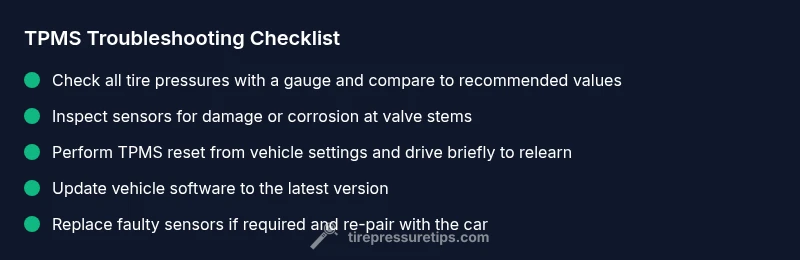
Resetting TPMS varies slightly by model year, but the general approach is consistent across Tesla models. Begin by confirming all four tires are inflated to the recommended pressures. In the vehicle settings, locate the TPMS or tire settings menu and select the reset or relearn option. After initiating the reset, drive the car for a short distance at highway speeds to allow the system to relearn tire positions and pressures. If the fault persists, you may need to perform a sensory check or service calibration via the service menu or a dealer visit.
If your model supports cloud or OTA updates, check for the latest software version, then install it. A software fix can resolve calibration anomalies without hardware changes. Remember, a reset isn’t a replacement for a leaking tire or a damaged sensor—address those issues separately if detected.
Sensor health, battery life, and when to replace
Direct TPMS sensors contain small batteries that gradually lose charge over time. A sensor nearing the end of its life may report unstable readings or intermittently fail to communicate, triggering a fault warning. If a visual inspection reveals a cracked or damaged sensor valve stem, or if one wheel consistently fails to report after multiple resets, sensor replacement is likely necessary. In many cases, the shop can reprogram or code new sensors to match your Tesla’s VIN and model year. It’s important to use genuine or recommended sensors to ensure reliable performance and compatibility with the vehicle’s TPMS module.
Battery-driven sensors are generally not serviceable; when the battery can no longer support the radio signal needed to communicate with the ECU, replacement is the practical option. Expect some downtime during replacement and re-learn, but this is a routine maintenance item for many vehicles with direct TPMS systems.
Prevention and maintenance to minimize future faults
Proactive maintenance reduces TPMS faults. Schedule periodic TPMS checks during routine tire maintenance, especially after rotating tires or replacing wheels. Keep tires properly inflated and match the OEM specifications precisely. If you notice frequent warnings even after servicing, request a diagnostic run that checks sensor power levels and communications. Regular firmware updates can also improve TPMS calibration accuracy and sensor syncing. Keeping a service log helps identify patterns—are faults occurring after wheel work or after tire replacements? Tracking these details makes your next visit faster and more productive.
Steps
Estimated time: 30-60 minutes
- 1
Verify tire pressures and safety
Before touching sensors, confirm all four tires are at the vehicle’s recommended pressures. If any tire is significantly underinflated, address that first and do not drive aggressively on underinflated tires.
Tip: Use a trusted digital gauge and compare against the sticker on the driver door jamb. - 2
Perform TPMS reset
Navigate to the TPMS settings in the Tesla menu and initiate the relearn/reset. After the reset, take a short drive to allow the system to relearn wheel positions and pressures.
Tip: Ensure all four tires are at the correct pressure before driving off. - 3
Inspect sensors and valves
Look for obvious damage to valve stems or wheel sensors during rotation or tire service. A damaged sensor or loose connection can cause intermittent faults.
Tip: Handle wheels carefully to avoid damaging sensors during inspection. - 4
Re-pair or replace faulty sensors
If a sensor is dead or not communicating, replace the sensor and re-pair it with the vehicle. This may require service tools or dealer programming.
Tip: Use OEM or recommended sensors to ensure compatibility. - 5
Check for firmware updates
Verify there is a new firmware release for TPMS and install it if available. Firmware fixes can resolve calibration and communication issues.
Tip: Keep your vehicle connected to Wi‑Fi or mobile data for timely updates. - 6
Test drive and verify
Drive normally and monitor the TPMS display for accuracy. If warnings persist, escalate to professional service for diagnostic testing and sensor calibration.
Tip: Document fault codes or messages to share with technicians.
Diagnosis: TPMS fault warning appears in a Tesla after wheel service or during routine driving
Possible Causes
- highDead or weak TPMS sensor battery
- highCalibration mismatch after wheel changes
- mediumDamaged or misregistered sensor after tire service
- lowSoftware glitch in TPMS calibration
Fixes
- easyPerform a TPMS reset from the car’s menu and drive briefly to relearn sensors
- easyCheck all tire pressures and adjust to recommended values
- mediumInspect sensors for damage; replace faulty sensors and re-pair them
- easyUpdate firmware to the latest version and recheck after reboot
Frequently Asked Questions
What is a Tesla TPMS fault and why does it matter?
A TPMS fault means the system isn’t reliably reporting tire pressures. It can be caused by a dead sensor battery, calibration drift after wheel work, or a sensor communication issue. Addressing it promptly helps prevent unsafe driving conditions due to incorrect tire pressure readings.
A TPMS fault means the system isn’t reliably reading tire pressures. It’s usually due to a bad sensor battery or calibration drift and should be addressed promptly to stay safe on the road.
Can I reset TPMS myself in a Tesla?
Yes, you can perform a TPMS reset via the car’s settings. After resetting, drive at a normal speed for a short distance to allow the system to relearn the sensors. If the fault persists, seek professional service.
You can reset TPMS in the car’s settings, then drive to relearn. If the fault remains, contact service.
What should I do if the fault comes back after a reset?
If the fault returns, check for sensor damage, battery condition, and ensure proper sensor pairing after any wheel work. A professional diagnostic may be needed to identify a failing sensor or software issue.
If it comes back after reset, inspect the sensors and consider professional diagnostics to check for a faulty sensor or software problem.
Is a TPMS fault always related to the tire pressure itself?
Not always. Faults can arise from sensor battery failure, miscommunication, or calibration drift, even if tire pressures are correct. Always rule out battery and sensor health first.
No—faults can be due to sensor health or calibration, not just pressure readings.
When should I replace TPMS sensors?
Replace sensors when they are dead, damaged, or cannot be paired with the vehicle after multiple attempts. This is usually done by a professional with proper tools.
Replace sensors if they’re dead or can’t be paired after several attempts.
Does software or firmware affect TPMS reliability?
Yes. Firmware updates can improve how TPMS sensors communicate and calibrate. Keeping the software up to date helps reduce false faults.
Software updates can improve TPMS reliability, so keep your firmware current.
Watch Video
What to Remember
- Verify pressures first and reset TPMS
- Calibrations and sensor health drive TPMS faults
- Replace faulty sensors; update firmware if needed
- Use OEM sensors for reliable performance
- Keep a maintenance log to spot patterns