How to Diagnose and Fix a TPMS Fault on a 2020 Ford Explorer
Urgent guide to diagnose and fix the 2020 Ford Explorer tire pressure sensor fault. Learn causes, quick checks, fixes, and prevention to keep tires safe and fuel-efficient.


The most likely cause of a tire pressure sensor fault on a 2020 Ford Explorer is a failing TPMS sensor battery or a damaged sensor, often triggered by temperature swings or recent wheel work. Start with quick checks: verify all tires are at their recommended pressures, inspect the valve stems and sensors for damage, and perform the TPMS relearn if your vehicle supports it. If these steps don’t clear the warning, plan a sensor replacement or professional diagnostics.
Understanding TPMS and the 2020 Ford Explorer Tire Pressure Sensor Fault
The Tire Pressure Monitoring System (TPMS) in the 2020 Ford Explorer is designed to alert you when a tire's pressure deviates from the recommended range. A tire pressure sensor fault is not just a nuisance; it can mask underinflation or mask a failing sensor. In many cases, the warning light pops on after a temperature swing, a long drive with uneven tire pressures, or after wheel work. According to Tire Pressure Tips, a diagnosed TPMS fault often points to one of a few common culprits: a worn or dead sensor battery, a damaged sensor stem, or a failure in the learning/transmission circuit. Recognizing this early can save you from uneven tire wear, poor fuel economy, and potential tire damage. The 2020 Explorer uses TPMS sensors that communicate with the tire pressure module, and many owners report that the fault can appear even when tires are correctly inflated. This guide helps you separate quick fixes from deeper repairs, with steps you can perform safely.
Common Causes Behind TPMS Fault in Ford Explorer
TPMS faults in the 2020 Ford Explorer typically arise from sensor hardware, battery degradation, or calibration issues. A failing sensor battery can lose enough capacity to transmit pressure data reliably, triggering warnings even if tires are near the correct pressure. Corrosion on the sensor contacts or a damaged sensor stem can disrupt wireless signaling. When tires are rotated or replaced, the system may need relearning; if the relearn isn't completed, you might see a fault message. Wiring inside the wheel well or a damaged sensing harness may also be the culprit, especially after curb impacts or hub replacement. External factors such as extreme temperatures, harsh road salt, and moisture can hasten sensor wear. Finally, some aftermarket tires or wheels with incompatible TPMS targets can interfere with sensing. In short, a TPMS fault is rarely due to a single issue and more often a combination of age, handling, and calibration.
Quick Checks You Can Do Before Calling a Technician
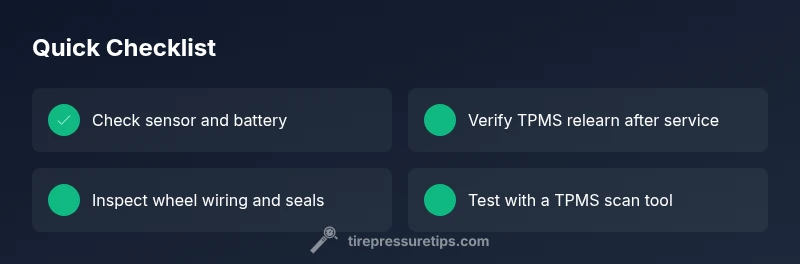
Before you schedule service, run through these practical checks. Start with basic tire pressures using a reliable gauge; compare each tire to the door jamb placard or owner's manual. If a tire is underinflated, bring it to the recommended range and reset the TPMS after the tires are at proper pressure. Look for obvious signs of sensor damage: a corroded valve stem, bent tab, or cracked sensor housing near the wheel. Inspect for leaks around the rim and valve stem—moisture or corrosion can affect readings. If you recently had tires replaced or wheels swapped, confirm that the TPMS relearn procedure was completed; you may need to drive in a straight line at a moderate speed or use the vehicle's settings menu. Keep track of when the warning appears—does it come after a cold start, after a long drive, or only when the vehicle is loaded? Documenting the pattern helps a technician diagnose faster. If the light remains on after basic checks, plan a diagnostic visit and consider a TPMS sensor replacement.
When to Reset the TPMS and How
Resetting the TPMS is sometimes enough to clear the fault after you correct tire pressures and address any sensor damage. In many modern vehicles, a relearn process is required: inflate all tires to the recommended pressures, then use the vehicle’s dashboard menu or a scan tool to initiate a relearn. If your Ford Explorer supports a manual relearn, quickly search the owner’s manual for the exact steps; some vehicles require turning the ignition to run, then driving straight at highway speed for several minutes. If a dealership tool is available, technicians can reprogram the wheel sensors to match your VIN. After a successful relearn, monitor for a few days to confirm the fault doesn’t return, especially during temperature shifts. If the light reappears soon after a reset, it’s likely you have a weak sensor battery or a failing sensor that will require replacement. In any case, do not ignore persistent warnings, as driving with a compromised TPMS can lead to underinflated tires and increased risk.
Diagnostic Flow: Symptoms to Diagnosis to Solutions
This troubleshooting flow helps map symptoms to likely causes and practical fixes. Symptom: TPMS warning light or erratic tire pressure readings on a 2020 Ford Explorer. Causes: Weak or dead TPMS sensor battery (high); Damaged or corroded sensor wiring or contacts (medium); Mismatched or non-learned TPMS after wheel/tire work (medium); Incompatible aftermarket wheels or tires (low). Fixes: Replace faulty TPMS sensor or battery with OEM-equivalent units; perform relearn via vehicle menu or scan tool; inspect and reseat sensors, check wiring; verify TPMS compatibility when using aftermarket wheels.
Step-by-Step: Replacing Sensors or Battery
Step 1 — Gather tools and safety gear: jack stands, wheel chocks, lug wrench, a torque wrench, and a TPMS sensor kit if you’re replacing sensors. Step 2 — Identify the correct wheel location and remove the wheel. Step 3 — Inspect the TPMS sensor for corrosion or damage and test the battery if possible. Step 4 — Replace the sensor or battery, using proper sealant and ensuring the sensor sits flush. Step 5 — Mount the wheel, torque the lug nuts to spec, inflate to the recommended pressure, and reseat the bead. Step 6 — Relearn the TPMS via the vehicle settings or scanner. Tip: Always verify tire bead seating and avoid over-tightening sensors to prevent leaks. Estimated time: 60-90 minutes.
Safety, Prevention, and Maintenance
Regular maintenance reduces TPMS faults: keep tires inflated to the recommended range, avoid harsh impacts that bend stems, and have wheels inspected after curb strikes. Use quality sensors and wheels compatible with your Explorer’s TPMS targets. When rotating tires, ensure technicians perform the relearn so the system remains accurate. Temperature extremes affect TPMS readings, so recheck pressures after cold starts and long trips. Finally, schedule proactive sensor checks as part of routine wheel service to minimize unexpected warnings.
Troubleshooting Variants for Different Tire Types
Run-flat tires and low-profile rims place extra demands on TPMS systems. If your Explorer wears run-flat tires, expect longer relearn procedures and possible need for dealer-level tools. Specialty tires or aftermarket rims may require compatible TPMS sensors to avoid misreads. In all cases, ensure the tire and sensor combination matches Ford’s specifications, and never ignore a persistent fault light. If in doubt, consult a certified technician who can verify signal integrity and sensor health with a professional scan tool.
Steps
Estimated time: 60-90 minutes
- 1
Gather tools and safety gear
Collect a jack, jack stands, lug wrench, torque wrench, tire gauge, replacement TPMS sensors or batteries, and a relearn tool if available. Ensure you have a clean workspace and wheel chocks. Safety first: engage the parking brake and wear gloves.
Tip: Double-check that you have the correct sensor model for your Explorer. - 2
Isolate and inspect the wheel
Loosen lug nuts just enough to remove the wheel, then inspect the sensor housing, valve stem, and wiring harness for corrosion or damage. If you see cracks or moisture around the sensor, replacement is advised. Keep track of which wheel you service for proper reinstallation.
Tip: Take a photo of the sensor orientation before removal for accurate reassembly. - 3
Replace or service the TPMS sensor
If the battery is dead or the sensor is damaged, replace the unit. Install with the correct orientation and sealant, ensuring the stem seats firmly and the valve seal is intact. If only the battery is replaceable, follow the manufacturer guidance for battery access.
Tip: Use fresh o-rings or gaskets to prevent leaks; do not reuse old seals. - 4
Reinstall wheel and inflate
Mount the wheel, hand-tighten the lug nuts, then torque to spec following Ford’s guidelines. Inflate tires to the recommended pressure on the door placard. Ensure the bead seats properly to avoid slow leaks.
Tip: Check each tire for air leaks by applying soapy water around the bead. - 5
Run relearn procedure
Use the vehicle’s TPMS relearn option or a compatible scan tool to retrain the sensors. Drive straight at highway speeds for several minutes if the system requires a dynamic relearn. Confirm all four tires register correctly in the system.
Tip: If the light stays on, perform steps again and consider a dealer scan. - 6
Verify and monitor
After relearn, monitor the TPMS light for a few days, especially during temperature changes. If the fault persists, prioritize sensor replacement or professional diagnostic.
Tip: Document symptoms and timing to share with a technician.
Diagnosis: TPMS warning light or inconsistent tire pressure readings on a 2020 Ford Explorer
Possible Causes
- highWeak or dead TPMS sensor battery
- mediumDamaged or corroded sensor wiring or contacts
- mediumMismatched or non-learned TPMS after wheel/tire work
- lowIncompatible aftermarket wheels or tires
Fixes
- easyReplace faulty TPMS sensor or battery with OEM-equivalent units; ensure proper sealing
- mediumPerform TPMS relearn/calibration via vehicle menu or a professional scan tool
- easyInspect wheel wiring and sensor connections, clean corrosion, reseat sensors
- hardVerify compatibility of any aftermarket wheels/tires with TPMS targets; replace if needed
Frequently Asked Questions
What commonly triggers a TPMS fault on a 2020 Ford Explorer?
Common triggers include a failing TPMS sensor battery, sensor damage or corrosion, and the need for relearn after wheel or tire work. Temperature changes can also affect sensor readings. A professional diagnostic helps confirm the exact cause.
Common triggers are a dying TPMS battery, sensor damage, and relearn needs after wheel work. Temperature shifts can affect readings; a professional check confirms the cause.
Can I drive with a TPMS fault light on?
You should not rely on the TPMS light alone for safety. Check tire pressures with a gauge and bring tires up to spec. If the fault persists, have the TPMS system diagnosed as soon as possible to avoid underinflation.
It's not safe to rely on the TPMS light alone. Check tire pressures and get a diagnostic if the fault keeps showing.
How do I reset TPMS on a 2020 Ford Explorer?
Reset methods vary by trim and tool availability. Inflate all tires to the recommended pressures, then use the vehicle menu or a scan tool to relearn. If needed, a dealer can perform the relearn with specialized equipment.
Inflate tires to spec, use the vehicle menu or a scan tool to relearn, or visit a dealer if it won’t reset.
Are TPMS sensors replaceable, and is the battery user-serviceable?
TPMS sensors are replaceable units. In most cases the sensor battery is not user-serviceable, so replacement involves installing a new sensor. A professional can confirm the right sensor type for your Explorer.
Yes, sensors can be replaced. The battery usually isn’t user-serviceable, so you’ll replace the sensor.
Does wheel or tire replacement affect TPMS readings?
Yes. After wheel/tire work, relearning the TPMS is essential. If the relearn isn’t completed correctly, the system may show a fault. Always have the technician perform or verify relearn.
Wheel changes require a TPMS relearn; without it, faults can appear.
What maintenance helps prevent TPMS faults?
Keep tires at the proper pressure, inspect sensors for corrosion during tire service, and use compatible wheels and tires. Regular checks reduce unexpected TPMS faults and improve safety.
Regular checks and compatible wheels prevent TPMS faults.
Watch Video
What to Remember
- Diagnose before replacing: check battery, wiring, and relearn needs first.
- Always reset TPMS after tire pressure adjustments.
- Use OEM-compatible sensors for reliable readings.
- Temperature changes can trigger TPMS faults—recheck pressures regularly.
- If in doubt, seek professional TPMS diagnostics to avoid unsafe driving.