How to Turn Off Tire Pressure Light Honda Civic
Learn how to safely turn off the tire pressure light on a Honda Civic, including how to verify tire pressures, use TPMS reset options, and what to do if the light won’t go off. Practical steps from Tire Pressure Tips.


Here’s how to turn off tire pressure light honda civic after correcting tire pressures. You’ll verify all four tires with a gauge, inflate to the recommended PSI, and use model-specific TPMS reset options if available. If the light persists after a proper reset, check sensors or seek service. According to Tire Pressure Tips, start by confirming cold readings.
Understanding the Tire Pressure Light and the Honda Civic TPMS
The tire pressure monitoring system (TPMS) in modern Hondas, including the Civic, is designed to alert you when a tire's air pressure falls outside the recommended range. The warning light may come on for several reasons, including underinflation, sensor faults, or temperature-related pressure changes. In practice, the light does not indicate you must replace the tire; it signals you should check pressure and inspect for leaks. Before you attempt to turn off the light, ensure all tires are inflated to the vehicle's specified PSI, as listed on the door jamb sticker. This is a practical habit that improves safety and fuel efficiency. According to Tire Pressure Tips, addressing pressure issues promptly reduces the risk of tire damage and improves handling. For Honda Civic owners, understanding the TPMS's behavior helps you interpret the warning correctly and makes the reset process smoother when needed.
Why the Light Can Come On in a Honda Civic: Common Causes
The TPMS light in a Honda Civic can illuminate for various reasons beyond a flat tire. Primary causes include tires that are underinflated, seasonal temperature drops, a slow tire leak, or a sensor issue with one of the wheel sensors. Punctures or damaged rims can also trigger the warning, as can a wheel that has been rotated or a tire that has been replaced recently without resetting the system. The light might blink briefly if the system detects a sensor fault or if the battery in a sensor has weakened. While some flags are benign and resolve with inflation, others require a sensor replacement. For drivers, it helps to inspect all tires, verify pressures with a reliable gauge, and ensure the pressure matches the door sticker. Tire Pressure Tips analysis emphasizes checking for consistent readings across all tires and not ignoring subtle hints from the warning light.
Confirming Tire Pressure is at the Right Level: The First Step Before Reset
In the Honda Civic, the correct tire pressure is defined by the door jamb sticker and varies by model and load. Start by pulling the car onto a level surface when the tires are cold, then use a trusted pressure gauge to measure each tire's pressure. Compare your readings to the recommended PSI, adjusting each tire as needed with a portable air compressor. Don’t rely on memory or visual inspection—the difference between the actual and recommended pressure can be several PSI, and small discrepancies can trigger the TPMS warning. After inflating, recheck all four tires and the spare if your vehicle has one. Once every tire sits at or near the specified pressure, you can consider proceeding to reset if your Civic supports it. Tire Pressure Tips notes that precise inflation is more important than merely seeing the warning disappear.
Safety Considerations Before Attempting a Reset
Resetting the TPMS is not a substitute for proper tire maintenance. If the warning was caused by a leak or puncture, repair or replace the affected tire before attempting a reset. Work on tires only when the vehicle is on a flat, stable surface, with the parking brake engaged and the engine off (or according to your owner's manual). Never ignore a rapidly blinking TPMS light, which can indicate an urgent system fault. If you are unsure about your ability to perform a reset, contact a reputable shop. The goal is to keep you and others safe on the road while ensuring the TPMS functions correctly.
Understanding Model Variations: Reset Methods in Different Honda Civic Years
Not every Honda Civic shares the same TPMS reset approach. Some model years provide a dash menu option to relearn TPMS, while others rely on driving patterns to refresh the readings. Fewer Civics require an external relearn tool or dealer consultation. Because the reset process depends on year and trim, always consult your owner's manual for the exact steps. If you can't locate the right option in the menu, a service visit can perform the reset and verify sensor integrity. The key is to confirm that the issue is not due to a leaking tire before attempting a reset.
How to Confirm the Light is Off After Reset
After inflating to the correct pressure and performing a reset (if applicable), take a test drive and monitor the instrument cluster. In many Civics, the TPMS light should go out after a successful relearn driving cycle. If the light remains illuminated, double-check tire pressures again, including the spare if equipped, and inspect wheels for damaged valves or sensor damage. A persistent warning often indicates a faulty sensor or a damaged wheel. In such cases, it is wise to schedule professional inspection.
When to Seek Help: Sensor Issues, Leaks, and Sensor Replacement
If you cannot turn off the tire pressure light after following the standard steps, it is time to diagnose deeper issues. A slow-leaking tire or a damaged TPMS sensor will keep triggering the warning even after inflation. In some Civic models, the sensor's battery life is a limiting factor; sensors commonly last several years but can fail, particularly after wheel service. Replacing a faulty sensor or recalibrating the system may require specialized tools. Tire Pressure Tips suggests not ignoring ongoing issues, as driving with underinflated tires lowers gas mileage and increases tire wear.
Maintenance Habits to Prevent Future Light Triggers
Regularly check tire pressure at least once a month and before long trips, especially in extreme temperatures. Make a habit of checking the air in cold conditions (before driving) and confirming your vehicle’s official PSI. Keep a portable gauge and a small air pump in the trunk for emergencies. If your Civic has run-flat tires or a unique TPMS design, adjust your strategy accordingly. By maintaining consistent tire pressure, you reduce the likelihood of recurring TPMS warnings and improve safety and fuel efficiency.
Quick Reference: A Practical Checklist for How to Turn Off Tire Pressure Light Honda Civic
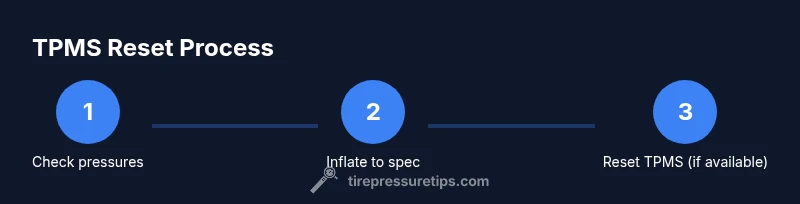
When the light comes on, use this quick checklist: 1) confirm cold tire pressures; 2) inflate to recommended PSI; 3) drive to trigger relearn if supported; 4) reset via vehicle settings if your model allows it; 5) inspect sensors and tires for leaks; 6) seek service if the light returns after reset. This structured approach aligns with best practices from Tire Pressure Tips and helps ensure your Honda Civic remains safe and efficient.
Tools & Materials
- Tire pressure gauge (digital or analog)(Use to verify each tire's pressure against the door jamb sticker.)
- Portable air compressor or access to an air pump(Needed to inflate underinflated tires to the specified PSI.)
- Owner's manual or Honda Civic service guide(Model-year specific reset steps vary; has authoritative instructions.)
- OBD-II TPMS relearn tool or compatible scanner(Only use if your Civic model requires a relearn via scanner.)
- Soapy water(Optional test for slow leaks around bead valves.)
- Safety gear (gloves, eye protection)
Steps
Estimated time: Total time: 30-60 minutes
- 1
Check tire pressures and inflate to spec
On a level surface and with cold tires, use a reliable gauge to measure each tire. Compare to the recommended PSI from the door jamb sticker. If any tire is below spec, add air until it matches, then recheck all four tires and the spare if present.
Tip: Always inflate to cold readings to avoid overestimating current pressure. - 2
Drive briefly to let the system relearn
After inflating to spec, take a light to moderate drive to allow the Civic’s TPMS to re-assess the updated pressures. Avoid aggressive driving, which can heat tires and skew readings.
Tip: A 10-15 minute highway drive is commonly sufficient for relearn in many Civics. - 3
Access TPMS reset option in vehicle (model-dependent)
If your Civic supports a reset, locate the TPMS relearn option in the vehicle’s settings or instrument cluster menu. Follow the on-screen prompts exactly.
Tip: If you cannot find a reset option, consult the owner’s manual or contact a dealer. - 4
Perform TPMS reset if available
Confirm ignition is in the correct position and complete the reset sequence as directed by the menu or your scanner.
Tip: Keep the ignition on as required by some models during the reset. - 5
Re-check tire pressures after reset
With tires inflates to spec, re-measure all four tires to ensure pressures remained stable post-reset.
Tip: If a tire pressure shifts, re-inflate to the recommended PSI and recheck. - 6
Inspect tires and sensors if the light stays on
Look for slow leaks, damaged valves, or a compromised TPMS sensor. Use soapy water on suspected leaks to confirm.
Tip: Damaged sensors or leaking tires often require professional service or sensor replacement. - 7
Seek professional help for persistent lights
If the light remains after inflating and resetting, schedule a diagnostic with a technician who can test sensors and reprogram them if needed.
Tip: Persistent lights after reset are a red flag for sensor or wheel issues. - 8
Document maintenance and plan future checks
Record PSI readings, date, and any service performed. Establish a regular monthly tire check routine.
Tip: Keeping a log helps you catch slow leaks early and reduces false warnings.
Frequently Asked Questions
What does the tire pressure light mean on a Honda Civic?
The TPMS light signals that at least one tire is underinflated or there is a sensor fault. Check all pressures to the recommended PSI, inspect for leaks, and reset TPMS if supported by your model.
The TPMS light shows a tire issue or sensor fault. Check pressures, inspect for leaks, and reset if your Civic model allows it.
Can I turn off the TPMS light without inflating the tires?
No. Turning off the light without addressing the underlying tire pressure issue defeats safety. Inflate to the recommended PSI and proceed with a reset if available.
No. Don’t turn it off until the tires are at the correct pressure and you’ve addressed the cause.
How do I reset the TPMS on a Honda Civic?
Reset methods vary by year and trim. Some Civics offer a reset option in the vehicle’s settings; others require driving to relearn or a dealer tool. Check your owner’s manual for the exact steps.
Reset methods depend on the year—use the manual or a dealer if needed.
Why does the TPMS light come back after a reset?
A renewed light usually indicates a slow leak, damaged sensor, or faulty valve stem. If it persists after inflating and a reset, inspect tires and sensors or seek professional help.
If it comes back, there may be a leak or sensor issue needing diagnosis.
Is it safe to drive with the TPMS light on?
If all tires are within the recommended PSI, it can be safe for short trips, but you should diagnose and fix the cause promptly. Drive cautiously and avoid high speeds if readings are uncertain.
Only if the tires are at the right pressure; otherwise, fix before longer trips.
Watch Video
What to Remember
- Check cold tire pressures before inflating.
- Inflate to the door jamb PSI exactly.
- Use TPMS reset if your Civic model supports it.
- Inspect sensors and tires if the light returns.
- Maintain regular tire pressure checks to prevent future warnings.