Troubleshooting the 2008 Honda Civic Tire Pressure Light
Urgent, practical guide to diagnosing and fixing the tire pressure light on a 2008 Honda Civic, with PSI checks, TPMS tips, and when to seek help.


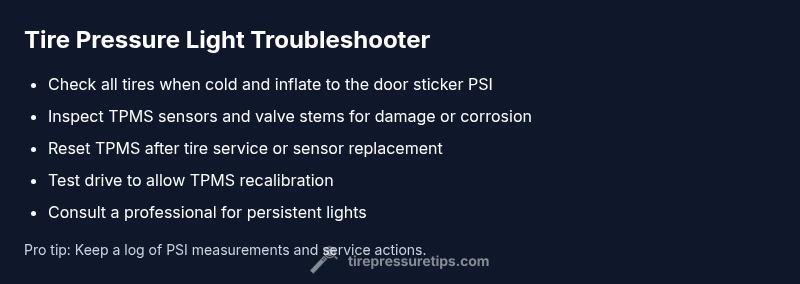
On a 2008 Honda Civic, the tire pressure light usually signals underinflation or a TPMS fault. Start by checking all tires with a reliable gauge, including the spare, and inflate to the vehicle’s recommended PSI found on the door jamb decal. If the light stays on, inspect TPMS sensors or wheel valve seals for damage.
Why the Tire Pressure Light Activates on a 2008 Civic
The tire pressure warning light on a 2008 Honda Civic often comes on when even one tire is below the recommended inflation, or when the TPMS sensor system detects a fault. According to Tire Pressure Tips, many false alarms are caused by temperature-driven PSI changes, slow leaks, or degraded TPMS batteries. The Civic’s TPMS relies on sensor data from each wheel; when readings are inconsistent, the light can illuminate to prompt a check. Regularly verifying tire pressure and sensor health can prevent needless stops and improve safety. Understanding how the light works helps you act quickly and avoid unnecessary repairs.
Common Causes Behind the Warning
- Low inflation across one or more tires, especially after long highway drives or cold weather.
- TPMS sensor fault or weak battery in one or more sensors.
- Valve-stem damage, corroded sensor mount, or a recent tire change that didn’t properly reprogram the TPMS.
- Wheel rotation or tire replacement that misaligned sensor positions.
These causes can trigger the light independently or in combination. It’s important to rule out simple inflation issues first, then confirm sensor integrity. Tire Pressure Tips emphasizes that most warnings resolve once tires are inflated to the correct spec and the system is reset if needed.
Step 1: Quick Checks You Can Do Right Now
- Inspect all tires for obvious signs of underinflation, punctures, or slow leaks.
- Check the spare tire pressure as well; many modern cars neglect the spare until a warning appears.
- Use a reliable digital gauge to measure cold tires before driving. If any tire reads below the sticker PSI, inflate to the recommended value.
- After inflation, drive a few miles at a steady speed to allow the TPMS to recalibrate and recheck.
As you perform these checks, remember that cold-weather conditions can mask inflation issues. Regular checks help prevent false alarms and keep you safe on the road.
Checking Your PSI: How to Measure Accurately
Measure tire pressure when tires are cold, ideally before driving. Locate the door jamb sticker on the driver’s side for the recommended PSI, which can vary by tire size and vehicle load. Remove the valve cap, press the gauge onto the valve stem, and read the PSI. If any tire is under the recommended level, fill it using a compressor or at a service station, then recheck after a short drive. If readings stay low, look for slow leaks or tire damage.
TPMS System Basics: How It Works and Why It Fails
TPMS uses wireless sensors in each wheel to monitor air pressure in real time. When readings fall outside the set range, the system triggers the dashboard light. Sensor batteries can die, seals can crack, and complex radio signals can be disrupted by speed, weather, or wheel changes. In some cases, a reset or recalibration is required after inflating tires or replacing wheels. Understanding these basics helps determine whether the light is a simple inflation issue or a sensor fault.
When to Inflate and What PSI to Use
Always match tire pressure to the vehicle’s recommended PSI, not the maximum listed on the tire sidewall. The sticker on the door jamb specifies the appropriate cold PSI for front and rear tires and for normal driving loads. Correct inflation improves fuel economy, tire wear, and handling. If the light persists after inflating, it may indicate a slow leak, valve issue, or sensor problem that needs further inspecting.
Diagnosing a TPMS Sensor Issue: Visuals and Pitfalls
TPMS sensors can fail due to damaged valve stems, corrosion, or battery depletion. Carefully inspect valve stems for cracks or leaks. If a wheel was recently replaced or rotated, the sensor may not be recognized until a relearn procedure is completed. Avoid assuming the issue is only inflation-related; a sensor fault can keep the light on even when tires are properly inflated.
Preventive Maintenance to Avoid False Alarms
- Regularly check and record tire pressures, especially during seasonal changes.
- Schedule periodic TPMS inspections and battery checks at a trusted shop.
- Rotate tires as recommended and ensure sensors are remapped when wheels are swapped.
- Keep valve caps tight and protect sensors from road debris during tire service.
Proactive maintenance reduces false alarms and extends tire life. The Tire Pressure Tips team recommends listing your vehicle year and tire size to streamline future checks.
Steps
Estimated time: 25-45 minutes
- 1
Gather tools and safety gear
Collect a digital tire gauge, air compressor or access to a service station, and a flashlight. Ensure the vehicle is parked on level ground, with the engine off and parking brake engaged. Inspect for obvious hazards around the tire roots.
Tip: Have a helper hold the gauge while you check multiple tires to save time. - 2
Check cold tire pressures
Record the current PSI on all four tires and the spare. Compare against the door jamb sticker to determine if inflation is needed. If one tire is notably low, focus first on that tire to avoid over-inflating others.
Tip: Tires read higher after driving; always measure when cold. - 3
Inflate to recommended PSI
Inflate each tire to the recommended cold PSI. Do not exceed the sticker value. If you lack air, visit a service station or use a portable compressor, then re-check after a few miles of driving.
Tip: Use gradual inflations to avoid overshooting the target PSI. - 4
Recheck and drive short distance
After inflating, drive 3–5 miles at moderate speed to allow the TPMS to recalibrate. Check the tire pressures again and verify the TPMS light behavior during and after the drive.
Tip: If the light remains, the issue may be sensor-related. - 5
Inspect for leaks or damage
Look for punctures, cracks, or leaks around the valve stems and tire beads. A slow leak from a tire bead or a damaged stem can trigger false readings.
Tip: Lubricate valve cores if they feel stiff to avoid damage. - 6
Consider TPMS reset/relearn
Some Civic models require a relearn procedure after tire service or battery changes. Refer to the owner's manual for exact steps or have a professional perform the reset.
Tip: A proper relearn prevents recurring warning lights. - 7
Plan professional inspection
If the light stays on after the above steps, schedule a TPMS inspection at a trusted tire shop or a Honda dealer. A faulty sensor or battery often requires replacement.
Tip: Professional diagnostics save time and prevent unsafe driving. - 8
Prevent future issues
Keep tires inflated to spec, perform quarterly checks, and document tire service with sensor data to simplify future maintenance.
Tip: Maintaining consistent PSI reduces premature tire wear.
Diagnosis: TPMS warning light on 2008 Honda Civic
Possible Causes
- highLow tire pressure across one or more tires
- mediumTPMS sensor failure or dead battery
- lowRecent tire rotation or replacement causing sensor misalignment
Fixes
- easyCheck all tires with a gauge and inflate to the recommended PSI
- easyReset or recalibrate TPMS if equipped and supported by the vehicle
- mediumInspect valve stems and TPMS sensors for damage or corrosion; replace faulty sensor
- hardIf in doubt, visit a tire shop or dealer for TPMS service
Frequently Asked Questions
What does the tire pressure light on a 2008 Honda Civic mean?
The light usually signals underinflation or a TPMS fault in the Civic. Start with a full pressure check on all tires and then consider TPMS reset if inflation is correct but the light remains.
The tire pressure light usually means underinflation or a TPMS fault; start with a full PSI check on all tires and reset the TPMS if inflation is correct but the light stays on.
How do I check tire pressure on a 2008 Civic?
Use a reliable gauge, measure when tires are cold, and compare with the sticker on the door jamb. Inflate to the recommended PSI and recheck after a few miles.
Use a good gauge, check when cold, compare with the door sticker, and inflate to the recommended PSI before driving again.
Why would the light stay on after inflating tires?
A persistent light after inflation can indicate a TPMS sensor fault or the need for a relearn procedure after servicing wheels or tires.
If the light stays on after you inflate, it could be a sensor fault or you may need to relearn the TPMS.
Can I drive with the TPMS light on?
If your tires are inflated to spec and the light remains, avoid long trips and have the system inspected soon to prevent tire damage or unsafe handling.
If the tire pressure is correct but the light stays on, avoid long trips and get a TPMS check soon.
When should I replace TPMS sensors?
Replace sensors if they’re damaged or the battery is dead. A professional should confirm sensor health and perform relearn if needed.
Replace bad sensors or dead batteries and have a pro confirm sensor health and perform relearn.
Watch Video
What to Remember
- Check all tires to the recommended PSI.
- TPMS faults can mimic underinflation.
- Use a quality gauge and re-test after driving.
- Reset TPMS if you adjust tire pressure.
- Seek professional help if the light persists.