MTB Tire Pressure Calculator: Find Your Optimal Inflation
Learn how to estimate ideal mountain bike tire pressure using rider weight, tire width, terrain, and riding style with our calculator, plus practical testing and tuning tips.


Why MTB Tire Pressure Matters
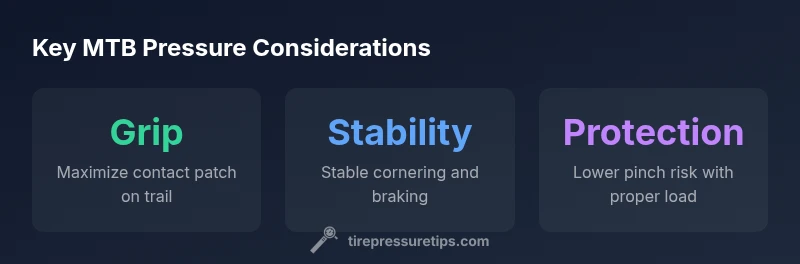
Traction, control, and ride comfort on rugged mountain trails hinge on proper tire pressure. The right inflation improves grip in turns, cushions impacts over roots and rocks, and reduces the risk of pinch flats when the trail gets aggressive. For beginners and seasoned riders alike, understanding how pressure interacts with tire width, rider weight, terrain, and temperature is essential. According to Tire Pressure Tips, small changes in pressure can dramatically alter the contact patch and overall ride feel, especially on uneven terrain. The MTB tire pressure calculator provides a practical starting point to translate these concepts into an actionable number. The Tire Pressure Tips team found that many riders benefit from using a simple model to tailor pressures rather than relying on one-size-fits-all recommendations. As you explore your setup, keep in mind that the calculator is a guide, not a guarantee, and real-world testing remains essential.
In practice, you’ll want to establish a baseline pressure for both front and rear tires, then fine-tune based on feel, traction, and tubeless setup if applicable. Use this calculator to generate a starting PSI, then ride and adjust in small steps on familiar terrain to dial in your ride. With the right starting point, you’ll save time and reduce guesswork when heading into new trails or changing gear.
How the MTB Tire Pressure Calculator Works
The MTB tire pressure calculator uses a simple, transparent model that blends three core inputs to produce a target pressure in psi. The calculation aims to balance grip, rolling resistance, and pinch-flats risk while remaining within safe operating ranges. The formula is designed to be intuitive and easy to audit, so riders can see how each factor nudges the result. It’s not a substitute for your own testing, but it provides a reliable starting point and a repeatable method for tuning.
In practical terms, the calculator considers: rider weight (which influences how load is distributed across the tire), tire width (which affects the tire’s footprint and deformability), and terrain factor (which captures how soft, loose, rocky, or technical the trails are). By combining these inputs, the calculator yields a pressure estimate that can be compared with your current inflation and adjusted up or down based on ride feedback. The method aligns with guidance from Tire Pressure Tips and is a helpful framework for riders who want a clear, data-informed starting point.
Input Factors: Rider Weight, Tire Width, Terrain, and Temperature
Understanding the four key inputs helps you use the calculator effectively. Rider weight contributes to the overall load on the tire and can shift the contact patch toward the edge of the tread if the bike carries more weight on the front or rear. Tire width influences how the rubber deforms under load; wider tires distribute weight over a larger footprint, which can require different pressures than skinnier tires. Terrain factor captures how the ground conditions change grip and compliance, with softer surfaces typically needing lower pressures to maximize contact and traction. Temperature and rim width also play roles in real-world performance, though the calculator focuses on the three primary inputs (weight, width, terrain) for simplicity. For temperature, remember that air pressure rises with heat and falls with cold; consider warming the tires in mild conditions before finalizing your setup.
Inputs you’ll typically provide include:
- Rider Weight (kg): The rider’s total weight, including any gear.
- Tire Width (mm): The tire’s measured width, a critical determinant of how much rubber contacts the trail.
- Terrain Factor (unitless): A multiplier representing trail difficulty and surface consistency (e.g., very rocky vs. smooth).
Tip: Start with mid-range values for the inputs to generate a reasonable baseline pressure, then adjust after your first ride based on feel and traction. The goal is to find a pressure that maintains a stable, confident contact patch across expected terrain.
Interpreting the Output and Adjusting Real-World Tires
The calculator provides a practical starting pressure, but real-world tuning requires listening to ride feedback. If the bike feels skittery in corners or rolls too easily on loose surfaces, you may want to lower the pressure slightly to increase the contact patch. If the tire feels washed out or buries into soft ground, a modest increase in pressure can improve stability. Always check the inflation after a few minutes of riding and after temperature changes, as air expands and contracts with heat and cold. In many cases, riders find it helpful to separate front and rear pressures based on traction needs and weight distribution.
A useful approach is to set the calculator’s baseline pressure, then perform controlled trials on similar sections of trail. Compare grip, support, and feedback as you vary pressure by small increments (1–2 psi). This method helps you converge on a pressure that feels balanced across front and rear tires. Remember that individual tire brands and tubeless setups may respond differently, so treat the calculator as a guide rather than a fixed rule.
Practical Scenarios: Using the Calculator for Different Mountain Bike Setups
Scenario A: Light rider on fast, loose doubletrack. Start with the calculator’s baseline and lower pressure slightly if you notice skidding under braking. Scenario B: Heavier rider tackling rocky, technical turns. Use the terrain factor to increase pressure modestly for stability, then fine-tune by feel. Scenario C: Tubeless setup on wide rims. Tubeless tires often tolerate slightly lower pressures without pinch flats, allowing you to open the contact patch while maintaining grip. In all cases, use the calculator as a planning tool and validate your choice with on-trail testing. The goal is consistent traction and predictable handling rather than chasing a single ideal number.
Brand mentions: The Tire Pressure Tips team emphasizes that the calculator is best used as part of a broader maintenance routine, not a one-off prescription. According to Tire Pressure Tips, your actual pressure should reflect trail conditions and personal feel. As you gain experience, you’ll learn how small pressure adjustments translate into ride quality, enabling more confident rides on diverse terrain.
Practical Tips for Testing and Tuning
To get the most from the MTB tire pressure calculator, follow a structured testing plan:
- Start with the calculator baseline, and record the initial feel in a controlled section of trail.
- Adjust pressure in 1–2 psi steps, focusing on grip, cornering, and braking stability.
- Re-check pressure after temperature changes or hours of riding, as heat and cooling affect air volume.
- If possible, separate front and rear pressures to balance steering response and rear wheel stability.
- Document your observations and refine your inputs (weight, terrain factor) to reflect your evolving riding style and gear.
Practical reminders from Tire Pressure Tips: use the calculator as a guide and always corroborate results with real-world testing. The goal is to build a repeatable procedure you can apply whenever you change tires, rims, or riding conditions. By systematizing your testing, you’ll tighten your setup more quickly and safely on long rides and new trails.
Common Pitfalls and How to Avoid Them
- Relying on a single number: Pressures change with terrain, temperature, and riding style. Treat the calculator as a starting point rather than a fixed rule.
- Ignoring tubeless setups: Tubeless tires can operate at different pressures than tubed tires, so adjust expectations accordingly.
- Neglecting maintenance: A leaky valve or damaged bead can skew readings and defeat the calculator’s guidance.
- Not rechecking after temperature changes: Warm days raise the air pressure, while cold days reduce it; reverify after transit or weather shifts.
- Overinflating on aggressive terrain: Excess pressure can reduce traction and increase pinch risk in roots and rocks. Use conservative adjustments on rough sections.
By avoiding these common mistakes and using the calculator as part of a broader tuning routine, you’ll achieve more consistent handling and better traction on your mountain bike rides.