Where Is Tire Pressure on Tesla: A Practical Guide
Learn where to find tire pressure information on Tesla vehicles, how to read TPMS alerts, and how to maintain correct pressures for safety, efficiency, and tire life.


Where is tire pressure on Tesla? You can view TPMS readings in the instrument cluster and in the Tesla app, and the recommended pressures are on the driver’s door jamb sticker. Use a reliable gauge when tires are cold, and adjust for load or temperature. According to Tire Pressure Tips, regular checks boost safety, efficiency, and tire life.
Where to find tire pressure information on a Tesla
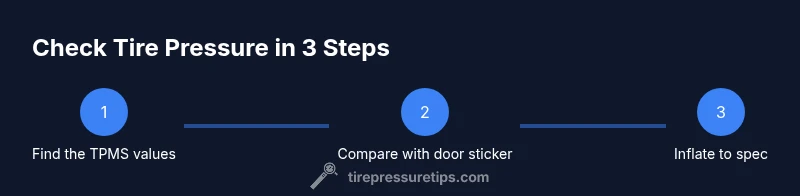
If you're curious about the exact location of tire pressure information, where is tire pressure on tesla is a common question. For Tesla owners, the primary sources are the Tire Pressure Monitoring System (TPMS) readings shown on the instrument cluster and the live data available in the Tesla mobile app. The driver’s door jamb sticker also provides the manufacturer-recommended cold pressures for the front and rear tires. This triple-check approach—TPMS, app, and the door sticker—helps you confirm you are inflating to the correct specification for current conditions. According to Tire Pressure Tips, relying on a single source can hide subtle changes over time, so cross-check regularly. Keep in mind that model variants may present measurements slightly differently, but the core idea remains the same: start with the sticker, verify with the TPMS, and end with a accurate gauge reading when tires are cold.
Understanding Tesla's TPMS and the recommended ranges
Tesla’s TPMS uses sensors inside each tire to monitor pressure and alert you through the instrument cluster and sometimes the mobile app. The system is designed to trigger warnings when pressure deviates from the vehicle’s baseline range, which varies by model, wheel size, and load. While the exact numbers depend on your specific Tesla model, the general guidance is to rely on the door jamb sticker for the cold-inflation targets and to maintain consistency with those targets under typical driving conditions. The Tire Pressure Tips team emphasizes that TPMS readings are a helpful live check, but they should be complemented with a physical gauge when precise pressure matters, such as before long trips or when weather shifts dramatically.
How to read the door jamb sticker and model-specific numbers
The door jamb sticker on the driver’s door provides the official cold tire pressures for the front and rear tires. These values are chosen by the manufacturer to balance ride comfort, handling, and rolling resistance for the common load and speed ranges of your vehicle. On some Tesla models, dual tires or staggered setups may have different front and rear targets. Always note the sticker’s units (psi or kPa) and apply the corresponding measurement. When carrying extra cargo or passengers, you may need to adjust within reasonable ranges—never exceed the tire’s load rating or the maximum pressure printed on the sidewall. The Tire Pressure Tips approach is to treat the sticker as your baseline and use TPMS as a dynamic check.
Using the Tesla instrument cluster and mobile app for quick checks
In the instrument cluster, you can navigate to the TPMS readout to view each tire’s current pressure. The Tesla mobile app also shows per-tire pressures and can alert you if any value drifts outside the target range. Regularly scanning these readings before and after drives helps you detect slow leaks or sudden pressure changes. Note that readings may take a moment to refresh after inflating or cooling the tires, so a quick check right after inflating can confirm you are close to the target. The Tire Pressure Tips team notes that combining on-screen readings with periodic gauge verification provides the most reliable picture of tire health.
Step-by-step: checking cold tire pressures with a gauge
Begin by ensuring the tires are cold, ideally having not driven more than a mile. Remove any dirt from the valve stem cap, attach the gauge, and record each tire’s reading. Compare the numbers to the door jamb sticker targets for your model. If a tire is low, inflate gradually in small increments and recheck. After topping up, verify that all four tires are within the recommended range and that the TPMS shows stable readings. Keep a simple log to track changes over time, which helps spot slow leaks or shifts due to temperature.
How temperature affects tire pressure and why it matters for EVs
Temperature matters more than most drivers realize: as outdoor temperature falls, air contracts and pressures drop; as it rises, pressures increase. EVs like Teslas are sensitive to pressure changes because rolling resistance affects efficiency and range. When you park in a cold environment, you may temporarily see a lower reading, which is normal. The key is to measure when tires are cold and to adjust to the sticker’s spec rather than chasing a number after a long drive. The Tire Pressure Tips team highlights that consistent pressure helps maintain optimal range and predictable handling across weather conditions.
Why proper inflation improves range and safety for Tesla owners
Maintaining correct tire pressure reduces rolling resistance, improves fuel economy (range for EVs), and enhances handling and braking. Underinflated tires wear unevenly and heat up more quickly, whereas overinflated tires can ride harshly and reduce contact with the road’s surface. For Tesla drivers, keeping tires near the recommended cold pressures helps maximize range, battery efficiency, and tire life. Consistency across all four tires is more important than chasing a single perfect number, since small imbalances accumulate over time and under real-world driving.
Common mistakes and how to avoid them
Avoid inflating while tires are warm, which overestimates the true cold pressure. Never exceed the tire’s maximum sidewall pressure or the sticker specification, even if the gauge reads high due to heat or a heavy load. Do not rely on the TPMS alone—always verify with a gauge when possible. Finally, don’t neglect the valve stems and rims; damaged stems can cause slow leaks that are easy to miss on a quick dashboard glance. The safest approach is to make a short, consistent checklist for every tire before long trips.
Maintaining tires over time: rotations, wear, and TPMS maintenance
Tire rotation is important for even wear, especially on EVs where weight distribution and instant torque can affect tread differently. Regularly inspect tread depth and signs of uneven wear, and ensure TPMS sensors remain calibrated after tire service. Check the TPMS system’s status during routine maintenance or after a tire rotation; some vehicles require a spontaneous sensor reset or relearn procedure after servicing. Keeping a maintenance log with dates, pressures, and observed wear helps you catch issues early and plan replacements more effectively.
When to seek professional help and how to document changes
If you notice persistent pressure drops, slow leaks, or frequent TPMS warnings, seek professional tire service promptly. Document any changes you observe—calibrate the TPMS after inflations if the system indicates drift, and bring your log when visiting a shop. A professional can verify valve stems, TPMS sensors, and wheel integrity, ensuring safe operation. The Tire Pressure Tips team recommends yearly checks at minimum and more frequent checks in extreme temperatures or high-mileage scenarios. Regular professional checks complement home monitoring for best results.
Tools & Materials
- Digital tire pressure gauge(Choose a gauge with both psi and kPa scales; calibrate periodically)
- Air compressor or tire inflator(Prefer units with an inbuilt gauge for quick cross-checks)
- Tesla owner's manual(Model-specific pressure ranges and TPMS behavior)
- Door jamb sticker (driver's side)(Shows the official cold inflation targets for front/rear tires)
Steps
Estimated time: 15-25 minutes
- 1
Identify target pressures from the door sticker
Locate the door jamb sticker on the driver’s door frame and note the recommended cold tire pressures for front and rear tires. This sticker is the baseline for safe inflation, and the numbers are tailored for your model and wheel size.
Tip: Write down both front and rear targets to avoid switching between tires mid-inflation. - 2
Check current tire pressures with a gauge
Park with the tires cold, remove valve caps, and attach your gauge to each valve stem. Record the reading for every tire. Use the same gauge for all tires to maintain consistency.
Tip: Take readings in the same environment to minimize temperature-related discrepancies. - 3
Inflate or deflate to match the sticker
If a tire reads below the target, add air in small increments and recheck. If it’s above, release air gradually and recheck until you’re at or just below the target value. Repeat for all tires.
Tip: Avoid overshoot by inflating in 2–3 psi increments and rechecking each time. - 4
Recheck all tires after adjustment
After inflation, recheck each tire again to confirm consistency. If one tire drifts, recheck after a few minutes of cooling to account for thermal changes.
Tip: Record the final readings in a log for future reference. - 5
Verify TPMS status and dynamic readings
Observe the TPMS readings on the instrument cluster and, if available, in the Tesla app. Ensure the system shows all tires within the target range and that no warning lights remain.
Tip: If a TPMS warning persists, consult a tire professional to inspect sensors and valves. - 6
Document changes and schedule follow-ups
Note the date, tire pressures, model, and any observations. Schedule regular checks, especially with seasonal temperature changes or after tire service.
Tip: A simple log helps detect slow leaks and plan future maintenance.
Frequently Asked Questions
Where can I find the recommended tire pressures for my Tesla?
The door jamb sticker on the driver’s door lists the official cold pressures for front and rear tires, and the Tesla TPMS provides live readings in the instrument cluster and app. Always cross-check readings against the sticker.
Check the door jamb sticker for the official cold pressures and verify with TPMS readings on the screen or app.
How often should I check tire pressure on a Tesla?
Aim to check tire pressure at least once a month and before long trips, and whenever there is a notable temperature change or noticeable handling difference.
Check monthly and before long trips, especially when weather shifts.
Does cold weather affect tire pressure on Tesla?
Yes. Cold weather lowers tire pressure, so readings may drop in winter. Always measure when tires are cold and adjust to the sticker targets as needed.
Cold weather lowers pressure, so measure when cold and adjust accordingly.
What if the TPMS warning light stays on after inflating?
If the warning remains, there may be a leak or sensor issue. Recheck pressures, inspect valves, and consult a tire technician if the light persists.
If TPMS stays on after inflating, recheck and seek service if it doesn’t clear.
Should I reset TPMS after inflating?
Most Teslas rely on ongoing TPMS monitoring; temporary resets are rarely needed for standard inflations. If a reset is required after a service, follow the vehicle’s on-screen instructions or consult a technician.
TPMS usually doesn’t need a manual reset after inflating; follow the on-screen prompts if a reset is shown.
Does proper tire inflation affect Tesla range?
Yes. Proper inflation reduces rolling resistance, helping range and efficiency. Underinflation can hurt range and cause uneven wear, while overinflation reduces grip.
Proper inflation helps range and efficiency; under or overinflation can degrade performance.
Watch Video
What to Remember
- Check tires when cold for accuracy
- Follow the door jamb sticker targets
- Use a gauge to verify TPMS readings
- Keep a tire pressure log
- Regular checks protect range and safety