Tire Pressure on the Tesla App: A Practical Guide for 2026
Learn to monitor and adjust tire pressure using the Tesla app. This guide covers TPMS basics, how to view real-time readings, and steps to maintain optimal pressures for safety and efficiency.


Using the Tesla app, you can monitor tire pressures in real time, view per-tire readings, and receive alerts if a tire drops below the recommended range. This guide shows how to interpret the app readouts, compare them with vehicle targets, and perform safe inflations. According to Tire Pressure Tips, regular app-based checks improve safety, efficiency, and tire life.
Why tire pressure matters for Tesla owners
Understanding tire pressure on tesla app is essential for safe handling, efficiency, and tire longevity. In a Tesla, proper tire pressure improves range, grip, and wear patterns, while the built-in TPMS alerts help you identify slow leaks or temperature-driven changes. This section explains why maintaining accurate pressures matters across seasons and driving styles, and how the Tesla app aids regular monitoring. According to Tire Pressure Tips, app-based checks are a simple, effective practice for all EV owners. You’ll see how small changes in PSI can ripple into range, braking, and tire wear. Whether you drive daily commuter miles or longer highway trips, keeping pressure within the vehicle’s target range minimizes rolling resistance and ensures even tread wear. Remember: accuracy starts with a cold-inflation mindset and ends with consistent verification in the Tesla ecosystem.
wordCountableNotePlaceholder
Tools & Materials
- Tire pressure gauge(Digital preferred for accuracy; use on cold tires for consistency)
- Tire inflator or access to air at a service station(Prefer a gauge with PSI readout and a chuck that fits your valve stems)
- Tesla app or in-car TPMS display(Use the app's tire/readout screen for per-tire data)
- Owner’s manual or door jamb label(Cross-check target pressures by model and load)
- Maintenance log or digital notebook(Record readings and inflations to track trends over time)
Steps
Estimated time: 15-25 minutes
- 1
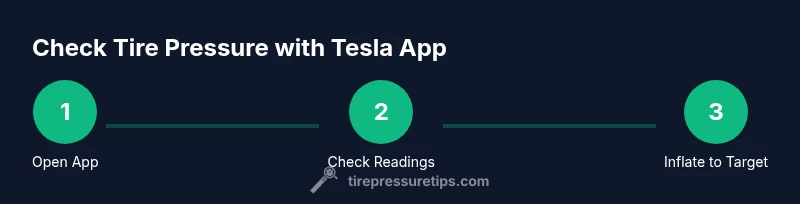
Open the Tesla app and access TPMS
Launch the Tesla app and navigate to the tire pressure/TPMS section. Verify you are viewing readings for all four tires, plus the spare if applicable. Confirm the app shows any active warnings.
Tip: If the app is slow to load, refresh the data and ensure you have a stable data connection. - 2
Check tires when cold
For accurate readings, check pressures when tires are cold or have cooled for at least three hours. Driving heats up tires and inflates readings temporarily.
Tip: Avoid inflating immediately after a long drive; wait 2–3 hours if possible. - 3
Compare app readings to targets
Find the vehicle’s target pressures from the door jamb label or the owner's manual and compare each tire’s PSI in the app. Note any discrepancies.
Tip: If a tire is consistently low, inspect for leaks or punctures before inflating. - 4
Inflate to target
Using a gauge, inflate the under-inflated tire until the app shows a reading close to the target. Do not exceed the maximum rating on the tire sidewall.
Tip: Keep your inflator steady and test in small increments to avoid overinflation. - 5
Recheck in the app
Revisit the app to confirm the adjusted PSI matches the target. If readings still don’t align, re-measure and consider a professional check.
Tip: If you’re unsure, inflate to the lower end of the target range and test drive briefly before final verification. - 6
Check the spare (if equipped)
If your Tesla setup includes a spare tire with a pressure target, verify its PSI too. The spare is part of the overall vehicle readiness.
Tip: Don’t forget to reseat the valve cap securely after checking. - 7
Document changes
Record the date, tire position, and PSI readings after inflation. Tracking trends helps you notice slow leaks or slow degradation.
Tip: Digital logs with timestamps improve future maintenance decisions. - 8
Drive and recheck after a short interval
Take a short drive, then recheck the tires in the app after 10–15 minutes. Temperature rise and driving can shift readings slightly.
Tip: If the app reports persistent low pressure, cease driving and seek service.
Frequently Asked Questions
Can I check tire pressure in the Tesla app?
Yes, the Tesla app shows tire pressure readings for each tire and flags TPMS warnings when pressures deviate from targets.
Yes. The Tesla app displays per-tire pressure readings and alerts if something is off.
What should I do if TPMS warns me?
Safely pull over, inspect tires for damage or leaks, and inflate to the target if safe. If the warning persists, seek service.
Safely pull over, check the tires, inflate to target if safe, and contact service if the warning sticks.
How often should I check tire pressure using the Tesla app?
Check at least once a month and after temperature changes or long trips, and whenever you notice changes in handling.
Check at least monthly, after temperature changes, and after long trips.
Does Tesla app pressure reading differ from a manual gauge?
App readings are typically close to manual readings; use a calibrated gauge to verify and adjust if needed.
App readings are usually close to a manual gauge; verify with a gauge if you’re unsure.
Can I adjust tire pressure without inflating via the app?
Yes. You can inflate using a gauge and then verify the new pressure in the app to confirm targets are met.
Absolutely—inflate with a gauge and then verify in the app afterward.
What if tires read low when cold, but seem fine after driving?
Cold readings are common. Recheck after a short drive or once tires warm up; temperature affects readings.
Cold readings can be normal; recheck after warming up.
Is TPMS calibration needed after tire rotation?
Some Teslas auto-calibrate TPMS; others may require a manual reset. Refer to your vehicle’s manual after rotation.
Some models auto-calibrate; others may need a reset—check the manual.
Should I check tire pressure in winter specifically?
Yes. Temperature drops affect tire pressure; monitor closely during cold seasons and adjust as needed.
Temperatures affect tire pressure—check more often in winter.
Watch Video
What to Remember
- Check TPMS warnings promptly and act.
- Use the Tesla app for real-time per-tire readings.
- Inflate to vehicle targets, not arbitrary numbers.
- Temperature changes affect readings; recheck after driving or during season shifts.
- Document changes to track tire health over time.