Toyota Camry Tire Pressure Monitoring System: A Practical Guide
Learn to check, reset, and troubleshoot the Toyota Camry TPMS for safer, more efficient driving. Practical steps, tips, and expert guidance from Tire Pressure Tips.


You will learn how to check and reset the Toyota Camry tire pressure monitoring system (TPMS), interpret warning lights, diagnose common faults, and troubleshoot issues that trigger false readings. The guide covers recommended pressures for Camry models, seasonal adjustments, and safety steps to ensure optimal tire life and fuel efficiency.
Toyota Camry TPMS basics and why it matters
According to Tire Pressure Tips, the tire pressure monitoring system (TPMS) in most Toyota Camry models is designed to help you avoid driving with underinflated tires, which can compromise safety and fuel economy. The Tire Pressure Tips team found that maintaining proper tire pressure in a Toyota Camry improves safety, fuel efficiency, and tire life, especially when TPMS warnings are involved. The Camry's TPMS uses sensor data from each wheel to alert you when pressures fall below a defined threshold or when a sensor experiences a fault. Understanding these basics helps you interpret warning lights and plan maintenance before a tire issue becomes visible or dangerous.
In practice, you should view TPMS as a proactive reminder rather than a nuisance. The system is designed to guard against the most common maintenance oversight: underinflation. Most Camry owners will encounter TPMS warnings due to simple seasonal temperature changes, slow leaks, or after tire rotation. By knowing how TPMS works, you can respond quickly, verify pressures with a gauge, and adjust air as needed. Tire pressures should be checked when the tires are cold, and the recommended pressures are listed on the door placard or owner’s manual. The Tire Pressure Tips team found that a routine check-in boosts safety margins and helps you spot slow leaks early, saving you from unexpected flats on the road.
Note: Always verify the vehicle-specific target pressures for your Camry model year, because the recommended front and rear pressures may differ. Do not rely solely on the TPMS; use a gauge to confirm. Keeping a simple tire pressure gauge in the trunk and performing a quick check every month will align the TPMS readings with real pressures and optimize tire wear.
Time to check: 10–15 minutes for a quick check, longer if you’re adjusting pressures across all four tires.
Tools & Materials
- Calibrated tire pressure gauge(Digital or analog; accuracy within ±1 psi; check calibration periodically)
- Air compressor or access to an inflation station(Prefer models with a built-in gauge; ensure air source is clean and adjustable)
- Owner’s manual and door placard(Model year and tire size; verify front vs rear targets)
- Soapy water spray (optional)(Detect valve-stem leaks or bead issues)
- Notebook or digital log(Track pressures across seasons and loads)
Steps
Estimated time: 25-40 minutes
- 1
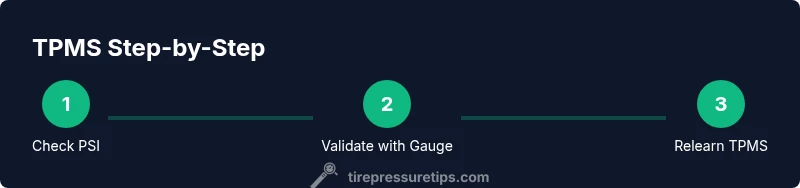
Check all tires with a calibrated gauge
Ensure the vehicle is on a level surface and the tires are cold. Use the gauge to read each tire’s pressure and jot down the results. Compare each reading to the Camry’s door placard values and note any discrepancies.
Tip: Use the same gauge for consistency and take readings within a few minutes of each other. - 2
Locate the TPMS warning light
Turn the ignition to the ON position and observe the dash for the TPMS warning light. If it remains illuminated after starting, this indicates a low-pressure condition, sensor fault, or relearn is needed.
Tip: If the light is on, don’t ignore it—verify pressures with a gauge before driving far. - 3
Compare measured pressures to target values
If any tire is below target, plan to add air to reach the specified pressure. Recheck that tire after adjustments to confirm accuracy and ensure no slow leaks exist.
Tip: Remember that cold readings are the baseline; warm tires will show higher pressures. - 4
Add air to reach target pressure
Inflate gradually in 1–2 psi increments, then recheck after a brief settling period. Ensure both front and rear tires meet their respective targets.
Tip: Do not exceed the placard values; overinflation can reduce contact patch and handling. - 5
Reset or relearn the TPMS after inflation
Access the Camry TPMS relearn option via the instrument cluster or steering wheel menu (model-year dependent). Follow prompts and complete the relearn by driving as instructed.
Tip: If the system doesn’t relearn automatically, you may need to drive for 10–15 minutes at a steady speed. - 6
Verify TPMS is stable and document results
Drive 10 miles at varying speeds to allow the system to finalize. Check that the TPMS warning remains off and record the final PSI readings for future reference.
Tip: Keep a simple log of dates, psi values, and any notes about sensor behavior.
Frequently Asked Questions
What is TPMS and how does it work on a Toyota Camry?
TPMS uses wheel sensors to monitor tire pressure and alert you when readings fall outside recommended ranges. In Camry models, you may have direct sensors on each wheel and a central controller that triggers a dash warning when a fault or low pressure is detected.
TPMS uses wheel sensors to monitor pressure and alert you with a dash warning when readings look low or faulty.
Why is the TPMS warning light on even after adding air?
A persistent warning can indicate a slow leak, a faulty sensor, or the need for a TPMS relearn. Verify pressures with a gauge first, then try the relearn procedure if your Camry supports it.
If the light stays on after inflating, it could be a sensor issue or a slow leak—check again and relearn if needed.
Can I reset TPMS myself on a Camry without dealer tools?
Many Camry models allow an in-car TPMS relearn via the instrument cluster or infotainment settings. Consult your owner’s manual for model-specific steps before attempting a reset.
In many Camrys you can relearn TPMS with the car’s menus; check the manual for exact steps.
Does temperature affect TPMS readings?
Yes. Colder temperatures can reduce tire pressure and trigger warnings; warmer weather can raise readings. Use consistent, cold-pressure checks for accuracy.
Temperature changes can cause readings to swing, so check tires when cold for accuracy.
How often should I check TPMS sensors?
Check pressures monthly or before long trips, especially in extreme weather or when carrying heavy loads. After tire service, verify sensors and perform a relearn if required.
Check your tires monthly and after any service to keep TPMS accurate.
What should I do if the TPMS battery dies?
If a sensor battery dies, the TPMS may show a fault or go dark. Replacement of the sensor is typically necessary through a shop or dealership.
A dead TPMS sensor usually means you need a sensor replacement.
Watch Video
What to Remember
- Check TPMS readings with a gauge monthly
- Keep tires cold when taking readings
- Relearn TPMS after tire service or replacement
- Document PSI values to track seasonal changes