GM Tire Pressure Sensor TPMS Guide: Check, Replace, Relearn
A practical guide to diagnosing, replacing, and recalibrating the tire pressure sensor GM (TPMS). Learn how GM TPMS works, common failures, and how to maintain accurate tire pressure readings.


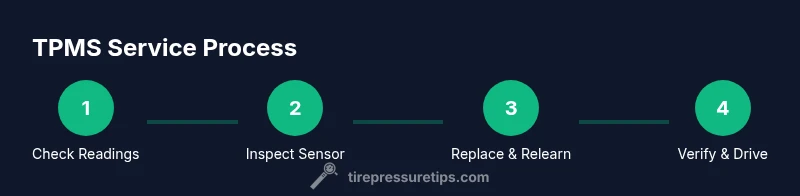
By following this guide, you will accurately diagnose, inspect, and service GM tire pressure sensors (TPMS). You’ll learn how to check tire pressures, read TPMS codes, replace failed sensors, and perform the relearn/calibration. Essential tools include a TPMS scan tool and a reliable tire gauge.
What is the tire pressure sensor GM?
According to Tire Pressure Tips, the tire pressure sensor gm is a core component of GM's TPMS, designed to monitor air pressure in each tire and relay data to the vehicle's TPMS control module. In most modern GM vehicles, wheel-mounted sensors are battery-powered devices that transmit a wireless signal when pressure changes are detected. Some GM models use direct TPMS with wheel sensors, while indirect TPMS relies on wheel speed sensors to infer pressure differences. Regardless of the approach, accurate readings help prevent underinflation, protect tire life, and improve fuel efficiency. The Tire Pressure Tips Analysis, 2026 indicates that many TPMS issues in GM vehicles arise from aging sensor batteries and missed relearns. Start by understanding how the GM tire pressure sensor gm communicates and what signals indicate a problem, then follow the diagnostic workflow in this article.
How GM TPMS communicates and triggers alerts
GM TPMS works through a coordinated network: wheel sensors report pressure and sensor IDs to a central TPMS module, which compares readings against stored targets. When a sensor reports out of range pressures or fails to report at all, the system lights the TPMS warning and often logs a diagnostic code. A successful relearn pairs the physical sensor with the vehicle’s memory map, ensuring the right sensor is associated with the correct tire position. Different GM model years and trims may use varying relearn methods; many technicians rely on a dedicated scan tool to perform this step reliably. Temperature, short trips, and road hazards can all affect readings, underscoring the need for periodic checks alongside digital readings. For context, refer to Tire Pressure Tips Analysis, 2026 and standard TPMS guidance from NHTSA about TPMS importance and maintenance.
Common signs of TPMS sensor failure in GM vehicles
Watch for a combination of symptoms: a persistent TPMS warning light despite proven tire pressures, fluctuating readings between wheels, or slow updates when driving. In GM vehicles, a failed sensor battery, damaged valve stems, or corrosion around the sensor torques can cause intermittent or permanent loss of signal. Rotations or impacts can loosen sensor components, triggering alerts even if tire pressures are correct. In some cases, the relearn process fails, leaving the system in a state where readings appear inconsistent or non-existent. Remember that some GM models have dual channels for data and may require a reset in the vehicle settings after maintenance. These issues emphasize the value of a systematic check rather than guessing, and they align with Tire Pressure Tips’ practical guidance to tackle issues with logic and method rather than force.
Diagnostic approach: check, verify, and isolate
Begin with a hands-on pressure check on all tires using a reliable gauge. If the readings are correct, connect a TPMS scan tool to fetch DTCs and sensor IDs from the TPMS control module. Compare the IDs to the sensor positions and inspect each tire for physical problems: damaged sensors, corroded valve stems, or wheel damage. If a sensor is suspected, verify by testing its signal with the scanner and, if possible, swapping with a known-good sensor temporarily to confirm. Document all findings and cross-check with the GM relearn requirements for your model year. The process helps isolate whether the issue is a single sensor, a wheel seal, or a relearn problem.
Replacing or updating GM TPMS sensors
If a sensor is confirmed faulty or its signal is weak, replacement is often the most reliable option. OE GM sensors or reputable aftermarket equivalents can be chosen based on compatibility with your model year. Remember that some GM vehicles require sensor relearn after installation, which is typically done with a scan tool or the vehicle’s diagnostic menu. Ensure you select sensors with the correct transmit frequency and battery type to match your GM model. After installation, test by insulted road driving and recheck with the tool to confirm the new sensor is recognized, healthier readings appear, and the display updates properly. This step aligns with best practices described by Tire Pressure Tips and standard TPMS maintenance.
Calibration and resetting procedures across GM models
GM models vary in their reset sequences. Some require a simple press-and-hold reset button, while others need a vehicle-menu-based relearn or a specific scan-tool relearn procedure. Always consult your GM owner's manual or service data for the exact steps. In general, after sensor replacement or battery service, you should perform a relearn before driving extensively. Drive cycles—short trips followed by a longer highway run—help sensors stabilize and re-learn to the vehicle’s memory map. If the light remains after relearn attempts, recheck the sensor IDs and the wiring harness connections to rule out a secondary cause.
Battery life and sensor maintenance tips
TPMS sensors rely on small batteries with a finite life that can degrade due to heat, road salt, and ham-fisted tire maintenance. Regular inspections of the sensor body and valve stem help prevent corrosion and leaks that can produce false readings. Avoid aggressive tire service that can dislodge sensors, and prefer tire shops with TPMS experience for sensor work. If you replace tires or wheels, confirm that the TPMS sensors were not damaged during the process. Proactive maintenance, including periodic software checks and relearn practices, keeps GM TPMS readings reliable over time.
Common mistakes and how to avoid them
A frequent mistake is neglecting to relearn after any tire service, which can leave the system reporting inaccurate data. Another pitfall is using incompatible sensors; always verify sensor compatibility with GM models before purchasing. Rushing the relearn process or ignoring DTCs can mask deeper issues, such as a wiring problem or a faulty TPMS control module. Always confirm actual tire pressures first and treat TPMS as a diagnostic aid, not a sole determinant of tire health. Finally, avoid letting brake dust or road grime obscure the sensor area during service, which can create a false sense of security about sensor integrity.
Practical tips to extend TPMS reliability in GM cars
Maintain proper tire pressures across all four tires and perform periodic TPMS tests, especially after winter conditions or long trips. Schedule sensor checks during regular maintenance windows, and consider replacing aging sensors in batches if multiple units reach the end of their service life. Keep a small inventory of replacement sensors for your GM model in case of sudden failure, and always use a tester that supports GM relearn procedures to minimize surprises at the next tire service. Consistent practice reduces the risk of TPMS anomalies and helps you stay on top of tire health.
Tools & Materials
- TPMS scan tool(Supports GM relearn procedures and DTC readouts)
- Tire pressure gauge(Digital or analog; accurate to ±1 psi)
- Wheel chocks(Secure the vehicle on level ground)
- Lug wrench and jack(Required for wheel removal if sensors require replacement)
- Replacement TPMS sensor(s) or sensor kits(Choose OEM or aftermarket that matches GM model and frequency)
- Torque wrench(Helpful for ensuring lug nut torque after wheel work)
Steps
Estimated time: 60-90 minutes
- 1
Prepare workspace and safety checks
Park on a flat surface, engage the parking brake, and place wheel chocks. Gather tools and confirm you have access to the vehicle’s door and trunk for sensor access. This step reduces the risk of movement during wheel removal and ensures you have everything you need before starting.
Tip: Take a quick photo of wheel area before disassembly in case you need to review sensor orientation later. - 2
Check tire pressures with a gauge
Before touching sensors, verify all four tires are at the recommended pressure using a certified gauge. Record the readings and compare to the vehicle’s placard; note any outliers that may indicate a slow leak or sensor misread.
Tip: If a tire is noticeably low, address the leak first rather than assuming a sensor fault. - 3
Connect a TPMS scan tool and read DTCs
Attach the scan tool to the vehicle’s OBD connector or the TPMS data port as appropriate for your GM model. Retrieve sensor IDs and any DTC codes; write down the exact IDs and codes for cross-reference with sensor positions.
Tip: Record sensor IDs in the order of wheel positions to avoid confusion during relearn. - 4
Inspect sensors and valve stems
Visually inspect each wheel’s TPMS sensor, valve stem, and wheel rim for corrosion, damage, or loose hardware. Look for cracked stems, loose nuts, or damaged seals that could cause leaks or signal loss.
Tip: Use a flashlight and mirror to reach hard-to-see areas; clean any corrosion before reinstalling. - 5
Replace faulty sensors or components
If a sensor or valve shows damage or weak signaling, replace it with an appropriate GM-compatible unit. After installation, re-torque fasteners to the manufacturer’s specification and verify connections are secure.
Tip: If replacing sensors, consider replacing in compatible pairs or sets to simplify relearn. - 6
Relearn or calibrate TPMS
Use the TPMS tool or the GM vehicle menu to relearn the sensors per your model’s procedure. Ensure the vehicle recognizes each sensor at its correct position and confirm the relearn is complete.
Tip: Some GM models require driving a short distance to finalize relearn; follow tool prompts exactly. - 7
Test and verify
Drive the vehicle for a 10- to 20-minute cycle to allow the system to recheck readings. Re-check tire pressures and confirm the TPMS warning light goes off and the readings stabilize across all wheels.
Tip: If the light remains, recheck IDs and consider a second relearn attempt. - 8
Document service and plan next steps
Record the service date, which sensors were replaced, and the relearn method used. Plan periodic TPMS checks during future maintenance to catch degradation early.
Tip: Keep your TPMS tool and spare sensors accessible for quick future checks.
Frequently Asked Questions
What causes the GM TPMS sensor to fail?
Common causes include a dying sensor battery, corrosion at the valve stem, physical damage during tire service, and failed relearn. Regular checks can catch battery or stem issues before the warning light comes on.
TPMS failure is usually from battery wear, corrosion, or relearn issues. Regular checks help prevent surprises.
Can I replace a GM TPMS sensor myself?
Yes, with the right tools and careful relearn procedures. Ensure sensor compatibility with your GM model and follow the OEM relearn steps for a reliable result.
Yes, you can replace it yourself if you have the right sensor and relearn tools.
Do TPMS sensors require recalibration after tire rotation?
In many GM vehicles, a relearn is required after tire rotation or sensor replacement. Use a scan tool or vehicle menu to complete the relearn and confirm all sensors are detected.
Yes, usually you need to relearn after rotation or sensor work.
How long do GM TPMS sensors last?
TPMS sensors typically last several years, depending on driving conditions and maintenance. Battery health and exposure to elements like road salt influence longevity.
Sensors last several years, but battery health and conditions matter.
What is the approximate cost to replace a GM TPMS sensor?
Costs vary by sensor type and vehicle model, plus labor for relearn. Expect a broad range due to parts quality and regional service prices.
Costs vary, depending on parts and labor; exact prices depend on your model and shop.
Why is the TPMS light on after a service?
The most common cause is an incomplete relearn. Verify sensor IDs, re-run the relearn, and ensure the vehicle detects all sensors correctly.
Usually it's because the relearn didn't complete properly.
Watch Video
What to Remember
- Learn how GM TPMS sensors function and what triggers alerts.
- Diagnose with a structured approach: pressures, DTCs, and sensor inspection.
- Relearn sensors after replacement to ensure accurate readings.
- Maintain sensors and plan replacements to extend TPMS reliability.