Tire Pressure Reset for Honda Civic: Step-by-Step Guide
Learn how to reset the TPMS on a Honda Civic, verify tire pressures with a gauge, and maintain safe, fuel-efficient tire performance through proper maintenance.


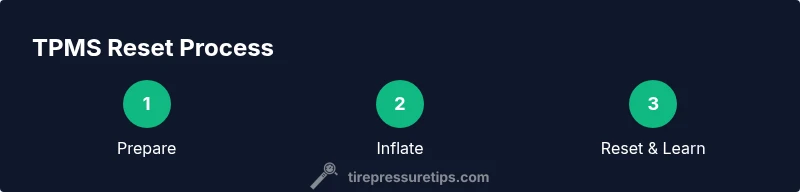
To reset the Honda Civic TPMS, first confirm all tires are inflated to the vehicle’s recommended cold pressure. Then use the TPMS reset option in the car’s menu or press the dedicated reset button as outlined in the owner’s manual. After the reset, drive normally for several miles to allow the system to relearn each tire’s pressure.
The importance of a correct TPMS reset for Honda Civic
Maintaining proper tire pressure is a cornerstone of safety, fuel efficiency, and tire longevity. For Honda Civics, the Tire Pressure Monitoring System (TPMS) acts as a crucial early warning tool, signaling when a tire’s pressure deviates from the ideal range. After you adjust inflation or rotate tires, a TPMS reset ensures the system relearns the current baselines and avoids false warnings. According to Tire Pressure Tips, many drivers overlook the reset step after inflating or servicing tires, which can leave warning lights flickering or readings inconsistent. This guide walks you through a practical TPMS reset for Honda Civics, what to expect during relearning, and best practices to keep tires, fuel economy, and safety in harmony. We’ll touch on common model variations and safety-focused steps to prevent misreads that could lead to uneven wear or unsafe driving conditions. The goal is clear: reliable monitoring with minimal cognitive load when a light turns on.
How TPMS relearns after a reset
The sensors in each wheel communicate with the vehicle’s ECU to monitor air pressure. After a reset, the TPMS enters a learning phase where it gradually updates its reference values as you drive. The relearn period can vary by model year and trim, but typically you’ll notice the system correcting itself after driving on normal roads for a short distance. During this time, the TPMS might show a temporary warning until it has enough data from all four tires. For Honda Civics, the relearn is designed to be straightforward, and many drivers report a successful reset after a routine drive around town or on light highways. Remember that the learning process relies on driving conditions and consistent tire pressures, so avoid aggressive driving right after a reset while the system completes its data intake. Tire Pressure Tips emphasizes patience and steady driving during this window to ensure a clean relearn.
Cold-pressure vs hot-pressure and measurement timing
Accurate tire pressure readings depend on measuring tires when they’re cold, because heat from driving can temporarily raise psi. When planning a reset, verify that tires have cooled to ambient temperature, typically after the car has been stationary for a few hours or more. Do not rely on pressure readings taken immediately after a road trip or after highway driving. For the Honda Civic, use the door jamb label to confirm the recommended cold pressure for each tire and aim to match that value when inflating. If a tire has recently been driven on a long trip, allow it to cool before taking measurements and proceeding with the reset. Consistency in timing ensures the TPMS learns the correct baseline and reduces nuisance warnings.
When to reset after tire service or rotation
If you’ve rotated tires or serviced your Civic’s tires (e.g., patch, replace, or patch repair), a TPMS reset is usually recommended. This ensures the system’s learning data reflects the new tire positions and wear levels. Start by confirming all tires are at their specified cold pressures, then trigger the reset as described in the owner’s manual. After a reset, drive the car for a short period to let the sensors relearn the new configuration. If you replaced a tire, ensure the sensor is properly mounted and communicating before attempting a reset to avoid false readings.
How to check tire pressures with a gauge accurately
Reliable tire pressure starts with a good gauge and a clean valve stem. Use a digital tire pressure gauge for the most precise readings and verify each tire’s pressure against the door jamb label. Remove the valve cap, attach the gauge, and note the reading. If adjustments are needed, add or release air until the gauge matches the recommended cold pressure. Recheck after inflation to confirm accuracy. Record the measurements to verify consistency across all four tires, which helps maintain balanced handling and optimal tire wear.
Common mistakes and how to fix them
Common TPMS reset mistakes include inflating tires while they are hot, not following the exact reset sequence for your Civic year, and attempting a reset with one or more tires significantly underinflated. To fix these issues, always measure cold tires, reference the correct reset path per your model year, and ensure that every tire reaches the recommended pressure before resetting. If the TPMS light remains after a reset, recheck all pressures and repeat the reset procedure. Persistent warnings may indicate a faulty sensor or a need for diagnostic service.
Honda Civic specifics: TPMS behavior across years and trims
TPMS behavior and reset procedures can vary by Civic generation and trim level. Some models rely on a dedicated reset button, while others require navigation through the vehicle’s settings menu. Always consult the owner’s manual to confirm the exact method for your specific Civic year. In many Civics, the system will relearn as you drive under typical conditions, but some generations may need a manual confirmation in the menu to complete the cycle. Knowing your model’s quirks helps you avoid misreads and unnecessary visits to a shop.
Maintenance habits to keep TPMS reliable
Regular tire maintenance is the best precondition for reliable TPMS performance. Check your tire pressures monthly and after carrying heavy loads or long trips. When performing inflation or replacement, reset the TPMS as described in your manual. In addition, verify that all sensors are functioning and that valve stems are intact. Maintaining proper air pressure protects fuel economy, reduces tire wear, and keeps the TPMS signaling accurate and reliable over the life of your Civic.
Troubleshooting: TPMS light won't reset or stays on
If the TPMS light won’t reset or remains on after following the steps, start by double-checking tire pressures on all four tires. Look for any leaks, damaged valves, or sensor issues that could prevent accurate readings. If pressures are correct and the light persists, a diagnostic check may be required to identify faulty sensors or a weak battery in a Sensor. Also ensure the reset sequence used is correct for your Civic’s model year. Persistent issues may justify consulting a qualified technician.
Tools & Materials
- Digital tire pressure gauge(Prefer a gauge with a clear digital readout and a good seal on the valve stem.)
- Air compressor or gas-station inflator(Ensure it can display PSI and accurately inflate to the target pressure.)
- Honda Civic owner’s manual(Identify the exact TPMS reset path and any year-specific steps.)
- Tire pressure label (door jamb)(Use the label for the recommended cold pressure per tire.)
Steps
Estimated time: 15-25 minutes
- 1
Park and prepare tires for measurement
Park on a level surface and let tires cool for a few hours so readings reflect cold pressures. Gather your gauge, inflator, and the Civic’s manual. This initial prep reduces variances and ensures a reliable reset.
Tip: Cold tires provide the most accurate baseline. Avoid measuring immediately after a drive. - 2
Check current tire pressures with a gauge
Use the digital gauge to measure each tire’s current pressure and compare with the door jamb label. Note any tires that are underinflated or overinflated and decide which need adjustment before resetting.
Tip: If a tire is dangerously low, inflate it first before proceeding with the reset. - 3
Inflate to the recommended cold pressure
Inflate all tires to the recommended cold pressure listed on the label for your Civic. Double-check the numbers on each tire and ensure caps are tightened after measuring.
Tip: Do not overinflate; small deviations can affect the TPMS relearn process. - 4
Access the TPMS reset option
Use the vehicle’s menu system or the dedicated reset button described in the owner’s manual to initiate the TPMS reset. Confirm you’ve triggered the reset correctly before leaving the vehicle.
Tip: If there’s no reset option, rely on the manual’s alternate procedure for your year. - 5
Perform the reset and verify
Complete the reset sequence and verify a confirmation message or dash indicator. If your Civic confirms the reset, you’re ready for the relearn phase.
Tip: Take note of any diagnostic codes shown if the reset fails. - 6
Drive to relearn and recheck
Drive the car for some miles under normal conditions so the sensors can relearn each tire’s pressure. Recheck all pressures after the relearn completes and ensure the TPMS light stays off.
Tip: Avoid aggressive driving during the relearn window to keep readings stable.
Frequently Asked Questions
Do I need to reset the TPMS after rotating tires on a Honda Civic?
Yes, in many cases a TPMS reset is advisable after rotating tires to ensure the sensors are correctly relearned for the new positions. Always check your owner's manual for year-specific advice.
Yes, you should usually reset TPMS after rotation to ensure the system learns the new tire positions.
What should I do if the TPMS light stays on after resetting?
If the light remains on, recheck all four tire pressures, confirm they match the door jamb label, and retry the reset. If it still won’t clear, there may be a faulty sensor or a diagnostic issue.
If the light won’t go away, recheck pressures and try the reset again; consult a technician if it persists.
Is the reset procedure the same across all Honda Civic years?
The general concept is similar, but the exact menu path or reset button location can vary by year and trim. Always refer to the specific owner’s manual for your model year.
The basics are similar, but check your year’s manual for exact steps.
Can I reset TPMS if a tire is underinflated?
No. Inflate each tire to its recommended pressure before resetting; otherwise, the system may learn incorrect values and trigger warnings.
No—inflate to spec first, then reset.
How long does the TPMS relearn take after a reset?
The system relearns as you drive under normal conditions. It should complete its learning after a short period of typical driving.
It relearns as you drive for a short distance.
Watch Video
What to Remember
- Check the door jamb label for the correct cold pressure.
- Reset TPMS after inflating or rotating tires as recommended by your Civic year.
- Drive a short distance to complete the relearn process.
- Verify the TPMS light is off and confirm pressures are correct.