Honda Civic TPMS Guide: Check, Reset, Maintain
Learn how to check and maintain the tire pressure monitoring system (TPMS) on a Honda Civic. This practical how-to covers reading pressures, interpreting warnings, relearning TPMS after tire changes, and maintenance tips for safe, fuel-efficient driving.


In this guide, you will learn how to check tire pressures, interpret TPMS alerts, and reset the tire pressure monitoring system on a Honda Civic. You’ll confirm cold tire pressures, identify when to service TPMS sensors, and perform a safe relearn if needed. We’ll cover sensor types, common warnings, and maintenance tips to keep you rolling safely.
Understanding the Tire Pressure Monitoring System in the Honda Civic
The Honda Civic uses a Tire Pressure Monitoring System (TPMS) designed to alert you when tire pressure drops below the manufacturer-recommended level. In most Civics, sensors in each wheel report real-time pressure to the vehicle's computer, which then signals the dashboard TPMS light if a tire is underinflated. TPMS helps drivers avoid underinflated tires, which can reduce fuel economy, accelerate wear, and compromise handling. According to Tire Pressure Tips, staying on top of tire pressure is a simple, cost-effective safety habit that protects you and your passengers. This section explains the two TPMS types you might encounter in modern Civics and how to know which one you have.
Why Accurate Tire Pressure Matters for Safety and Efficiency
Proper tire pressure is foundational to safe driving. Correctly inflated tires improve handling, braking performance, and fuel economy while reducing uneven wear. Monitoring systems add a layer of safety by signaling a downed tire before it becomes a roadside risk. For Civic owners, consistent pressure also helps preserve suspension components and ensures the TPMS sensors function reliably. Tire Pressure Tips highlights that regular checks—paired with a calm, informed approach—translate into tangible benefits like steadier steering, better traction, and longer tire life.
How to Find the Correct Tire Pressures for Your Civic
Your Honda Civic’s recommended tire pressures are listed on the door jamb placard and in the owner's manual. These values usually reflect a balance between ride comfort and handling. Note that the front and rear tires can have different targets, and pressures can vary with load and driving conditions. Always reference the cold-pressure spec (tires at ambient temperature before driving) and avoid inflating based on a warm reading. If you’re unsure, Tire Pressure Tips suggests starting with the placard numbers and adjusting within a safe range to maintain even wear across all four tires.
Checking and Adjusting Tire Pressure: A Practical Guide (Cold Tires)
Checking tires when they’re cold ensures you measure the true pressure. Park on a level surface, remove the cap from the valve stem, and use a reliable gauge to read each tire. Compare the reading to the Civic’s recommended value, then inflate or deflate to reach that target. Don’t forget to check the spare if your vehicle uses a sensor-equipped spare or if you regularly rotate wheels. After adjusting, recheck all tires. Post-adjustment, drive a short distance and recheck to confirm stability, especially after seasonal changes.
Interpreting TPMS Alerts and Dashboard Lights
A TPMS warning can indicate a tire is underinflated or, in some cases, a sensor issue. A steady TPMS light typically means one or more tires are below the recommended pressure. A flashing light may indicate a malfunction or a relearn is required after a tire service. If you see a TPMS alert, verify actual pressures with a gauge first. If all tires read correctly yet the light remains on, the system may require relearning or sensor service, which Tire Pressure Tips covers in detail.
Resetting and Relearning the TPMS on a Honda Civic
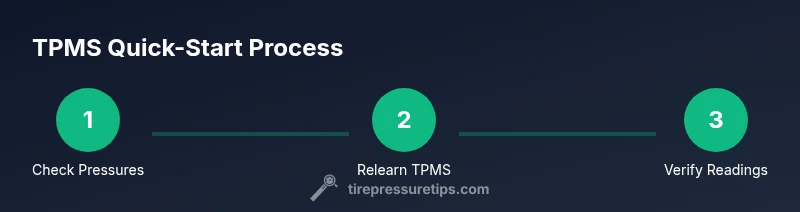
Relearning or resetting TPMS helps the system recognize new tire pressures after installation or rotation. The exact steps vary by model year, but a common approach is to ensure all tires are inflated to the target pressures, access the TPMS relearn option in the vehicle’s settings, and complete the process while driving as directed by the owner’s manual. If your Civic uses a physical relearn button, it’s usually located in the glove box or under the dash. Always consult the Honda Owners site or your manual for precise steps; this prevents false warnings and improves accuracy.
Sensor Maintenance and Common Failures
TPMS sensors live in the wheel and can suffer from battery decline, corrosion, or physical damage from potholes and curb impacts. A worn-out battery is a leading cause of unreliable readings, while damaged valve stems can cause slow leaks. Temperature changes, especially in extreme climates, also affect readings. Proactive steps include regular calibration checks, careful tire mounting, and occasional sensor inspection during tire changes. If a sensor fails, a shop can diagnose and replace it with a compatible unit.
When to Replace TPMS Sensors or Valve Caps
Sensor replacement is typically needed when a tire sensor is dead or has become unreliable, or when valve stems leak. Caps protect valve stems from dirt and moisture; if the cap is missing or damaged, replace it promptly to help preserve sensor integrity. Replacement costs and service time vary by model year and shop. The goal is to maintain accurate monitoring and avoid repeated warnings that could compromise safe driving.
Seasonal and Driving Context: Temperature, Rotation, and TPMS
Seasonal temperature shifts can influence tire pressure; a drop in ambient temperature often reduces pressure. Regular tire rotations help ensure even wear and consistent TPMS readings across all tires. If you switch between summer and winter tires, recheck pressures and relearn TPMS after installation. Consistent checks align with best practices recommended by Tire Pressure Tips and other safety authorities.
Quick Troubleshooting Checklist
- Check all four tires and the spare for correct cold pressures.
- Look for obvious leaks or damage on tires and valves.
- Ensure TPMS light changes as you drive after a relearn, indicating the system is updating.
- If the warning persists, schedule a sensor inspection with a qualified technician.
Authoritative Sources
- NHTSA: Tire Pressure Safety guidance (https://www.nhtsa.gov/road-safety/tires)
- Honda Owners: TPMS maintenance and relearn guidance (https://owners.honda.com/)
- Consumer Reports: Tire pressure maintenance and safety recommendations (https://www.consumerreports.org/)
Tools & Materials
- Digital tire pressure gauge(Prefer a gauge with a quick-release chuck for faster checks)
- Air compressor or access to a station(Needed to bring tires up to spec when cold)
- Owner's manual for the Civic(Check the exact TPMS relearn and tire specs)
- OBD-II TPMS relearn tool (optional)(Helpful for some model years or for a factory-like relearn)
Steps
Estimated time: 30-45 minutes
- 1
Gather Tools and Prep
Collect a reliable tire gauge, an air source if needed, and your Civic’s manual. Park on a level surface, ensure the car is off, and confirm all tires are cool before measuring. Having a notebook handy helps you record pressures for each tire.
Tip: Double-check that you’re using the door placard numbers; front and rear tires may have different targets. - 2
Check Cold Tire Pressures
Read each tire’s pressure when the tires are cold. Remove the valve cap, attach the gauge, and note the reading. If the reading is not close to the target, you’ll know which tires need attention.
Tip: Cold reading is essential—driving heats tires and skews the pressure. - 3
Inflate or Deflate to Spec
Inflate or deflate each tire to the Civic’s recommended pressure, usually printed on the door placard. Re-check after adjustments to ensure accuracy.
Tip: Inflate in small increments and remeasure; overcorrection is common. - 4
Inspect for Leaks
While you’re at it, inspect valves and tire sidewalls for cracks or punctures. Slow leaks can trigger TPMS warnings even if the gauge shows correct numbers.
Tip: If you suspect a leak, avoid driving long distances and seek professional service. - 5
Relearn or Reset TPMS
Follow the Civic’s TPMS relearn procedure in the owner’s manual or on the Honda Owners site. After completing relearn steps, drive moderate speeds to help the system recalibrate.
Tip: A relearn is most reliable after all tires are at target pressure. - 6
Verify All Four Readings
Drive for a short time and recheck to make sure the readings have stabilized and the TPMS light behaves as expected.
Tip: If a light remains on after relearn, there may be sensor or hardware issues. - 7
Document and Schedule Maintenance
Record tire pressures and any TPMS warnings in a maintenance log. If warnings persist after relearn, arrange sensor inspection with a technician.
Tip: Regular checks reduce the risk of unexpected flats and improve fuel economy.
Frequently Asked Questions
What is TPMS and how does it work on a Honda Civic?
TPMS is a system that monitors tire pressure and warns you if any tire runs low. In a Honda Civic, sensors in each wheel report pressure to the vehicle computer, triggering a dashboard light if pressure falls below the recommended level. This helps prevent underinflation-related issues.
TPMS watches tire pressure and warns you if it drops. In a Honda Civic, wheel sensors talk to the car’s computer and flash a warning if pressure becomes too low.
Why does the TPMS light come on when temperatures drop?
Tire pressure naturally falls with temperature. A drop can trigger the TPMS warning if readings move below the target. Rechecking with a gauge and adjusting to the recommended pressure helps prevent false alarms.
Colder temps lower tire pressure, which can trigger the TPMS. Check pressures and adjust to the recommended level to avoid false warnings.
How do I reset TPMS on a Honda Civic?
Most Civics require inflating all tires to the recommended pressures, selecting the TPMS relearn option in the vehicle settings, and driving as directed by the manual. Some models use a physical relearn button near the glove box or under the dash.
To reset TPMS, inflate tires to the target, run the relearn procedure in the menu, and drive as directed by the manual.
Will driving with a TPMS warning damage tires?
Persistent underinflation can cause uneven wear and reduce fuel economy. If the warning persists, stop driving long distances and check pressures or seek service.
Ignore warnings and you risk uneven wear and lower fuel efficiency. Check pressures promptly and consider a service check if it keeps blinking.
What should I do if a TPMS sensor fails?
A failed sensor typically requires professional diagnosis and replacement. In some cases, reflashing or recalibrating the system may fix it. If needed, replace the sensor with a compatible unit.
If a sensor fails, a technician usually replaces it. Recalibration may be required after replacement.
Is TPMS maintenance expensive?
Costs vary by model year and service provider. Routine checks and relearns are usually less expensive than sensor replacement, so regular maintenance helps minimize long-term costs.
TPMS maintenance costs depend on the model and shop, but regular checks tend to be more affordable than sensor replacement.
Watch Video
What to Remember
- Check cold tire pressures regularly.
- Understand the difference between TPMS alerts and actual tire pressure.
- Follow the Honda Civic relearn steps after tire service or rotation.
- Inspect and maintain TPMS sensors to avoid persistent warnings.
- Document your maintenance to sustain safety and efficiency.