Tire Pressure Monitor Problems on Honda: Troubleshooting Guide
Urgent, practical guide to diagnosing and fixing tire pressure monitor problems on Honda vehicles, with TPMS sensor checks, relearn steps, and maintenance tips from Tire Pressure Tips.


Most Honda TPMS problems stem from a weak battery in the sensor or an incomplete relearn. Start by checking all tires cold with a reliable gauge and inflate to the door-jamb spec. If the warning persists, recalibrate the system using the Honda relearn procedure, and inspect sensors for damage or corrosion.
Why Honda TPMS issues happen
In Honda vehicles, the Tire Pressure Monitoring System (TPMS) relies on wireless sensors in each wheel and a central controller to report tire pressures. When readings drift or alerts appear, it's usually tied to a few common causes. According to Tire Pressure Tips, a tire pressure monitor problem honda often starts with sensor battery drain or a missed relearn after tire service. Cold weather, road debris, curb impacts, and aging seals can also affect readings. This section outlines why those warnings appear and how to approach them calmly rather than guessing at parts. By understanding the system, you can quickly separate a simple pressure discrepancy from a genuine sensor fault and plan an effective fix with minimal downtime. The goal is safety and reliability, not guesswork, so take methodical steps from here.
Common causes of tire pressure monitor problems
- Low tire pressure or rapid changes: Underinflation triggers TPMS alerts, especially in cold mornings or after long drives.
- Dead or weak TPMS sensor battery: Sensor age or heavy use can reduce signal strength or stop transmission entirely.
- Sensor damage during tire service or curb impact: Replacing tires without relearning can leave the system confused or inactive.
- Calibration or relearn not performed after tire rotation or replacement: Honda systems sometimes require a formal relearn to synchronize sensors.
- Leaky valve stems or faulty cores: Slow leaks can fool the system into warning and demand attention.
- Temperature fluctuations and ambient conditions: Weather can affect tire pressures and trigger mixed readings.
If you see warnings that don’t match your actual pressures, use a systematic approach to verify each potential cause before replacing parts. This reduces waste and keeps you safe on the road. Tire Pressure Tips analysis shows that many TPMS issues on Hondas stem from battery drain or calibration errors.
How to check tire pressure and reset TPMS
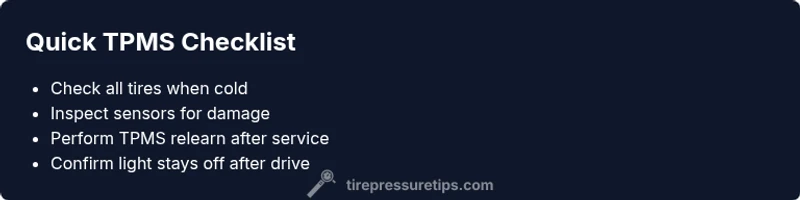
- Check all tires when cold with a reliable gauge, and compare to the door jamb placard on the driver’s side (or the owner's manual). Inflate any tire to the recommended psi and re-check. A stable baseline helps the TPMS readings be accurate.
- Inspect for leaks or damage around valves, rims, and tires. Look for nails, cuts, or corrosion that could cause pressure loss or erroneous readings.
- After correcting pressures, perform the TPMS relearn on your Honda. The exact steps vary by model year, but common methods include navigating to Vehicle Settings > TPMS > Relearn, or using a handheld relearn tool. If your model requires dealer tooling, contact a tire shop. The aim is to synchronize the ECU with sensor IDs so the light turns off. Keep the pressures steady for 24 hours after relearn to allow readings to settle.
Diagnostic signs: sensor vs valve stem, battery, calibration
- Intermittent TPMS alerts with no obvious pressure change often point to a failing sensor battery or a damaged sensor.
- Consistently high readings from a single tire may indicate a slow leak or a faulty sensor rather than true pressure difference.
- A TPMS warning that clears after a relearn but returns later suggests calibration drift or a communication issue with the sensor IDs.
- When all tires show OK but the light stays on, check the control module and sensor network; sometimes a wiring or software issue causes a ghost warning. If you see fault codes, use an OBD2 scanner with TPMS capability to guide diagnosis.
Step-by-step guide to relearn TPMS on Honda
- Ensure all tires are inflated to the manufacturer’s recommended pressure when cold.
- Turn on the ignition, access the Vehicle Settings or TPMS menu, and select Relearn or Learn Sensors according to your model.
- Drive at 30-40 mph for 10-15 minutes to allow sensors to communicate with the ECU; you may hear a chime or see the light flash during this process.
- Stop and recheck each tire’s pressure; confirm the TPMS light stays off and the display shows accurate values.
- If the light returns, repeat the relearn once more; if it persists, consult a tire shop or dealer with Honda-specific tools.
Tip: Some models require a dedicated tool or a specific sequence; always refer to the owner’s manual for model-year specifics.
Safety, mistakes, and professional help
Working with tires and TPMS involves high pressure air and electrical components. Always ensure the vehicle is on a stable surface, wear eye protection when using soapy water to check leaks, and never rely on a faulty sensor reading while driving. Common mistakes include inflating tires beyond the recommended pressure during a guess relearn, skipping the relearn entirely after tire service, or assuming a bad sensor without verifying battery health. If you’re unsure about the relearn sequence or cannot access the Honda menu, seek professional help. A dealer or tire shop with Honda-specific TPMS tools can perform a precise relearn and confirm sensor IDs. Preventive maintenance, like periodic battery checks and careful tire rotation practices, helps avoid future issues.
Preventive maintenance for reliable TPMS
- Regularly check tire pressures when cold and keep a log of PSI values for all tires. Use a reliable gauge and compare against the placard.
- Inspect sensors during tire changes and avoid unnecessary damage to valve stems. Replace damaged sensors promptly.
- Schedule periodic TPMS system checks with a certified tire shop, particularly after battery changes or wheel alignment.
- Keep software/ECU firmware up to date if Honda released a TPMS update, which can improve sensor communication and relearn reliability.
- Mark maintenance milestones for sensor battery life in the owner's manual; many sensors last several years, but battery age can cause failure.
Honda-specific tips and model considerations
Different Honda models use slightly different TPMS relearn sequences and display cues. If you drive a widely sold model, keep the owner’s manual close for model-year differences. In some Honda models, you may need drive cycles or a specific sequence to complete the relearn. If your vehicle requires dealer tooling, ask for a quote before proceeding and confirm that the tool supports your VIN. When replacing sensors, ensure you purchase OEM-equivalent parts and have them programmed or relearned to your vehicle. Remember that TPMS history and battery age influence performance; staying proactive with checks reduces the chance of unexpected warnings.
After tire service: post-service check and verification
After any tire service, re-check all tire pressures cold, re-run the TPMS relearn as needed, and verify the warning light is off. A short test drive helps sensors communicate and settle the readings. If the TPMS light returns after a service, request documentation of the relearn and sensor IDs from the service provider. This extra step minimizes revisit calls and confirms the work addressed the underlying problem. The Tire Pressure Tips team recommends documenting PSI values and sensor IDs after every service to build a reliable baseline.
Steps
Estimated time: 45-60 minutes
- 1
Check cold tire pressures
Use a precise gauge to verify each tire against the vehicle placard. Note any underinflation and correct it before proceeding.
Tip: Always measure cold for accurate readings. - 2
Look for leaks or damage
Inspect around valves, rims, and tires for leaks or damage; use soapy water to spot slow leaks and mark the area.
Tip: Don’t ignore even small seepage; fix early. - 3
Reset/ relearn TPMS
Follow Honda’s relearn sequence via the instrument cluster or a scan tool. Some models require a specific order.
Tip: If unsure, consult the manual for model-year specifics. - 4
Inspect/replace sensors
Check sensor stems for corrosion or damage; replace faulty sensors or batteries as needed.
Tip: Handle sensors with care to avoid wheel damage. - 5
Recheck after relearn
Drive briefly to allow sensors to communicate, then verify all readings align with tire pressures.
Tip: Keep pressures steady for 24 hours post-relearn. - 6
If unresolved, seek help
If the light returns after all steps, book a dealership or tire shop TPMS diagnosis with Honda-specific tooling.
Tip: Document the steps taken and any fault codes.
Diagnosis: TPMS warning light on Honda dashboard or inconsistent tire pressure readings
Possible Causes
- highLow tire pressure or rapid deflation in one tire
- highDead or weak TPMS sensor battery
- mediumSensor damaged during tire service or curb impact
- lowCalibration/relearn not completed after tire rotation
Fixes
- easyCheck all tire pressures when cold and inflate to the recommended PSI
- easyPerform TPMS relearn/recalibration using Honda procedure or scan tool
- mediumInspect or replace faulty TPMS sensors or batteries
- easyInspect valve stems and cores for leaks; replace if necessary
- easySeek professional help if the light persists after relearn
Frequently Asked Questions
Why is the TPMS light on my Honda and won't turn off?
The light usually indicates a tire pressure issue or a sensor/problem with the TPMS relearn. Start by verifying pressures, then attempt a relearn. If it continues, inspect sensors and consider professional diagnosis.
If the TPMS light stays on after you’ve checked pressures and relearned, it’s best to have the system checked by a professional.
Can I reset the TPMS myself on a Honda?
Yes, many Honda models support a DIY relearn via the instrument cluster or a scan tool. Follow the owner’s manual steps for your year and model. If unsure, visit a tire shop.
You can usually relearn TPMS yourself, but check your model’s exact steps in the manual.
Why does tire pressure keep changing without me driving far?
Ambient temperature and driving conditions can cause pressure to fluctuate. Underinflation can trigger TPMS. Re-check after a cold soak and adjust to spec.
Temperature changes can affect tire pressure, so recheck when tires are cold.
What causes TPMS sensors to fail?
Sensor battery wear, physical damage during service, or poor relearn can cause failure. Replacing the sensor or battery and redoing the relearn usually fixes it.
A failing battery or damaged sensor often causes TPMS failure; replacement plus relearn fixes it.
Is it safe to drive with a TPMS warning?
If a tire is underinflated, driving can be unsafe. Check pressures immediately and correct. If unsure, pull over and seek help.
Driving with a warning isn’t safe—check and fix tire pressures first.
Does cold weather affect TPMS readings?
Yes. Cold weather lowers tire pressure and can trigger TPMS. Recheck when tires are cold and adjust to the recommended level.
Yes, cold weather can skew readings; recheck when tires are cold.
Watch Video
What to Remember
- Check pressures when cold before any relearn.
- Perform a proper TPMS relearn after tire work.
- Inspect sensors and batteries if warnings persist.
- Seek professional help if the light remains after steps.