How to Reset Tyre Pressure in Hyundai Tucson
Learn how to reset tyre pressure in your Hyundai Tucson, including TPMS basics, required tools, step-by-step instructions, and practical safety tips for accurate readings.


To reset tyre pressure in Hyundai Tucson, inflate all tires to the manufacturer-recommended PSI, then recalibrate the TPMS. In many Tucson models, recalibration occurs automatically after driving at a steady speed, or you may trigger a manual reset via the instrument cluster if your year supports it. Recheck all pressures to ensure accuracy.
Why resetting tyre pressure matters in the Hyundai Tucson
If you’re asking how to reset tyre pressure in Hyundai Tucson, you’re looking at more than just a quick check. Proper tyre inflation affects safety, fuel efficiency, tire wear, and the reliability of the TPMS that alerts you to under- or over-inflation. According to Tire Pressure Tips, maintaining accurate pressure is essential for vehicle handling and overall performance. When you reset after adjusting pressures, you help ensure the system's readings truly reflect the tires' current state. In short, correct tyre pressure supports safer driving, better mileage, and longer tire life, which is why a methodical reset matters for every Tucson owner.
Tools, tuning, and the why behind a reset
Resetting tyre pressure in a modern Hyundai Tucson isn’t just about numbers. It’s about ensuring the TPMS is calibrated to read accurate values as you drive. If you recently rotated tires, changed tires, or ran with low pressure, the system can become confused until recalibration occurs. The goal is a synchronized tire state where each sensor reports values that match the actual inflation. A correct reset reduces nuisance warnings and improves fuel economy, tire wear patterns, and steering response. Throughout this guide, we’ll keep the focus on practical steps you can take to get your Tucson back to optimal readings, without unnecessary drama.
How TPMS recalibration works and when to reset
Tire Pressure Monitoring Systems (TPMS) rely on sensors in each tire to report air pressure to the vehicle’s computer. When pressures move back to specification, the system may recalibrate automatically as you drive. Some Hyundai Tucson models offer a manual reset in the instrument cluster or a dedicated TPMS button, depending on the year and trim. If your model supports manual reset, you’ll typically access it through a menu labeled TPMS, Vehicle Settings, or similar. If no reset option is present, your car is designed to recalibrate after driving with properly inflated tires for a period of time. In all cases, the key prerequisite is ensuring every tire is at the recommended PSI before driving.
Step-by-step overview (context before the detailed steps)
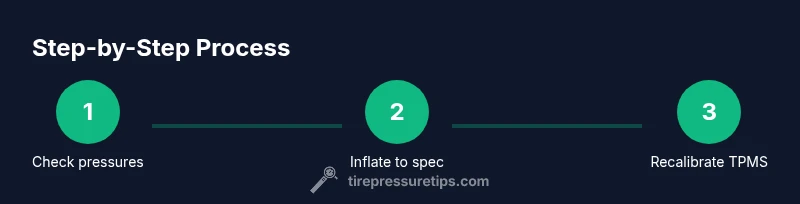
Preparing to reset or recalibrate requires three core actions: verify cold inflation, confirm the correct target pressures, and allow the system to recalibrate through driving or a manual reset. The rest of this article provides the actionable steps so you can perform a reliable reset and confirm the results.
Common mistakes that derail a proper reset—and how to avoid them
One common mistake is inflating tires only after the TPMS warning comes on. The correct approach is to measure cold pressures, adjust to the placard specifications, and then trigger recalibration. Another pitfall is relying on a single tire reading; read all four tires and adjust each to its respective spec, including the rear if the vehicle specifies different pressures. Finally, don’t assume the spare is monitored by TPMS; many Tucson models only monitor the four road tires, which can influence how you approach a reset.
How to verify readings after resetting
After completing the reset, recheck each tire’s pressure with an accurate gauge to ensure values align with the door jamb placard. On a finished trip, re-measure when the tires are cool to verify stability, and take note if any tire consistently reads higher or lower than the others. A small deviation is normal, but persistent discrepancies may indicate a sensor issue or a leak that needs inspection.
Safety considerations and when to seek professional help
Working with air pressure is generally safe, but never exceed the tire’s maximum pressure rating listed on the sidewall. If TPMS warnings persist after a full adjustment and recalibration, there could be sensor damage, a faulty valve stem, or a leaky seal that requires a professional inspection. In such cases, consult a qualified technician or Hyundai service for a precise diagnosis and proper reset.
Quick reference for the Hyundai Tucson owner
- Always start with cold tires and a cold gauge reading.
- Use the door placard as your inflation target.
- If your model supports manual TPMS reset, follow the steps in your owner’s manual.
- Drive for a reasonable distance to allow recalibration, then recheck all pressures.
- If the warning persists, seek professional help to avoid unsafe driving conditions.
Tools & Materials
- Digital tire pressure gauge(Prefer a gauge with a wide but precise range (0-60 PSI) for quick checks)
- Tire inflator / air compressor(Access to a reliable pump for quick adjustments to target PSI)
- Owner's manual for Hyundai Tucson(Check for model-specific TPMS reset steps by year/trim)
- Tire pressure placard (door jamb)(Shows front/rear PSI targets and load-based variations)
- Notebook or mobile note app(Helpful for recording baseline pressures and changes)
Steps
Estimated time: 30-45 minutes
- 1
Check tire pressures when tires are cold
Remove the valve cap and attach the gauge to each tire’s valve stem. Record the reading for all four tires (and the spare if you rotate it into service). Compare with the placard values on the door jamb. If any tire is below spec, plan to adjust before recalibration.
Tip: For accuracy, perform measurements after the vehicle has been idle for several hours or after driving less than a mile. - 2
Inflate to the recommended PSI on the placard
Using your air pump, bring each tire up to the PSI shown on the placard separate for front and rear if specified. Recheck after inflation to ensure readings match the targets. Replace the valve caps and ensure they are snug.
Tip: Do not exceed the tire’s maximum pressure listed on the sidewall. - 3
Reset TPMS if your model supports it
If your Tucson has a manual TPMS reset option, access the TPMS or Vehicle Settings menu on the instrument cluster and select Reset or Relearn. If there is no reset option, proceed to the next step and rely on automatic recalibration after driving.
Tip: If unsure, consult the owner’s manual for the exact button location or menu path. - 4
Drive to complete recalibration
Drive on a clear road at a steady pace to allow the TPMS to recalibrate. The recalibration may take several minutes of steady driving; you’ll typically see the warning disappear when complete.
Tip: Prefer highway or open-road driving for faster calibration, staying within legal speed limits. - 5
Recheck pressures after recalibration
Stop after a short drive and recheck all four tires with your gauge. If any tire shows a discrepancy, adjust again to spec and retest.
Tip: Keep a quick log of the final pressures for your records.
Frequently Asked Questions
When should I reset the TPMS after inflating the tires?
Resetting is typically done after inflating to spec or after a tire change. If the warning light remains after inflation, consult the manual for model-specific reset steps or seek service if sensors appear faulty.
Reset TPMS after inflating to spec; if the light stays on, check the manual or contact a technician.
What should I do if the TPMS light stays on after I’ve inflated to the correct pressure?
Double-check all four tires for correct cold pressure. If pressures are correct and the light remains, there may be a faulty sensor or leak requiring professional inspection.
If the light stays on after inflating, recheck all tires and consider sensor issues.
Do I need special tools to reset TPMS?
A reliable tire pressure gauge, an air pump, and your owner's manual for model-specific steps are typically enough for a standard reset.
Usually just a gauge, an air pump, and the manual.
Does TPMS reset differ by Hyundai Tucson model year?
Procedures can vary by year and trim. Always consult the owner’s manual for the exact steps for your specific Tucson.
Procedures vary by year; check your manual for exact steps.
If I changed a tire, do I need to reset TPMS?
Yes, changing or rotating tires can require a TPMS relearn to align sensor data with actual pressures.
Tire changes often require a TPMS relearn.
Is the spare tire part of the TPMS recalibration?
Most TPMS systems monitor only the four road tires, so the spare is not usually part of the recalibration. If your spare has a sensor, refer to manual.
Spare tires aren’t typically part of TPMS recalibration.
Watch Video
What to Remember
- Check all tires when cold before inflation.
- Inflate to the door placard targets for front and rear.
- Use TPMS reset if your model supports it; otherwise rely on automatic recalibration by driving.
- Recheck pressures after calibration to confirm accuracy.