Acura RDX TPMS Troubleshooting and Reset Guide
Urgent, practical guide to diagnosing and fixing the Acura RDX tire pressure monitoring system (TPMS). Learn quick checks, diagnostics, and when to call a pro, with expert tips from Tire Pressure Tips.


Most Acura RDX TPMS alerts stem from sensor faults or calibration drift. Quick fix: re-check tire pressures with a reliable gauge, then reset/calibrate TPMS per the owner's manual. If warnings persist, seek professional TPMS service for diagnosis and sensor replacement. Be sure to recheck all four tires after any reset and inspect sensors for corrosion or damaged stems.
Acura RDX tire pressure monitoring system (TPMS) overview
According to Tire Pressure Tips, ensuring accurate tire pressure readings is essential for safety, tire wear, and fuel efficiency on every drive. The Acura RDX uses a TPMS that reports pressure from wheel-mounted sensors to the instrument cluster. A typical TPMS scenario involves four sensors, a receiver, and a control module that can trigger a warning when any tire falls outside the recommended range. Keep in mind that temperature, tire wear, and recent tire work can affect readings, so treat TPMS alerts as a prompt to verify actual pressures first.
The system is designed to alert you when PSI drops below a preset threshold or when readings become inconsistent. In many cases, a simple cold-inflation check and a proper relearn can clear false warnings. Understanding how TPMS operates helps you distinguish a genuine leak from a sensor issue, which saves time and money in the long run.
Why TPMS alerts happen on the Acura RDX
TPMS alerts can come from both real pressure changes and system faults. Real leaks, damaged sensors, battery failures in the sensor, or a corroded valve stem can produce a warning. Calibration drift after tire rotation or replacement is another frequent culprit. Environmental factors, like rapid temperature swings, can also momentarily trigger the light. In all cases, start by confirming actual tire pressures before diving into sensor diagnostics.
Being proactive matters because a false TPMS warning can cause unnecessary service visits, whereas ignoring a real drop in pressure risks tire failure. Regular checks are your best defense, and maintaining your TPMS helps maximize fuel efficiency and tire life.
DIY checks to verify TPMS readings
Begin with the basics: verify each tire's actual pressure using a dependable gauge, preferably one that reads to at least 0.5 psi. Compare those readings to the Acura owner's manual recommended PSI for every tire. Cold tires provide the most accurate numbers. If all pressures are within spec but the TPMS light remains, perform a TPMS relearn or reset procedure described in your manual or the vehicle's infotainment menu. After any reset, drive the car for a short distance to allow the system to relearn, then recheck the readings with a thermometer-style gauge to confirm consistency.
Diagnostic flow: interpreting TPMS symptoms in the Acura RDX
When the TPMS light comes on, start by checking for obvious causes: a tire that’s low or near-flat, a damaged valve stem, or an overt leak from a wheel. If pressures are correct, you may be facing a sensor battery issue or a failed sensor. Temperature changes can also temporarily trigger warnings, especially after a long drive or parking in freezing conditions. If the light returns after a reset, it's likely a sensor or receiver fault. In that case, a professional diagnostic with TPMS-specific tooling is recommended.
Step-by-step troubleshooting for most common causes
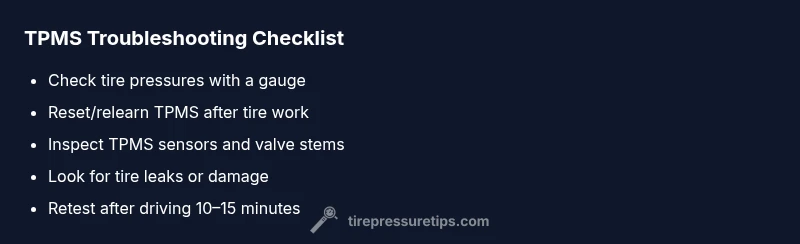
- Confirm all four tires are within the specified range using a precision gauge. 2) If any tire is low, inflate to the recommended PSI and perform a manual relearn. 3) If the light stays on, reset the TPMS according to the owner's manual and test by driving 10–15 minutes at steady speeds. 4) Inspect valve stems and sensors for corrosion or damage; replace any suspect unit. 5) If issues persist, scan for TPMS faults with a diagnostic tool or take the car to a tire service shop for sensor replacement. 6) Document final pressures and monitor for reoccurring warnings.
Preventive TPMS maintenance for Acura RDX owners
Keep TPMS reliable by performing regular tire pressure checks, ideally every month and after every tire rotation or replacement. Replace aging TPMS batteries when service indicators suggest a fault, and ensure wheel weights or sensors haven’t been damaged during balance or alignment procedures. Regular resets after tire work help maintain accurate learn cycles, reducing false warnings.
Steps
Estimated time: 60-90 minutes
- 1
Check baseline tire pressures
Use a reliable gauge to verify each tire’s current pressure. Compare against the Acura recommended PSI from the owner’s manual. This step eliminates the most common cause: underinflation or overinflation.
Tip: Always measure when tires are cold for the most accurate reading. - 2
Inflate and reset relearn
If any tire is low, inflate to spec and perform the TPMS relearn/reset procedure as described in the manual. The relearn allows the system to re-calibrate to the current sensor positions.
Tip: Some models require ignition in a specific state; follow the manual exactly. - 3
Inspect sensors and valves
Visually inspect each TPMS sensor and valve stem for signs of corrosion, damage, or loose connections. A damaged stem or corroded battery contact can trigger faults even when pressures are correct.
Tip: Rotate or remove wheels only with proper safety precautions. - 4
Drive to trigger relearn
Take a 10–15 minute drive at steady speed to allow the TPMS to relearn the new pressures. Ensure ambient temperatures are stable to avoid confounding factors.
Tip: Avoid abrupt braking or aggressive acceleration during relearn. - 5
Use a diagnostic tool if needed
If the warning persists, use a TPMS diagnostic tool or consult a tire shop to scan for sensor faults or module issues. Some faults require sensor replacement or module calibration.
Tip: Note any error codes for a quicker diagnosis. - 6
Record and monitor
Record final tire pressures and monitor the system over the next few weeks. A consistent reading after a reset indicates a successful relearn; recurring warnings require professional attention.
Tip: Document dates, PSI values, and service steps for reference.
Diagnosis: TPMS warning light on Acura RDX or inconsistent PSI readings
Possible Causes
- highLow sensor battery or failed sensor
- highCalibration drift after tire service
- mediumValve stem damage or corrosion at TPMS sensor
- lowActual low tire pressure due to slow leak
Fixes
- easyReinflate to recommended PSI and perform TPMS reset/relearn
- mediumReplace faulty TPMS sensor or battery and re-learn
- easyInspect for sensor damage or corrosion and repair/replace as needed
- hardIf no improvement, perform full diagnostic scan for TPMS module faults
Frequently Asked Questions
What does a TPMS warning light mean on the Acura RDX?
A TPMS warning indicates that one or more tires may be underinflated, overinflated, or that the TPMS sensor/system is faulty. Always verify actual tire pressures first before proceeding with sensor diagnostics.
A TPMS warning means a tire may be too low or a sensor could be faulty. Verify pressures first, then consider sensor diagnostics if readings look normal.
How do I reset the Acura RDX TPMS?
Reset or relearn procedures vary by model year. Typically you inflate all tires to spec, use the TPMS menu or certain button sequences, and then drive to complete the relearn. Always consult the owner's manual for the exact steps.
Reset typically involves inflating to spec, using the TPMS relearn setting, and driving a short distance to let the system relearn.
Can TPMS warnings be solved without replacing sensors?
Sometimes warnings come from calibration or battery issues inside a sensor. Relearns, battery tests, or simple sensor replacements can clear warnings without full sensor replacement, but persistent faults may require new sensors.
Often you can fix it with a relearn or sensor battery test, but persistent faults may need sensor replacement.
Is it safe to drive with a TPMS warning?
If the warning indicates a genuine low tire, drive slowly to a safe location and inflate to spec. If the warning is due to a suspected sensor fault, limit driving and seek professional service to prevent tire damage.
Drive carefully to a safe place if a tire is actually low. If it's a sensor fault, seek professional help promptly.
What causes TPMS faults after tire rotation?
Tire rotation can confuse the system’s learned sensor positions. A relearn is often needed after rotation, and any damaged sensors should be replaced promptly to restore accuracy.
Rotations can confuse TPMS; a relearn is usually needed and faulty sensors should be replaced if indicated.
Watch Video
What to Remember
- Check actual tire pressures first before blaming the TPMS
- Run a proper TPMS relearn after any tire service
- Inspect sensors and valves for corrosion or damage
- Consult a professional if the warning persists