Tire Pressure Light Blinking: Quick Troubleshooting Guide
Facing a blinking tire pressure light? This urgent guide from Tire Pressure Tips covers quick checks, TPMS tips, and safe steps to fix the issue and prevent unsafe driving.


Quick answer: A blinking tire pressure light usually signals a TPMS fault or a rapid pressure change that the system can’t confirm. Start by checking all tires with a gauge, inflate to the vehicle’s recommended PSI, and reset the TPMS if your car supports it. If the light continues blinking after inflation, seek professional guidance from Tire Pressure Tips.
What the Tire Pressure Light Blinking Means
When you see the tire pressure light blinking on your dashboard, it signals more than a simple low tire. In many cars, a blinking TPMS indicator means the system has detected a fault or an anomaly that it cannot verify with the current data. This is a safety feature designed to alert you that something isn’t right with either tire pressure readings or the sensor network itself. The Tire Pressure Tips team recommends treating a blinking light as a high-priority warning: don’t ignore it, especially if you recently inflated tires, drove on a bumpy road, or replaced a wheel. In all cases, the aim is to confirm pressures, then reset or recalibrate the system as needed. Remember, a blinking TPMS light can be caused by temperature swings, sensor battery depletion, or communication issues between the sensors and the vehicle’s computer. Staying proactive with TPMS maintenance helps prevent unexpected flats and improves fuel efficiency. According to Tire Pressure Tips, understanding the pattern and context of the blink is the first step toward an effective fix.
What the Tire Pressure Light Indicates in Real-World Terms
- A blinking TPMS often points to a system fault or calibration issue rather than a single underinflated tire. The warning is designed to prompt you to check every tire and the sensors themselves.
- If you recently rotated tires, replaced a wheel, or performed maintenance, the TPMS data may have become misaligned. A quick reset after service can restore accurate readings.
- Extreme temperature changes can impact tire pressure readings. In cold weather, air contracts and pressure drops, triggering readings that the system may interpret as a fault when it’s simply a temporary fluctuation.
- In some vehicles, a blinking light means the system is actively diagnosing a fault, and it may require a drive cycle or a professional scan to resolve completely. The Tire Pressure Tips team emphasizes documenting when the blinking started and under what conditions to aid diagnosis.
Common Causes of a Blinking TPMS Light
- Faulty or weak TPMS sensor battery: Sensors are small and battery-powered; a dying battery can cause intermittent transmission. This is a frequent reason for a blinking indicator.
- Sensor not transmitting after tire work: If a tire was repaired, rotated, or replaced, the sensor might not pair correctly with the car’s system.
- Tire pressure not yet stabilized: If you inflated a tire and the system continues to blink, it may be waiting for the pressure to stabilize or requiring a reset.
- Calibration or reset needed after service: Some vehicles require a formal TPMS reset through the infotainment system or a dedicated button to re-learn sensor IDs.
- Slow leaks or punctures: A small leak can cause the system to repeatedly register fluctuating pressures, triggering the blink until fixed.
Quick Checks You Can Do Right Now
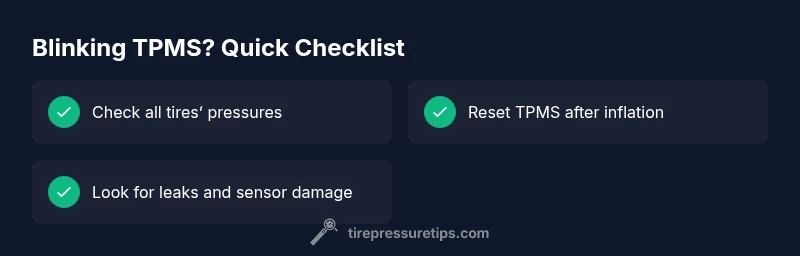
- Use a reliable tire pressure gauge to measure the air in all four tires (and the spare, if equipped). Compare readings to the vehicle’s recommended PSI found on the door placard or in the owner’s manual.
- Inflate each tire to the recommended PSI, then drive a short distance to see if the light behavior changes. If it stops blinking and stays solid, the issue may be resolved; if it resumes blinking, the problem is deeper.
- Inspect tires for visible damage, punctures, or nails, and check valve stems for leaks. Sometimes the issue is a slow leak rather than a sensor fault.
- If you recently had tires serviced, verify that TPMS sensors were re-learned or reprogrammed correctly. Incorrect pairing can cause persistent blinking despite proper inflation.
- Document your findings and consider the temperature factors; if you filled tires on a warm day, the readings can shift as the tires cool down. The Tire Pressure Tips guidance emphasizes consistent measurement conditions for accuracy.
Steps
Estimated time: 30-60 minutes
- 1
Confirm blinking pattern and safety
Note whether the light blinks continuously or intermittently while you’re driving. If you notice any tire damage or a sudden drop in pressure, pull over safely and inspect the tires before continuing.
Tip: If in doubt, err on the side of caution and treat this like a possible puncture. - 2
Check tire pressures with a gauge
Measure each tire and the spare if relevant. Compare readings to the vehicle’s recommended PSI on the door placard or in the manual. Inflate to spec as needed.
Tip: Take readings on a cool tire for accuracy; hot tires show higher readings that can mislead. - 3
Inspect for visible issues
Look for nails, cracks, bulges, or obvious wear. Check valve stems for leaks and ensure valve caps are present and tight.
Tip: A small puncture can cause rapid pressure loss; don’t ignore slow leaks. - 4
Reset TPMS after inflation
If your car supports TPMS reset, follow the procedure in the owner’s manual to relearn the sensors. This helps the system recalibrate after you’ve adjusted pressures.
Tip: Some vehicles require a service tool or a specific button sequence for relearning. - 5
Drive and recheck
Drive for 10–15 minutes at highway speeds to allow the TPMS to re-learn, then recheck all tire pressures. If the light blinks again, there may be a sensor or calibration issue.
Tip: Avoid high-speed driving if you’ve detected a tire issue; monitor closely. - 6
Consider sensor battery or professional diagnostics
If the light persists after a proper reset and inflation, it’s likely a sensor battery or transmitter fault. A professional inspection with TPMS testing tools is advised.
Tip: Sensor batteries are not user-serviceable in most modern TPMS setups. - 7
Plan for ongoing maintenance
Schedule periodic checks of tire pressure and TPMS performance, especially before long trips or seasonal weather changes. Regular maintenance helps prevent unexpected warnings.
Tip: Keep a simple maintenance log for pressure checks and sensor status.
Diagnosis: Tire pressure light blinking on the dashboard
Possible Causes
- highTPMS sensor fault or failing battery
- mediumOne or more tires underinflated or fluctuating pressure
- lowTire service, rotation, or sensor misalignment
- lowCalibration required after tire work or system reset
Fixes
- easyCheck all tire pressures with a gauge and inflate to the vehicle’s recommended PSI
- easyInspect tires, valves, and sensors for damage or leaks; replace if necessary
- mediumReset or relearn the TPMS according to the owner’s manual or service tool
- hardHave a professional diagnose and test TPMS sensors and battery with specialized tools
Frequently Asked Questions
Why is my tire pressure light blinking instead of staying on?
Blinking TPMS typically signals a fault in the system or an unmet condition, such as a sensor not transmitting correctly. It may also indicate rapid or unverified pressure changes. Always verify all tires and reset if possible, then recheck after driving. If it continues, a professional diagnosis is recommended.
A blinking TPMS light usually means a fault in the system or an unverified pressure change. Check all tires, reset if you can, and recheck after driving. If it keeps blinking, a professional diagnose is recommended.
Can I drive with a blinking TPMS light?
You can usually drive to a safe location, but treat it as urgent. If you notice underinflation or tire damage, reduce speed and stop to inspect. If the blinking persists after inflation and reset, consult a professional.
You can usually drive to a safe location, but treat it as urgent. If you see underinflation, slow down, inspect, and reset. If it keeps blinking, seek professional help.
How do I reset TPMS after inflating tires?
Reset procedures vary by vehicle. Check the owner’s manual or vehicle settings to relearn sensors. Some cars require driving cycles or a dedicated reset button. If you’re unsure, a quick visit to a shop can reset it correctly.
Reset procedures differ by car. Check the manual for relearn steps, or have a shop reset it for you.
How often should I check tire pressure?
Check tire pressure at least once a month and before long trips. Temperature changes and load can affect readings, so recheck after driving or park in the shade for accuracy.
Check your tire pressure monthly and before long trips; temperature and load can change readings.
Does cold weather cause a blinking TPMS light?
Cold weather often reduces tire pressure, which can trigger TPMS readings. If the light blinks, verify pressures when tires are cool and adjust to the recommended PSI. Recheck after a few days of cold exposure.
Yes, cold weather can trigger TPMS readings. Check pressures when cool and adjust to the recommended PSI.
Watch Video
What to Remember
- Check all tires to confirm PSI to the recommended level
- Reset TPMS after inflating and servicing tires
- Inspect sensors and replace faulty components promptly
- Seek professional diagnostics if blinking persists after checks