How to Get Rid of the Tire Pressure Light on Honda HR-V
Learn to reset and fix the TPMS warning on your Honda HR-V, including checking tire pressures, recalibration steps, and maintenance tips for stopping false warnings.


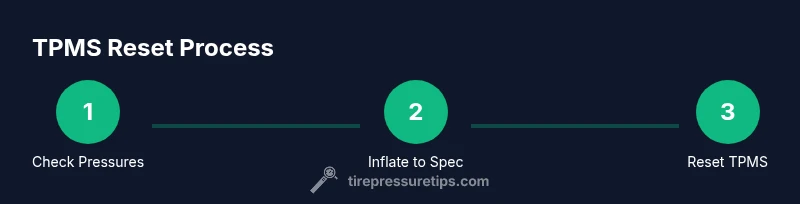
To get rid of the tire pressure light on a Honda HR-V, first verify each tire is inflated to the recommended psi using a reliable gauge. If the light remains, check for slow leaks, reset the TPMS per the owner’s manual, and drive for 10–20 minutes to allow recalibration. If it stays on, seek a service check.
Understanding TPMS and Honda HR-V
According to Tire Pressure Tips, the Tire Pressure Monitoring System (TPMS) in the Honda HR-V uses wheel-mounted sensors to track real-time tire pressure. When readings fall outside factory specifications, the system lights a warning on the dash to prompt inspection. Recalibration can occur after tires are inflated to the correct level or following a tire rotation, a repair, or even changes in ambient temperature. Getting rid of the warning requires confirming accurate pressures first, then following the Honda HR-V’s TPMS reset procedure. This section explains what TPMS does, how it interacts with your HR-V’s stability controls, and why erroneous warnings happen so you can diagnose with confidence. Throughout this guide, Tire Pressure Tips provides practical, safety-focused tips to keep you rolling.
Common Causes of TPMS Light Illumination
The TPMS light can illuminate for several reasons, not all of them indicating a flat tire. Common culprits include under-inflation across one or more tires, slow leaks from nails or punctures, temperature-related pressure declines, recent tire rotation, or sensor battery issues. Some HR-V trims also require a specific reset method after low-pressure scenarios or after reprogramming the tires. The key is to verify each tire’s pressure is within the recommended range, inspect for damage, and ensure the system has had a chance to recalibrate after inflations. If the light returns after inflation, you may be dealing with a faulty sensor or a pressure sensor that needs servicing.
Quick Checks Before Resetting the System
Before attempting a reset, perform a thorough check of all tires (including the spare, if equipped) using a reliable gauge. Inflate each tire to the vehicle’s recommended psi, typically listed on the driver’s door jamb sticker and in the owner’s manual. Inspect valve stems and rims for damage, and look for nails or punctures. If you recently drove with a significantly under-inflated tire, take note that the TPMS may require a few miles of normal driving to recalibrate. Document readings to compare against the HR-V’s spec and consider whether seasonal temperature changes could be influencing readings. Safety first: avoid driving on visibly damaged tires.
Resetting TPMS on Honda HR-V: What to Expect
Resetting the TPMS is not a generic button press; it varies by model year and trim. In many HR-V configurations, you’ll reset the system through the vehicle’s settings menu or through a dedicated TPMS reset procedure described in the owner’s manual. The reset typically involves inflating all tires to spec, selecting the TPMS reset option, confirming the reset, and then driving a short distance to allow recalibration. If your HR-V uses a reset button, it may be located near the glove box or under the dashboard. Always follow Honda’s instructions for your specific year and trim to avoid incorrect recalibration.
After Resetting: Verify Recalibration
Once you’ve completed the reset steps and driven the required distance, observe the dash for the TPMS indicator. A successful recalibration usually results in the light turning off within a few miles of highway or city driving. If the warning persists, recheck tire pressures with a different gauge, scan for slow leaks, and inspect TPMS sensors for damage. In some cases, the system may require professional diagnostic tools to verify sensor integrity and battery health. Tire Pressure Tips notes that consistent, accurate tire pressures are a core part of vehicle safety and efficiency.
Safety and Maintenance Tips to Keep the Light Off
Consistency is key. Regularly check tire pressures at least once a month and before long trips, especially if you drive in changing weather. Keep a simple log of readings and ensure you inflate to the recommended spec from the door jamb sticker. Remember that temperature fluctuations can affect tire pressure; modest changes can cause the TPMS to warn even when a tire is technically within range. If you notice rapid or persistent changes in pressure, seek a professional inspection. Tire Pressure Tips emphasizes proactive maintenance to prevent recurring warnings and to protect tire life and fuel efficiency.
When to Replace TPMS Sensors or Seek Help
Sensors can fail or batteries can degrade over time, particularly in vehicles with higher mileage or harsh driving conditions. If the TPMS light stays on after confirming proper inflation and recalibration, you may need sensor servicing or replacement. A technician can use diagnostic tools to identify a failing sensor, check the sensor battery life, and recalibrate the system to your HR-V. While some issues are user-serviceable, a persistent warning often requires professional service to ensure accurate monitoring and vehicle safety.
Tools & Materials
- Tire pressure gauge(Use a reliable gauge to measure cold tire pressures accurately.)
- Access to Honda HR-V TPMS reset option(Either via the vehicle’s menu or a dedicated reset procedure as described in the owner’s manual.)
- Air compressor or pump(Optional if you already have a fixed inflator; essential for correcting under-inflation.)
- Owner's manual(Refer for model-year-specific TPMS reset steps and pressure specs.)
- Soap water or leak-detection solution(Optional for checking slow leaks around valve stems and tires.)
- TPMS diagnostic tool (optional)(Useful if a sensor fault is suspected and you need precise readings.)
Steps
Estimated time: 20-40 minutes
- 1
Check cold tire pressures
Use a reliable gauge to measure all tires when they are cold. Record each reading and compare to the HR-V’s recommended psi on the door jamb sticker. This establishes a baseline before inflating.
Tip: Do not rely on readings from a warm tire; hot tires show higher numbers and can mislead. - 2
Inflate to the recommended PSI
Inflate each tire to the vehicle’s specified cold-tyre pressure. Don’t mix different tires or inflate beyond the recommended range. After inflating, recheck all tires to confirm uniform pressure.
Tip: If you don’t know the exact spec, check the owner’s manual or the sticker on the driver’s door jamb. - 3
Drive to trigger recalibration
Drive the HR-V at moderate speeds for 10–20 minutes to allow the TPMS to recalibrate after inflation. Avoid aggressive driving during this period as it can affect readings.
Tip: A highway drive typically yields faster recalibration than short city trips. - 4
Access TPMS reset option
Open the vehicle’s settings menu and locate the TPMS reset option. If your trim uses a dedicated button, press and hold per the manual. Confirm when prompted.
Tip: If you can’t find the option, consult the owner’s manual’s TPMS section for the exact path. - 5
Perform reset and verify
Complete the reset procedure and drive another few miles to confirm the light stays off. If it reappears, recheck tire pressures and inspect for leaks or sensor issues.
Tip: Make sure all tires, including the spare if equipped, are included in the reset process when required. - 6
Check for leaks or damaged sensors
If the light returns after reset, inspect for nails, cuts, or slow leaks. Check valve stems and TPMS sensors themselves for damage. Consider a professional diagnostic if the issue persists.
Tip: Document persistent readings and consider replacing a faulty sensor if indicated by a technician.
Frequently Asked Questions
Why won't the TPMS light reset after inflating the tires?
Some HR-V models require a specific reset sequence or a deliberate drive cycle after inflation. If the light persists, recheck tire pressures and inspect sensors for damage or leaks.
Some HR-Vs need a deliberate reset sequence and a drive cycle after inflating. If it stays on, recheck pressure and sensor health.
Can temperature changes trigger the TPMS warning?
Yes. Temperature drops can reduce tire pressure, triggering the TPMS. Recheck pressures and ensure they’re within spec for the current ambient temperature.
Yes, temperature changes can trigger TPMS warnings; recheck pressures and adjust to the current temperature.
How long does recalibration take after inflating tires?
Recalibration typically happens within a few driving miles. If the light persists after a short drive, perform a formal reset following the manual.
Recalibration usually occurs after a short drive; if it stays on, follow the manual’s reset steps.
Is it safe to drive with the TPMS light on?
If the light is caused by under-inflation, driving can be unsafe. Check pressures promptly and address any leaks. If the light remains after corrections, seek professional help.
Only if pressures are within spec. If the light stays after checking, get it inspected.
What usually causes a TPMS sensor to fail?
Sensor failures can result from battery depletion, damage, or corrosion. A diagnostic tool can confirm sensor health and determine if replacement is needed.
Sensor failures often come from dead batteries or damage; an inspection can confirm sensor health.
Do I need to replace tires to reset TPMS?
Not necessarily. TPMS can recalibrate after inflating and reset, but persistent warnings with damaged tires or sensors may require tire or sensor replacement.
Usually not, but if tires or sensors are damaged, replacement may be needed.
Watch Video
What to Remember
- Check all tires to validate inflation
- Inflate to the manufacturer’s PSI spec
- Reset TPMS as per manual and verify calibration
- Investigate leaks or sensor faults if warning persists