TPMS Acura MDX: A Practical Guide
Learn how to check, reset, and maintain TPMS on your Acura MDX. Step-by-step guidance, practical tips, and safety reminders from Tire Pressure Tips.


TPMS for the tpms acura mdx is a safety system that monitors tire pressure and sensor health to alert you when inflation drops below the recommended level. This quick definition clarifies how TPMS works, what triggers warnings, and why manual tire checks still matter, especially during seasonal changes. Understanding TPMS helps you act quickly to protect traction, fuel efficiency, and tire longevity.
Understanding TPMS and why it matters for your Acura MDX
According to Tire Pressure Tips, the Tire Pressure Monitoring System (TPMS) is a safety feature designed to alert you when tire pressure falls below the recommended level. For the tpms acura mdx, TPMS helps maintain optimal traction, handling, and fuel efficiency, while protecting tires from premature wear. In this section, we’ll cover what TPMS measures (tire pressure, sensor health, and signal integrity), how the system interacts with the vehicle’s ECU, and what drivers should expect from the dashboard indicators.
Modern TPMS uses sensors in each wheel to continuously monitor pressure and temperature and transmits data to the car’s computer. When a reading deviates from the target range, the system triggers a warning light or a message in the driver information center. Some models also show the actual pressure value for each tire or display a warning if one tire is significantly underinflated. Understanding these signals helps you act quickly, rather than guessing at tire health. Regular checks with a hand-held gauge remain essential even with TPMS active; sensors can drift, valves leak, and seasonal temperature changes affect readings. The MDX’s TPMS is designed to work with your regular maintenance schedule, making it easier to stay on top of tire health and safety on road trips or daily commutes. By staying proactive, you reduce the risk of blowouts and improve efficiency.
Acura MDX TPMS hardware and sensor basics
The Acura MDX uses a wheel-mounted TPMS sensor in each tire plus a receiver and a control module inside the vehicle. Sensors measure internal pressure and temperature and periodically transmit a radio signal to the car’s central computer. The sensors are typically battery-powered, with life varying by driving conditions and climate. On most MDX trims, you may see a TPMS warning if a sensor battery is weak or if a valve stem seal leaks. The location of sensors is standard in the valve stems, with the spare tire sometimes not equipped with a live sensor on older models. Understanding that the sensors are part of a broader monitoring network helps you anticipate maintenance needs and plan sensor replacement or re-learning if you replace wheels or repair brakes.
How to check tire pressure and read TPMS readings
Checking tire pressure correctly begins with a cold tire reading. Use a reliable gauge to measure all four tires and compare the values to the MDX placard on the door jamb. If TPMS displays numbers, note the readings for each corner and look for drift that indicates a slow leak or sensor issue. Always record the readings and adjust inflation to the manufacturer’s recommended value, which can differ between front and rear tires. When the gauge readings align with the placard, your TPMS may be functioning properly; if not, investigate valve stems, rims, or sensor health. Remember that TPMS readings can lag behind real changes, so periodic manual checks remain important, even with the system active.
Interpreting warning light patterns and immediate actions
TPMS warning lights come on for several reasons, including underinflated tires, a malfunctioning sensor, or a lost signal from one or more sensors. If the light is steady, start by checking actual tire pressures with a gauge. If readings are within spec and the light stays on, there could be a sensor fault or need for a system re-learn. If the light flashes, it often indicates a sensor battery issue or multiple sensors reporting abnormally; take care to pull over safely and reassess or seek service. In all cases, continuing to drive on underinflated tires is unsafe and reduces handling and fuel efficiency.
Replacing and relearning TPMS sensors on the MDX
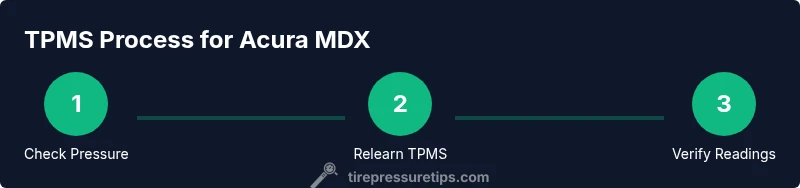
Sensor replacement or tire/wheel changes require a TPMS relearn to re-sync the system with the vehicle’s computer. After replacement, you may need to perform a relearn procedure through the vehicle’s menus or a dealership tool. The MDX often benefits from a short drive and monitoring of the TPMS readout to confirm accuracy. If the car doesn’t complete the relearn after a routine service, contact a qualified technician for a proper reset. Always verify that all four sensors are communicating and reporting sane pressures.
Maintenance tips to extend TPMS life and accuracy
Regular maintenance helps keep TPMS readings accurate. Keep sensors clean and avoid hitting curbs or potholes that could damage valve stems. Check tire pressures monthly and after long trips or temperature changes. If you rotate tires or switch wheels, remember to relearn the system. Consider keeping a spare TPMS battery or sensor replacement plan if your vehicle’s age suggests rising failure risk. Overall, a proactive approach reduces downtime and preserves system reliability.
Common mistakes and safety reminders
Common mistakes include ignoring TPMS warnings, hoping for a quick fix without checking pressures, and attempting DIY sensor repairs without proper tools. Never drive long distances on underinflated tires, and avoid attempting to disable TPMS. If in doubt, seek professional service; TPMS is a vital safety feature, and misdiagnosis can lead to unsafe driving conditions.
Tools & Materials
- Digital tire pressure gauge(Use a gauge you trust; check all four tires when cold)
- Air compressor or portable inflator(For topping up to the recommended pressure as shown on the placard)
- TPMS relearn tool or access to vehicle relearn procedure(Some MDX models require a dedicated tool or dealer-level relearn)
- Owner’s manual (tire pressure section)(Model-specific pressures and relearn steps)
- Wheel alignment and safety equipment(If you rotate wheels or replace sensors, ensure proper safety setup)
Steps
Estimated time: 30-45 minutes
- 1
Check current tire pressures with a gauge
Bring all four tires to cold status and measure with a reliable gauge. Record each reading and compare against the MDX placard values. If any tire is outside tolerance, adjust using a controlled pump until all read within spec.
Tip: Use the same gauge for consistency and verify units (psi vs kPa) across all measurements. - 2
Adjust tires to the recommended levels
Inflate each tire to the manufacturer-recommended pressure listed on the door placard, not the tire sidewall. Recheck after a few minutes to confirm stability, then recheck again after a short drive as readings can settle.
Tip: Always adjust when tires are cold; driving warms the air and skews readings. - 3
Perform TPMS relearn after service or sensor changes
If you’ve replaced sensors or changed wheels, initiate the relearn procedure described in your MDX manual or use a dealer tool. Follow the exact sequence to avoid false alerts.
Tip: If the system doesn’t complete the relearn after a drive, contact a professional. - 4
Drive to confirm TPMS readings
Take a short test drive to allow the TPMS to update its memory and reflect any changes in pressure readings.
Tip: Monitor the dashboard; the light should extinguish if readings are stable and sensors are communicating. - 5
Verify four-sensor communication
Ensure all four tires are reporting data and that no sensor is stuck in a fault state. If a tire remains unreported, inspect the valve stem and sensor or seek service.
Tip: Sensor damage or battery failure is a common cause of incomplete reporting. - 6
Document and schedule periodic checks
Record pressures and sensor health in your maintenance notes and plan monthly checks, or after temperature shifts and long trips.
Tip: Set a reminder to maintain consistency throughout the year.
Frequently Asked Questions
What is TPMS and how does it work in the Acura MDX?
TPMS monitors tire pressure and sensor health, alerting you when inflation is too low or when a sensor isn’t communicating. It helps maintain safe handling and fuel efficiency. You should still check tires manually for accuracy.
TPMS monitors pressure and sensor health in your Acura MDX and will warn you if a tire is low or a sensor isn’t communicating. Always verify with a gauge and reset as needed.
Why is the TPMS warning light on even when tires look fine?
There could be a slow leak, sensor battery issue, or a relearn requirement. Check each tire with a gauge and consult the MDX manual if the light persists after inflation.
If the TPMS light stays on after inflating tires to spec, there might be a sensor issue or a relearn is needed. Check with a gauge and review your manual.
Can I reset TPMS myself on the MDX?
Some MDX models support a DIY relearn sequence, while others require dealer tools. Refer to the owner’s manual for the exact steps and follow safety precautions.
Yes, some MDX models let you relearn TPMS yourself, but many require a tool from the dealer. Check your manual for the exact steps.
Do I need dealer tools to relearn TPMS after wheel changes?
Relearning after wheel changes typically requires either the vehicle’s built-in relearn procedure or a scan tool used by a shop. If unsure, seek professional service to avoid false readings.
Wheel changes often need a relearn using either the car’s built-in system or a professional tool. If unsure, get it checked.
How long do TPMS sensors last in an Acura MDX?
TPMS sensors generally last several years, but battery life depends on usage and conditions. If readings become erratic, testing and possible sensor replacement may be needed.
Sensors typically last multiple years, but battery life varies with usage. If readings go off, they may need testing or replacement.
What should I do if a TPMS sensor is damaged?
Damaged sensors should be replaced and relearn performed as needed. Driving with a damaged sensor can lead to inaccurate readings and unsafe conditions.
If a TPMS sensor is damaged, replace it and relearn the system. Don’t drive long with a damaged sensor.
Watch Video
What to Remember
- Understand TPMS purpose and its role in safety.
- Always verify with a gauge, then adjust to the placard value.
- Relearn TPMS after tire service or sensor changes.
- Maintain tires and sensors to extend life and accuracy.
- Avoid driving on underinflated tires; fix issues promptly.