Acura TPMS Sensor Guide: Replacement, Relearn & Maintenance
Learn how to diagnose, replace, and relearn the acura tpms sensor on your Acura. Practical steps, safety tips, and maintenance guidance from Tire Pressure Tips.


This quick answer shows you how to diagnose, replace, and relearn the acura tpms sensor on common Acura models. You’ll locate the sensor, confirm whether it’s the root cause, install a compatible unit, and perform the relearn with the right tool. The guide emphasizes safety and a thorough test drive, with tips from Tire Pressure Tips.
What is the Acura TPMS Sensor and Why It Matters
The Tire Pressure Monitoring System (TPMS) in your Acura uses sensors installed in each wheel to monitor air pressure and report deviations to the vehicle's computer. The acura tpms sensor is the small device attached to the wheel rim or valve stem that communicates pressure data to the ECU. When readings fall outside the manufacturer's recommended range, the dash light illuminates and a message appears. Properly functioning TPMS sensors improve tire life, optimize fuel economy, and enhance braking stability by ensuring tires stay within the optimal pressure window. This is especially important for Acura owners, where sensor accuracy can vary with wheel size, rim design, and aftermarket components. According to Tire Pressure Tips analysis, maintaining correct tire pressure and a healthy TPMS reduces drive-line wear and improves handling consistency across seasonal temperature changes. Understanding how the system works helps you pinpoint problems without unnecessary service visits, and it empowers you to perform safe, informed maintenance on your own Acura.
Acura TPMS Sensor Types and Compatibility
Most modern Acura models use direct TPMS sensors mounted in the wheel and paired with the car's ECU. These sensors measure air pressure and transmit data via a radio link. Some older or budget installations use indirect TPMS methods that infer pressure from wheel-speed sensors, but for Acura, direct sensors are the standard in most trims. When replacing, you must choose a sensor compatible with your vehicle's make, model, and year. OEM sensors guarantee fit and automatic relearn in many cases, but reputable aftermarket sensors from trusted brands can also work with the right valve stems and service kits. Always verify the sensor's frequency, thread size, and battery type with your source, because improper fit prevents accurate readings and can trigger warning lights. The goal is a sensor that matches your Acura's vehicle data and can be relearned with your preferred tool.
Symptoms of a Failing Acura TPMS Sensor
Common signs of a failing acura tpms sensor include a tire-pressure warning lamp that stays on or flickers, inconsistent readings across wheels, or a dash message that reports 'TPMS fault' even when pressures are correct. You might notice a wheel that deflates slowly or a tire that shows a different reading when checked with a reliable gauge. Damaged valve stems, corroded sensor batteries, or loose sensor nuts can cause intermittent signals. If the dash warning persists after inflating tires to the recommended pressure, suspect the sensor or its battery. Remember that many Acura TPMS sensors have batteries sealed inside; exposure to heat and curbs can shorten life, so aggressive driving or frequent pothole impacts can accelerate wear. In such cases, a professional inspection is advisable to prevent driving on underinflated tires.
How to Inspect and Verify Sensor Health
Begin by visually inspecting each tire for curb damage, cracks in the sensor housing, or corroded valve stems. Use a tire gauge to confirm that each tire is within the vehicle's recommended pressure, typically printed on the door jamb or owner's manual. Next, use a TPMS scan tool or an OBD-II infrared reader that supports TPMS to read sensor IDs and battery status. If the tool reports a dead battery or a sensor that cannot be read, plan replacement. If your Acura monitor shows correct pressures but the warning persists, perform a relearn to synchronize the sensors with the ECU. Do not rely on the light alone; cross-check with a handheld gauge, and compare each wheel's actual pressure to the recommended target. Finally, consider a professional inspection if the sensor readings are inconsistent between wheels.
Replacing Acura TPMS Sensor: Step-by-Step Overview
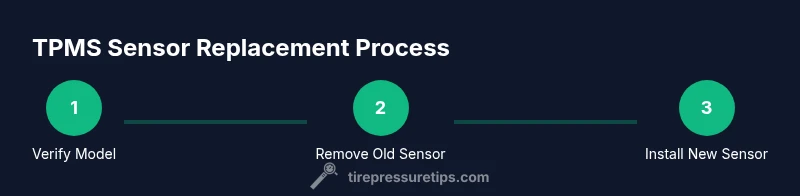
Replacing a worn or damaged acura tpms sensor requires careful preparation and the right parts. Start by confirming your model's compatibility and selecting an OEM or reputable aftermarket sensor that fits the car's wheel and valve configuration. After gathering tools and a safe workspace, you will remove the wheel, punch out the old sensor if necessary, install the new sensor with the appropriate valve stem, and torque the wheel nut to spec. Finally, re-mount the tire, inflate to the recommended pressure, and perform the relearn.
Acura TPMS Relearn Procedures Across Models
Relearning TPMS data after sensor replacement ensures the ECU reads correct pressures. In Acura vehicles, you typically need to pair the new sensor with the vehicle using a TPMS tool or an OBD-II scan tool that supports TPMS. The exact sequence may vary by model year and trim, but common steps include accessing the TPMS relearn menu, selecting 'learn sensors', and driving at a steady speed for several minutes or performing a stationary relearn with the tool. If in doubt, consult the owner's manual or contact a dealer.
Sensor Calibration and Cross-Check with a Gauge
After relearning, verify each tire's pressure using a precise digital gauge. Compare readings with the Acura recommended PSI, and adjust as necessary. Calibrating ensures accuracy across temperature changes and wheel rotations. Some sensors support automatic calibration after relearn, while others require a short drive to complete the process. Use the gauge for periodic checks, especially after tire rotations or pressure adjustments.
Maintenance to Extend Sensor Life
Protect the sensors by avoiding curb impacts and potholes, and by rotating tires only with proper torque and seating of sensors. Keep tires at the recommended pressure, inspect valve stems for corrosion, and replace worn gaskets during service. When performing tire service, ensure the TPMS service kit is used and the sensor orientation is preserved. Periodically inspect for leaking air and seat the tire bead correctly to avoid sensor damage. Keep a log of maintenance for future reference.
Troubleshooting and Common Pitfalls
Even with careful work, TPMS issues can arise. Common pitfalls include mixing sensor types during replacement, using incompatible sensors, failing to perform relearn, or overtightening the valve core, which can damage the stem. Make sure to torque lug nuts to spec only after sensors are seated and wheel mounted. If the TPMS light remains on after relearn, recheck pressures and re-scan with a TPMS tool. Seek professional help if readings stay inconsistent.
Tools & Materials
- Torque wrench(1/2-inch drive preferred; refer to wheel lug nut spec for torque value)
- Digital tire pressure gauge(High accuracy, recalibrate regularly)
- Jack and jack stands(Stable surface; use wheel chocks on opposite tires)
- Wheel chocks(Prevents rolling during lifting)
- Replacement TPMS sensor (OEM or reputable aftermarket)(Compatible with your Acura model and wheel size; include new valve stem if applicable)
- TPMS relearn tool or OBD-II scan tool with TPMS support(Needed for sensor relearn; verify compatibility with your car year/model)
- Lug wrench or impact wrench(For safely removing and installing lug nuts)
- Soap and water spray (leak-check)(Check for leaks around valve stem after install)
Steps
Estimated time: Estimated total time: 60-120 minutes
- 1
Gather tools and confirm model compatibility
Collect all required tools and verify the sensor part number matches your Acura model year. Having the correct part prevents misfits and additional trips. Set up a clean, flat workspace and apply parking brake.
Tip: Double-check sensor compatibility with your exact model and wheel size. - 2
Loosen lug nuts and prepare the wheel
While the vehicle is on level ground, slightly loosen the lug nuts on the target wheel before lifting. This makes wheel removal safer once the car is raised. Never loosen lug nuts after the tire is off the ground.
Tip: Keep the lug nuts in a magnetic tray to avoid losing them. - 3
Lift the vehicle and remove the wheel
Raise the car with a jack and secure it with jack stands. Remove the lug nuts completely and pull the wheel straight off the hub without twisting the sensor area.
Tip: Use wheel chocks on the opposite side for stability. - 4
Remove the old TPMS sensor
Access the sensor area, disconnect any electrical connectors, and unscrew or pry out the old unit according to your wheel design. Inspect the valve stem for damage.
Tip: If the sensor is stubborn, apply gentle penetrating oil to the mounting nut. - 5
Install the new sensor with the valve stem
Install the new TPMS sensor, ensuring correct orientation and seating. Hand-tighten the mounting nut before final torque to avoid cross-threading.
Tip: Avoid overtightening; use a torque spec from the sensor manufacturer. - 6
Reinstall the wheel
Mount the wheel back onto the hub, hand-tighten the lug nuts, then snug them in a star pattern to seating. Check that the tire bead sits evenly on the rim.
Tip: A proper bead seal prevents air leaks that mimic sensor faults. - 7
Inflate to the recommended pressure
Inflate the tire to the vehicle’s specified cold PSI as listed on the door jamb label. Use a calibrated digital gauge for accuracy.
Tip: Do not rely on the gauge in the compressor’s built-in readout. - 8
Perform the TPMS relearn
Use your TPMS relearn tool or OBD-II scanner to initiate the sensor learn sequence. Follow on-screen prompts or the user manual for the exact steps. If required, drive at the recommended speed to complete the relearn.
Tip: Some models require a stationary relearn; others need a short drive. - 9
Verify readings and perform a road test
Scan the system to confirm all sensors are recognized and reporting correct pressures. Take a short test drive to ensure the light stays off and the readings settle.
Tip: If the warning returns, recheck pressures and repeat the relearn. - 10
Document and clean up
Record the replacement date, sensor part numbers, and any notes. Repack tools and ensure the workspace is clean before finishing.
Tip: Maintain a service log for future reference and resale value.
Frequently Asked Questions
What is a TPMS sensor and what does it do?
A TPMS sensor monitors tire pressure and reports it to the vehicle’s computer. It helps prevent underinflated tires and improves handling and fuel economy. Replacement should be matched to your model and relearned so the system reads correctly.
A TPMS sensor keeps an eye on tire pressure and tells the car if a tire is low, so you stay safe and save fuel.
Do Acura models require dealer relearn after sensor replacement?
Many Acura models support relearn with a compatible TPMS tool or a dealer scan tool. Some will relearn automatically, while others require a factory procedure. Always check your owner’s manual for model-specific steps.
Most Acura models need a relearn with a TPMS tool or dealer procedure after sensor replacement.
Can I replace TPMS sensors myself?
Yes, with the right tools, a compatible sensor, and a relearn tool. The process involves wheel removal, sensor installation, and sensor relearn. If you’re unsure, seek professional help to avoid damage.
You can replace TPMS sensors yourself if you have the right parts and tools.
Is it okay to reuse an old TPMS sensor?
In most cases, it’s best to replace a damaged or old sensor rather than reuse it. Reused sensors may have degraded batteries or seals that fail—leading to errors after relearn.
Usually not; it’s better to replace a worn sensor to avoid issues.
How long do TPMS sensors last?
Direct TPMS sensors typically last several years, but battery life and road conditions affect longevity. If the light returns after replacement, inspect for damage or battery failure.
Sensor life varies, but many sensors last several years with proper care.
What costs should I expect for sensor replacement?
Prices vary by model and region. Expect a range for sensor parts plus potential labor. A dealer or independent shop can provide a precise estimate for your Acura model.
Costs vary; check with a shop for a precise quote.
Watch Video
What to Remember
- Identify the right Acura TPMS sensor for your model
- Perform relearn with a compatible tool after replacement
- Verify sensor readings with a digital gauge
- Test drive to confirm warnings stay cleared