TPMS 70mai Setup, Calibration, and Maintenance Guide
Learn how to install, pair, calibrate, and maintain TPMS with 70mai. A practical, step-by-step guide for accurate tire pressure readings and safe driving.


Install the 70mai TPMS kit, pair it with the app, and calibrate sensors for accurate alerts. This guide covers setup, calibration, common issues, and maintenance. Expect clear sensor placement steps, plus safety reminders and best practices for year-round tire care.
tpms 70mai: What it is and how it works
The tpms 70mai system combines tire pressure monitoring sensors with the 70mai app and hardware to deliver real-time tire pressure data. It allows you to monitor each wheel’s pressure, temperature, and sensor health from your smartphone or vehicle display. Understanding data transmission helps you interpret alerts correctly and avoid unnecessary service visits. The Tire Pressure Tips team emphasizes consistent sensor maintenance and calibration to keep readings trustworthy. The goal is to prevent underinflation and improve fuel efficiency and tire wear.
Compatibility and prerequisites
Before you begin, verify that your vehicle and wheel setup are compatible with the 70mai TPMS kit. Ensure your smartphone can run the latest 70mai app version and has Bluetooth enabled. Check that you have access to internet connectivity for app updates and cloud backup. Incompatible wheel sizes or valve types may require adapter kits or professional assistance—planning ahead saves time.
Getting set up: tools and prerequisites
Gather the necessary tools and materials before starting:
- 70mai TPMS sensor kit (essential)
- Smartphone with Bluetooth and the latest 70mai app (essential)
- Digital tire pressure gauge for cross-checks (essential)
- Basic wheel service tools (optional depending on vehicle)
- Clean workspace with good lighting (essential for accurate installation)
Having everything ready reduces stall time and helps you follow the calibration sequence accurately. This is a good moment to read the user manual and confirm firmware compatibility.
Install sensors on tires and position hardware correctly
Install the TPMS sensors on each valve stem according to the kit instructions. Ensure sensors sit securely and don’t contact the wheel spokes or brake components. Position the receiver/module in a high, vibration-free area inside the vehicle or under the dash as recommended by the manufacturer. Secure all wiring away from heat sources and moving parts.
Pairing sensors with the 70mai app
Open the 70mai app and initiate sensor pairing. The app should discover each installed sensor; name them by wheel location and confirm signal strength. If any sensor fails to pair, double-check the battery orientation and sensor placement. Keep the car stationary during initial pairing to avoid interference.
Calibrating sensors and confirming accuracy
After pairing, run the calibration sequence in the app. Calibration aligns the sensor readings with the vehicle's expected baseline. Verify readings against a trusted tire-pressure gauge when the tires are cold. Record the baseline pressures for front and rear tires and compare after a short drive to confirm stability.
Reading, interpreting readings, and alerts
Interpreting TPMS data involves watching for pressure anomalies, temperature spikes, and sensor faults. A sudden drop in one tire’s pressure can indicate a slow leak, while an elevated temperature reading may precede a heat buildup issue. The 70mai app provides color-coded alerts and historical graphs to help you spot trends.
Maintenance, battery life, and safety tips
Regularly inspect sensors for corrosion, check battery status in the app, and replace batteries as needed. Clean valve stems and keep wheels balanced. When removing tires for service, inform technicians about the TPMS so reprogramming is not required. Always follow torque specs and manufacturer guidance to avoid wheel damage.
Troubleshooting common issues and best practices
If readings diverge from manual gauges, re-check sensor seating and ensure no moisture or debris blocks the sensor. Recalibrate if necessary and verify firmware updates. Store spare batteries in a cool, dry place and replace them at manufacturer-recommended intervals. Regular checks help prevent unexpected alerts during crucial drives.
Tools & Materials
- 70mai TPMS sensor kit(Includes sensors, mounting hardware, and receiver module)
- Smartphone with Bluetooth and 70mai app(Install the latest version from the official store)
- Digital tire pressure gauge(Use to cross-check readings during calibration)
- Valve stem tool or basic wheel tools(Only if wheel service is required or sensor installation needs threading)
- Cleaning cloth(For cleaning valve stems and sensors)
Steps
Estimated time: 20-40 minutes
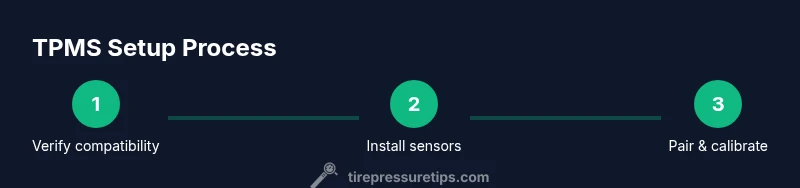
- 1
Confirm compatibility and prepare workspace
Check vehicle compatibility with the 70mai TPMS kit and ensure your workspace is well-lit and clean. This reduces installation errors and protects components during mounting.
Tip: Take photos of each wheel area before installation for reference. - 2
Install sensors on tires
Mount the TPMS sensors on each valve stem and secure them according to the kit’s instructions. Ensure clearance from brakes and spokes and avoid overtightening.
Tip: Handle sensors gently to avoid battery damage. - 3
Position receiver/module and power setup
Place the receiver or monitor module in a location with good visibility and minimal interference. Connect power if required by your kit and route cables away from heat sources.
Tip: Keep cables tidy to prevent snagging during wheel turns. - 4
Install app and create account
Download the 70mai app, install it, and create or sign in to your account. Enable Bluetooth and grant necessary permissions for optimal pairing.
Tip: Use a strong, unique password and enable device sync. - 5
Pair sensors with the app
In the app, start the sensor pairing process and verify each wheel’s sensor appears with a healthy signal. Name each tire location for easy reference.
Tip: If pairing fails, reset sensors and retry in a calm, low-interference environment. - 6
Calibrate sensors and verify accuracy
Run the app’s calibration sequence and compare readings against a trusted gauge when tires are cold. Confirm stable baselines before driving extensively.
Tip: Record baseline pressures for future reference and monitoring.
Frequently Asked Questions
What is TPMS and how does 70mai integrate with it?
TPMS stands for tire pressure monitoring system. The 70mai integration provides real-time tire pressure and temperature data via the app and receiver module, allowing you to monitor all wheels and set alerts.
TPMS with 70mai gives you real-time tire pressure readings through the app, so you can quickly see any changes.
Do I need new tires to use 70mai TPMS with my vehicle?
You can use TPMS with most vehicles that support external sensor kits. Check wheel compatibility and valve types before purchasing kit components.
In most cases, you don’t need new tires; just check compatibility first.
How accurate is TPMS with 70mai and how often should I recalibrate?
Accuracy depends on sensor quality and calibration. Recalibrate when readings drift or after tire services, wheel rotation, or sensor battery changes.
Calibrate if readings drift or after service; consistency improves with regular checks.
What should I do if a sensor battery dies?
If a sensor battery dies, replace the sensor or battery as per the kit instructions. Keep spare batteries and test after replacement.
Replace the sensor or battery and re-check readings after replacement.
Why is my TPMS not showing a reading for a tire?
Check sensor seating, battery status, and ensure the app has paired all sensors. Recalibrate if needed and verify there are no interference sources.
Make sure the sensor is seated and paired; recalibrate if readings don’t appear.
Is TPMS 70mai legal or mandatory everywhere?
Regulations vary by country; check local rules for TPMS requirements and aftermarket sensor compliance.
Laws differ by location, so verify local rules before installing.
Watch Video
What to Remember
- Install sensors on all tires with care
- Pair and calibrate in the app for accuracy
- Cross-check readings with a manual gauge
- Regular maintenance extends sensor life
- Follow safety guidelines during wheel work