Reset Tire Pressure Sensor Light: TPMS Relearn Guide 2026
Learn how to reset the tire pressure sensor light (TPMS) with practical steps, car-specific tips, and troubleshooting from Tire Pressure Tips. Keep tires inflated to spec and maintain TPMS accuracy.


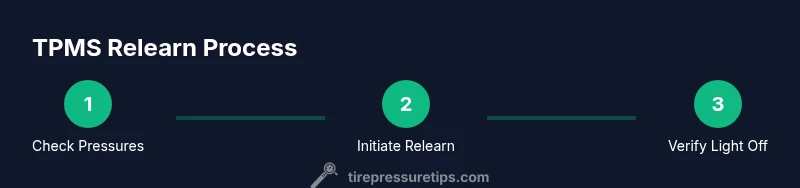
To reset the tire pressure sensor light, start by verifying that all tires are inflated to the manufacturer spec printed on the door placard. Then use your car’s TPMS reset procedure or relearn method. Procedures vary by make and model; consult the owner's manual for exact steps. After inflating to spec, drive as directed (often 10-20 minutes or a few miles) or complete the reset sequence until the light goes out.
Understanding the TPMS and the Tire Pressure Sensor Light
The tire pressure sensor light is part of your vehicle's TPMS. It signals when a tire is under-inflated, over-inflated, or when a sensor has lost communication. Understanding how this system works helps when you perform a tire pressure sensor light reset. Direct TPMS uses wheel-mounted sensors that report pressure to the car's computer, while indirect TPMS estimates pressure from wheel speed. According to Tire Pressure Tips, recognizing which system your vehicle uses guides the exact reset steps. In practice, you typically inflate each tire to the manufacturer spec listed on the placard, then complete a relearn to reestablish accurate sensor data. If the light stays on after a reset, there may be a faulty sensor, a dead battery, or a persistent leak. Regularly checking tire pressure with a reliable gauge remains essential for safety and performance.
Vehicle-Specific Reset Methods and Why They Differ
TPMS reset methods are not universal. Each maker can designate a different path to re-learn the sensors, and some vehicles use a dedicated TPMS reset button on the dash, while others rely on a menu option in the instrument cluster. Some models require only a simple drive after inflating to spec, while others need a sequence of button presses spanning 30-60 seconds. Because of this variation, the best first step is to consult the owner’s manual for your exact year, make, and model. If you recently rotated tires or replaced sensors, a relearn is often required to inform the ECU about new sensor positions. In many cases, you’ll know you’ve completed the relearn when the TPMS light blinks or turns off after a short drive.
Before You Reset: Gather Tools and Verify Pressures
Before attempting a reset, assemble the essentials and confirm tire pressures. Use a reliable gauge to check all four tires when they are cold and inflated to the specification printed on the door jamb or owner’s manual. Gather the car key, the owner’s manual, and the tire placard. If you have access to a TPMS relearn tool or an OBD2 scanner that supports TPMS, keep it ready, though many vehicles don’t require one. Make sure the spare tire if equipped is in good condition and that the wheel rims are clean, since sensors can fail if rims are bent or corroded. When you set the pressures, make a note of the exact PSI, because some relearn sequences rely on accurate values rather than just the equalization among tires. This preparation reduces the chance of a false reset and saves time later.
Step-by-Step Overview for a Successful Reset
While every car is different, most resets share a common structure. Start by driving your car for a few miles if your model uses a drive-trigger relearn, or use the onboard menu if your vehicle provides a dedicated TPMS option. After inflating tires to spec, you often perform the relearn command, then wait for the system to confirm. Take care to avoid over-inflating beyond the recommended range, as this can damage tires and give incorrect readings. If your vehicle requires a relearn button, locate it in the glove box or under the steering wheel; if not, rely on the vehicle's built-in procedure. Expect a short, but precise, sequence—often 1-2 minutes—to finish the reset. If you’re unsure, pause and consult the manual or contact a technician.
Relearn Procedures: Button vs. Menu
Some cars include a TPMS reset button that you press and hold until the light blinks. Others require you to navigate through the vehicle's settings menu, select Tire Pressure Monitoring, then choose Relearn or Reset. In each case, the goal is to invite the system to relearn sensor data from the current tire pressures. If you see the light blink but then stay on, you may have a sensor with a bad battery or a slow leak; in this case, proceed with troubleshooting or professional service.
When to Use a Tool or Professional Service
While many resets can be done at home, some situations require specialized tools or professional service. If your TPMS light remains on after a full reset, or if you replaced sensors, a diagnostic scan with an OBD2 TPMS tool can help identify misreadings. A dealership or tire shop can also perform a sensors relearn with a dedicated sensor programming device. If the sensor battery is suspected to be dead, you will likely need to replace the sensor package, which is often done with a wheel in a tire shop. Additionally, if you have aftermarket tires or rims, some vehicles require a more complex relearn process that only a technician can complete.
Common Pitfalls and How to Avoid Them
Common mistakes include inflating tires while hot, which yields inaccurate readings; skipping the relearn step after rotation; failing to check spare wheel condition; and assuming the light is the same as a simple low-pressure warning. Always check the entire system and re-verify pressures after completion. Another pitfall is mixing sensors from different makes or aging sensors with new tires; sensors can be incompatible or misread. Finally, avoid relying on visual inspection alone; an accurate gauge is essential to ensure the sensors are working correctly.
Driving to Trigger Relearn and Verification
Driving patterns play a role in triggering a relearn. In many cars, completing a relearn requires driving 10-20 miles at highway speed or performing multiple short trips that accumulate the required cycles. The exact distance varies by model, so consult your manual. During the drive, observe the TPMS light; it should flash and then go off if the relearn succeeds. If the light remains steady after the drive, try repeating the reset sequence or testing sensor health. Ensure you don’t drive too aggressively during relearn as vibrations can disturb readings.
Final Checklist and Maintenance Tips
To maintain TPMS accuracy, perform regular tire pressure checks as part of your routine. Keep the tires inflated to the manufacturer’s PSI, rotate tires as recommended, and replace any failing sensors promptly. Record the PSI at install and after any service, so you can confirm the system accurately tracks pressure. Regular maintenance reduces the chance of TPMS faults and helps extend tire life. Always rely on a high-quality gauge and avoid mixing tire brands where sensors are concerned. With these steps, you’ll keep the tire pressure monitoring system reliable and ready.
Tools & Materials
- Digital tire pressure gauge(For accurate readings; keep a back-up gauge if possible)
- Tire inflator/air compressor(With a built-in gauge if available; ensure it can reach your tires’ PSI range)
- Owner's manual and vehicle placard(Model-specific reset steps and recommended PSI values)
- TPMS relearn tool or OBD2 TPMS scanner(Useful for vehicles that require a scan/relearn tool; not always needed)
- Safety gear(Gloves and eyewear to protect during inflating and inspection)
Steps
Estimated time: 15-30 minutes
- 1
Verify tire pressures
Check all four tires when cold using a reliable gauge. Compare readings to the manufacturer’s recommended PSI on the placard. Adjust as needed and note any significant deviations.
Tip: Always measure cold tires for the most accurate readings. - 2
Inflate to the spec
Inflate each tire to the exact PSI listed on the placard, including the spare if your vehicle provides tire pressure data for it. Recheck with the gauge after inflation.
Tip: Don’t rely on rough estimates—precision matters for a successful relearn. - 3
Locate reset/relearn path
Find your vehicle’s TPMS reset or relearn option. This may be a button, a menu path, or a combination of steps described in the manual.
Tip: If you’re unsure, pause and consult the owner’s manual to avoid triggering the wrong procedure. - 4
Initiate the relearn
Execute the relearn sequence per your model—this may involve holding a button, selecting a menu item, or driving a set distance.
Tip: Be patient; some systems require a short reflex like a blink or a click before they acknowledge the reset. - 5
Drive to complete the relearn
If your car uses drive-based relearn, take a steady drive of about 10–20 miles at highway speed, or follow the on-dash instruction until the light stabilizes.
Tip: Avoid aggressive driving during relearn to prevent sensor readings from fluctuating. - 6
Verify TPMS status
After the relearn, confirm the TPMS light is off. If it remains on, recheck pressures and consider sensor health or professional service.
Tip: If the light blinks in a pattern, note the pattern for diagnostic clues.
Frequently Asked Questions
What is TPMS and why does the light come on?
TPMS stands for Tire Pressure Monitoring System. It alerts you when tire pressure is outside the recommended range or when a sensor has communication issues. The light can come on after a drop in pressure, a sensor fault, or during tire changes.
TPMS monitors tire pressure and lets you know if readings look off or a sensor is failing.
Can I reset TPMS without tools?
Many vehicles support a reset via the onboard menu or a small button on the dash. Some models require a drive cycle to relearn; others need a manual sequence. Always consult the owner’s manual for model-specific steps.
Yes, many cars let you reset using the dashboard controls or a drive, but check your manual first.
Why won’t the TPMS light reset after inflating the tires?
If the light stays on after inflation, you may have a slow leak, a faulty sensor, or a dead battery. Recheck pressures, inspect tires for punctures, and consider sensor health or professional diagnostics.
If inflation doesn’t turn the light off, a sensor issue or leak is likely.
How long does a TPMS relearn take?
A relearn typically completes within a short drive or a few minutes of dashboard procedure. Time varies by model—some cars relearn quickly, others require more steps.
Most relearns finish within a few minutes of driving or the on-screen steps.
Can I replace a TPMS sensor myself?
Sensor replacement is possible but often requires a balanced wheel and proper torques. Many shops use specialized tools to program new sensors. If you’re not experienced, seek professional service.
You can replace a sensor, but it’s safer and easier with professional tools.
What to Remember
- Verify tire pressures to spec first
- Reset methods vary by model
- A persistent TPMS light may signal a faulty sensor or leak
- Professional service may be needed for faulty sensors
- Regular maintenance reduces TPMS faults