Tire Pressure Not Showing Toyota Camry: Troubleshooting Guide
A practical, urgent troubleshooting guide to diagnose and fix tire pressure not showing Toyota Camry readings, with step-by-step checks, diagnostic flow, and safety tips from Tire Pressure Tips.


When tire pressure is not showing on a Toyota Camry, start with quick checks: verify all tires’ pressures with a gauge, ensure the TPMS is enabled, and inspect sensors for damage or loose valves. A common fix is replacing a dead TPMS sensor battery or reseating a loose valve stem. If the display remains blank, professional TPMS diagnosis is advised.
Understanding the symptom and why it happens
When tire pressure is not showing toyota camry, the symptom often points to the vehicle's tire-pressure monitoring system (TPMS) rather than a tire with low air. TPMS relies on sensors mounted in each wheel to report pressure data to the car's computer. If you see a blank display or inconsistent readings, the issue may be a weak battery in a TPMS sensor, a damaged valve stem, signal interference, or a need for a sensor relearn after tire work. According to Tire Pressure Tips, diagnosing TPMS problems begins with the basics: confirm the tires are in safe condition, read the pressure with a reliable gauge, and check for any warning lights or fault codes. This approach helps distinguish sensor problems from simple gauge errors. By focusing on the symptom in real-world terms—dash display versus manual readings—you can narrow down likely causes quickly and cost-effectively.
Common culprits behind tire pressure not showing on Toyota Camry
There are several frequent causes behind the tire pressure not showing toyota camry scenario. A dead TPMS battery in one sensor is a common reason for the display to fail. Sensor aging or damage, including cracked housings or corroded valve stems, can impair transmission. Wiring or harness issues between the sensor and the vehicle's receiver can also interrupt data. In some cases, a TPMS module fault or the need for a relearn after wheel service prevents correct signaling. Tire changes or repairs without a proper relearn can leave the system puzzled. Tire Pressure Tips notes that a disciplined diagnostic mindset—check basics first, then sensor health, then calibration—saves time and money.
Simple checks you can perform on your own
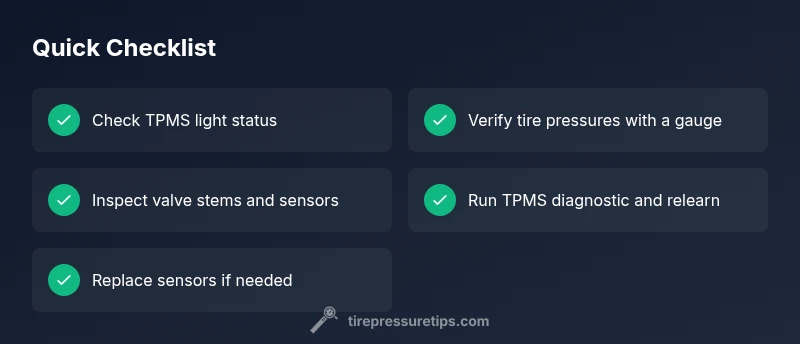
Begin with the low-hanging fruit. Check that the TPMS warning light behaves as expected and verify each tire’s actual pressure with a calibrated gauge. Inspect the valve stems for damage or loose mounting, and look for any obvious sensor or wheel corrosion. If you recently rotated or changed a tire, ensure a relearn procedure was completed per your Camry model year. Also, confirm there are no blown fuses affecting the TPMS module. Document readings and compare them with the door jamb sticker for accuracy. Small discrepancies can reveal whether the issue is sensor-related or simply a measurement error.
Diagnostic flow overview
A structured diagnostic flow helps you avoid guesswork. Start by validating the symptom with direct readings, then rule out mechanical issues (like a leaky valve). If readings are inconsistent, collect diagnostic codes with a TPMS-compatible scanner. Look for sensor faults, battery status, or communication errors between the sensor and the ECU. After identifying a likely cause, attempt the corresponding fix and recheck. The goal is a clean relearn or calibration so the Camry’s TPMS is synchronized with wheel sensors and correct pressure readings reappear.
How to fix common causes (step-by-step preview)
For a dead battery or faulty sensor, replace the sensor battery if accessible or swap in a known-good sensor. Re-seat valve stems and ensure proper seating to restore signal transmission. If the system requires relearn, follow the Camry’s manual procedure or use a TPMS scanner to perform the relearn. For wiring or harness issues, inspect connectors for corrosion or loose pins and repair or replace as needed. If no fix is found, a professional TPMS diagnostic ensures correct calibration and sensor health.
Safety and maintenance tips to prevent recurrence
Always approach TPMS-related work with the car parked on a flat surface, in park, and with the engine off. Wear eye protection when inspecting wheels and avoid forceful handling of sensors. Regularly verify tire pressures particularly when temperatures change or during seasonal shifts. Keep sensors clean and protected from road debris. Schedule periodic TPMS checks during tire rotations or replacements to maintain reliable readings.
Steps
Estimated time: 25-40 minutes
- 1
Verify warning light and current pressures
Confirm the TPMS light behavior and compare each tire's pressure with a trusted gauge. Note any sudden changes or discrepancies that could indicate a sensor or seal problem.
Tip: Use a digital gauge for repeatable readings. - 2
Check and correct tire pressures
Inflate to the vehicle manufacturer recommended range, usually found on a sticker inside the driver door jamb. Mis-matched pressures can affect TPMS signaling.
Tip: Do not overinflate beyond the max pressure printed on the tire sidewall. - 3
Inspect TPMS sensors and valves
Look for damaged stems, corrosion, or loose mounting hardware. A damaged sensor can fail to transmit, causing the display issue.
Tip: Handle sensors gently; avoid bending valve stems. - 4
Scan for TPMS codes and calibrate
If you have a scan tool, read the TPMS fault codes and perform calibration as described in the manual. Some models require a re-learn procedure after sensor service.
Tip: Follow the Camry's service manual shorthand for relearn steps. - 5
Replace or re-seat sensors as needed
Replace batteries in non-replaceable sensors or swap in known good units if readings remain inconsistent.
Tip: Ensure proper tire/wheel mounting orientation. - 6
Seek professional TPMS service if unresolved
If readings still fail to appear, a tire shop or dealer can perform a full TPMS diagnostic and sensor replacement.
Tip: Ask for a full TPMS system check and calibration.
Diagnosis: Tire pressure not showing on TPMS display in Toyota Camry
Possible Causes
- highDead or weak TPMS sensor battery
- mediumFaulty or aging TPMS sensor
- lowLoose or damaged sensor wiring/connector
- lowTPMS module calibration or data fault
Fixes
- easyReplace TPMS sensor battery or entire sensor
- easyReseat, clean, or replace faulty valve stems
- mediumRun a TPMS diagnostic scan and calibrate
- mediumInspect wiring and fuses; replace as needed
Frequently Asked Questions
Why is my TPMS not showing tire pressure on my Toyota Camry?
Common causes include dead TPMS battery, faulty sensor, or calibration issues. Inspect sensors, reseat stems, and run a diagnostic scan. If unresolved, professional service is recommended.
Common causes are a dead battery, faulty sensor, or calibration issues. Check sensors, reseat stems, and run a diagnostic scan; seek professional service if needed.
Can I fix TPMS display issues myself?
Some fixes are DIY, like reseating sensors or replacing accessible batteries. More complex tasks, like relearning or replacing damaged sensors, often require a professional tire technician.
Some fixes are DIY, but complex steps usually need a pro.
How often do TPMS sensors fail?
TPMS sensor life varies; replace when battery dies or sensor fails. Regular checks help catch issues early.
Sensor life varies; replace when the battery dies or the sensor fails. Regular checks help catch issues early.
What tools do I need to diagnose TPMS?
A TPMS diagnostic scan tool or code reader, a tire pressure gauge, and basic hand tools for sensor inspection are helpful.
A TPMS scanner, a tire gauge, and basic tools are helpful.
When should I seek professional help?
If the TPMS display remains blank after basic checks, or if you hear sensor hissing or see damaged stems, visit a tire shop or dealer for a full TPMS diagnostic.
If basic checks fail or you hear hissing or see damage, seek professional TPMS service.
Watch Video
What to Remember
- Start with basic pressure checks and TPMS status.
- Replace dead sensor batteries or reseat valves for quick wins.
- Use a diagnostic scan for sensor codes and relearn.
- Consult a pro if TPMS readings remain inconsistent.