Tire Pressure Monitoring App: A Practical How-To
Learn how to choose, install, and use a tire pressure monitoring app to monitor TPMS data, set alerts, and maintain safe tire pressures for better safety and fuel efficiency.


Using a tire pressure monitoring app helps you track real-time TPMS data, receive instant pressure alerts, and log changes over time. In this guide you’ll learn how to choose a compatible app, pair it with your vehicle’s sensors or a Bluetooth adapter, and apply practical steps to maintain safe, fuel-efficient tire pressures.
What is a tire pressure monitoring app?
A tire pressure monitoring app is a mobile tool that collects data from your TPMS sensors or an OBD-II device and displays it on your smartphone. It can pull data from your car’s system, fetch weather-informed insights, and present trends over days or weeks. According to Tire Pressure Tips, these apps empower drivers to observe pressure changes, spot slow leaks, and schedule checks when tires are cold for the most accurate readings. Beyond a single snapshot, you gain historical logs, customizable alerts, and the ability to calibrate readings against known baselines. In practice, you’ll pair your app with your car’s TPMS through Bluetooth or an OBD-II dongle, set a baseline, and watch real-time dashboards that reveal pressure drift during trips and seasonal shifts. The value comes from turning raw TPMS data into clear, actionable maintenance steps rather than relying on a one-off gauge reading.
Why pair an app with TPMS data?
Pairing a tire pressure monitoring app with TPMS data gives you actionable context that a dashboard light alone cannot provide. Real-time alerts notify you before a tire becomes unsafe, while historical charts show whether a leak is gradual or sporadic. This combination helps you optimize inflation schedules, estimate tire wear, and maintain consistent rolling resistance for better fuel economy. Tire Pressure Tips analysis shows that drivers who use TPMS apps tend to respond faster to pressure changes caused by temperature swings, load shifts, or road conditions. You’ll also gain practical reminders to check tires when weather is extreme, increasing overall safety. The app can guide you to check pressures when tires are cold, compare readings across tires, and spot discrepancies that hint at a valve stem or sensor issue. These insights translate into fewer roadside incidents and longer tire life.
How these apps read data: Bluetooth, OBD-II, and cloud
Most tire pressure monitoring apps connect via Bluetooth to a Bluetooth-enabled TPMS reader, an OBD-II adapter, or directly to the vehicle’s built-in sensors where allowed. Some apps supplement data with cloud services, pulling historical records from multiple trips and cross-referencing with weather data. In many setups, you’ll pair the app with a smartphone, enable the appropriate permissions, and grant access to your vehicle’s TPMS data stream. This setup yields a live dashboard, alerts for low/high pressure, and a timeline view showing pressure trends across tires. If your car supports direct TPMS integration, you may get the fastest, most accurate readings. If not, an OBD-II dongle provides a robust alternative. Remember to verify data privacy settings to control who can access your tire information.
Choosing the right tire pressure monitoring app
Start by confirming compatibility with your smartphone (iOS or Android) and your vehicle’s TPMS system. Look for core features like real-time monitoring, auto-calibration against a known baseline, and customizable alerts (low, high, or gradual drift thresholds). A clean interface and data export options help you share readings with technicians. Consider reviews and reliability, data privacy controls, and whether the app supports multiple vehicles if you own more than one car. Also verify whether the app provides offline access in case you lose cellular coverage. Finally, ensure the app can synchronize with existing tools you use, such as a digital tire pressure gauge or a maintenance calendar, so you have a single source of truth for tire health. Note that no app can replace routine inspections by a qualified technician; use it to augment your inspections, not replace them.
Setup and connectivity: pairing with your TPMS
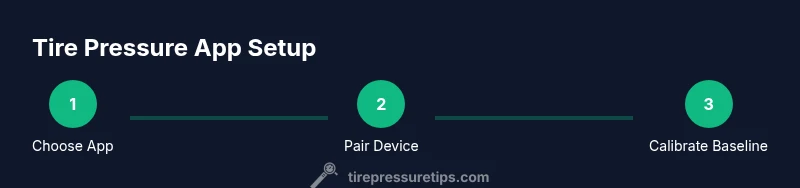
Begin by charging your phone and ensuring Bluetooth is enabled. Install the app from your device’s app store and create your account if required. If you’re using an OBD-II adapter, plug the device into the car’s OBD-II port and pair it with the app following on-screen prompts. For direct TPMS integration, follow the manufacturer’s pairing steps within the app. After pairing, import or set your baseline pressures when tires are cold. This step is essential for accuracy because exhaust heat can temporarily raise readings. Finally, configure core alerts (e.g., threshold values, drift warnings) and choose how you want notifications delivered (push, email, or text).
Features to look for: alerts, history, calibration
Key features include configurable alerts that trigger when a tire goes outside safe pressure ranges, historical charts that reveal pressure drift over time, and calibration tools to set a known baseline. Look for intelligent alerts that consider temperature changes and vehicle load, as these variables strongly influence tire pressure. A history log makes it easier to prove a slow leak or a seasonal drift. Calibration options usually request a verified cold-inflation reading and may include auto-adjust for elevation if you frequently drive in different climates. Some apps offer tire-specific pain points like “front vs rear” comparisons, which help you prioritize maintenance. Always ensure there’s a simple way to reset baselines after changing tires or re-installing sensors. A good app should guide you through these steps with prompts and tips.
Using the app in daily drives: real-world scenarios
In everyday driving, a TPMS app helps you spot issues you might miss with a single gauge reading. For example, a sudden pressure drop after a long highway trip could indicate a nail or puncture, while gradual pressure loss over days might signal a slow leak in a valve stem. In cold weather, pressure drops can be more pronounced, so an app that flags abnormal drift becomes especially valuable. Use the app’s reminders to check tires before long trips, and compare current values to your baseline to determine whether a quick top-up is necessary. For performance or off-road use, set separate thresholds for different tires to reflect their load profiles. By integrating app data with your maintenance schedule, you can maintain safer, more efficient tires and reduce the risk of blowouts or uneven wear.
Safety considerations and limitations
A tire pressure monitoring app is a powerful supplement to, not a replacement for, regular manual checks. Weather, driving style, and staggered tire replacement can cause readings to drift. Do not rely on the app alone for critical decisions; always verify readings with a dedicated tire pressure gauge when in doubt, especially after servicing, tire rotation, or repairs. If you notice any persistent anomalies—such as a tire that repeatedly reports high pressure while others stay steady—have the system inspected for sensor faults or wiring issues. Remember to respect privacy and battery usage, and ensure the app’s data sharing settings align with your comfort level.
Troubleshooting common issues
If the app shows no data or a lagging feed, first check Bluetooth or OBD-II connectivity and ensure the vehicle ignition is in the proper state for data transmission. Verify that permissions are granted and that the app is up to date. If readings seem inconsistent across tires, perform a quick manual check with a calibrated gauge to confirm accuracy, then re-calibrate the baseline in the app. For slow report times, clear the app cache or reinstall the app, and verify that your phone has adequate battery life and network connectivity. If you encounter sensor faults, consult your vehicle’s manual or contact a qualified technician for TPMS sensor diagnosis.
Best practices for tire pressure maintenance with apps
Treat the app as part of a regular maintenance routine. Check your tires when they’re cold, then inflate to the vehicle’s recommended pressure; use the app to log these values for future reference. Create a weekly check cadence and review drift patterns monthly to identify leaks early. When changing tires, re-baseline the app to reflect new tires and, if applicable, different load ratings. Consider adding reminders for seasonal adjustments and pre-trip checks before long drives. Finally, pair the app with a digital tire pressure gauge for cross-verification and to ensure your baseline remains accurate.
Advanced tips: calibrating, battery, privacy, data usage
Advanced users can fine-tune calibration by validating cold-inflation readings with a calibrated gauge and adjusting the app’s offline mode for places with poor connectivity. Keep your phone charged or carry a portable charger to avoid losing data during long trips. Review app permissions to minimize data sharing and disable unnecessary data streams to protect privacy. If your car uses a rare sensor protocol, verify compatibility with adapters that support your TPMS model. Regularly back up data if the app supports exporting CSV files, enabling you to analyze trends with spreadsheets or third-party tools.
Tools & Materials
- Smartphone with Bluetooth or internet access(Ensure OS is supported (iOS/Android) and battery is healthy)
- Tire pressure gauge (digital preferred)(Use to establish baseline pressures when tires are cold)
- OBD-II Bluetooth adapter (optional but common)(Needed if your car uses an OBD-II path to TPMS data)
- Tire placard or driver’s manual(For vehicle-recommended pressures (maximize accuracy))
- Stable internet connection(For cloud-based data syncing and backups)
Steps
Estimated time: 30-60 minutes
- 1
Choose app and verify compatibility
Select a tire pressure monitoring app that supports your phone OS and test compatibility with your TPMS setup (Bluetooth, OBD-II, or direct integration). Verify privacy settings and data sharing policies before proceeding.
Tip: Check recent reviews for reliability and support for multiple vehicles. - 2
Install the app and create an account
Download from the app store, install, and create your account. Allow required permissions, such as location, notifications, and Bluetooth access, to ensure full functionality.
Tip: Enable push notifications to get real-time alerts on the go. - 3
Plug in or pair the data source
Connect the TPMS source (Bluetooth reader or OBD-II dongle) to your car and pair it with the app following in-app prompts. If using direct TPMS, initiate the pairing sequence within the app.
Tip: Keep the car at rest and ignition in accessory mode during pairing. - 4
Establish baseline pressures
With tires cold, measure each tire’s pressure using a calibrated gauge and set these values as the baseline in the app. This ensures subsequent drift readings reflect actual changes, not heat effects.
Tip: Document baseline values for future reference. - 5
Configure alerts and thresholds
Set high/low pressure thresholds and drift alert preferences. Tailor alerts by tire and driving conditions to avoid notification fatigue.
Tip: Start with conservative thresholds and adjust after a few weeks of data. - 6
Record and review data regularly
Use the app’s history view to spot trends and seasonal changes. Compare weeks or months to identify leaks or sensor issues early.
Tip: Schedule a monthly review in your calendar. - 7
Interpret alerts responsibly
Respond to warnings by inspecting tires and inflating to the recommended pressure. If an alert persists, seek professional service to check for leaks or damaged sensors.
Tip: Never ignore multiple rapid alerts; they often indicate a real issue. - 8
Integrate with your maintenance routine
Add app-checks to your weekly or pre-trip routine. Use it alongside manual gauge checks to ensure accuracy and continuity.
Tip: Keep a small notebook or digital log of readings for reference. - 9
Troubleshoot connectivity issues
If data stops flowing, re-check Bluetooth pairing, confirm the car’s ignition state, and restart the app. Reinstalling the app can fix lingering glitches.
Tip: Test with another device if possible to isolate device problems. - 10
Calibrate after tire changes
When you replace tires, re-baseline the app with cold readings for the new set. Recalibration ensures long-term accuracy.
Tip: Note the tire model and load rating for future reference. - 11
Review results and plan next steps
At the end of each month, summarize findings, adjust thresholds if needed, and plan a tire service schedule based on trends and wear.
Tip: Use the app’s export feature to share data with a technician.
Frequently Asked Questions
What is a tire pressure monitoring app and what does it do?
A tire pressure monitoring app connects to your TPMS system or an OBD-II adapter to show real-time tire pressures, alert you to dangerous changes, and store historical readings for trend analysis.
A TPMS app shows real-time pressures, alerts you to issues, and stores history for trend checking.
Will a TPMS app work with any car?
Compatibility depends on your vehicle’s TPMS system and the app’s supported data sources. Some cars require Bluetooth readers or OBD-II adapters to feed data into the app.
Compatibility depends on your car and whether you use Bluetooth or an OBD-II adapter.
Can I improve fuel economy with a tire pressure monitoring app?
Maintaining proper tire pressure can improve fuel efficiency, and an app helps you stay consistently within recommended ranges by tracking changes and prompting timely inflation.
Yes, keeping tires properly inflated can improve fuel efficiency, aided by timely inflation alerts.
Do I need internet access for the app to work?
Most apps work offline for local readings, but cloud syncing, data backups, and updates require internet access.
Offline readings are common, but internet helps with updates and backups.
Is my tire data safe with these apps?
Data privacy varies by app. Review permissions and opt into only the data you’re comfortable sharing. Avoid enabling unnecessary data sharing.
Privacy depends on the app—check permissions and limit data sharing.
What should I do if an alert keeps appearing?
Inspect tires for leaks or damage, verify with a calibrated gauge, and recalibrate the baseline if needed. If the issue persists, seek professional inspection.
Check the tires, re-check with a gauge, recalibrate, and consult a technician if needed.
Watch Video
What to Remember
- Choose a compatible app with TPMS data support
- Pair, calibrate, and set baseline readings
- Configure alerts and review historical trends
- Maintain tires by combining app data with regular manual checks