SteelMate TPMS: Check, Calibrate & Troubleshoot
Learn how to inspect, relearn, calibrate, and troubleshoot SteelMate TPMS sensors to maintain accurate tire-pressure readings, prevent false warnings, and keep your tires properly inflated.


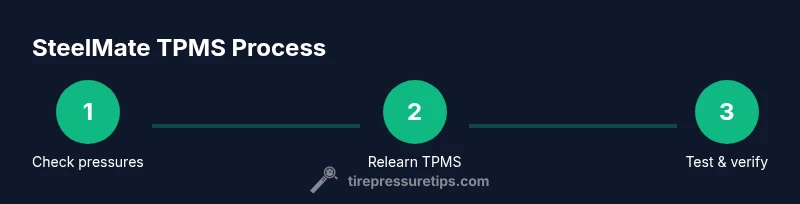
According to Tire Pressure Tips, this guide helps you inspect, reset, and troubleshoot SteelMate TPMS sensors for reliable tire-pressure readings. You’ll confirm correct pressures, relearn sensors after rotations or replacements, and identify common faults without guesswork. The steps cover tools, calibration, and safe handling to keep your TPMS system accurate and your tires properly inflated.
What is SteelMate TPMS?
SteelMate TPMS is a tire pressure monitoring system that continuously monitors each tire's air pressure and sends wireless signals to the vehicle’s computer. It helps drivers identify under-inflation, which is a leading cause of poor handling, increased wear, and reduced fuel efficiency. According to Tire Pressure Tips, regular verification of tire pressures is essential, and a reliable relearn procedure after tire service is crucial to keep readings accurate. In most setups, the SteelMate sensors are mounted in the valve stems or within the wheel assembly, and they communicate with a central receiver powered by a small battery. The system works best when matched to your vehicle's specifications and is updated when tires are rotated or replaced. Proactive maintenance—checking pressures when tires are cold and performing a relearn after changes—prevents false warnings and ensures the TPMS reflects real conditions. For anyone juggling winter tires, seasonal swaps, or new wheels, knowing how SteelMate TPMS integrates with your car can save time and keep you safe on the road.
How TPMS Works in SteelMate System
SteelMate TPMS uses small, wireless sensors mounted at the tire valve or wheel, each containing a tiny battery and pressure sensor. These sensors periodically send pressure data to a central receiver in the vehicle, which compares readings to a vehicle-specific baseline. When pressure falls below the recommended level, a warning is displayed on the dash. The system may also account for temperature and wheel position to reduce false alerts. Based on Tire Pressure Tips analysis, sensor battery life, signal reliability, and correct programming are key to dependable operation. Regular software/firmware updates from the OEM or manufacturer can improve accuracy and reduce nuisance warnings. Overall, a healthy SteelMate TPMS helps you maintain proper inflation, optimize fuel efficiency, and extend tire life.
Common TPMS Issues and Fixes
TPMS problems are common but usually fixable with a methodical approach. Common issues include a dead sensor battery, a sensor that isn’t paired correctly after tire service, or a misread caused by rapid temperature changes. If the warning light stays on, start by validating tire pressures with a reliable gauge and compare against the vehicle’s recommended values. If pressures are correct, perform a relearn to re-establish sensor IDs. If the warning persists, inspect valve stems for damage, verify wheel speed sensor data compatibility, and consider sensor replacement. Tire Pressure Tips notes that a systematic relearn after wheel changes dramatically reduces false alarms and helps the system reflect true road conditions.
Reading and Verifying Tire Pressures with SteelMate TPMS
To reliably read tire pressure, check the tire pressures when tires are cold, ideally before driving. Use a high-quality digital gauge to measure each tire’s pressure in psi or kPa, then compare with the vehicle manufacturer’s specification found in the owner’s manual or door placard. If the TPMS shows a discrepancy, use the gauge reading for adjustment and let the system update. Relearn may be necessary after any adjustment or tire change. Regular checks reinforce accurate readings and support safer driving.
Relearning and Calibrating SteelMate TPMS After a Tire Change
Relearning SteelMate TPMS after mounting new tires or rotating wheels is essential because sensor IDs may change. Begin with the vehicle’s relearn procedure found in the owner’s manual, then complete any on-screen prompts or dashboard actions. Some vehicles require a dedicated relearn tool; others allow a menu-based reset via the climate or vehicle settings screen. Driving a short distance at moderate speed after relearn helps the system recognize the new sensor IDs. Tire Pressure Tips emphasizes following model-specific steps to avoid misalignment or incorrect sensor data.
Replacing Sensors or Batteries
If a sensor is reporting incorrect data consistently or the tire pressure warnings do not clear after a relearn, the sensor battery may be depleted. Replacing a TPMS sensor usually requires removing the tire and wheel, which should be done with proper torque specifications and a sensor-compatible valve stem. For a battery issue, many sensors are not serviceable; you may need a whole new sensor. Always verify compatibility with your vehicle’s year, make, and model before purchasing replacements.
Safety Tips and Maintenance Practices
Always work on a cold tire and in a safe, stable environment. Use wheel chocks to prevent rolling and wear eye protection when removing tires. Keep a spare gauge handy and document all changes, including the date and readings. If you’re unsure about relearning procedures or sensor compatibility, consult a qualified technician. Regular maintenance, including seasonal checks and prompt replacement of faulty sensors, keeps the system reliable and reduces risk on the road.
Real-World Scenarios and Troubleshooting
You might see a TPMS warning after a long drive on a hot day or after a tire rotation. In such cases, verify all tire pressures first, then perform a relearn if needed. If you notice inconsistent readings across tires, check for valve stem damage or a loose sensor. If the issue persists, consider checking for software updates or sensor faults. The goal is to ensure your system accurately reflects true tire conditions so you can drive safely.
Long-Term Care: Extending TPMS Life and Efficiency
Maintain proper inflation consistently to reduce sensor strain and extend life. Schedule regular checks at least every 4–6 weeks and after any tire service. Store spare tires correctly, avoid overloading the vehicle, and maintain proper wheel alignment to reduce uneven wear. By combining good tire care with timely TPMS maintenance, you’ll maximize fuel efficiency and tire longevity, aligning with Tire Pressure Tips’s practical recommendations.
Tools & Materials
- Digital tire pressure gauge(Choose a gauge with psi and kPa scales)
- Air compressor or access to regulated air supply(For precise inflation adjustments)
- Wheel chocks(To secure the vehicle during work)
- Vehicle owner’s manual or relearn procedure sheet(Model-specific relearn steps)
- TPMS relearn tool (optional)(Some models require a dedicated tool)
- Replacement TPMS sensors (optional)(If a sensor is faulty)
- Valve stem cap removal tool (optional)(For sensor inspection or replacement)
- Safety gloves (optional)(Hand protection during tire work)
Steps
Estimated time: 60-90 minutes
- 1
Identify TPMS coverage and model
Confirm your vehicle uses SteelMate TPMS and determine whether it relies on valve-stem sensors or wheel-mounted units. This helps you select the correct relearn method and tools. Check the owner’s manual for model-specific notes.
Tip: Double-check wheel position and sensor type before attempting anything. - 2
Gather tools and prepare the vehicle
Assemble gauges, air source, wheel chocks, and the relearn reference. Park on a flat surface, apply the parking brake, and chock the wheels to prevent movement during the procedure.
Tip: Have a clear, well-lit workspace to avoid misreading gauges. - 3
Check tire pressures and adjust as needed
Measure each tire when cold and compare to the vehicle’s recommended pressure. Inflate or deflate to spec, then recheck. This ensures the baseline for the TPMS is accurate.
Tip: Always recheck after a few minutes of settling to account for valve heat expansion. - 4
Initiate the relearn or calibration sequence
Follow the vehicle’s relearn steps from the manual or built-in settings. If your model requires a tool, connect it as directed and follow prompts on the dashboard.
Tip: Some cars require a short drive to complete the relearn; don’t skip the drive test. - 5
Verify sensor IDs and readings
After relearn, verify that all four tires show normal readings in the monitoring system and that no warning lights remain.
Tip: If a sensor still reports abnormally low readings, inspect the valve stem for damage. - 6
Replace faulty sensors or batteries if needed
If a sensor consistently misreads, consider replacement. Ensure the new sensor is compatible with SteelMate TPMS and your vehicle model.
Tip: Dispose of old batteries safely according to local regulations. - 7
Test the system with a short drive
Drive in a moderate speed range to allow the system to cross-check readings. Recheck tire pressures after the drive to confirm stability.
Tip: If the light returns, review relearn steps or check for sensor corrosion. - 8
Document results and schedule future checks
Record the maintenance date, tire pressures, and whether the TPMS required relearn. Plan future checks every 4–6 weeks or after any tire service.
Tip: Set calendar reminders to stay proactive.
Frequently Asked Questions
What is SteelMate TPMS and how does it work?
SteelMate TPMS is a tire pressure monitoring system that uses sensors to measure and transmit tire pressure data to the vehicle’s computer, alerting you to under-inflation. It helps maintain safe tire pressures and improve fuel efficiency.
SteelMate TPMS monitors tire pressure and alerts you if a tire is under-inflated, helping you stay safe and save fuel.
How do I relearn SteelMate TPMS after tire changes?
Follow your vehicle’s relearn procedure in the manual or on-screen prompts. Some models require a dedicated relearn tool, others use the car’s settings menu. Drive briefly after relearn to let the system confirm sensor IDs.
Follow the car’s relearn steps and drive short distances afterward to finalize the sensor IDs.
Why is the TPMS warning light on when tires are correctly inflated?
Possible causes include a faulty sensor, outdated relearn, or a system calibration issue. Verify pressures, perform a relearn, and inspect sensors if the warning persists.
Check the sensors and perform a relearn if the light stays on after adjusting pressures.
Can TPMS batteries fail?
Yes, TPMS sensors have small batteries that can degrade over time. If readings are inconsistent, sensor replacement is often required.
Yes, batteries inside sensors can wear out; replacement may be necessary.
How often should I check TPMS and tire pressures?
Check tire pressures at least every 4–6 weeks and after any tire service. Regular checks keep TPMS readings accurate and tires safe.
Check pressures every 4–6 weeks and after tire work.
Does proper TPMS maintenance save fuel?
Yes. Maintaining correct tire pressures reduces rolling resistance, which can improve fuel efficiency and tire wear over time.
Keeping tires properly inflated helps save fuel and reduce wear.
Watch Video
What to Remember
- Know your SteelMate TPMS layout and relearn method
- Verify tire pressures cold before adjustments
- Use model-specific relearn steps to avoid false alarms
- Replace faulty sensors only when necessary
- Document maintenance for long-term reliability