Resetting Tire Pressure and TPMS on Chevy Malibu: A Practical Guide
Learn how to reset the TPMS on your Chevy Malibu. This guide covers checking pressures, inflating to spec, and completing the TPMS reset for accurate readings and safe driving.


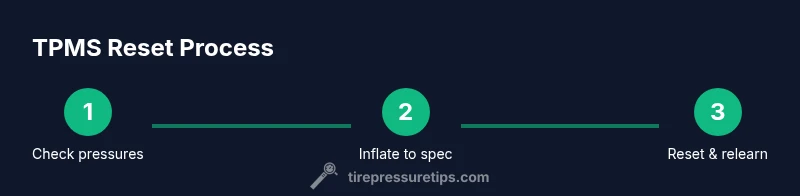
Resetting the TPMS on a Chevy Malibu ensures the system relearns new tire pressures after you adjust them. Start with all tires at the recommended pressure, inflate to spec, then drive for 10–15 minutes or use the Malibu’s reset procedure if equipped. If the light stays on, recheck pressures and repeat the process.
Why resetting tire pressure matters for the Chevy Malibu
Maintaining accurate tire pressures is essential for safety, fuel economy, and tire wear. The TPMS is designed to alert you when a tire drops below the recommended level; however, if you adjust pressures and do not reset the system, the light may stay on or flash. According to Tire Pressure Tips, a proper reset after inflation helps the system relearn the new baselines and prevent nuisance alerts. For Chevy Malibu owners, the reset process ensures the vehicle’s onboard computer recognizes the new pressures and provides accurate monitoring during every drive. In practice, this means checking each tire with a reliable gauge, validating against the door placard specifications, and following the vehicle’s reset steps if available. Remember that a correct reset minimizes false alerts and helps you diagnose actual tire issues more quickly.
How the Chevy Malibu's TPMS works
The Chevy Malibu uses a Tire Pressure Monitoring System that relies on sensors in each tire and sometimes indirect readings from wheel speed data to determine if pressures are within the acceptable range. When a tire loses air, the TPMS light is triggered to prompt you to check the tire. The system relearns after pressures are restored to the recommended level, but only if it detects the new baseline pressures over a short driving period. Because Malibu trim levels vary, the exact reset behavior may differ; refer to your owner’s manual for model-specific details. In general, the sensors are calibrated to the vehicle’s specifications, and the system updates its baseline once readings stabilize.
Verifying the correct tire pressures for your Malibu
To reset with confidence, start by confirming the official recommended pressures for your exact Malibu model and wheel size. These values are typically displayed on the driver-side door jamb placard and in the owner’s manual. Do not rely on the TPMS readings alone—the gauge readings should match the spec. Use a reliable tire gauge (digital or dial) and take readings when the tires are cold or have cooled for at least three hours. If any tire is significantly underinflated, inflate to spec before attempting a reset. After inflating, recheck all four tires to ensure consistency, which helps the TPMS relearn more accurately.
Common scenarios that require a TPMS reset
Several situations routinely trigger recalibration needs. After mounting new tires or rotating wheels, the system may need to relearn. If you’ve inflated tires after a cold-weather drop, or if you repaired a nail or valve issue, reset might be necessary for accurate monitoring. Some Malibu models also require a manual reset procedure via dashboard menus; others rely on normal driving to relearn. In any case, ensuring all tires are at the correct psi is the first step before attempting a reset. If you drive with uneven pressures for too long, you risk inaccurate alerts and uneven tire wear.
Troubleshooting: what to do if the TPMS won’t reset
If the TPMS light remains after inflating to spec and performing a reset attempt, check for common culprits. Inspect tires for slow leaks around the valve stem or bead, and verify that the spare tire is also within the correct range if your Malibu monitors that tire as well. A damaged sensor or battery issue in a sensor can prevent reset; in this case, professional inspection is advised. If the issue persists after verifying pressures and performing a standard reset, consult the owner's manual for the recommended service flow or contact a qualified tire shop. Remember, persistent TPMS errors can indicate a more serious tire condition or a sensor fault.
Maintenance best practices to keep TPMS reliable
Regular checks help TPMS reliability. Park on a flat surface, keep your tires clean from mud and debris, and monitor tire pressures at least monthly or before long trips. Always reset after adjusting pressures, replacing tires, or rotating tires. Keep a record of your readings and the dates of any resets to track trends. Use a quality gauge and verify readings against the manufacturer spec on the placard. In the long term, a small investment in routine checks saves you from unexpected light-driven stops and improves fuel efficiency.
Tools & Materials
- tire pressure gauge(Calibrate to ±1 psi; choose digital for ease of use)
- air compressor or access to air(Prefer a gauge-equipped compressor at a reputable station)
- owner's manual for your Malibu model(Model-specific TPMS reset procedure may vary)
- tire pressure placard (door jamb sticker)(Shows the recommended psi for your tires)
Steps
Estimated time: 30-60 minutes
- 1
Check current tire pressures with a gauge
Park on a level surface and inspect all four tires using a reliable gauge. Record the readings and compare them to the door placard values. If any tire reads significantly low, do not proceed until you correct the pressure.
Tip: Use tires cold for the most accurate reading; wait at least three hours since driving. - 2
Inflate tires to the manufacturer’s spec
Inflate each tire to the recommended pressure listed on the door jamb placard for your Malibu’s tire size. Avoid overinflation, and double-check after inflation to confirm a consistent reading across all tires.
Tip: If a tire leaks air, address the leak before inflation; do not rely on a single tire’s pressure relief vent. - 3
Locate and follow the TPMS reset option (if present)
Some Malibu trims provide a TPMS reset option in the vehicle’s settings or on a physical button. If your model has a reset function, follow the owner’s manual steps precisely. If you cannot locate a reset option, proceed to the next step.
Tip: If unsure, use the reset procedure shown in the manual rather than guessing button presses. - 4
Drive to relearn the new baselines
Drive the Malibu at a steady speed, typically 30–50 mph, for 10–15 minutes or until the TPMS light stops flashing. This allows the system to relearn the new tire pressures.
Tip: Highway driving is often the most effective way to complete relearning quickly. - 5
Recheck all tire pressures after reset
After the relearn, check all tire pressures again to ensure they stayed within the specified range. If readings drift, re-inflate and repeat the relearn process.
Tip: Small changes can affect the relearn; ensure readings are consistent across all tires. - 6
If the light persists, inspect for leaks or sensor issues
A persistent TPMS light may indicate a leak, damaged valve stem, or a faulty sensor. Inspect the valve stems and sensor areas for damage, and consider professional TPMS service if no obvious cause is found.
Tip: A slow leak around a valve stem is a common culprit; replace the stem seal if needed. - 7
Record the reset and plan regular checks
Document the reset date and the readings for future reference. Schedule regular tire-pressure checks, at least monthly, to ensure ongoing TPMS accuracy and vehicle safety.
Tip: Keep a small log in your glove box or mobile notes for quick reference during service visits.
Frequently Asked Questions
What is TPMS and why does it reset after inflation?
TPMS monitors tire pressure and alerts you to low tires. It resets after inflating to the recommended pressures so the system relearns the new baselines. This helps prevent false alarms and ensures accurate monitoring.
TPMS stands for tire pressure monitoring system. It senses air pressure and resets once the tires are at the right level, so the light stops flashing when readings are correct.
Can I reset TPMS without tools on a Malibu?
Yes, many Malibu models reset automatically after driving with correct pressures. Some trims require a manual reset in the settings or a dedicated button. Check your owner's manual for model-specific steps.
You can often reset by driving with proper pressure, but some models need a button or menu option.
How long does a TPMS reset take?
A typical relearn occurs within 10–15 minutes of steady driving once all tires are at the correct pressures. If done manually, follow the specific steps in your manual.
Expect around 10 to 15 minutes of driving for the system to relearn.
What if the TPMS light stays on after inflation and resets?
Recheck all tire pressures to confirm accuracy, inspect for slow leaks, and consider sensor or battery issues if readings remain inconsistent. A professional TPMS service may be required if the light persists.
If the light won’t go off, double-check pressures and leaks, and seek service if needed.
Should I recheck tire pressures after resetting?
Yes. Recheck all four tires after the reset to confirm stability and ensure ongoing TPMS accuracy. Regular checks help prevent false alerts and unsafe driving conditions.
Always recheck after reset to confirm everything stays within spec.
Watch Video
What to Remember
- Check pressures to spec before resetting.
- Use a reliable gauge and verify at the door placard.
- Follow model-specific reset steps or drive to relearn.
- If light persists, inspect for leaks or sensor faults.