Hyundai Tucson Tire Pressure Monitoring System Troubleshooting
Learn how to diagnose and fix your Hyundai Tucson tire pressure monitoring system (TPMS). Get step-by-step checks, common causes, safety tips, and when to seek professional help from Tire Pressure Tips.


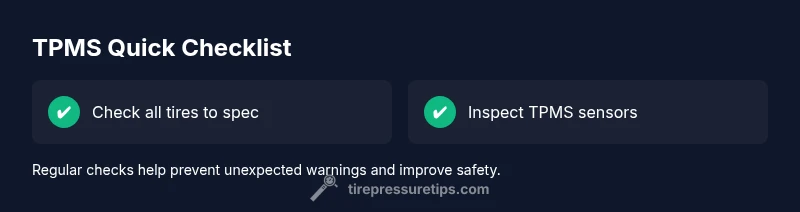
According to Tire Pressure Tips, a Hyundai Tucson TPMS warning is most often caused by low tire pressure or a faulty sensor. Steps: 1) Check all tire pressures with a gauge and bring each tire to the recommended spec. 2) Inspect sensors for damage or corrosion and ensure the TPMS fuse and battery are fine. 3) Relearn/reset TPMS per Hyundai guidelines.
Hyundai Tucson Tire Pressure Monitoring System Overview
The hyundai tucson tire pressure monitoring system (TPMS) is designed to alert you when a tire drops below the manufacturer’s recommended pressure. In the Hyundai Tucson, there are two TPMS implementations: direct TPMS sensors inside each wheel and indirect TPMS that infers pressure changes from wheel speed data. The Tire Pressure Tips team emphasizes understanding which system your vehicle uses because the troubleshooting steps differ slightly. Regular TPMS maintenance helps improve fuel efficiency, tire wear, and overall safety. Remember: TPMS warnings can come from a failing sensor, a dead battery, or simply a tire that needs inflation. By staying proactive, you can prevent tire failures and ensure optimal performance. The hyundai tucson tire pressure monitoring system relies on precise readings, so keeping tires inflated to spec is essential for safe handling and fuel economy.
Common Warning Signs and What They Indicate
TPMS warnings can appear as a dashboard light, a message on the driver information cluster, or a dedicated TPMS warning icon. In most cases, the warning signals that one or more tires are underinflated, but it can also indicate a faulty sensor, corroded sensor battery, or a calibration issue. The Hyundai Tucson TPMS monitors pressures either directly (sensor in each wheel) or indirectly (based on wheel speed). If you notice a warning and your tires look low or feel oddly handled, start with a quick tire check and then inspect the sensors if inflation is correct. The Tire Pressure Tips team notes that early action saves fuel, reduces tire wear, and preserves safety.
Basic Checks You Can Do With Confidence
Start with a reliable, calibrated tire gauge. Compare each tire’s pressure to the vehicle’s recommended cold inflation pressure found on the door jamb sticker. Do not rely on the dashboard readout alone; it can lag or be influenced by ambient temperature. If a tire is underinflated, inflate to spec and recheck after a few miles of driving. Also inspect valve stems and rims for leaks or corrosion that could skew readings. Keeping the wheels clean helps ensure the TPMS receives accurate data and reduces false warnings. Consistency in tire pressures across all four corners is key for balanced handling and optimal wear.
When to Reset, Relearn, or Call for Help
After inflating tires to spec or replacing sensors, you may need to relearn or reset the TPMS so the system acknowledges the new baseline. Hyundai provides relearn instructions in the owner’s manual or on the information display; if you don’t observe a light turn off after a few drives, a professional diagnostic may be required. The Tire Pressure Tips team recommends addressing persistent TPMS warnings promptly, since driving with incorrect pressures can compromise safety, reduce fuel economy, and accelerate tire wear.
Steps
Estimated time: 30-60 minutes
- 1
Prepare tools and safety
Park on a flat surface, turn off the engine, and collect a tire gauge, a portable inflator, and a TPMS tool if available. Ensure you’re wearing safety gloves and these steps are done away from traffic. This setup reduces risk and improves reading accuracy.
Tip: Double-check the gauge calibration before use. - 2
Check all tires to spec
Measure each tire’s cold pressure and compare against the Hyundai door sticker. Inflate any underinflated tire to the recommended value. If one tire is far below spec, check for a puncture or slow leak.
Tip: Record readings to track changes over time. - 3
Inspect sensors and valves
Look at each TPMS sensor and valve stem for cracks, corrosion, or damage. Wobble or loose sensors can create inaccurate readings. Replace deteriorated components as needed.
Tip: Handle sensors with care to avoid accidental damage. - 4
Test with TPMS tool
If available, use a TPMS diagnostic tool to read sensor status and battery health. This helps identify a failing sensor or weak battery. Note any fault codes for later reference.
Tip: Document fault codes for service records. - 5
Reset or relearn TPMS
Follow the Hyundai Tucson relearn procedure from the owner’s manual or vehicle menu to rebaseline the TPMS after inflation or sensor replacement. This step is essential for the system to recognize correct pressures.
Tip: Some models require a specific drive cycle after relearn. - 6
Drive to complete calibration
Take a short drive (at city speeds) to allow the TPMS to recheck all sensors and confirm the light behavior. Avoid heavy acceleration until the system stabilizes.
Tip: Monitor for any repeated warning during the drive. - 7
Verify system status
Return to the initial tire pressures and recheck all four wheels. Confirm the TPMS light stays off after the drive cycle. If it returns, there may be an equipment issue requiring service.
Tip: Keep a log of successful and failed checks. - 8
Escalate if needed
If the light remains on after all checks, schedule a professional TPMS diagnostic. Persistent warnings may indicate a module problem or sensor failure that needs specialized equipment.
Tip: Professional service can verify calibration and battery health.
Diagnosis: TPMS warning light illuminates on a Hyundai Tucson and stays on
Possible Causes
- highLow tire pressure in one or more tires
- highFaulty or worn TPMS sensor in one wheel
- mediumWeak or dead TPMS sensor battery
- mediumCalibration issue or need to relearn
- lowDamaged TPMS wiring or module
Fixes
- easyCheck all tire pressures with a gauge and inflate to the vehicle’s recommended cold levels
- mediumInspect sensors, valve stems, and wiring for damage; replace faulty sensors
- easyUse a TPMS relearn/reset procedure or tool as described in the owner’s manual
- mediumScan for TPMS faults with a diagnostic tool and confirm system readiness after replacement
- easyIf warnings persist, seek professional diagnostic service
Frequently Asked Questions
What does the TPMS warning light mean on a Hyundai Tucson?
A TPMS warning usually signals underinflation in one or more tires or a sensor fault. It’s important to check tire pressures first and then inspect the TPMS sensors if pressures are correct. Persistent warnings may require a sensor or module diagnosis.
A TPMS warning means one or more tires may be underinflated or there’s a sensor fault. Check pressures first, then inspect sensors if needed.
Why does the TPMS stay on after I inflate the tires?
If the light remains after inflation, the system may not have relearned the new baseline. It can also indicate a faulty sensor or damaged wiring. Run through the relearn procedure and verify all sensors are reading correctly.
If the light stays after inflating, try relearning the TPMS and check for sensor faults.
Can I reset TPMS myself in a Hyundai Tucson?
Yes, many Tucson models support a built-in relearn procedure. Follow the owner’s manual steps exactly, then drive the vehicle for a short period to complete calibration. If you encounter codes, a diagnostic tool may be required.
Yes, you can usually reset TPMS yourself by following the manual’s relearn steps, then drive to complete calibration.
How often do TPMS sensors fail?
Sensor failure rates vary, but common causes are battery depletion and physical damage from road conditions. Regular inspection during tire service helps catch issues before a failure triggers a warning.
Sensor failure depends on battery life and road wear; regular checks help catch issues early.
Does temperature affect TPMS readings in a Hyundai Tucson?
Yes. Cold temperatures can temporarily lower tire pressure and trigger TPMS warnings. Warm-up or a drive cycle may stabilize readings, but persistent warnings need checking of tire pressure and sensors.
Cold weather can trigger TPMS warnings due to pressure drop; check tires and sensors if warnings persist.
When should TPMS sensors be replaced?
Replace sensors if they show fault codes, battery failure, or physical damage that prevents accurate readings. Software updates or relearning may also be required after sensor replacement.
Replace a TPMS sensor if it’s faulty or damaged and after replacement, relearn the system.
Watch Video
What to Remember
- Check tires to spec before anything else
- Reset or relearn TPMS after changes
- Inspect sensors for damage and corrosion
- Seek professional help if warnings persist