Hyundai Tyre Pressure Sensor: Check, Replace & Maintain
A practical, step-by-step guide to checking, diagnosing, and maintaining Hyundai tyre pressure sensors (TPMS). Learn how to test sensors, relearn after replacement, and keep TPMS accurate for safer driving.


This guide shows you how to verify Hyundai tyre pressure sensor (TPMS) status, diagnose common faults, and safely replace or reset TPMS sensors. You’ll learn to check correct tire pressures, identify sensor issues, and perform a safe relearn when needed. By following these steps, you’ll keep TPMS readings accurate and maintain optimal tire performance for Hyundai vehicles.
Understanding Hyundai tyre pressure sensor basics
Tire pressure sensors play a crucial role in maintaining safe, efficient driving. In many Hyundai models, direct TPMS sensors are mounted in the wheel, communicating with a central control module to report actual tire pressure. Some older Hyundai vehicles use indirect TPMS, which estimates pressure via wheel speed data rather than direct sensor readings. Either way, the Hyundai tyre pressure sensor network keeps you informed when inflation drifts from the recommended range. The Tire Pressure Tips team stresses that knowing how these sensors work helps you interpret warnings accurately and plan maintenance before issues worsen.
How TPMS communicates with your Hyundai
Direct TPMS sensors send radio frequency signals to the vehicle’s TPMS control unit as you drive. The system continuously monitors each wheel and flags underinflation or a fault. When a sensor fails or a battery dies, the dashboard warning light may stay on, blink, or show inconsistent readings. In Hyundai vehicles, a sensor learn or relearn procedure is often required after replacing a sensor or rotating wheels. According to Tire Pressure Tips analysis, model year and trim can affect relearn methods, so consult your owner’s manual for model-specific steps.
Common symptoms of a bad sensor
- TPMS warning light stays on or behaves erratically even when tires are properly inflated
- Readings that jump between tires or show improbable values
- One or more tires never report actual pressure after inflation
- Visible damage to valve stems or wheels, or a corroded sensor housing
- Frequent sensor faults after tire service or wheel work. Remember: misinterpretation often comes from a non-sensor issue like a damaged valve stem, wiring, or a wheel that wasn’t torqued to spec.
Step-by-step: check tire pressure and TPMS status on Hyundai
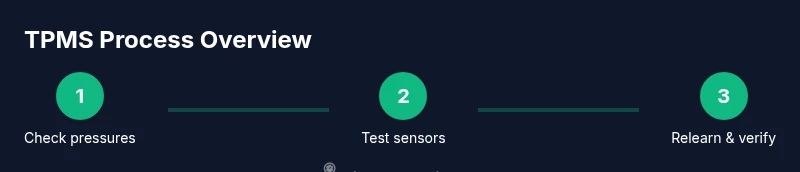
- Park on a level surface and perform a cold-pressure check using a reliable gauge. 2) Compare each tire’s pressure to the Hyundai-recommended value found in the door jamb or owner's manual. 3) If all tires read within range but the TPMS light stays on, inspect each valve stem area for damage or air leaks with soapy water. 4) Use a TPMS scan tool to pull fault codes or identify sensor IDs, especially after tire work. 5) If a sensor is suspected, prepare for replacement or relearn, following Hyundai guidelines. 6) After service, drive for 10–20 minutes at speeds above 30 mph to complete sensor relearn.
Diagnosing sensor faults vs valve stem or wheel issues
Sensor faults can mimic valve leaks or wheel damage, so it’s important to distinguish root causes. A failing sensor often shows inconsistent pressure data across multiple readings or a persistent fault code, whereas a damaged valve stem may leak air and present visible signs. Always rule out a simple tire leak or a loose wheel Lug nut before concluding a sensor failure. In Hyundai TPMS systems, a faulty sensor battery is a common root cause over several years of use.
Replacing or repairing a Hyundai tyre pressure sensor
Direct TPMS sensors can be replaced individually without replacing the wheel, but the process requires wheel removal, sensor installation, and relearn. Begin by safely lifting the vehicle, removing the wheel, and detaching the tire from the rim. Install the new TPMS sensor, reseal the tire with proper bead seating, and torque the lug nuts to spec. Use a TPMS relearn tool to teach the vehicle the new sensor’s ID. Finally, recheck pressures and confirm the sensor is active.
TPMS reset and calibration for Hyundai models
Most Hyundai models require a relearn step after sensor replacement or tire rotation. Depending on the model year, you may initiate a relearn through the instrument cluster or a dedicated scan tool. Drive at steady speeds to allow the system to detect the new sensor and confirm all four sensors are reporting correctly. If the light remains on after a relearn attempt, recheck sensor seating, battery condition, and wheel torque.
Tip: Always consult your owner’s manual for model-specific relearn steps, as procedures vary by trim and generation.
Maintenance tips to keep TPMS healthy
- Inspect sensors during tire changes to ensure the grommet and valve stem are intact
- Replace damaged valve stems or corroded sensor housings promptly
- Keep wheels clean and free of salt corrosion to protect sensor antennas and battery contact points
- Use a high-quality TPMS scan tool to verify sensor health and read fault codes regularly
- Consider environmental factors: extreme temperatures can influence tire pressure readings and sensor performance
Understanding indirect vs direct TPMS in Hyundai
Direct TPMS uses wheel-mounted sensors that measure actual pressure, offering precise readings. Indirect TPMS relies on wheel speed sensors and ABS data to infer low pressure. Hyundai models may use either approach depending on the year and trim. Direct TPMS typically provides real-time data and requires relearn when sensors are replaced, whereas indirect TPMS may need reinitialization after wheel rotation or tire changes.
Common mistakes to avoid
- Failing to verify tire pressures with a cold gauge before diagnosing TPMS faults
- Reusing damaged sensors or improper seating causing air leaks
- Skipping relearn after sensor replacement
- Ignoring wheel torque specs and improper lug nut tightening
- Assuming a TPMS failure equals a dead battery without testing the sensor life
How to read TPMS data with a digital gauge and smartphone apps
A digital tire gauge gives you accurate readings for each tire, while some apps and scan tools can relay TPMS data to your phone or tablet. Use a reputable tool to read sensor IDs, fault codes, and live pressure, then compare against your Hyundai’s recommended range. When used together, a gauge, scan tool, and app can provide a detailed picture of sensor health and tire inflation trends.
Costs, warranties, and service considerations
Sensor replacement costs vary by model year and whether you replace the sensor only or service the wheel assembly. Warranties may cover certain TPMS components for a period or mileage, depending on the dealership or parts supplier. For most Hyundai owners, a DIY relearn is possible, but a dealer or qualified shop can ensure the system calibrates correctly and confirm that all four sensors are reporting as expected.
Authoritative sources and further reading
For official guidance on tires and TPMS, consult reputable resources such as government and consumer publications. These sources help verify best practices and safety recommendations for maintaining proper tire inflation and TPMS health. See additional references in the articles from Tire Pressure Tips.
Tools & Materials
- Digital tire pressure gauge(Choose a gauge with accuracy to ±1 psi for cold readings.)
- TPMS scan tool or OBD2 reader(Must support Hyundai TPMS relearn or wheel-id readout.)
- Replacement TPMS sensor (direct type)(Only if replacing a faulty wheel sensor. Match sensor type to wheel.)
- Valve stem tool(Helpful for removing or reseating the valve stem if needed.)
- Soapy water spray(Use to locate slow leaks around valve stems or bead.)
- Torque wrench(Torque lug nuts to Hyundai's specification during wheel reinstallation.)
- Owner’s manual or Hyundai TPMS guide(Model-specific relearn steps and cautions.)
Steps
Estimated time: 90-150 minutes
- 1
Prepare and safety checks
Park the vehicle on a level surface, engage the parking brake, and gather all required tools. If you plan any electrical work on the TPMS, disconnect the battery as a precaution. Check local tire repair guidelines and wear protective gear.
Tip: Loosen lug nuts slightly before lifting the car to prevent wheel wobble. - 2
Verify cold tire pressures
Use a high-accuracy gauge to measure all four tires when they are cold. Record the readings and compare them to the Hyundai recommended pressures found on the door jamb label or owner’s manual.
Tip: Inflate to the exact recommended pressure rather than just the reading you have. - 3
Inspect wheels and sensors
Visually inspect the valve stems for cracks or damage. Look for corrosion on sensor housings and any obvious misalignment of tires after recent service.
Tip: A damaged valve stem is a common source of false TPMS warnings. - 4
Read TPMS fault codes
Connect a dedicated TPMS scan tool or OBD2 reader to pull sensor IDs and fault codes. This helps you distinguish a bad sensor from a simple tire pressure issue.
Tip: Note the sensor ID numbers for later relearn steps. - 5
Decide on replacement vs. repair
If codes point to a specific wheel sensor and visual inspection confirms damage, plan replacement. If the sensor is fine, focus on valve stems and bead seating.
Tip: Only replace sensors when diagnostic data and inspection agree on a fault. - 6
Install or replace the TPMS sensor
Remove the tire and wheel, replace the sensor if needed, reseat the bead, and ensure an airtight seal. Install the wheel back on the hub and torque lug nuts to spec.
Tip: Keep the bead lubricated to ensure a proper seal during re-mounting. - 7
Relearn or calibrate the TPMS
Use the TPMS relearn procedure appropriate for your Hyundai model. Some models require driving at a specific speed to complete relearn, others need a tool input.
Tip: Follow the exact model-specific steps to avoid false readings. - 8
Verify system and test drive
After relearn, recheck all tire pressures and perform a short test drive to ensure all sensors report correctly and the warning light remains off.
Tip: If the light returns, recheck seating and sensor IDs again.
Frequently Asked Questions
What is a Hyundai tyre pressure sensor (TPMS)?
A TPMS monitors tire pressure and notifies you if inflation is too high or too low. In Hyundai cars, you may have direct wheel-mounted sensors or an indirect system that estimates pressure.
A TPMS keeps an eye on your tire pressure and alerts you if it’s too high or too low. Hyundai models may use direct wheel sensors or an indirect method.
Do I need a relearn after replacing a TPMS sensor?
Yes. After installing a new sensor, you usually need to relearn its ID in the vehicle so all four wheels report correctly.
Yes, you typically need to relearn the new sensor in your Hyundai to ensure accurate readings.
Can I drive with a faulty TPMS sensor?
If a TPMS warning is active, check tire pressures immediately. Driving with incorrect sensor readings can hide dangerous underinflation or overinflation.
It’s best to address TPMS warnings promptly; don’t assume readings are accurate if the sensor may be faulty.
What are the signs of a failing TPMS sensor?
Inconsistent readings, a warning light that won’t extinguish, or a tire that never reports pressure after inflation are common signs.
Watch for inconsistent numbers, a dim light, or a tire that doesn’t report pressure after inflation.
Is direct TPMS better than indirect TPMS for Hyundai?
Direct TPMS provides actual pressure readings per wheel, while indirect TPMS estimates based on wheel speed. Direct TPMS is typically more precise and easier to diagnose.
Direct TPMS gives real pressure numbers for each tire and is usually easier to diagnose than indirect TPMS.
What affects TPMS sensor life?
Sensor life depends on battery condition, environmental exposure, and handling during tire service. Regular checks help catch potential failures early.
Sensor life varies with battery health and how well the sensor is protected during service.
Watch Video
What to Remember
- Check TPMS status before sensor work
- Use an accurate cold-pressure gauge
- Relearn sensors after replacement
- Differentiate sensor faults from valve/wheel problems
- Regular TPMS maintenance prevents surprises