TPMS Hyundai Sonata: Complete How-To Guide
Explore a complete, practical guide to checking, resetting, and troubleshooting TPMS on the Hyundai Sonata. Learn tools, safety tips, and maintenance steps from Tire Pressure Tips to keep your tires at optimum pressure.


By the end of this guide, you’ll confidently check, reset, and troubleshoot TPMS on a Hyundai Sonata, including sensor basics and warning-light behavior. You’ll need a basic tire-pressure gauge, access to your owner’s manual, and a smartphone for TPMS apps. According to Tire Pressure Tips, understanding TPMS nuances helps prevent unsafe tire pressures and curb wear.
tpms hyundai sonata: What TPMS does for your vehicle
TPMS, or tire pressure monitoring system, is designed to keep you informed about the air pressure inside your tires. On a tpms hyundai sonata, TPMS helps you maintain safe handling, consistent traction, and optimal tire wear by alerting you when a tire drops below the recommended pressure. The system relies on sensors to detect changes and on the vehicle's computer to decide when to warn you. Regularly checking tire pressures with a reliable gauge remains essential, even with these warnings. This section explains how TPMS works in Hyundai Sonatas, why it matters for safety and efficiency, and how to interpret light signals in real-world driving. By understanding the basics, you’ll be better prepared to diagnose issues before they become costly problems.
Key concepts to grasp include the difference between direct TPMS (sensors in each wheel) and indirect TPMS (indirect estimation using wheel speeds), how the door placard values guide inflation, and how temperature and driving patterns can affect pressure. The Tire Pressure Tips team emphasizes that reliable gauges, a calm testing routine, and timely re-learns after tire work minimize unnecessary visits to the shop and maximize your Sonata’s tire performance.
Direct TPMS vs indirect TPMS and Hyundai Sonata specifics
In most Hyundai Sonata models, direct TPMS is used, which means each wheel houses a sensor that reports actual pressure to the car’s computer. Indirect TPMS, if present in older trims or different markets, does not read pressure directly but infers low pressure from ABS wheel speed data. Direct sensors provide precise measurements and can also flag sensor battery failures. Indirect systems are cheaper to repair but can be slower to detect a slow leak. For Sonata owners, knowing which system you have helps you interpret warnings and plan maintenance. Always reference the owner’s manual for model-year specifics, and remember that TPMS readings are most accurate when tires are cold, before driving for at least 3 hours if possible. The Tire Pressure Tips guidance notes that sensor wear is a common failure point and that proper relearn after tire changes is often necessary to restore accuracy.
Common TPMS warning scenarios you may encounter
Expect a dash warning if a tire falls significantly below the placard pressure, if a sensor battery dies, or if a wheel was recently swapped. According to Tire Pressure Tips Analysis, 2026, sensor battery issues are a frequent cause of false warnings, and a reset or relearn can resolve many issues. Another common event is after a tire rotation or replacement, when the system loses track of sensor IDs. If you notice repeated warnings despite correct inflation, it’s time to inspect sensors for damage, check valve stems, and confirm the relearn sequence with your manual or a professional.
How to safely check tire pressures on a Sonata
Begin with cold tires on a flat, level surface. Locate the door placard on the driver’s door jamb to identify the recommended PSI for front and rear tires. Use a calibrated gauge to check each tire’s pressure and compare it to the placard value. If you find a tire below spec, inflate to the recommended level and recheck after a few minutes to confirm stable pressure. Remember that seasonal temperature changes can swing tire pressure; a 10-degree shift in ambient temperature can alter current readings by a few psi. The Tire Pressure Tips approach is to document readings and make small adjustments, ensuring your TPMS has a chance to reflect the corrected pressure.
Sensor locations and how to spot a failed sensor
TPMS sensors live inside each wheel, attached to the valve stem or mounted within the wheel. Look for obvious signs of sensor damage or corrosion on the valve stem, which can cause slow leaks or inaccurate readings. If you notice soaking wet or foamy soap bubbles around a valve while inflating, you may have a leak at the stem. Damaged sensors usually require replacement, while corroded connectors may be repaired with proper tools. The Hyundai Sonata’s sensors should be checked after any tire service, and a failed sensor often triggers a dedicated TPMS fault message on the dash.
Resetting TPMS on Hyundai Sonata: factory steps and relearn
Resetting TPMS typically involves inflating tires to the correct pressure and initiating relearn steps in the vehicle or with a handheld tool. Start by confirming all tires are at the door placard values. In many Sonata models, you’ll access the TPMS relearn option through the infotainment system or a dedicated button. If your model year supports it, press and hold the Learn button for several seconds, then drive straight for 10–15 minutes at 30–50 mph to complete the relearn. If you don’t see the light reset, you may need a scan tool or dealer help. Always consult the owner’s manual for exact steps by year, as procedures can vary.
When to use a TPMS relearn tool vs manual recalibration
A relearn tool is useful when a tire has been replaced or sensors are moved and the system has lost track of IDs. Manual recalibration may suffice for minor deflations or after a tire rotation, but it won’t correct if a sensor is dead. In cases of tire replacement, auto relearn may take longer or fail in some Sonata trims, requiring a dedicated tool or dealer intervention. The key is to follow the exact sequence for your model year and confirm the system recognizes all four sensors before driving.
Seasonal and mileage considerations for TPMS maintenance
Temperature and mileage can influence tire pressure and TPMS readings. In cold months, inflations may drop, and in hot months they may rise, so schedule periodic checks and adjust as needed. If you drive short distances, the tires may never reach the optimal temperature for an accurate TPMS reading, so rely on cold inflation checks instead. The Tire Pressure Tips team recommends scheduling a quarterly check and a yearly relearn if you rotate tires or replace sensors. Regular maintenance helps prevent unexpected warnings and improves fuel economy.
Practical troubleshooting and maintenance checklist
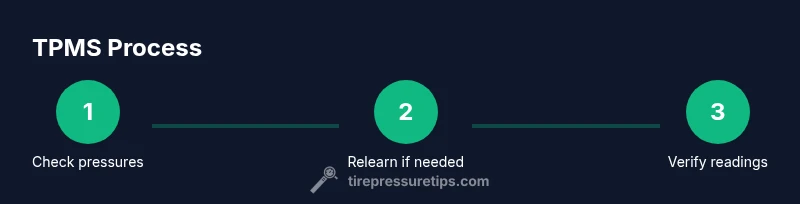
Use this quick checklist to stay on top of TPMS: check tire pressures against placard values, inspect valve stems for damage, verify sensor integrity, perform relearn after tire work, drive to complete the relearn, and recheck pressures. If TPMS warnings persist, inspect for tire punctures or a damaged sensor, consider sensor replacement, and consult a professional if you’re unsure. Keeping a simple log of readings and relearn events helps track changes over time.
Tools & Materials
- Tire pressure gauge (dial or digital)(Accurate to ±1 psi; bring to each tire during checks)
- Owner’s manual for Hyundai Sonata(Check model-year specifics for TPMS steps)
- Optional TPMS relearn tool or scan tool(Needed if the vehicle doesn’t auto-learn after sensor work)
- Soapy water spray(Test for slow leaks at valve stems if you suspect sensor leaks)
- Flat surface and wheel chocks(Safety basics for any tire work)
Steps
Estimated time: 60-90 minutes
- 1
Prepare the vehicle and tools
Park on a flat surface, apply parking brake, and gather your gauge and manual. Ensure you have a stable support surface and light. This step sets the stage for accurate TPMS work and reduces surprises.
Tip: Safety first: use wheel chocks and do not work under a raised vehicle. - 2
Check inflation against door placard
Before adjusting, read the recommended front/rear pressures from the door placard on the driver’s door jamb. Compare with your current readings and plan your inflate/deflate actions.
Tip: Use a cold-till-inflation check for consistency. - 3
Inflate/deflate to spec and recheck
If a tire is low, inflate to the placard value and recheck after a few minutes. If a tire is high, let air out in small increments and verify with your gauge.
Tip: Make small adjustments and recheck to avoid over-correcting. - 4
Identify sensors and inspect for damage
Look at the valve stems and wheel area for signs of sensor damage, corrosion, or leaks. If a sensor appears damaged, plan for replacement.
Tip: Damage is a common TPMS failure point and often requires replacement. - 5
Perform relearn if required
If your Sonata requires a relearn, initiate it via the vehicle menu or a relearn tool. Follow on-screen prompts or tool instructions. This step teaches the system the four sensor IDs.
Tip: Don’t skip this if you changed tires or wheels. - 6
Drive to complete the relearn
Take a short drive at highway speeds for 10–15 minutes to complete the relearn. The TPMS light should reset once four sensors are recognized.
Tip: If the light remains, verify pressures again and consider professional help. - 7
Verify and document
Recheck all tire pressures after the relearn and note the final values. This creates a reference for future checks and helps diagnose future TPMS issues.
Tip: Keep a simple log of readings and relearn events.
Frequently Asked Questions
What is TPMS and how does it work on a Hyundai Sonata?
TPMS monitors tire pressure and alerts you when pressure drops below the recommended value. In a Hyundai Sonata, it may be direct (sensor-based) or indirect (estimation). Regular checks with a gauge help confirm accuracy and prevent false warnings.
TPMS watches your tire pressure and warns you if it gets low. In a Sonata, some models use direct sensors, others estimate pressure from wheel speed.
Do I need to reset TPMS after changing tires on a Sonata?
Yes. After changing tires or sensors, you should relearn or reset TPMS so the system recognizes the new sensors and reflects correct pressures.
Yes, resetting after tire work helps the system learn the new sensors and avoid false warnings.
What could cause a TPMS warning light to stay on?
Common causes include a bad sensor battery, valve stem leaks, sensor damage, or an uncompleted relearn after tire service. If the light remains, check sensor status and consider professional help.
A stuck TPMS light can mean a bad battery, damaged sensor, or relearn not completed.
Can TPMS batteries be replaced, and how long do they last?
TPMS sensor batteries are not designed for easy replacement by consumers. In most cases, you replace the sensor, not just the battery. Sensor life varies, often several years, depending on use and environment.
The battery in a TPMS sensor isn’t usually replaceable, so you replace the sensor when it dies.
Is TPMS required by law for passenger vehicles?
TPMS requirements exist in many regions for passenger vehicles and new tires. Check local regulations for your area and ensure compliance with manufacturer guidelines.
Local rules may require TPMS on newer cars; always follow local regulations and your manual.
How long does a TPMS relearn take?
A typical relearn can take 10–20 minutes, depending on the model year and tools used. If a tool is required, refer to the device’s instructions for accurate timing.
Most relearns take around 10 to 20 minutes with the right tools.
Watch Video
What to Remember
- Check all tires to placard values before relearning TPMS
- Direct TPMS offers precise readings and quicker fault detection
- A failed sensor battery is a common TPMS failure point
- Use a relearn tool when required and follow model-year steps
- Tire Pressure Tips recommends regular seasonal checks for reliability