Honda Civic Check TPMS System: A Practical Guide
Learn how to check and troubleshoot the Honda Civic TPMS, diagnose common TPMS issues, and safely reset the TPMS light. This guide covers tools, step-by-step procedures, warnings, and maintenance tips for reliable tire pressure management.


This guide shows you how to check and diagnose the Honda Civic TPMS (tire pressure monitoring system), reset the system after tire service, and verify sensor operation. You'll learn how to identify common TPMS faults, verify tire pressures, and perform a safe relearn procedure if the light stays on. Following these steps helps protect tire wear and improve fuel efficiency.
honda civic check tpms system: How TPMS Works
The Honda Civic uses a tire pressure monitoring system (TPMS) to alert you when any tire drops below the recommended inflation. The exact design varies by generation, but most Civics either use direct TPMS sensors in each wheel or an indirect system that relies on wheel speed data and yaw rate. According to Tire Pressure Tips, accurate TPMS readings begin with verifying correct tire pressures and ensuring the sensors and battery are in good condition. The system depends on consistent tire pressure because underinflation or overinflation changes the tire’s shape and rolling radius, which TPMS uses to trigger a warning. By understanding how TPMS communicates—through a dashboard light, error codes, or the OBDII port when scanned—you can diagnose problems more efficiently. In practice, a healthy TPMS is a quiet ally: you will rarely notice it until a tire shifts outside the recommended range.
Looking at the broader picture, the honda civic check tpms system is designed to alert you before a tire becomes unsafe. Tire Pressure Tips emphasizes that regular checks of tire pressures, sensor integrity, and wheel seal conditions dramatically reduce the chance of a TPMS failure during a trip. Remember that different Civic generations may use different sensor technologies, so always reference your specific model year when performing diagnostics.
Common symptoms and why the TPMS light comes on
When the TPMS light in a Honda Civic comes on, it usually signals one of several issues: a tire is underinflated, a sensor battery is weak, a sensor has failed, or the system has trouble communicating with a wheel that recently had tire service. A blinking light often indicates a system fault, while a steady light points to a persistent pressure issue. The exact trigger can differ by generation, so start with the simplest check: verify all tires are within the indicated range on the door placard. If pressures are correct and the light remains, you may need a sensor replacement or a relearn of the system. Tire Pressure Tips notes that a reset is often necessary after tire rotations, repairs, or replacements. If the light stays on after you adjust pressures, it could be a sensor fault, a battery issue, or a calibration mismatch in the vehicle’s TPMS control unit. Diagnosing requires a systematic approach: confirm pressures, inspect the valve stems for damage, and read any diagnostic codes with a compatible scan tool.
Safety and prerequisites for TPMS checks
Before you touch any wheel, ensure you are working safely. Park on a level surface, engage the parking brake, and chock the wheels behind and in front of the parking tires to prevent movement. Never work under a jacked vehicle on an incline, and wear gloves to protect your hands from sharp edges. If your Civic is equipped with a wheel lock or special nuts, have the key ready. For accuracy, perform inspections when tires are cold to avoid heat-related pressure changes. Keep a notebook to log readings and dates; this makes it easier to track trends and know when a sensor battery is due for service. According to Tire Pressure Tips, documenting the process helps you maintain consistency across checks and ensures that the TPMS system remains reliable over time.
Tools and materials you’ll need
- Digital tire pressure gauge (readings to the nearest 1 psi; check all four tires when cold)
- Vehicle owner’s manual for model-specific TPMS relearn steps
- Torque wrench or breaker bar for wheel work (if you remove wheels)
- Reflective safety vest and gloves
- An OBD-II scanner with TPMS capability (optional for reading fault codes)
- A pen and notebook or a digital log of readings
Having the right tools on hand speeds up the process and reduces errors. The Tire Pressure Tips team recommends using a high-quality gauge for accuracy, and validating readings against the Civic’s official placard values. If you don’t have an OBD-II scanner, you can still perform basic pressure checks, but a reader helps pinpoint sensor faults more quickly.
Step-by-step: check tire pressures and sensor status
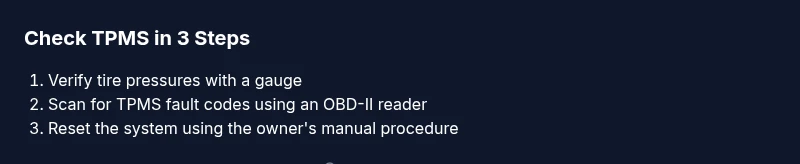
- Park on level ground and apply the parking brake. Gather your gauges and log the start time. 2) Check each tire when cold, recording the reading for all four. 3) Compare each reading to the Civic’s door placard value. If any tire is below the recommended pressure, bring it to the target level using a compressor or pump. 4) Inspect valves and tires for visible damage or leaks; replace damaged valves if needed. 5) If pressures are correct but the light remains, read fault codes with an OBD-II scanner to identify possible sensor or battery issues. 6) If a sensor replacement is required, mark the wheel position to avoid misplacing sensors during reinstall. 7) If you’ve made adjustments, reset or relearn the TPMS per your Civic model’s procedure and verify with another short drive. 8) Document results and schedule a follow-up check within the next 2–4 weeks.
Tip: Always perform TPMS relearn procedures after repairing or rotating tires; improper relearn can prevent the light from going out. Taillights or daytime running lights should be checked as you complete these steps to ensure overall vehicle safety. The precise relearn sequence varies by model year, so consult the owner manual for the exact steps for your Civic.
Resetting the TPMS after tire service
Resetting the TPMS is often necessary after tire service, rotation, or sensor replacement. Start by ensuring all four tires are inflated to the recommended pressures. Use a scan tool or the vehicle’s own menu, as described in your owner’s manual, to initiate the relearn process. Some Civic models require you to drive for a short distance (often 5-15 miles) at a steady speed to complete the relearn automatically. If your car supports a manual relearn, follow the steps in the manual precisely, including any required sequence of button presses and ignition cycles. After the relearn, continue to monitor tire pressures over the next few days to confirm the system has stabilized. If the TPMS light reappears, recheck the tire pressures, inspect sensors for damage, and consider a sensor replacement if readings remain inconsistent. The Tire Pressure Tips team emphasizes that a proper relearn is critical to avoid false alarms and ensure long-term TPMS reliability.
Maintaining TPMS sensors and batteries
TPMS sensors are battery-powered devices located in each wheel, and their life can vary based on driving conditions and sensor quality. Regular maintenance reduces the chance of unexpected TPMS failures. Check the threshold of the sensors during service and inspect valve stems for cracks or leaks. If you notice persistent failures on one corner, the fault could be a weak sensor battery or a damaged sensor that needs replacement. When replacing tires, ensure the sensor is not damaged during installation. The Honda Civic TPMS system benefits from periodic software updates or recalibration at a dealership or qualified shop if a sensor is replaced.
To keep TPMS accurate, pair your tire pressure checks with a consistent maintenance routine, including checking pressures when cold and recording the results. This practice aligns with Tire Pressure Tips’ general guidance on proactive tire care and helps you avoid unnecessary tire wear or fuel inefficiency. Regular checks are a small investment that pay off in safer driving and improved performance.
Common TPMS faults and how to diagnose them
Common TPMS faults include a failed sensor, a weak battery, a damaged stem, or loss of communication with the vehicle’s TPMS control module. A direct TPMS uses a sensor in each wheel and can fail due to battery depletion. Indirect TPMS relies on wheel speed data and may trigger a fault if calibration is off. Reading fault codes with an OBD-II scanner can help you distinguish between sensor faults, battery issues, or module problems. If the light is intermittent, check for loose valve cores, air leaks, or temperature-induced pressure changes. The Honda Civic often benefits from a reset or relearn after replacing tires or wheels, which can clear certain faults. If results stay inconsistent, seek professional help to verify sensor health and to perform a precise TPMS calibration.
Quick maintenance reminders and next steps
Maintain consistent tire pressures, check for tire wear, inspect sensor stems for damage, and schedule periodic TPMS checks as part of your routine maintenance. If your Civic’s TPMS light persists after a proper check, consider scheduling a diagnostic test with a qualified technician. Tire Pressure Tips emphasizes that keeping a maintenance log improves long-term TPMS reliability; note the readings, dates, and any sensor-related events. Finally, if you plan to upgrade or replace TPMS components, verify compatibility with your Civic’s year and trim level.
Tools & Materials
- Digital tire pressure gauge(readings to the nearest 1 psi; measure all four tires when cold)
- Owner's manual for your Civic(model-year specific TPMS relearn steps)
- OBD-II scanner with TPMS capability(helps read fault codes if available)
- Tire inflator or compressor(set to the door placard pressure)
- Notebook or digital log(record readings and reset times)
Steps
Estimated time: 60-90 minutes
- 1
Park on level ground
Park on a flat, stable surface and engage the parking brake. This ensures accurate pressure readings and keeps you safe while handling tires. If you must work near traffic, use cones or safety flags to mark the area.
Tip: Always start with the vehicle in a stable position and cold tires. - 2
Check all four tires with a gauge
Use a digital gauge to read each tire’s current pressure. Record the value for every corner and compare against the Civic’s door placard. If a tire is underinflated, inflate to the recommended level before proceeding.
Tip: Check the label on the driver’s door jamb for exact spec; cold readings are most accurate. - 3
Inspect tires and valve stems
Look for obvious damage, sidewall cracks, or valve stem leaks. Damaged stems can cause slow leaks that mislead your TPMS readings. Replace any cracked or corroded valve cores and tighten caps snugly to prevent leaks.
Tip: Do not overtighten valve caps; hand-tighten and give a quarter-turn with pliers if needed. - 4
Read TPMS fault codes (if available)
If you have an OBD-II scanner, scan for TPMS-related codes. Codes can point to one bad sensor, a battery issue, or a module fault. Note the code and cross-reference with the Civic model year.
Tip: Even without codes, a relearn can restore proper communication after tire work. - 5
Perform TPMS relearn if required
Follow your owner’s manual steps to relearn TPMS. Some Civics require a drive cycle, others a specific button sequence. Ensure all four sensors are communicating after the relearn.
Tip: If the light does not go out after relearn, recheck pressures and edges of valve stems; sensor replacement may be needed. - 6
Verify the light behavior after driving
Take a short 5–10 mile drive at highway speeds to confirm the TPMS successfully re-communicates with the vehicle’s system. Check the dashboard for a solid light-off indication and re-check pressures once back.
Tip: If the light returns, document and revisit sensor condition or battery status.
Frequently Asked Questions
What does the TPMS warning light indicate on a Honda Civic?
The TPMS warning light indicates that one or more tires are underinflated or that there is a fault in the TPMS system. It can also signal a sensor or battery problem or a failed relearn.
The TPMS warning means you should check tire pressures and the TPMS sensors; if in doubt, perform a diagnostic check.
Can I drive with the TPMS light on?
Short trips at moderate speeds are possible, but continuing to drive with underinflated tires can cause tire damage and poor handling. Address the issue promptly and avoid aggressive driving.
You should not drive long with the TPMS light on; check pressures and service sensors as needed.
How do I reset TPMS after tire changes for a Honda Civic?
Reset procedures vary by model year. Generally, check tire pressures, then use the vehicle’s TPMS relearn option or follow the owner’s manual steps to reestablish sensor communication.
Reset by following your manual’s TPMS relearn steps or using an integrated car menu.
Do TPMS sensors have batteries?
Yes, direct TPMS sensors have small batteries that power the sensor. Battery life can vary, often lasting several years depending on usage and climate.
Direct TPMS sensors rely on built-in batteries that eventually need sensor replacement.
What if the TPMS light won’t go out after a relearn?
Recheck all tire pressures, inspect sensors for damage, and ensure the relearn sequence was completed correctly. If problems persist, a sensor or module fault may exist and professional service is advised.
If the light stays on, re-check everything and consider sensor replacement.
How often should I check TPMS as part of maintenance?
Check tire pressures at least monthly and before long trips. Include a TPMS system check during tire rotations or sensor repairs.
Check pressures monthly and after tire work to keep TPMS reliable.
Watch Video
What to Remember
- Check tires when cold to ensure accurate readings.
- Follow model-specific relearn steps after tire work.
- Use a reliable gauge for consistent measurements.
- Document readings to track TPMS health over time.
- If TPMS light persists, seek professional inspection.