GMC Tire Pressure Sensor Reset: Step-by-Step Guide
Step-by-step GMC TPMS relearn guide to reset tire pressure sensors, with practical checks, troubleshooting tips, and safe maintenance from Tire Pressure Tips.


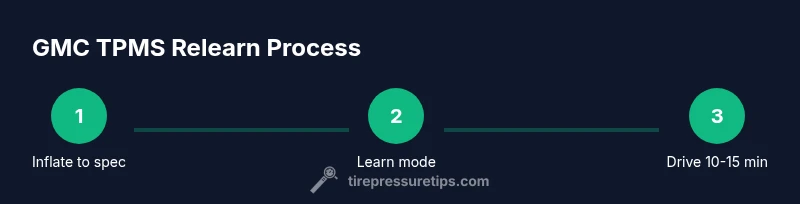
To reset GMC TPMS, first inflate all tires to the vehicle’s recommended pressures. Then access the Learn/Reset option in the instrument cluster or TPMS menu and perform the relearn sequence. For some GMC models, a short highway drive (10–15 minutes at 30–50 mph) completes the relearn. If the system won’t reset, a dealer or shop can perform the relearn. According to Tire Pressure Tips, model-year differences exist; check the owner's manual for exact steps.
What TPMS relearn is and GMC model variations
TPMS relearning is the process of teaching your vehicle's tire pressure monitoring system to recognize the current set of tire sensors after you have adjusted pressures, rotated tires, replaced sensors, or changed wheel configurations. On GMC trucks and SUVs, the exact relearn sequence can vary by model year and trim level. Some models require a specific Learn procedure from the instrument cluster, others use a dedicated TPMS button on the dash, and newer versions may rely on on-screen prompts in the driver information display. In all cases, the goal is the same: align the sensor IDs with the current wheel positions and pressures so the system can accurately detect under- or over-inflation.
When you attempt a relearn, start with the basics: make sure all tires are at the recommended cold pressure, remove any temporary spare tire if it is installed, and confirm that there are no sensor faults or damaged wheels. If you suspect a damaged sensor or a failing module, address that hardware issue first; a relearn will not fix a broken sensor. According to Tire Pressure Tips, it’s common for different GMC generations to implement the relearn differently, which is why the owner’s manual is the most authoritative source. For vehicles still under warranty, you may also reach out to a GMC dealership for a supervised relearn to ensure accuracy.
When you should reset a GMC TPMS
TPMS relearn is typically necessary after replacing a sensor, rotating tires, installing a new wheel, or any tire service that changes sensor IDs or air pressures. If you notice the TPMS warning light comes on after inflating tires or a wheel change, a relearn is often required. Some GMC models automatically relearn when you drive at highway speeds after adjustments, while others require you to initiate a Learn mode in the instrument cluster. Always confirm the exact procedure for your year and trim, as incorrect steps can prevent the system from recognizing the sensors.
Preparation: check tires, gather tools, safety first
Before starting the relearn, verify all tires are at the cold-recommended pressure listed on the door placard. Inspect wheels for damage, and ensure valve stems are intact with no leaks. Gather a tire pressure gauge you trust, a portable inflator capable of precise pressure, and your GMC owner’s manual for model-specific steps. A timer helps track how long you drive during the relearn phase. Keep a small flashlight handy in case you need to inspect valve stems or sensors in low light. Safety comes first: perform this procedure in a well-lit, flat area away from heavy traffic and avoid working while the vehicle is on an incline.
Step-by-step relearn process (narrative overview)
-
Prepare: Inflate all tires to the recommended cold pressures and clear the wheel area for access. This ensures sensor IDs map correctly during the process. Pro tip: double-check pressures with a reliable gauge to avoid misreadings.
-
Access Learn/Reset: In many GMC models, the Learn option lives in the instrument cluster's Vehicle Settings or a dedicated TPMS menu. If your model uses a physical button, it is often located on the dash near the steering wheel or under the glove box. Follow the on-screen prompts or the owner’s manual precisely to enter Learn mode.
-
Initiate Learn: Select the Learn/Reset option and confirm. The TPMS light may flash, beep, or change color to indicate the system is in learn mode. Pro tip: do not rotate tires during this process, as sensor IDs must stay mapped to their current positions.
-
Drive to complete relearn: After initiating Learn, drive at a steady speed (commonly 30–50 mph) for 10–15 minutes. Some GMC models require a longer drive or a different speed window; follow the vehicle’s on-screen guidance.
-
Verify completion: Return to the instrument cluster or TPMS menu to confirm the relearn is complete. The TPMS light should stop flashing and remain steady when the process succeeds. Pro tip: document the time and current pressures in case you need to troubleshoot later.
-
Post-drive check: Recheck all tire pressures when cool. If the light remains after the drive, inspect for sensor faults, damaged stems, or a weak sensor battery. A persistent fault often means sensor replacement or professional diagnosis is needed.
-
After tire rotation or sensor work: If you rotated tires or replaced sensors, repeat the relearn to ensure the new arrangement is recognized by the system. It protects you from incorrect tire pressure alarms while driving.
-
When to seek professional help: If you cannot complete the relearn after repeated attempts or the TPMS light returns, a dealership or tire shop can perform a calibrated relearn or sensor diagnostics to identify malfunctions more accurately.
Troubleshooting: what can go wrong and how to fix
Even with careful preparation, relearn attempts can fail for several reasons. Common issues include a faulty TPMS sensor battery, damaged valve stem, or a sensor ID mismatch caused by a wheel change not captured during the relearn process. Environmental factors, such as extreme temperatures, may also affect sensor readings. If the light remains on, check for tire leaks or valve issues first; a minor leak can defeat the relearn by altering the readings. If you replaced a sensor, ensure the replacement is compatible with your GMC model and properly programmed. When in doubt, a trained technician can verify sensor integrity and perform a professional relearn if needed.
Long-term maintenance and best practices
Maintaining TPMS health begins with regular tire pressure checks, sensor inspections, and keeping the system clean from dirt around the valve stems. Temperature fluctuations can affect tire pressure, so re-check pressures after cold-soak periods or weather changes. If you rotate tires, make sure to relearn, especially if you’ve swapped front to rear positions or installed a new wheel. Regularly inspect valve stems and sensors for corrosion or damage; replace weak batteries proactively when recommended by the manufacturer. Finally, document your relearn events and the model-year-specific steps, keeping the information handy for future maintenance or warranty claims.
Authority sources and additional reading
- Official guidance on tires and TPMS: https://www.nhtsa.gov/vehicle-safety/tires
- TPMS specifics and relearn procedures: https://www.nhtsa.gov/equipment/tpms-tire-pressure-monitoring-system
- General car maintenance references: trusted automotive publications and literature for TPMS concepts (consult manufacturer manuals for exact steps)
Quick-start checklist for DIY GMC TPMS relearn
- Inflate all tires to the cold door placard pressures.
- Locate the Learn/Reset option in the instrument cluster or TPMS menu.
- Initiate the relearn sequence and confirm prompts on screen.
- Drive at the specified speed range for the recommended time.
- Verify relearn success and recheck tire pressures after a cooldown.
- If issues persist, seek professional help to diagnose sensor faults or calibration errors.
Tools & Materials
- Tire pressure gauge(Use a precise gauge; accuracy within +/- 1 psi is ideal)
- Portable air compressor or inflator with gauge(Must be able to set and read exact pressures)
- Owner's manual for your GMC model/year(Check model-specific TPMS relearn steps)
- Timer or stopwatch(Helpful to track drive duration for relearn)
- Optional: OBD-II scanner(Useful for reading TPMS fault codes if needed)
Steps
Estimated time: 30-60 minutes (DIY relearn plus 10-15 minute drive); longer if issues arise
- 1
Inflate tires to spec
Ensure all tires are inflated to the vehicle’s recommended cold pressures before starting the relearn. This prevents sensor ID misreads and ensures accurate data mapping.
Tip: Use a high-quality gauge and re-check after a few minutes of rest. - 2
Access Learn mode
Find the TPMS Learn/Reset option in the instrument cluster menu or on the dash. If your GMC uses a physical button, locate it and prepare to press and hold as directed by the owner’s manual.
Tip: If you can’t locate Learn, refer to the manual; some models place it under Vehicle Settings. - 3
Initiate relearn
Select the Learn option and confirm. The system may indicate Learn mode via a flashing light or a notification on screen.
Tip: Do not drive yet; allow the system to enter learn mode fully. - 4
Drive to complete relearn
Drive at constant speeds within the recommended range (often 30–50 mph) for roughly 10–15 minutes to finalize the relearn.
Tip: Keep the drive steady; abrupt speed changes can interrupt the learning process. - 5
Verify completion
Return to the TPMS menu or instrument cluster to confirm the relearn is complete. The warning light should stop flashing and remain off.
Tip: Document the time and ambient conditions in case you need to troubleshoot later. - 6
Post-drive checks
Recheck all tire pressures after the cooldown period. Look for any abnormal readings that could indicate a leak or sensor problem.
Tip: If any tire reads significantly differently from the others, recheck or rework that tire first. - 7
Rotate or replace sensors?
If tires were rotated or a sensor was replaced, repeat the relearn to ensure proper sensor positioning is maintained.
Tip: Keep a service log for future rotations to simplify relearns. - 8
Seek professional help if needed
If relearn consistently fails, there may be a faulty sensor or calibration issue that requires technician-level diagnostics.
Tip: Ask about TPMS diagnostics and sensor health checks when you visit a shop.
Frequently Asked Questions
Do I need to reset TPMS after rotating GMC tires?
Yes, many GMC models require a TPMS relearn after rotating tires to ensure the sensors map correctly to wheel positions. Follow the model-specific steps in your manual.
Yes, you should re-learn TPMS after rotating tires to keep readings accurate.
Where is the TPMS Learn button located in GMC trucks?
The Learn control location varies by model year. It can be in the instrument cluster menu, a dash button, or under Vehicle Settings. Consult your owner's manual for the exact location.
Check the manual to find the Learn control; it varies by model year.
Can I reset TPMS without tools?
Many GMCs support a DIY relearn using the instrument cluster without extra tools. If you can’t access Learn mode, a dealer visit may be required.
You can often relearn TPMS without tools, but some models may need dealer help.
What if the TPMS light stays on after relearn?
Check tire pressures again and inspect sensors and valves for damage. If the light remains, there may be a faulty sensor or a calibration issue requiring professional service.
If the light stays on, recheck pressures and inspect sensors; consider professional help.
Do weather changes require a TPMS relearn?
Temperature shifts can affect tire pressure; you may need to recheck pressures and re-learn if a significant change occurs or after a tire service.
Weather affects readings; recheck and relearn if conditions change a lot.
Is TPMS relearn covered under warranty?
Warranty coverage depends on the vehicle and service performed. Most TPMS issues are diagnosed and repaired under standard warranty terms if a defect is found.
Warranties vary; discuss coverage with your dealer if a defect is suspected.
Watch Video
What to Remember
- Inflate to spec before relearn.
- Follow model-specific Learn steps precisely.
- Drive as directed to complete relearn.
- Verify the light is off after learning.
- Seek professional help if issues persist.