Ford Explorer Tire Pressure Display: Read, Reset, Maintain
Master the Ford Explorer tire pressure display (TPMS): read dash readouts, compare to the placard, reset the system when needed, and maintain safe, efficient tire performance with practical steps.


After reading this guide, you will be able to read and interpret the Ford Explorer tire pressure display, verify cold tire pressures against the placard, and reset the TPMS after adjustments. You’ll also learn how to spot potential sensor faults and maintain consistent pressures for safer handling, better fuel economy, and longer tire life.
Understanding Ford Explorer Tire Pressure Display
The Ford Explorer relies on a Tire Pressure Monitoring System (TPMS) to monitor air pressure in each tire and relay that information to the instrument cluster. The display typically shows the four tire pressures and may highlight any tire that falls outside the recommended range. Direct TPMS sensors live in each wheel and report actual pressure values, while indirect systems infer pressure from wheel speed data. In some trim levels, a fault indicator may appear if a sensor is damaged or a wheel has a slow leak. According to Tire Pressure Tips, accurate TPMS readings depend on sensor health and regular calibration. Keeping the TPMS in good health helps you catch slow leaks early, avoid underinflation, and ensure even tire wear. This section explains what you can expect to see on the Ford Explorer’s display and why it matters for safety, handling, and fuel efficiency.
Reading the Display: What the Readouts Mean
On modern Ford Explorers, the tire pressure display shows the PSI readings for each tire and flags any tire that is below the recommended range. You’ll typically see front-left, front-right, rear-left, and rear-right pressures, with visual cues if a tire is low or if there’s a sensor fault. The system may also indicate if readings are being updated due to temperature changes or sensor recalibration. Understanding which tire corresponds to each readout helps you locate the actual tire to adjust. For many drivers, the key insight is that a single low value triggered by a temperature drop doesn’t always mean a flat or a leak—just recheck after the tires cool down.
Checking Tire Pressure Correctly: Cold vs Hot Readings
Always measure tire pressure when the tires are cold and the vehicle has been stationary for several hours. Hot readings can be misleading because air expands with heat, producing artificially high numbers. Use a reliable digital gauge and record each tire’s pressure, noting the tire location. If a pressure reading is inconsistent with the others or fluctuates, allow the tire to cool and recheck. Temperature shifts, driving distance, and recent inflation can all affect the readout, so treat the TPMS data as part of a broader maintenance routine rather than a single point in time.
How to Find the Correct Tire Pressure for Your Explorer
The exact tire pressures are not the same for every vehicle. For the Ford Explorer, the recommended pressures are printed on the door jamb placard and in the owner’s manual. The placard provides separate values for the front and rear tires and sometimes for the spare. Always trust the placard as the primary source; the TPMS alerts serve as a protective check. If you’re unsure, consult the manual or contact a dealership service department for confirmation before adjusting pressures.
Steps to Reset or Relearn the TPMS on a Ford Explorer
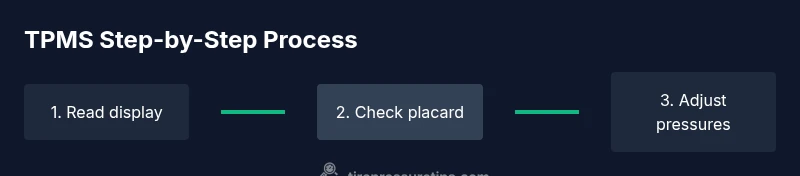
Resetting or relearning TPMS sensors after adjusting tire pressures is a common maintenance step. Start by inflating or deflating tires to the recommended values shown on the placard. Then use the vehicle’s settings menu to reset the TPMS or trigger a relearn sequence. The exact path can vary by model year and trim, so refer to the owner’s manual for precise steps. In many cases, you’ll need to drive a short distance at a moderate speed to allow the system to relearn the new pressures. If the warning persists after a reset, the problem may be a faulty sensor or a damaged valve stem. Pro tip: keep a written log of readings and times for faster troubleshooting.
Common TPMS Issues and Troubleshooting
TPMS concerns are usually caused by sensor battery wear, a damaged sensor, or leaks around the valve stem. A persistent warning after inflation may indicate a broken sensor or a slow leak in a tire. Ambient temperature changes can also cause temporary fluctuations that resolve with a cold start check. If readings seem wildly inconsistent across tires, verify there’s no air bleed from the tire valve, and inspect the wheel rims for damage. In some cases, recalibration or sensor replacement is required to restore accuracy.
Preventive Maintenance: Keeping TPMS Healthy
Regular tire pressure checks are essential even with a functioning TPMS. Schedule a quarterly check, especially before long trips or seasonal changes. Ensure the valve stems and sensor housings are clean and undamaged, and avoid overloading tires beyond the recommended range. If you frequently drive in extreme temperatures, check pressures more often to compensate for thermal expansion and contraction. A healthy TPMS supports safer steering, shorter stopping distances, and reduced tire wear.
When to Seek Professional Service
If the TPMS warning lamp stays illuminated after you’ve checked and adjusted pressures, or you notice a slow tire leak, seek professional service promptly. A trained technician can verify sensor health, replace faulty sensors, and perform a proper relearn. Regular dealership inspections or trusted tire centers can diagnose hidden issues such as damaged valve cores or sensor corrosion. Remember, TPMS repairs should be performed by qualified personnel to ensure accuracy and safety.
Quick Reference: Do's and Don'ts
- Do read the placard and use a quality gauge for accuracy.
- Do replace damaged valve stems and faulty sensors promptly.
- Do reset or relearn the TPMS after any pressure change.
- Don’t inflate beyond the tire’s maximum pressure printed on the sidewall.
- Don’t ignore repeated TPMS warnings; investigate promptly to avoid safety risks.
Tools & Materials
- Digital tire pressure gauge(Calibrated to ±0.5 psi accuracy; essential for precise readings)
- Air compressor or portable pump(Provides consistent pressure delivery; have a built-in gauge if possible)
- Owner’s manual and placard locations(Find front/rear tire pressures and TPMS reset instructions)
- Notebook or smartphone notes app(Record readings for trend tracking and maintenance logs)
- Tire inspection tools (optional)(Visual inspection for valve stems and bead area; helps identify leaks)
Steps
Estimated time: 45-60 minutes
- 1
Ensure tires are cold and vehicle is off
Park on a level surface and wait for the tires to cool before measuring. A cold start provides an accurate baseline for inflating to the placard pressure. This prevents inflated readings due to heat buildup during drive time.
Tip: Measure after the car has been idle for several hours to avoid heat-induced variance. - 2
Locate the recommended pressures
Find the tire pressure values on the door jamb placard or in the owner’s manual. Note any differences between front and rear tires as specified by the manufacturer.
Tip: If you’re unsure, verify with a dealership or service manual before adjusting. - 3
Read current pressures with a gauge
Use a digital gauge to read each tire’s current pressure. Record the numbers for all four tires and compare them to the placard values.
Tip: Take a quick photo of the gauge reading for easy reference. - 4
Inflate or deflate to the recommended range
Adjust each tire to its specified front or rear value using steady, even inflation or deflation. Do not exceed the maximum pressure printed on the tire sidewall.
Tip: Inflate in small increments and recheck to avoid overcorrection. - 5
Reset or relearn the TPMS
After adjusting pressures, use the vehicle’s TPMS reset or relearn function. Follow the exact steps in the owner’s manual for your model year.
Tip: Some drivers must drive a short distance to allow the system to relearn; keep to the recommended speed and route. - 6
Drive to trigger relearn (if required)
If your Explorer requires a relearn drive, do a short trip to allow the system to register the new pressures.
Tip: Check the dash after a few miles to confirm if the light stays off. - 7
Re-check all tires after drive
Re-measure the four tires after the vehicle has cooled again or following the relearn drive to verify stability.
Tip: Even small changes can indicate slow leaks; investigate unusual readings promptly. - 8
Document readings and plan future checks
Record the final pressures and note the date of the check. Schedule regular checks, especially before trips or seasonal changes.
Tip: Keep a log to spot trends and catch slow leaks early.
Frequently Asked Questions
What does the Ford Explorer tire pressure display show on the dashboard?
The display shows the current pressures for each tire and flags any tire below the recommended range or a sensor fault. It helps you quickly identify which tire needs attention and can guide safe adjustment of pressures.
The display shows each tire’s pressure and flags any low tire or sensor issue, helping you spot which tire to fix.
Why might the TPMS show a warning after a temperature drop?
Temperature changes cause air to contract, lowering PSI readings. This can trigger a warning even if the tire is not leaking. Recheck once the tires have cooled and re-inflate if needed to spec.
Temp drops can make PSI read lower; recheck after cooling and inflate to the correct spec if needed.
Is it safe to drive with a TPMS warning?
If the TPMS warning persists, stop and inspect the tires for leaks or damage. Driving on underinflated tires can cause unsafe handling and increased wear. Seek professional service if you cannot resolve the issue quickly.
If the warning stays on, pull over safely and inspect; don’t drive long with underinflated tires.
How often should I check tire pressure in a Ford Explorer?
Check tire pressure at least once a month and before long trips. Temperature changes and seasonal shifts can affect readings, so more frequent checks are wise during extreme weather.
Check tires monthly and before trips, especially during weather changes.
What if TPMS won’t reset after inflation changes?
If TPMS won’t reset, consult the manual for the exact relearn procedure for your model year. If needed, have a professional diagnose sensor faults or calibration issues.
If reset won’t work, check the manual for your year and consider a professional diagnostic.
Can TPMS cause issues with fuel efficiency?
Indirectly, improper tire pressure can affect rolling resistance and fuel economy. Keeping tires at the recommended pressures helps maintain optimal efficiency and tire wear.
Yes, correct tire pressure helps fuel economy and tire life.
Watch Video
What to Remember
- Check tires when cold before driving to get accurate readings
- Use the placard values as the primary target, not dash readouts alone
- Reset TPMS after inflating or deflating to ensure correct relearn
- Regular checks reduce risk of leaks, blowouts, and uneven wear
- Seek professional help for persistent TPMS warnings