How to Clean Air Pressure Sensor in TPMS Systems Safely
A practical guide to cleaning the air pressure sensor in TPMS systems. Learn safe methods, required tools, and maintenance tips to keep tire pressure readings accurate and reliable.


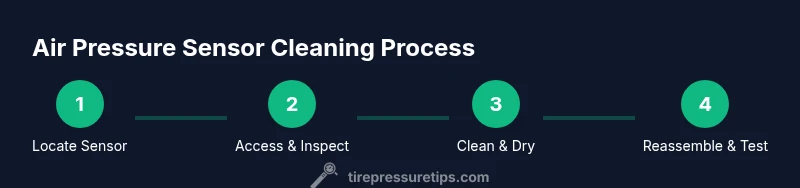
To clean the air pressure sensor in your TPMS system, locate the sensor, power down the vehicle, and use a safe sensor-cleaning spray or isopropyl-alcohol-damped wipe to remove oil and dust. Avoid liquids entering electrical connectors. Recheck sensor function with a diag scan or TPMS tool after reassembly. Regular cleaning helps maintain accurate tire pressure readings.
Why a Clean Air Pressure Sensor Matters in TPMS
A clean air pressure sensor is essential for accurate tire pressure readings. In TPMS systems, sensors inside each wheel transmit pressure data to the vehicle’s computer. When a sensor is contaminated with oil, dust, or moisture, readings can drift, triggering false alarms or missed warnings. A clean sensor reduces measurement noise and helps you maintain correct tire pressures, improving fuel efficiency, tire wear, and overall safety. According to Tire Pressure Tips, maintaining sensor cleanliness also minimizes nuisance warnings and reduces unnecessary service visits, saving time and money for drivers. Regular inspection of sensor ports, connections, and grommets adds another layer of reliability, ensuring the system responds correctly when tires are underinflated or overinflated.
In addition to clean sensors, pair good cleaning with proper tire pressure checks using a gauge and your TPMS tool for verification. Cleanliness is part of an overall maintenance routine that keeps your TPMS alerting you only when there’s a real issue. Tire Pressure Tips’s analysis highlights that consistent sensor care aligns with best practices for tire safety and performance.
Authority sources
- https://www.nhtsa.gov/road-safety/tires
- https://www.epa.gov/greenvehicles
What to Expect After Cleaning
After you finish cleaning, you should observe steadier readings on your TPMS tool and more consistent tire pressures at the valve stems. Cleaning helps the sensor ports stay free of contaminants that could obstruct air flow or sensor reception. If readings remain erratic, there may be an unrelated issue—such as a faulty sensor battery, a damaged seal, or a failing TPMS module—and you should consult a professional or perform a deeper diagnostic.
Natural maintenance cadence
Integrate sensor cleaning into your seasonal maintenance schedule, especially before winter cold snaps or hot summer stretches when temperature swings can affect tire pressure readings. Use a gentle, electronics-safe cleaner and avoid water or solvent sprays that could seep into connectors. Document your sensor maintenance in your vehicle’s service log so you can track readings and note when replacements are needed.
Quick recap of why this matters
A clean air pressure sensor improves accuracy, reduces nuisance warnings, and supports overall tire health and safety. Regular inspection helps you catch leaks, port blockages, or mounting issues early—before they escalate into longer downtime or unsafe tire conditions. Tire Pressure Tips emphasizes that proactive care is cheaper and safer than reactive repairs.
Tools & Materials
- Safety glasses(Protect eyes from cleaner splashes and debris)
- Gloves(Wear chemical-resistant gloves)
- Electronics-safe cleaner or isopropyl alcohol (70%+)(Used to dissolve oil without corroding connectors)
- Lint-free microfiber cloth(Soft, non-abrasive wipe)
- Soft-bristled brush(Helpful for removing stubborn debris from ports)
- Torx/Phillips screwdriver (as needed)(Depends on sensor access or wheel removal)
- TPMS tool or scan tool(To verify sensor readings after cleaning)
- Rag or shop towels(Extra for catching drips)
Steps
Estimated time: 30-45 minutes
- 1
Power down and secure the vehicle
Turn off the engine, remove the key, and set the parking brake. If you’ll remove a wheel, disconnect the negative battery terminal for 5-10 minutes to reduce electrical risk and avoid accidental TPMS triggers.
Tip: Verify you’re in a safe, level area with the parking brake engaged. - 2
Locate the air pressure sensor
Identify which TPMS sensor you’ll service. Most sensors are mounted in the wheel well near the valve stem. If you’re cleaning an under-hood MAP sensor or air intake sensor, locate it according to your vehicle’s service manual.
Tip: Consult your owner’s manual for exact sensor location and model-specific notes. - 3
Access the sensor without forcing entry
If wheel removal is required, carefully loosen lug nuts and lift the vehicle with a jack stand. Do not pry or yank connectors; unplug gently. Keep track of orientation to ease reassembly.
Tip: Use wheel chocks on the opposite side to prevent movement. - 4
Inspect for damage and contamination
Look for cracked seals, corroded connectors, or physical damage around the sensor port. Note any buildup of oil, brake dust, or road grime that could affect seal integrity or signal transmission.
Tip: Capture a photo for reference before cleaning. - 5
Clean using a cloth and electronics-safe cleaner
Dampen a lint-free cloth with cleaner or IPA; wipe the exterior surfaces and port areas gently. Do not spray cleaner directly into connectors. Avoid aggressive scrubbing near electrical pins to prevent damage.
Tip: Let any residue evaporate for about a minute before reassembly. - 6
Dry and reassemble
Wipe dry with a fresh cloth, then reattach any removed components and reconnect the battery if you had it disconnected. Ensure wheel is torqued to spec and the TPMS sensor is seated correctly.
Tip: Double-check the wheel is fully seated to prevent rotor contact. - 7
Verify sensor function
Use a TPMS tool to read the sensor data and confirm readings align with the vehicle’s recommended tire pressures. If readings are inconsistent, troubleshoot with the service manual or consult a pro.
Tip: Keep your TPMS tool handy to spot any drift or fault codes. - 8
Document and reset if needed
Record what you did and whether a relearn or reset is required by your vehicle. Many TPMS systems automatically relearn after driving, but some cars need a manual reset via the tool or vehicle menu.
Tip: If you’re unsure about relearn procedures, follow your vehicle’s manual or seek professional help.
Frequently Asked Questions
Is it safe to clean TPMS sensors at home?
Yes, you can clean TPMS sensors at home with care. Use electronics-safe cleaners, avoid direct spraying into connectors, and follow the service manual for any disassembly steps. If you see damage, seek professional help.
Yes, you can clean TPMS sensors at home, but proceed with caution and follow the manual to avoid damage.
What cleaners should I use for sensor cleaning?
Use electronics-safe cleaners or 70%+ isopropyl alcohol on a lint-free cloth. Do not use abrasive cleaners or water jets on connectors, and avoid spraying liquids directly into ports.
Electronics-safe cleaners or IPA on a cloth work best; avoid direct sprays into ports.
How often should I clean the air pressure sensor?
There’s no universal interval. Clean when you notice drifting readings, odd TPMS warnings, or after a debris-heavy service event. Use your TPMS tool to verify accuracy after cleaning.
Clean when readings drift or warnings appear, then verify with your TPMS tool.
Can cleaning extend the life of TPMS sensors?
Cleaning can prevent misreads and reduce unnecessary replacements, but it won’t fix a damaged sensor. If physical damage is present, replacement is usually required.
Cleaning helps prevent misreads, but damaged sensors still need replacement.
Do I need to relearn the TPMS after cleaning?
Many vehicles relearn automatically after driving a short distance, but some require a manual relearn with a TPMS tool or vehicle menu. Check your manual for exact steps.
Most cars relearn automatically, but some need a manual step with a tool.
What if the sensor shows a fault after cleaning?
If a fault code appears, recheck connections and seals. If the fault persists, the sensor or TPMS module may be defective and require professional service or replacement.
A persistent fault means you should have the sensor checked or replaced by a pro.
Should I remove the wheel to clean an in-wheel sensor?
Wheel removal provides better access, but it’s not always necessary. Follow the vehicle’s service manual; if you’re unsure, consult a technician to avoid damage.
Wheel removal is sometimes needed; refer to the manual or a pro if unsure.
Is cleaning the MAP or intake air sensor the same as TPMS sensor cleaning?
No. MAP and intake air sensors are engine components, while TPMS sensors monitor tire air pressure. Use sensor-specific cleaners and procedures for each type to avoid damaging electronics.
MAP and TPMS sensors have different cleaning needs; don’t mix procedures.
Watch Video
What to Remember
- Clean sensors improve TPMS accuracy
- Use electronics-safe cleaners and lint-free cloths
- Inspect seals and connectors for damage
- Verify readings with a TPMS tool after cleaning
- Relearn the system if required by your vehicle