2020 Toyota Corolla Tire Pressure Display: Read, Inflate, and Reset TPMS
A complete howto on understanding and acting on the 2020 Toyota Corolla tire pressure display. Learn TPMS basics, read the lights, verify pressures, and reset the system safely.


Goal: Understand and act on the 2020 Toyota Corolla tire pressure display. This quick guide explains what TPMS warnings mean, how to verify actual pressures, and the steps to bring tires to the recommended PSI. You'll need a tire gauge, a portable inflator, and a safe, level area to work.
Understanding the 2020 Toyota Corolla Tire Pressure Display
For the 2020 Toyota Corolla, the tire pressure display is part of the car's TPMS. According to Tire Pressure Tips, the system uses sensors in each wheel to monitor air pressure and alert you when a tire deviates from the manufacturer's recommended range. The display on the instrument cluster helps you quickly assess whether inflations are correct without crawling under each tire. By learning the language of the display, you can prevent flat tires, improve fuel efficiency, and extend tire life. Keep in mind that TPMS can warn about slow leaks, temperature changes, or sensor faults. The Tire Pressure Tips team emphasizes that a warning without checking actual pressures can lead to misdiagnosis. When you see a warning, first verify the tire pressure when the tires are cold (before driving or after at least three hours of rest) for an accurate reading, then compare to the placard on the door jamb.
How TPMS Works in Toyota Vehicles
TPMS sensors measure pressure and temperature and transmit data to the vehicle electronic control unit. The system triggers warnings if a tire is underinflated or overinflated beyond threshold values. In many Toyota models, including the Corolla, the sensors are mounted in the wheel area and are designed to last many years, with sensor longevity and battery condition influencing accuracy. If a sensor starts to fail, the TPMS may show intermittent or persistent warnings. If you suspect a sensor issue, consult the owner's manual or a dealer for guidance on relearn or calibration procedures and to confirm there is no leak in the tire itself.
Reading the Display: Symbols, Colors, and Alerts
The tire pressure display uses a combination of icons and color cues to indicate the tire condition. A warning light or a dedicated TPMS symbol alerts you to low or high pressure or a system fault. If the warning is color coded, white or green sections may indicate normal operating pressure, while yellow or red alerts signal a potential issue. Always cross check the displayed value with a hand held gauge to confirm the actual PSI. Remember that ambient temperature and recent driving will change readings, so cold readings are most accurate when verifying pressure.
Finding the Correct Tire Pressure
Your Corolla shows the recommended tire pressure on a placard located on the driver side door jamb and in the owner's manual. This value is the target for cold tires, meaning the tires should be at room temperature before you measure. Do not inflate based on a guess or a single reading after a long drive. For most vehicles, you should check all four tires and adjust to the same specification unless the manufacturer specifies different values for the front and rear tires. The right pressure supports handling, fuel economy, and tire wear.
Real-World Scenarios: What to Do When the Display Alerts You
When the display indicates a tire is low, start with a cold tire check using a reliable gauge. If the pressure is below the placard value, inflate using a portable inflator until you reach the recommended PSI and recheck both front and rear tires. If the warning persists after inflation, there may be a leak, a faulty sensor, or a calibration issue. In such cases, inspect the tire area for nails, screws, or punctures and consider professional inspection. Always address warnings promptly to avoid unsafe driving conditions.
Practical Steps to Validate Tire Pressure with a Gauge
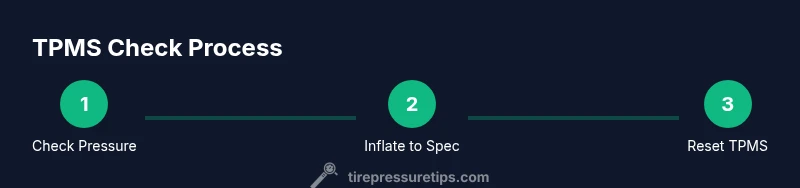
Use a quality tire pressure gauge and read the value when the tire is cold. Remove the valve stem cap, press the gauge onto the valve, and note the reading. Compare with the door placard and adjust accordingly. After inflating, wait a minute and recheck both the inflated tire and the others to ensure even pressure across the four tires. If you are unsure about the reading, repeat the measurement or seek assistance.
Resetting TPMS after Inflation: When and How to Relearn
Refresher checks are essential after inflating or rotating tires. Toyota manuals generally advise performing a TPMS relearn after any tire pressure adjustment if the warning does not automatically clear. In many cases, you may drive for a short distance to let the system recalibrate, but some models require a manual relearn via the vehicle settings menu or a dedicated reset button. Always follow the owner manual for the exact procedure.
Safety Considerations and Common Pitfalls
Never ignore a tire pressure warning. Driving on underinflated or overinflated tires can increase wear, reduce fuel efficiency, and compromise safety. Common mistakes include inflating to a guess instead of the placard value, not checking tires when cold, and assuming a TPMS fault without verifying the tire pressure. Always perform a cold check and confirm the pressure with a gauge before driving away.
Tools & Materials
- Tire pressure gauge(Digital or analog; ensure scale has a readable range for car tires)
- Portable inflator or air compressor(Prefer one with a built in pressure gauge; ensure it can reach at least car tire pressures)
- Owner's manual(Refer to TPMS and tire pressure sections)
- Door jamb placard/vehicle sticker(Use as primary pressure reference when tires are cold)
- Soapy water bottle or leak detector(Helpful for finding slow leaks around valve stems or bead)
Steps
Estimated time: 25-40 minutes
- 1
Prepare safety and parking location
Park on a level surface, apply the parking brake, and turn off the engine. Allow tires to cool before any measurements. This ensures accurate readings and reduces the risk of injury from moving parts.
Tip: Use wheel chocks if you are on an incline to prevent movement. - 2
Find the recommended tire pressure
Locate the door jamb placard or owner's manual to identify the recommended PSI for your tires. Note any differences between front and rear tires if specified.
Tip: If you have run-flat tires, check the vehicle manual for the exact pressure since some models vary when cold. - 3
Check current tire pressures
Remove the valve caps and apply a gauge to each valve stem. Read and record the numbers, noting any tires that are noticeably low or high.
Tip: Measure all four tires for a complete picture, even if only one is blinking on the display. - 4
Inflate to the recommended pressure
Using a portable inflator, bring each tire up to the placard value. Do not exceed the maximum pressure printed on the tire sidewall.
Tip: Inflate gradually and recheck as you approach the target pressure. - 5
Recheck and adjust all tires
After inflation, read all four tires again to ensure even pressures and confirm the TPMS readings.
Tip: Cold readings are most reliable; recheck after driving a few miles if necessary. - 6
Reset or relearn TPMS if required
If your TPMS warning remains after inflation, perform the relearn procedure as described in the owner manual or contact a dealer. Some models reset automatically after a drive.
Tip: Document the steps you take so you can reference them later if warnings reappear. - 7
Inspect for leaks or damage
Look for nails, screws, or punctures in tires and check valve stems for damage. A slow leak can trigger the TPMS warning even after inflation.
Tip: If a leak is found, repair or replace the tire before driving long distances. - 8
Test drive and verify
Take a short drive to allow the system to refresh, then recheck the tire pressures when the tires are cold again to confirm stable readings.
Tip: If the warning comes back, consult a tire technician.
Frequently Asked Questions
What does the tire pressure display indicate on a 2020 Corolla?
The display shows when tire pressure is above or below the recommended level and flags a potential tire pressure issue. Check actual PSI with a gauge and adjust to the door placard value.
The TPMS display tells you if a tire is too high or too low and you should check with a gauge and adjust to the recommended pressure.
How often should I check tire pressure?
Check tires at least once a month and before long trips. Check again if you notice a TPMS warning or experience temperature changes.
Check your tires monthly and before trips, especially when weather changes.
Can I drive with a TPMS warning?
Driving briefly with a warning can be risky. Inspect and adjust tires as soon as possible and limit driving distance if a tire looks underinflated.
It is best not to drive long with a warning. Check and adjust as soon as you can.
What if the TPMS warning stays after inflation?
If the warning remains after inflating to the recommended pressure, there may be a leak or sensor fault. Inspect the tire and perform TPMS relearn per manual.
If the warning won’t go away after inflating, check for leaks and relearn the TPMS.
How do I reset TPMS after changing pressures?
Many Toyota models reset automatically after a short drive. If not, use the settings menu or a dedicated reset button as described in the owner manual.
Reset usually happens automatically after driving a bit, or you can use the reset option in the menu.
Watch Video
What to Remember
- Check tires when cold before inflating
- Always use the placard value as the target pressure
- Verify readings with a reliable gauge after any TPMS reset
- Address leaks or damaged tires promptly
- Follow the owner manual steps for TPMS relearn when necessary