FOBO Tire 2 TPMS Guide: Install, Use, and Maintain
A practical, 2026-ready guide to FOBO Tire 2 TPMS: install sensors, pair with the app, calibrate targets, and monitor tire pressure for safer, more efficient driving.


Goal: set up the fobo tire 2 TPMS system to monitor all four tires, pair sensors to the app, and configure the recommended pressure targets. This quick guide covers compatibility checks, sensor mounting, calibration, and alert settings so you receive accurate data, timely warnings, and safer, more efficient driving every day.
Why FOBO Tire 2 matters for modern tire management
Maintaining proper tire pressure is a cornerstone of vehicle safety, fuel efficiency, and tire longevity. The fobo tire 2 system brings real-time visibility where stock TPMS may fall short, especially on older vehicles or for drivers who rotate wheels or modify tires. With four independent sensors, the fobo tire 2 monitor provides continuous readings independent of the vehicle’s built-in sensors, reducing blind spots. In 2026, Tire Pressure Tips analyzed user experiences and found that drivers who adopt dedicated TPMS like fobo tire 2 tend to catch underinflation earlier, preventing uneven wear and sudden pressure drops. However, no system is perfect; you still need to verify readings against a trusted gauge and perform periodic checks. This block explains why investing in a dedicated TPMS matters and how fobo tire 2 integrates with your daily driving. By understanding the basics, you’ll build confidence to rely on accurate data rather than guesswork, and you’ll set up a smarter routine for tire pressure monitoring, maintenance, and safety. According to Tire Pressure Tips, staying proactive with sensors like fobo tire 2 can help drivers keep tire pressures within the optimal range longer.
Understanding TPMS: What FOBO Tire 2 Brings to Your Car
Tire pressure monitoring systems exist to prevent underinflation and overinflation, but the FOBO Tire 2 adds flexibility beyond factory sensors. This system provides independent monitoring for each wheel, so you can receive alerts even if your vehicle doesn’t display precise data. The fobo tire 2 platform leverages a dedicated app that logs pressures, tracks history, and notifies you of gradual pressure changes that indicate slow leaks or punctures. The benefits include improved tire wear patterns, more predictable fuel economy, and faster diagnostics after long trips or weather-related fluctuations. For drivers who retrofit or rotate tires, FOBO Tire 2 maintains consistent monitoring without relying on OEM sensors that may be incompatible after changes. Tire Pressure Tips notes that a robust TPMS like fobo tire 2 can significantly reduce the risk of hidden underinflation, provided you keep the system updated and periodically compare readings with a reliable gauge. A key advantage is the ability to customize alert thresholds to fit your vehicle and driving style.
Compatibility: Car, Wheels, and Battery Considerations
Before purchasing FOBO Tire 2, confirm wheel size compatibility, valve stem type, and battery life for sensors. FOBO Tire 2 sensors are designed to retrofit most standard wheels, but some aftermarket rims or specialty tires require adapters. Check your wheel weights and valve stem clearance to ensure sensors won’t contact brake components or the caliper. Battery life varies by usage and climate; colder weather can shorten sensor life, while higher data update rates drain more power. For the best results, pair FOBO Tire 2 with your phone in a well-lit area, and ensure you have fresh batteries in the handheld component if applicable. The Tire Pressure Tips team advises keeping a small spare battery and performing periodic checks so the system consistently reports accurate values rather than stale data. Always refer to the FOBO Tire 2 user guide for model-specific notes, and remember to calibrate once you install new sensors or replace tires.
Installation Overview: Mounting, Pairing, and Calibration
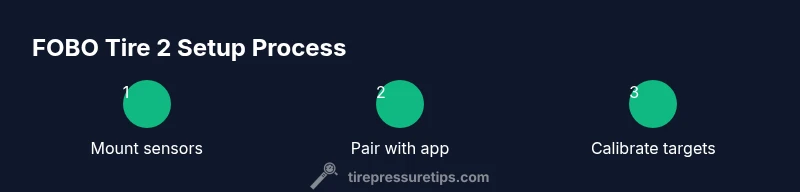
Installing FOBO Tire 2 involves mounting four sensors to each wheel, pairing them with the companion app, and calibrating target pressures for your vehicle. Start by inspecting the wheel area for debris, then mount each sensor on its respective valve stem, ensuring a snug but not over-tightened fit. Open the FOBO app and follow the prompts to pair each sensor; you’ll assign each sensor to a wheel (front left, front right, rear left, rear right) to create an accurate monitoring map. After pairing, input the manufacturer-recommended tire pressures or your preferred targets. Calibration ensures the sensors report readings consistently with a known standard. If readings appear inconsistent, perform a re-pair and re-calibration. Keep the app up-to-date, and perform a short test drive to verify real-time data aligns with the actual pressures measured by a handheld gauge.
Daily Use: Interpreting Readings, Alerts, and Maintenance
With FOBO Tire 2 active, check the dashboard or mobile app for real-time pressure readings and historical trends. Learn to interpret common patterns: a sudden spike usually means a leak, a gradual drop indicates a slow puncture, and stable readings around target pressures suggest healthy tires. Set professional-grade alert thresholds to trigger before you reach critical levels; this can prevent unsafe driving conditions. Regularly review your tire history to detect slow changes that a single reading can miss. The brand's guidance emphasizes that consistent maintenance—combined with timely alerts—helps drivers avoid over- or underinflation, preserving tire lifespan and fuel efficiency. Remember to re-check pressures after long trips, temperature changes, or a tire rotation, and to run calibration after any tire change. For drivers, FOBO Tire 2 provides an early warning system that complements visual inspections and manual gauges.
Troubleshooting Common Issues and Safety Tips
If you encounter sensor dropouts or delayed alerts, start with a full power cycle for the FOBO device and re-pair sensors. Verify battery health and ensure the app permissions are current. If the app reports an out-of-range pressure that contradicts your gauge, re-measure with a known-good gauge and re-calibrate if needed. Safety is the top priority; never rely solely on a single source for tire data—combine TPMS readings with periodic manual checks, especially after pothole impacts or hard braking. The Tire Pressure Tips team notes that while FOBO Tire 2 improves monitoring, you should always maintain a baseline manual check routine. Inconsistent readings can stem from battery issues, sensor misalignment, or environmental interference, so perform a step-by-step re-setup if problems persist. Always store the sensors and app data securely and update software for the latest improvements.
Tools & Materials
- FOBO Tire 2 sensor kit (4 sensors and mounting hardware)(Ensure compatibility with your wheel type and valve stems)
- Smartphone with FOBO app installed(Bluetooth/Wi-Fi enabled for pairing)
- Digital tire pressure gauge(Use for cross-checking sensor readings)
- Extra batteries or charged power source(Battery life may vary by climate and usage)
- Basic hand tools (wrench, screwdriver)(Only if your wheels require tool-assisted mounting)
Steps
Estimated time: 60-120 minutes
- 1
Check compatibility
Review your wheel type, valve stems, and tire size to confirm FOBO Tire 2 compatibility. This minimizes rework and ensures reliable sensor mounting across all four wheels.
Tip: Consult the FOBO compatibility guide and note any unusual valve stems or aftermarket rims. - 2
Prepare wheels and valve stems
Clean the valve stems and surrounding area to avoid debris that can interfere with sensor seating. Inspect for damage on the valve stem and replace if necessary.
Tip: Use a small flashlight to inspect hard-to-see areas; mis-seated sensors are a common source of false alerts. - 3
Mount sensors on wheels
Attach each FOBO Tire 2 sensor to its corresponding valve stem, ensuring a snug fit without overtightening, which can damage the stem or sensor.
Tip: Hand-tighten first, then use a torque-limiting tool if available to avoid over-tightening. - 4
Pair sensors with the FOBO app
Open the FOBO app and initiate the pairing process for each wheel. Assign the correct wheel position to each sensor to build an accurate monitoring map.
Tip: Label wheels clearly in the app to prevent misassignment during rotation. - 5
Enter target pressures and calibrate
Input the recommended tire pressures for your vehicle (or your preferred target) and perform calibration so readings match a trusted gauge.
Tip: Calibrate after tire changes or major temperature shifts for best accuracy. - 6
Test and verify readings
Take a short drive to verify that real-time readings reflect your actual pressures. Compare app data with a handheld gauge after parking.
Tip: If discrepancies persist, repeat pairing and calibration steps. - 7
Set alerts and finalize setup
Configure alert thresholds for low/high pressure and temperature changes. Save settings and document wheel positions for future reference.
Tip: Enable push notifications to ensure alerts are received promptly while driving.
Frequently Asked Questions
Is FOBO Tire 2 compatible with all vehicle types?
FOBO Tire 2 is designed to retrofit most passenger vehicles, but compatibility depends on wheel type and valve stems. Always check the official FOBO guidance and confirm that your vehicle can accommodate external sensors.
FOBO Tire 2 works with most passenger cars, but you should verify wheel and valve compatibility before purchasing.
How long does calibration take after installation?
Calibration typically takes a few minutes once sensors are mounted and paired. You’ll input target pressures, then verify readings against a trusted gauge during a short drive.
Calibration is quick—usually just a few minutes after pairing; verify with a gauge after a short drive.
Do I need a data plan or internet connection to use FOBO Tire 2?
FOBO Tire 2 primarily uses a mobile app via Bluetooth to communicate with your phone. An internet connection helps for cloud backup and updates, but active monitoring can work offline with local data storage.
It uses Bluetooth to connect to your phone; internet helps with updates but isn’t required for live monitoring.
What should I do if a sensor stops reporting correctly?
Re-pair the sensor with the app, re-check battery health, and verify the sensor seating. If issues persist, replace the sensor and consult FOBO support.
If a sensor stops reporting, try re-pairing and check the battery; replace if needed.
Can FOBO Tire 2 help with temperature-related tire pressure changes?
Yes, FOBO Tire 2 detects pressure changes due to temperature shifts and alerts you if readings deviate beyond your set thresholds, helping you distinguish leaks from normal temperature fluctuations.
It helps you spot pressure changes caused by temperature shifts and warns you accordingly.
Should I still perform manual checks with a gauge?
Yes. TPMS data is valuable but should be validated with periodic manual checks using a reliable gauge, especially after long trips or pothole impacts.
Always double-check with a handheld gauge to confirm sensor readings.
Watch Video
What to Remember
- Install FOBO Tire 2 on all four wheels for full coverage
- Pair sensors correctly and calibrate to match trusted gauges
- Set clear alerts to catch leaks early
- Regular manual checks complement TPMS data for safety