Vittoria Tire Pressure Calculator: Practical Guide for 2026
Learn how to use the Vittoria Tire Pressure Calculator to estimate starting pressures, interpret results, and optimize grip, wear, and efficiency with practical tips.


Understanding the Vittoria Tire Pressure Calculator
The Vittoria Tire Pressure Calculator is an educational tool designed to help riders estimate starting pressures for Vittoria tires based on rider weight, tire width, and terrain. According to Tire Pressure Tips, using a calculator helps optimize grip, rolling resistance, and tire wear while avoiding under- or over-inflation. The calculator is not a replacement for manufacturer guidelines; instead, it provides a science-informed starting point that you fine-tune with a hand pump gauge and your experience on the road or trail. For many riders, this approach reduces the guesswork that often leads to suboptimal traction or premature tire wear. Remember: the goal is safe, predictable handling, not maximizing peak pressure.
How the calculator works for Vittoria tires
The Vittoria Tire Pressure Calculator uses a simple proportional model to translate weight and tire geometry into a starting pressure. It factors in rider weight, tire width, and terrain, which affects contact patch shape and the linchpin between grip and rolling resistance. The output is reported in psi with a one-decimal precision so you can set a realistic baseline and adjust based on temperature, road surface, and tire model. This streamlined approach keeps the calculation approachable while illustrating core physics concepts that influence tire performance.
Inputs you can customize
The calculator asks for three inputs:
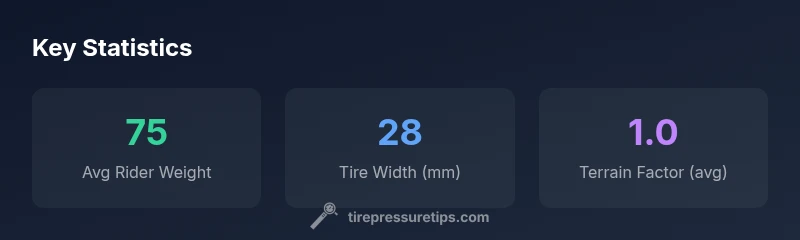
- Rider Weight (kg): Typical rider weight ranges from 30 kg to 140 kg, with a common default around 75 kg. This weight influences how much load the tire is carrying and, therefore, the recommended starting pressure.
- Tire Width (mm): Wider tires (e.g., 28–50 mm) generally require different pressures than narrow tires. The calculator uses the width to adjust the estimated contact patch area and inflation needs.
- Terrain Type (Factor): A terrain factor modulates the base pressure estimate. Pavement, mixed surfaces, and rough terrain each demand different pressures to balance grip and comfort. The factor options are Pavement (0.9), Mixed (1.0), and Rough (1.1).
These inputs reflect practical considerations riders encounter daily, and the resulting pressure is a starting point for Vittoria tires. Always corroborate the result with a gauge and the tire’s maximum inflation rating.
Interpreting the results and practical ranges
The calculator outputs an estimated tire pressure in psi, rounded to one decimal place. Treat this value as a starting point rather than a fixed target. Real-world conditions—temperature, altitude, humidity, tire construction, rim width, and load distribution—will shift the ideal pressure. A good practice is to inflate to the calculator’s suggestion, then perform a short ride to feel grip and comfort, and finally verify with a precise gauge. If you ride in hot weather or carry heavy luggage, expect to adjust the pressure upward slightly to maintain the desired contact patch and avoid pinch flats.
Real-world scenarios: road, gravel, and winter
Consider three common scenarios:
- Road performance (28 mm tire, pavement): A moderate rider weight and a pavement factor typically yield a leaner pressure that maximizes efficiency while preserving grip.
- Gravel or mixed surfaces (32 mm tire): The terrain factor nudges the estimate upward to maintain control on loose surfaces and rough patches.
- Winter or cold-weather rides: Temperature changes depress tire pressure; the calculator’s baseline should be checked against current ambient temperatures, with a small adjustment to counteract pressure loss due to cold air.
In all cases, use the Vittoria tire pressure calculator as a starting point and then validate with a gauge and your comfort feedback.
Limitations and safety reminders
This calculator provides estimates based on a simple model intended for educational use. It cannot capture every variable, such as tire construction specifics or TPMS calibration differences. Always observe the tire sidewall maximum inflation pressure and the rim’s compatibility. If you’re unsure, start conservative, especially on high-speed road surfaces or aggressive cornering. Regular checks with a reliable gauge are essential to maintain consistent performance and safety.
Applying results to Vittoria tires and TPMS
Vittoria tires come with model-specific max pressures printed on the sidewall, which you should never exceed. The calculator helps you build a practical starting point that you can refine with a pressure gauge. If your bike uses TPMS, use the calculated baseline to confirm the sensor readings align with real inflation. Quick weekly checks help you catch slow air loss due to leaks or slow valve leaks. For temperature swings or seasonal storage, revisit your baseline and adjust accordingly.
Practical steps to get the most from the Vittoria tire pressure calculator
- Note your weight, tire width, and terrain before you begin.
- Use a high-quality gauge and validate the calculator output against the tire’s max rating.
- Adjust for temperature: air expands when hot and contracts when cold; recheck before each ride in widely varying weather.
- Test ride on a short loop to assess grip, comfort, and rolling resistance; tweak as needed.
- Record your preferred baseline once you find a sweet spot for your typical routes and tires; reuse it as a reference on future rides.