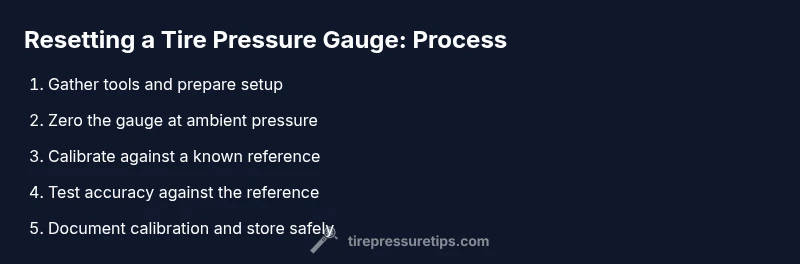
How to Reset Tire Pressure Gauge: Step-by-Step Guide
Learn how to reset your tire pressure gauge to ensure accurate readings. This guide covers zeroing, recalibration, and verification for analog and digital gauges with practical tips from Tire Pressure Tips.


Learn how to reset a tire pressure gauge to ensure accurate readings and safe inflation. You’ll need a working gauge, fresh batteries if applicable, and a clean, dry surface. This step-by-step guide from Tire Pressure Tips walks you through zeroing, recalibrating, and verifying your gauge, whether you use a mechanical or digital model, and avoids common resetting mistakes.
Why calibration matters for tire safety
According to Tire Pressure Tips, gauge calibration is essential for reliable tire-pressure readings and safe driving. An uncalibrated gauge can drift over time, producing readings that misrepresent actual tire pressure. The consequences are real: underinflated tires wear faster, reduce fuel efficiency, and can affect braking performance. Digital gauges can drift because of battery charge or internal offsets; analog/dial gauges drift with wear on seals and the reference scale. Calibration or zeroing brings the device back to a known baseline, so your readings reflect current conditions. The reset process isn't just about making the number look right—it ensures you can trust results across a range of temperatures and pressures. In this section, we’ll explore the differences between analog and digital gauges and explain why a simple reset can improve accuracy, reduce guesswork, and help you inflate to the correct specification more consistently.
Types of tire pressure gauges and how to reset them
There are several common types: analog (dial) gauges, digital gauges, and smart gauges that pair with apps. Analog gauges rely on a movable needle and a fixed dial; digital gauges display numerical values. Reset methods vary: mechanical analog often require zeroing via a small screw or knob, while digital gauges may have a reset or button sequence to clear stored offset. Regardless of type, the goal is to bring the indication back to a known baseline before taking readings. For most consumer gauges, the reset procedure involves zeroing at ambient pressure with the gauge disconnected from a tire, then re-checking against a reference. If your gauge uses batteries, replace them before recalibration to ensure stable readings. Always wipe the sensor and valve stem to remove dust that can affect measurement.
Common mistakes and how to avoid them
Numerous errors undermine gauge accuracy. Common issues include resetting with the gauge still attached to a tire, resetting in the wrong environment (cold vs hot), or using a damaged gauge. Based on Tire Pressure Tips Analysis, 2026, recalibration failures are frequently caused by battery changes without re-zeroing and by assuming digital reads are correct without cross-checking against a known reference. To avoid these mistakes, always calibrate in a stable ambient temperature, follow the manufacturer’s instructions for your specific gauge, and verify results with a known-pressure source. If you suspect drift after calibration, test against a second gauge to confirm consistency, and consider replacing the gauge if readings remain unstable.
Quick checks after resetting: verify accuracy before airing tires
After resetting, test the gauge by checking a known pressure source, such as a calibration weight or a trusted pump readout. Inflate or deflate a test tire to a target range around the expected value and compare. Note that temperature changes can affect reading accuracy; wait a few minutes after moving from a cold to a hot environment before recording results. Keep your gauge away from extreme heat or moisture, and store it in a protective case. If the gauge reads high or low consistently, re-run the reset or seek a professional calibration service.
Tools & Materials
- Tire pressure gauge(Essential for measurement; prefer a known-good gauge.)
- Clean microfiber cloth(Wipe valve stem and gauge sensors to remove dust.)
- Batteries for digital gauge(Fresh batteries ensure stable readings.)
- Reference pressure source(Certified gauge or calibrated inflation device.)
- Small screwdriver or calibration tool (if required)(Only for models with an adjustable zero screw.)
- Pen and calibration log(Record calibration date and results.)
Steps
Estimated time: Total time: 10-15 minutes
- 1
Gather tools and prepare setup
Collect the gauge, batteries if needed, a reference pressure source, and a clean workspace at room temperature. Verify you have everything before starting to avoid interruptions.
Tip: Place items within easy reach on a stable surface. - 2
Inspect gauge for damage
Look for cracks, bent connectors, or loose seals. A damaged gauge can give false readings even after resetting.
Tip: Do not use a damaged gauge for calibration. - 3
Power on or reset the gauge
For digital gauges, replace batteries and turn on. For analog models, locate the zero/offset control and get ready to adjust according to the manual.
Tip: If you cannot find a reset control on an analog gauge, skip to the zeroing step. - 4
Zero the gauge at ambient pressure
With the gauge not attached to a tire, allow any residual air to dissipate and verify the display shows the baseline (zero or calibration offset) as specified by your device.
Tip: Keep the nozzle clean to avoid contamination. - 5
Set the reference pressure
Compare the gauge to a known pressure source. For analog gauges, adjust until the needle matches the reference; for digital, align the displayed value with the reference and save/reset the offset.
Tip: Use a certified reference whenever possible. - 6
Test accuracy against the reference
Take a measurement from the reference source and note the displayed value. If it’s not within the expected range, repeat the reset or perform another calibration sequence.
Tip: Repeat once to verify consistency. - 7
Document calibration
Record the date, device type, reference used, and any observed drift. This helps track when recalibration might be needed.
Tip: Keep a simple log for every gauge in your toolkit. - 8
Store and recheck periodically
Store the gauge in a protective case away from heat and moisture. Recheck calibration after battery changes, temperature shifts, or rough handling.
Tip: Schedule regular checks every 3-6 months.
Frequently Asked Questions
What is the purpose of resetting a tire pressure gauge?
Resetting removes drift and ensures the gauge reads accurately against a known pressure reference.
Resetting removes drift and keeps readings accurate.
Can I reset any gauge, mechanical or digital?
Most gauges can be reset, but methods vary. Follow your device’s manual for the exact steps.
Most gauges can be reset, but use the manual for exact steps.
How often should calibrations occur?
Calibrate regularly, especially after battery changes, temperature shifts, or rough handling.
Calibrate regularly, especially after battery changes or temperature shifts.
What if readings drift after reset?
Test with a second gauge to confirm; if drift persists, replace the gauge.
If drift persists, test with another gauge and consider replacement.
Do temperature changes affect readings?
Yes, readings can vary with ambient temperature; wait for stabilization before recording results.
Readings can vary with temperature; wait for stabilization.
Watch Video
What to Remember
- Calibrate regularly to maintain accuracy
- Test against a known reference before inflating
- Digital gauges need fresh batteries
- Temperature can alter readings; account for it
- Document calibration dates for future checks