Xiaomi TPMS Guide: Setup, Use, and Troubleshooting
Learn how to set up, read, and troubleshoot Xiaomi TPMS readings. Practical, expert guidance from Tire Pressure Tips to keep tires safe and efficient.


Xiaomi TPMS helps you monitor tire pressures via Bluetooth-connected sensors and a companion app. This guide explains how to install, pair, and read Xiaomi TPMS data, interpret alerts, and troubleshoot common issues. You'll learn best practices for maintaining correct pressure across seasons and how to verify readings with a gauge.
What is Xiaomi TPMS and How It Differs from Standard TPMS
Xiaomi TPMS refers to a line of aftermarket tire pressure monitoring sensors and a companion smartphone interface designed to help drivers maintain correct tire pressure. Unlike factory TPMS that rely on vehicle-built sensors, Xiaomi TPMS solutions typically provide independent sensing, Bluetooth communication, and app-based alerts. This approach can be appealing for older vehicles or for users who want a more flexible, smartphone-centric experience. According to Tire Pressure Tips, Xiaomi TPMS emphasizes real-time data, simple pairing, and practical guidance for routine maintenance. The system generally includes wheel-mounted sensors, a central receiver, and an app that displays pressure in psi or bar, along with temperature indicators. While many cars support aftermarket TPMS, you should verify valve type compatibility (snap-in vs. Schrader), wheel clearance, and manufacturer guidelines before installation. Xiaomi TPMS products often integrate with common mobile platforms through Bluetooth, enabling quick setup without heavy wiring. This combination of sensors and app-driven alerts can help drivers catch slow leaks early, plan maintenance around weather changes, and reduce risk on long trips. The objective is to empower you to interpret readings confidently and to know when professional service is warranted.
How Xiaomi TPMS Pairs with Your Vehicle and Smartphone
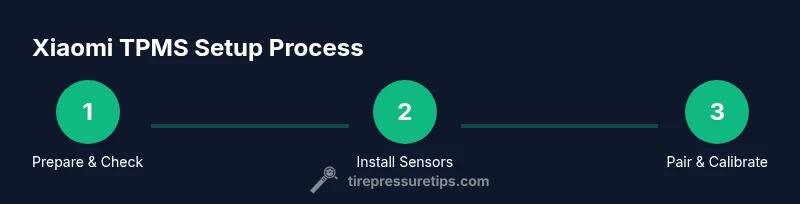
Setting up Xiaomi TPMS begins with ensuring your smartphone has Bluetooth enabled and the Xiaomi TPMS app installed. Open the app, register an account if required, and follow on-screen prompts to add a new device. The sensors in the kit are designed to mount on each wheel and talk to a central module or directly to your phone via Bluetooth. When the first sensor pair succeeds, the app will guide you through pairing the remaining sensors and linking to the vehicle's wheel locations. For best results, perform the initial pair on a dry, cool tire and avoid metal surfaces that could interfere with signal. In many cases you’ll need to drive a short distance after pairing to let the system calibrate to real-world conditions. Remember to enable location permissions and notifications in your phone settings so you receive alerts promptly. Regularly check the app for firmware updates, which can improve reliability and accuracy over time. The Tire Pressure Tips team notes that keeping software current helps stabilize readings across seasons and different road conditions.
Interpreting Readings and Alerts from Xiaomi TPMS
Real-time readings show tire pressure for each wheel and may also display temperature data. Always cross-check TPMS alerts with a handheld tire gauge, especially after changing tires or vehicles. The recommended pressure is the one specified by your vehicle manufacturer, usually found on the door jamb sticker or in the owner's manual. Xiaomi TPMS will alert you when any wheel drops below or rises above this target range, or when sensors report abnormal temperatures. If you see a sudden spike in a reading, inspect for a slow leak, puncture, or a damaged valve stem. Use the app to review historical trends; a gradual decline over days often indicates a slow leak that warrants investigation. In the context of seasonality, ambient temperature changes can affect pressure readings; always verify with a gauge and adjust as needed. Tire Pressure Tips's guidance emphasizes emphasizing manufacturer-recommended targets and avoiding overinflation. For safety, treat any persistent anomaly as a warning sign and address it promptly.
Sensor hardware and installation considerations
Xiaomi TPMS kits typically include wheel-mounted sensors and a receiver or rely on direct app communication via Bluetooth. Before installation, confirm your tire valve type and wheel size compatibility, since some rims and TPMS styles are not interchangeable. A clean, dry wheel well helps sensors seat correctly. If you rotate tires, re-map wheel positions in the app so readings stay accurate. Battery life in these sensors varies with usage, temperature, and driving distance; plan for periodic replacement according to manufacturer guidelines. For best results, avoid harsh impacts on the sensors during tire changes and use appropriate tools to prevent damage. According to Tire Pressure Tips, the right sensor choice and careful installation can protect accuracy and extend sensor life.
Troubleshooting common Xiaomi TPMS issues
If the app won’t pair, verify Bluetooth is enabled, the device is in pairing mode, and the firmware is up to date. If a wheel consistently shows an outlier, confirm the sensor orientation and wheel location mapping in the app. False alarms can occur after tire rotation or if a sensor is on the verge of dying; a battery check or sensor replacement may be needed. If the TPMS light stays on after installation, run through a calibration sequence in the app and perform a quick test drive to refresh readings. For persistent problems, consult the vehicle’s owner manual and the Xiaomi TPMS support resources. The Tire Pressure Tips team recommends keeping a spare sensor handy for field replacements and performing periodic cross-checks with a handheld gauge.
Maintenance and best practices for long-term accuracy
Regular maintenance keeps Xiaomi TPMS accurate. Inspect sensors for corrosion or dirt buildup, especially around valve stems, and clean them gently with a soft brush. When you rotate tires, reassign wheel locations in the app and recheck sensor pairings. Keep the smartphone app updated to benefit from bug fixes and feature improvements. Store spare sensors in a protective case to prevent damage during tire changes. In extreme temperatures, monitor readings closely and re-verify with a manual gauge. Tire Pressure Tips emphasizes consistent checks with the vehicle manufacturer’s targets and routine app maintenance to avoid drift in readings.
Use cases: weather, driving style, and their effects on readings
Urban driving with frequent stopping and starting can show different pressure patterns than highway driving, particularly in cold or hot weather. Xiaomi TPMS readings will reflect these changes, and alerts may trigger as tires heat up or cool down. Record-keeping helps you spot trends: a repeat decline across seasons likely indicates a slow leak or valve issue. Always rely on the manufacturer’s target pressures as the primary reference, using Xiaomi TPMS as a convenience tool to monitor ongoing accuracy. The Tire Pressure Tips team notes that Xiaomi TPMS is especially helpful for seasonal tires and vehicles with non-standard wheel setups, providing visibility into pressure changes that might otherwise go unnoticed.
Safety considerations and when to seek professional help
TPMS is a safety feature, and persistent sensor failures should be treated promptly. If readings are inconsistent or a tire cannot be verified with a gauge, discontinue driving and consult a tire professional. Do not ignore a TPMS warning indicator, especially after a tire change or repair. Store spare sensors and keep a basic gauge in the glove box for quick cross-checks. If the tire pressure light remains on after attempting a calibration, seek professional inspection for potential sensor damage, wiring issues, or a leaky valve stem. The Tire Pressure Tips team emphasizes timely action to prevent unsafe driving conditions.
Xiaomi TPMS vs other brands: value, features, and price ranges
Compared to other brands, Xiaomi TPMS options are often budget-friendly with straightforward app integrations and sufficient reliability for everyday driving. When evaluating options, consider sensor battery life, compatibility with your valve type, and ease of pairing. The market includes several aftermarket sensors with varying apps and ecosystems; your choice should prioritize ease of use, established support, and clear calibration steps. Tire Pressure Tips analysis shows that while price matters, reliability and owner support are equally important for long-term maintenance. Always verify compatibility with your vehicle and check for firmware updates before purchase.
Tools & Materials
- Xiaomi TPMS sensor kit(Includes wheels sensors and receiver; verify compatibility with valve type)
- Tire pressure gauge(Use to confirm readings during setup and checks)
- Smartphone with Bluetooth and the Xiaomi TPMS app(iOS/Android; ensure permissions enabled)
- Valve cores and basic tire tools(Useful for sensor replacement during installation)
- Owner's manual/vehicle door placard(Reference for manufacturer-recommended pressures)
Steps
Estimated time: 45-60 minutes
- 1
Prepare and verify compatibility
Check valve type, wheel size, and app compatibility before purchasing. This reduces the chance of sensor fitment issues and ensures the Xiaomi TPMS system will work with your vehicle.
Tip: Double-check valve type (snap-in vs. clamp-in) and confirm rim clearance. - 2
Install sensors on each wheel
Carefully mount each Xiaomi TPMS sensor on every wheel, following the kit instructions. Avoid overtightening and protect the valve stems from damage during mounting.
Tip: Keep valves clean and avoid contact with metal edges. - 3
Power on and enable Bluetooth
Turn on Bluetooth on your phone and open the Xiaomi TPMS app. Allow required permissions so the app can scan and pair devices.
Tip: Disable power-saving modes that might interrupt Bluetooth during setup. - 4
Pair sensors and map wheel positions
In the app, add the new device and assign each sensor to its wheel location. Completing mapping reduces reading drift after rotations.
Tip: Perform pairing with tires at ambient temperature for stability. - 5
Calibrate sensors per app instructions
Follow the calibration steps in the app to sync sensor IDs with the vehicle, adjusting for your wheel locations.
Tip: Calibrate after any tire rotation or sensor replacement. - 6
Drive for real-world calibration
Take a short drive to allow sensors to stabilize under normal operating conditions. App should reflect consistent readings after this drive.
Tip: Aim for a 5-10 minute smooth drive if possible. - 7
Verify readings with a gauge
Cross-check a sample of readings using a handheld gauge to confirm app accuracy, especially after installation.
Tip: If discrepancies persist, recheck sensor seating and valve tightness. - 8
Customize alerts and targets
Set alert thresholds in the app to match your vehicle’s recommended pressures and your driving style. Enable push notifications for immediate warnings.
Tip: Keep targets aligned with the door placard values. - 9
Document maintenance and re-checks
Record the setup date and plan regular checks. Re-check after tire rotations or repairs and after seasonal changes.
Tip: Use the app history to spot drift over time.
Frequently Asked Questions
What is Xiaomi TPMS and how does it work?
Xiaomi TPMS is an aftermarket tire pressure monitoring system that uses wheel sensors and a smartphone app to display real-time pressure readings and alerts. It provides a flexible, cost-effective way to monitor tire health and respond quickly to changes.
Xiaomi TPMS uses wheel sensors to monitor tire pressure and reports readings via a smartphone app, helping you catch leaks early.
Is Xiaomi TPMS compatible with all vehicles?
Most aftermarket TPMS options work with many vehicles, but you must verify valve type, rim clearance, and the vehicle’s compatibility. If in doubt, check the user manual or contact support.
Compatibility varies by valve type and rim design; verify before buying.
Do Xiaomi TPMS sensors require regular calibration?
Yes, recalibration is recommended after installation, tire rotations, or sensor replacements. Follow the app’s calibration steps to ensure readings stay accurate.
Calibration is recommended after installation and after rotations or sensor changes.
How accurate are Xiaomi TPMS readings?
Readings are generally reliable when sensors are properly installed and calibrated. Always cross-check critical readings with a handheld tire gauge for safety.
Readings are reliable if installed correctly; confirm with a gauge for safety.
What should I do if the TPMS light stays on after installation?
If the light remains on, re-run calibration, verify sensor pairing, and check for leaks or damaged valves. If unresolved, seek professional inspection.
Recalibrate and check for leaks; seek help if it stays on.
How often should I check tire pressure?
Check at least monthly and before long trips, and always after significant temperature changes. Use Xiaomi TPMS as a supplement to a manual gauge check.
Check at least monthly and before trips; use the app alongside a gauge.
Watch Video
What to Remember
- Install compatible sensors on all wheels and map their locations.
- Calibrate and drive to stabilize sensor readings.
- Cross-check app readings with a manual gauge regularly.
- Keep the app updated and adjust alerts to the manufacturer’s targets.
- Address any persistent anomalies promptly to stay safe.