Chevy Cruze TPMS Reset: A Practical, Step-by-Step Guide
Learn how to reset the Chevy Cruze tire pressure monitor (TPMS), verify tire pressures, and troubleshoot common TPMS issues. A practical, model-agnostic guide with safe practices, verification steps, and troubleshooting tips from Tire Pressure Tips.


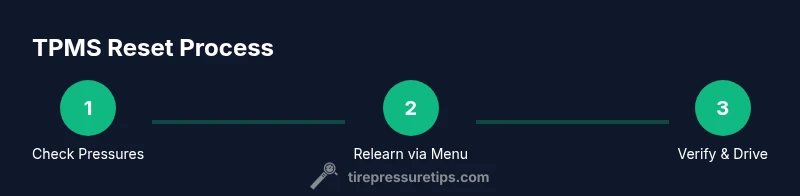
To reset the Chevy Cruze TPMS, first inflate all tires to the vehicle’s recommended pressures. Then access the TPMS relearn option in your Cruze’s instrument cluster or trunk/menu—depending on year—and follow the prompts to relearn. After completing the relearn, drive normally to finalize the reset and confirm the light is off.
What TPMS Reset Does for Your Chevy Cruze
The tire pressure monitoring system (TPMS) in a Chevy Cruze is designed to alert you when a tire’s pressure drops below the recommended level. A TPMS reset, or relearn, is the process of teaching the car’s computer what the correct pressures are for each tire after adjustments, repairs, or rotating tires. This helps the system correctly identify a real pressure loss in the future and prevents false alarms. For best results, start by understanding that a reset is not a substitute for proper inflation; it is a calibration step that ensures the sensor data matches the actual tire state. Tire Pressure Tips emphasizes verifying pressures first, then performing the relearn using the vehicle’s built-in prompts.
Key takeaway: a proper reset requires accurate tire pressures and following the relearn sequence exactly as your Cruze guides you. The process can vary slightly by model year and trim, so have your owner’s manual handy and be prepared to adapt to the on-screen prompts. If you’re unsure, use the steps below as a reliable framework and refer to your manual for year-specific cues.
Checking Tire Pressures: The First Step Before a Reset
Before attempting any TPMS relearn, ensure every tire is inflated to the manufacturer’s recommended pressure. Use a reliable tire pressure gauge and check the pressures when the tires are cold (before you’ve driven). Subtle temperature changes can affect readings, so verify in the morning or after a period of inactivity. Record the readings for all four tires and compare them to the recommended values found in the owner’s manual or on the tire information placard on the door jamb. If any tire is low, inflate it to spec and recheck. A misread caused by low pressure is a common reason the TPMS won’t accept a relearn. From a maintenance standpoint, regular checks help keep the TPMS accurate and prolong tire life. In addition to individual pressures, confirm the spare, if equipped, is at the correct level and accounted for in the relearn plan. This step reduces the chance of a miscalibrated sensor.
Chevy Cruze TPMS Variations by Year: Where to Look
Chevy Cruze models span multiple years with different TPMS relearn workflows. Some years present a dedicated TPMS button, often near the spare tire area or on the dash, while others rely on an in-dash menu flow. Since the exact sequence can vary, consult your owner’s manual for the year-specific relearn method. If your Cruze does not show a clear button or on-screen prompt, use the Settings or Vehicle menu to navigate to TPMS or Tire Pressure, then select Relearn or Learn. Always ensure the ambient conditions are safe and the vehicle is stationary during the relearn initiation to avoid erroneous signals. The key is to follow the sequence exactly as described for your year and trim level to ensure a successful reset.
The Official Relearn Procedure: Step-by-Step (General)
Note: This section provides a generalized pathway that covers most Cruze relearn scenarios. Always cross-check with your owner’s manual for year-specific steps. 1) Inflate all tires to the labeled cold pressure, ideally using a precise gauge. 2) Turn the ignition to the On position without starting the engine. 3) Access the TPMS relearn option in the instrument cluster or Settings menu. If your model uses a button, press and hold it until the TPMS light blinks or a confirmation message appears. 4) Follow the prompts to select Learn or Relearn. 5) Drive a short distance at a moderate speed to let the system relearn. 6) Verify the light goes out or the confirmation is shown, and recheck pressures to confirm accuracy. Diagram references are often included in the manual; refer to figures when locating buttons or menus. Pro tip: if the light blinks instead of turning off, repeat the sequence and ensure you didn’t miss a step.
Alternative Methods: Manual relearn using the steering wheel buttons or trip computer
If your Cruze model supports it, you can initiate a TPMS relearn via the steering wheel controls or the trip computer. Navigate to Settings > TPMS > Relearn (or similar) and confirm. Some cars require ignition in run position or the engine off; follow the prompts exactly. If you don’t see a relearn option, try rotating the tires or remove and re-install the spare (if the spare is sensor-equipped) and repeat the relearn. In all cases, make sure tires are inflated to spec and the vehicle is stationary. The relearn is sensor-specific and may require a short drive after the prompts.
Post-Reset Validation: Confirming the Light is Out
After a successful relearn, the TPMS indicator should go off, and dew/condensation should not obscure the gauge. Recheck each tire’s pressure using an accurate gauge to ensure it remains within the recommended range. You can also drive the Cruze on a normal route to observe the TPMS behavior under typical road conditions. If the light remains on after completing the relearn procedure and a check shows all pressures correct, there may be an issue with one of the sensors or the system. In that case, you may need professional assistance or a sensor diagnostic.
What to Do If the Light Doesn’t Reset
If the TPMS light stays on after you’ve completed the relearn, first re-check that all tires are at the correct cold pressures. If the light persists, consider the possibility of a faulty sensor, a dead sensor battery, a damaged valve stem, or a bad sensor signal. Inspect the tire sidewalls for damage, check the wheel rim for corrosion or debris, and ensure the spare is included if needed. In some cases, a reset might require a short drive to complete; in others, a dedicated TPMS tool or dealer visit is necessary. Keeping a log of readings and events helps a technician identify intermittent faults.
Safety and Maintenance Tips for TPMS
- Do not ignore TPMS warnings; underinflated tires are a major safety risk.
- Regularly check tire pressures when tires are cold for accuracy.
- Keep the TPMS sensors clean and free from corrosion on the valve stems.
- If you have recently repaired or replaced a tire, verify the relearn is completed.
- If a sensor appears defective, do not drive long with a compromised sensor; seek professional attention.
- For annual maintenance, consider inspecting the TPMS battery health, especially if sensor replacements are recent.
By staying proactive with TPMS maintenance, you’ll reduce the chances of false alarms and ensure better tire durability and vehicle safety.
Tools & Materials
- Tire pressure gauge(Digital or analog; ensure accuracy to ±1 psi)
- Portable tire inflator or air compressor(Used to adjust each tire to the recommended cold pressure)
- Owner's manual for Chevy Cruze(Year-specific relearn steps can vary)
- TPMS relearn tool (optional)(Useful for stubborn relearns or sensor diagnostics)
- Flashlight(Helpful to locate TPMS button or valve area in dim light)
Steps
Estimated time: Estimated total time: 15-25 minutes
- 1
Check tire pressures and inflate to spec
Verify each tire’s cold pressure using a precise gauge. Inflate to the manufacturer’s recommended psi, marked on the tire placard or in the manual. This step prevents a false TPMS fault after relearn and ensures consistent sensor readings. If a tire is significantly low, address it before attempting a relearn.
Tip: Take a photo of the placard for quick reference during the relearn if you’re uncertain about the values. - 2
Prepare the vehicle for relearn
Turn the ignition to the On position (do not start the engine unless specified). If your Cruze uses a TPMS button, locate it (often near the spare wheel) and prepare to activate it when prompted by the instrument cluster. Make sure the wheels are on a flat surface and the parking brake is engaged.
Tip: If your model uses an in-dash menu, you may need to navigate to Settings > TPMS > Relearn. - 3
Initiate the relearn sequence
Follow the prompts on the instrument cluster or the Settings menu to initiate the relearn. If there is a physical button, press and hold until the TPMS indicator blinks or a confirmation appears. If using the in-dash menu, select Learn or Relearn and confirm.
Tip: Some models require you to confirm the action twice; ignore accidental taps to avoid disruption. - 4
Drive to complete the relearn
Drive the vehicle a short distance at a moderate speed as indicated by the system prompts. The relearn often completes during normal driving; avoid aggressive acceleration during this step. If the light remains on after the drive, repeat the relearn sequence or try a different method.
Tip: A gentle test drive helps sensors register changes without subjecting tires to abrupt loads. - 5
Verify the TPMS status
After the relearn, re-check each tire’s pressure and ensure the TPMS light is off or shows a normal status. If the light remains, check for sensor faults or contact a professional. Keeping a log for any persistent issue helps with diagnostics.
Tip: If you’re uncertain, use a tire pressure gauge again after a few miles to ensure pressure stability. - 6
Troubleshoot persistent issues
If the light stays on after repeated attempts, inspect the wheel sensor area, check for sensor battery health, and verify that there are no loose or corroded connections. Some issues require dealer or tire shop inspection and possible sensor replacement.
Tip: Do not ignore a persistent TPMS light; a faulty sensor can lead to unsafe tire conditions.
Frequently Asked Questions
Why won’t my Chevy Cruze TPMS reset?
Common causes include incorrect tire pressures, incomplete relearn prompts, or a faulty sensor. Re-check all tires, follow the exact relearn steps, and try again. If issues persist, there may be a sensor fault that requires professional service.
Common causes include incorrect pressures, incomplete steps, or a faulty sensor. Re-check and retry the relearn; if it still fails, get a sensor checked.
Do I need to reset TPMS after rotating tires?
Yes, rotating tires can affect TPMS calibration. It’s a good practice to relearn after rotation to ensure the system readings are accurate.
Yes, rotate tires and then relearn to keep the readings accurate.
Is it safe to drive with a TPMS warning light on?
Driving with an active TPMS warning suggests at least one tire is underinflated or there’s a sensor issue. Do not ignore it; check pressures and seek professional help if the warning remains after proper inflation.
No, don’t ignore it. Check pressures and consult a tire professional if it stays on.
Can a bad TPMS sensor prevent reset?
Yes, a faulty sensor or a dead battery can prevent a successful relearn. If multiple attempts fail, sensor diagnostics should be performed.
Yes, a faulty sensor can stop relearn from completing.
How long does a TPMS relearn take?
A typical relearn takes a few minutes, plus time to inflate tires and drive. If using dealer tools, it may take longer depending on access to the relearn function.
Usually just a few minutes plus a short drive, but it can take longer at the shop.
What tools can help with TPMS reset?
A good tire pressure gauge, an inflator, and access to the Cruze’s relearn menu are the essentials. A TPMS diagnostic tool can help if sensors are suspected faulty.
A tire gauge, inflator, and the vehicle’s relearn menu are the basics.
Watch Video
What to Remember
- Verify cold tire pressures before relearn
- Follow year-specific relearn prompts exactly
- Drive a short distance to finalize the relearn
- Check TPMS light status after reset
- Seek professional help if the light remains on