Bluetooth Tyre Pressure Monitoring System: A Practical Guide
Learn how a bluetooth tyre pressure monitoring system works, compare kits, install steps, and maintenance tips for safer driving and improved fuel efficiency. This guide covers setup, pairing, calibration, and everyday use.


A bluetooth tyre pressure monitoring system streams tire PSI data to your phone and alerts you to underinflation, leaks, or temperature changes. It helps drivers maintain correct pressures for safety, fuel economy, and extended tire life. This guide shows how to choose, install, and care for your system.
What is a Bluetooth tyre pressure monitoring system?
A bluetooth tyre pressure monitoring system uses wireless sensors mounted on each tire to monitor air pressure in real time. The data is transmitted via Bluetooth to a companion smartphone app or an in-vehicle display. You get live PSI readings, and most systems issue alerts when pressure falls outside the manufacturer’s recommended range or when temperatures spike. By continuously tracking tire pressure, this type of system helps drivers prevent underinflation, improve fuel efficiency, and extend tire life. According to Tire Pressure Tips, the right Bluetooth setup should be compatible with your vehicle’s valve type, wheel size, and app ecosystem, making installation smoother and reading interpretation clearer for everyday driving.
Benefits of Bluetooth TPMS for daily drivers
Bluetooth tyre pressure monitoring systems offer several practical advantages for most drivers. First, they provide real-time data on tire pressure, often with automatic alerts sent to your phone. This reduces the risk of driving on underinflated tires, which can increase wear and decrease fuel economy. Second, the compact sensors are usually easy to install and require minimal maintenance beyond battery checks. Third, you can view historical pressure trends in the app, helping you spot slow leaks before they become severe. For families or fleets, centralized dashboards let multiple users monitor the same vehicle, improving safety and planning for tire replacements. Finally, Bluetooth TPMS works alongside or in place of OEM systems, giving you a redundant safety net when highway speeds and loads vary.
Key features to compare before you buy
When selecting a Bluetooth tyre pressure monitoring system, look for these features: reliable sensor battery life, compatibility with your valve type (ABS valve stems matter for some kits), a user-friendly mobile app, real-time alerts (low or high pressure, temperature, and sensor fault), and a clear calibration workflow. Consider whether the kit supports multiple wheels or adds spare sensors, the ease of sensor replacement, and the strength of the Bluetooth connection (some units pair with in-car displays as an additional option). Battery life is crucial—look for replacements that last months rather than weeks, especially for vehicles that sit idle or travel long distances between inflations.
How to pair with your phone and app basics
Pairing a Bluetooth TPMS kit typically starts by installing the sensors on each wheel, then enabling Bluetooth on your phone and launching the companion app. The app will scan for sensors, each with a unique ID. You’ll confirm each sensor corresponds to a specific wheel, then assign a PSI baseline using the vehicle’s recommended cold pressure. Most apps offer dashboards showing current pressures, temperature, and historical graphs. Make sure to enable alerts and set your preferred PSI thresholds. If your car has an existing OEM TPMS, decide whether you want to keep it active for redundancy or rely primarily on the Bluetooth system.
Installation considerations and overview
Before purchasing, verify wheel and valve compatibility, and check whether the sensors require valve removal or can be installed without dismounting tires. Some kits use external sensing units that clamp to the wheel or valve stems, while others replace the valve caps. Compatibility with your vehicle’s make, model, and wheel size is essential. Consider whether the kit includes a dedicated display or relies solely on a mobile app, and assess whether you’d prefer a system with cloud backup or local data only. Finally, review the warranty terms for both sensors and the display, since sensor batteries will eventually need replacement.
Placement and battery life tips
Sensor placement matters for accuracy and longevity. Place sensors on each wheel where possible, ensuring a snug seal and avoiding contact with brake components or sharp edges. Battery life varies by model and usage; expect months of field life with normal driving, and replace batteries per the manufacturer’s recommendations. If the sensors are replaceable, stock up on backups to avoid downtime. Keep the display device or app charged, and consider a portable power bank for long trips. Proper placement also reduces false readings caused by bumps or extreme temperatures.
Using the system for maintenance and safety
A Bluetooth TPMS can be your daily tire health watchdog. Use it to schedule regular checks whenever you rotate tires or switch seasons. Cross-check the app readings with a trusted handheld gauge to confirm accuracy, especially after new tires are mounted. If readings show persistent anomalies (e.g., a single wheel consistently high or low), inspect the tire and valve for damage, leaks, or improper seating. Keep emergency supplies in your vehicle and maintain a baseline PSI for cold-weather driving to optimize traction and safety.
Troubleshooting common issues
If readings seem unstable or delayed, ensure the smartphone app has permission for notifications and that Bluetooth is not overloaded by other devices. Rebind sensors to the wheels if IDs have shifted. If a sensor battery dies, replace it per the manufacturer’s instructions. For late-night alerts, confirm the app’s notification settings and ensure the device is charged. If you notice inconsistent readings after driving through water or mud, clean the sensors and inspect seals for moisture ingress. Finally, verify the system’s firmware and app version are up to date.
Real-world scenarios: commuting, long trips, winter
For daily commutes, a Bluetooth TPMS keeps you aware of subtle pressure changes due to temperature fluctuations during morning and evening commutes. On long trips, you’ll receive proactive alerts if a tire begins to lose air, enabling early maintenance stops. In winter, cold weather reduces tire pressure; a Bluetooth TPMS helps you monitor this trend and preempt flat tires or reduced traction. In all cases, compare the system’s readings with a trusted gauge and perform regular maintenance to avoid surprises on the road.
How Bluetooth TPMS compares to OEM TPMS
OEM TPMS relies on built-in sensors tied to the vehicle’s electronics, often delivering alerts only when thresholds are breached. A Bluetooth TPMS provides an independent, continuous stream of data you can monitor in real time, regardless of the car’s system. This redundancy can improve safety and enable better tire management, particularly on older vehicles or when changing aftermarket tires. However, OEM systems may be more integrated with vehicle maintenance reminders, so using both together can offer comprehensive coverage.
Charging, upgradability, and data privacy
Most Bluetooth TPMS sensors use replaceable coin-cell batteries with several months of life, depending on usage. Upgrades typically involve replacing the sensors or updating the app; always back up sensor IDs before changing hardware. Data privacy is a consideration: some apps sync data to the cloud, while others store it locally. Review the app’s privacy policy, enable secure connections (Bluetooth LE with encryption), and minimize data sharing where possible.
Tools & Materials
- Bluetooth tyre pressure monitoring system kit (sensors + display/app)(Ensure kits support your vehicle's valve type and wheel size; check app compatibility.)
- Smartphone with Bluetooth and internet access(iOS or Android; confirm app availability and storage for data.)
- Basic tire pressure gauge (optional for cross-check)(Use as a backup to validate sensor readings on rare occasions.)
- Screwdriver or tool-free mounting accessories (as needed)(Some sensors require a tool for valve installation; follow manufacturer guidance.)
- Manuals/instructions from the kit(Digital or printed; keep for reference during setup and maintenance.)
- Place spare batteries or battery packs (for sensors with replaceable cells)(Stock up to minimize downtime when a battery reaches end of life.)
Steps
Estimated time: 60-90 minutes
- 1
Choose the right Bluetooth TPMS kit
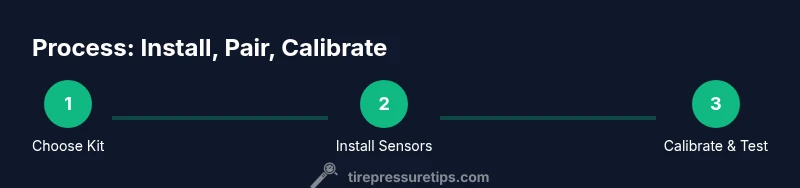
Research compatibility with your vehicle’s valve type and wheel size. Verify app compatibility, sensor battery life, and the ability to track multiple wheels. Ensure the kit includes everything you need for installation and calibration.
Tip: Compare at least two reputable models and read user reviews for real-world battery longevity. - 2
Prepare your vehicle and sensors
Gather tools, review the installation manual, and ensure you have a clean workspace. Check each wheel valve area for damage or debris that could affect sensor seating. Confirm you have fresh batteries for all sensors if replaceable.
Tip: Lay out sensors in the order of wheel placement to avoid mix-ups during mounting. - 3
Install sensors on wheels
Attach each sensor to its corresponding wheel according to the manufacturer’s instructions. Make sure the seal is tight and the sensor is oriented so the code is readable in the app. Avoid overtightening and ensure no interference with brake components.
Tip: If a sensor requires removal of the tire, seek professional assistance to avoid tire damage. - 4
Mount display or prepare the app
Power on the display (if used) or open the Bluetooth TPMS app on your phone. Allow the app to access Bluetooth and location permissions if required. Begin the pairing process by scanning for sensors and linking each one to its corresponding wheel.
Tip: Label each wheel in the app as Front Left, Front Right, Rear Left, Rear Right for clarity. - 5
Calibrate readings to recommended PSI
Use your vehicle’s recommended cold PSI from the owner manual or door placard as the baseline. Enter this value in the app and confirm that the current readings align with the baseline after a cold start. Save the baseline to enable accurate alerts.
Tip: Take a measurement after the car has sat for a few hours to ensure it’s truly cold. - 6
Set alerts and thresholds
Configure low/high-pressure alerts and temperature-based warnings. Enable push notifications and ensure the app runs in the background if you rely on a phone. Customize alert tones to distinguish between pressure and fault conditions.
Tip: Avoid overly aggressive thresholds that cause frequent false alarms. - 7
Test drive and verify readings
Take a short drive to verify that the app shows stable readings and that alerts trigger as expected. Compare a couple of readings with a physical gauge to confirm sensor accuracy. If discrepancies appear, recalibrate or reseat the sensors.
Tip: Pay attention to rapid fluctuations during the initial drive; investigate as needed. - 8
Maintenance and battery checks
Document sensor IDs and schedule regular battery checks per the kit’s guidelines. Replace batteries before they reach end of life to avoid data gaps. Update the app and firmware when prompted to keep compatibility with your phone.
Tip: Keep spare batteries on hand and rotate them on a fixed maintenance schedule.
Frequently Asked Questions
Will a Bluetooth TPMS work with my car’s existing OEM TPMS?
In many cases, yes. A Bluetooth TPMS can operate alongside OEM sensors for redundancy, or in some setups replace the vehicle’s readings entirely. Check your car’s manual and the kit’s compatibility guide. You may still rely on factory alerts for critical faults, depending on the system.
Yes, you can often use a Bluetooth TPMS alongside your car’s OEM system, though compatibility varies by model. Check your vehicle and kit documentation for specifics.
Do Bluetooth TPMS sensors require car batteries?
Most Bluetooth TPMS sensors use small replaceable batteries. Battery life depends on sensor design and usage, but typical replacements are every several months to a year. Always follow the manufacturer’s guidance for replacing the battery to maintain accuracy.
Yes, most sensors have small replaceable batteries. Replace them per the manual to keep readings accurate.
How accurate are Bluetooth TPMS readings?
Bluetooth TPMS readings are generally reliable for everyday driving and maintenance. For critical measurements, verify with a handheld gauge periodically, especially after tire changes or weather events that affect pressure.
They’re typically reliable for daily use, but it’s good to cross-check with a gauge after tire changes or extreme weather.
What apps are recommended for Bluetooth TPMS?
Choose apps that clearly display PSI, temperature, and trend data, support multi-wheel monitoring, and offer configurable alerts. Prefer apps from reputable brands and ensure they receive regular updates for security and compatibility.
Look for apps that show PSI, temp, trends, and reliable alerts, with regular updates.
Can Bluetooth TPMS be used on motorcycles or older cars?
Yes, many kits are versatile enough for motorcycles or older vehicles lacking modern TPMS. Confirm sensor size and mounting compatibility before buying, and ensure the app supports the vehicle type.
Most kits work on a range of vehicles, including some motorcycles and older cars; check compatibility before buying.
Watch Video
What to Remember
- Choose a compatible kit with your vehicle’s valves and wheels
- Pair sensors accurately and calibrate to the factory PSI
- Set reliable alerts to catch slow leaks early
- Cross-check sensor readings with a gauge periodically
- Maintain sensors and update firmware for accuracy and privacy