Why Is Tire Pressure Not Showing? A Practical Troubleshooting Guide
Resolve tire pressure display issues fast with practical TPMS and sensor diagnostics, calibration steps, and safety reminders from Tire Pressure Tips.


The most common reason your tire pressure doesn’t show is a TPMS sensor or gauge communication fault, not the tire pressure itself. Start with a quick reset of the TPMS, verify sensor power or battery, and perform a relearn if needed. If the display still won’t appear, inspect the sensors, valve stems, and the receiver in your vehicle. These steps restore visibility quickly.
Understanding why is my tire pressure not showing
If you’re wondering why is my tire pressure not showing, you’re not alone. This guide explains how TPMS, direct gauges, and indirect readings interact, so you can triage quickly. According to Tire Pressure Tips, the display failure is most often caused by sensor communication issues or calibration gaps rather than the tire itself being flat. You're about to learn a practical checklist to diagnose whether the problem lies with the sensor, the relearn procedure, or the display receiver in your vehicle. Start by noting whether the issue affects all four tires or just one wheel, and whether it appeared after a tire rotation, a change to wheels, or after a low battery warning. Understanding these contexts helps you choose the right next steps.
Common Causes Behind a Missing Pressure Readout
There are several plausible culprits when the tire pressure readout won’t display. The most frequent is a TPMS sensor battery dying or a sensor going into standby. Calibration gaps after tire rotations or sensor replacements are also common, especially if the system hasn’t been relearned. Damaged sensors, corroded valve stems, or a weak signal from the receiver can all prevent the display from updating. Finally, a blown fuse or vehicle ECU issue can suppress TPMS data. Treat each cause as a potential culprit and test progressively to isolate the fault.
Quick Fixes You Can Try Right Now
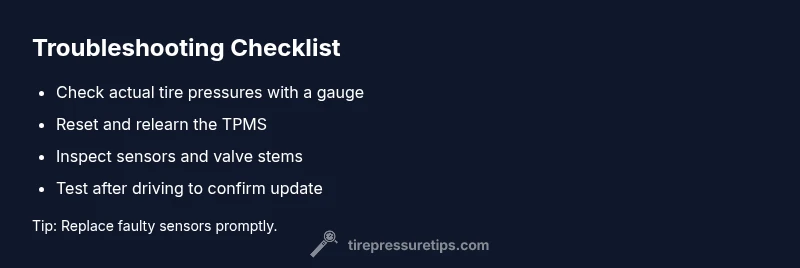
Begin with the simplest checks: verify the actual tire pressures with a reliable manual gauge to ensure you aren’t chasing a non-existent fault. If pressures are correct, perform a TPMS reset or relearn using your vehicle’s menu or key sequence. Inspect valve stems for cracks or damage and look for obvious wheel sensor damage. If a sensor battery is replaceable, swap it; otherwise consider sensor replacement. After any refresh, drive for 10–15 minutes to allow the system to relearn, then recheck the display.
Diagnostic Steps for TPMS and Gauges
Adopt a structured diagnostic flow. Confirm whether the issue affects all tires or a single wheel, then check battery status, fuses, and wiring to the TPMS ECU. Use the OEM relearn procedure when rotating tires or replacing sensors. If codes or fault messages appear, consult the vehicle’s service manual or a professional diagnostic tool. Remember, software updates can also fix display problems in some models.
When to Seek Professional Help
If you’ve exhausted basic checks and the display remains blank or inconsistent, it’s time to involve a professional. A technician can verify sensor health, perform advanced relearns, and inspect ECU communication and wiring harnesses. They can also test for hidden issues like degraded antenna range or sensor misalignment. Early intervention can prevent unnoticed underinflation, which affects handling and fuel economy.
Prevention and Maintenance to Keep It Reliable
Regularly inspect TPMS sensors and valve stems for corrosion or damage, especially after winter driving or rough roads. Schedule periodic relearn sessions after tire rotations or sensor work, and replace aging sensors before they fail. Keep your vehicle’s software up to date and use a high-quality gauge for cross-checks. Proactive maintenance reduces the chances of “not showing” readouts and keeps your tires properly inflated for safety and efficiency.
Steps
Estimated time: 25-40 minutes
- 1
Verify actual tire pressure with a manual gauge
Use a trusted hand gauge to confirm the current pressure on each tire. Compare readings with your vehicle’s recommended pressure to determine if the airbags/TPMS data are out of sync with reality. This is the crucial first step to avoid chasing a phantom fault.
Tip: Take notes for each tire so you can track changes over time. - 2
Check TPMS indicator and relearn status
If your vehicle has a TPMS warning light, consult the owner’s manual to perform the relearn procedure. Some cars require ignition-on cycles, while others need a dedicated button sequence. Completing relearn can restore signal communication.
Tip: A clean battery contact on the TPMS sensor improves reliability. - 3
Inspect sensors, stems, and wheels
Look for damaged valve stems, cracked sensors, or corrosion on the wheel hubs. Damaged hardware can suppress signal transmission. If you see obvious wear, plan sensor replacement or professional inspection.
Tip: Handle sensors carefully to avoid creating new faults. - 4
Replace or service TPMS battery where possible
If the sensor battery is accessible and due for replacement, do so following the sensor manufacturer’s instructions. Battery health is a common root cause of missing readouts.
Tip: Only use batteries specified for the sensor model. - 5
Relearn or re-calibrate after changes
After rotating tires or replacing sensors, perform a proper relearn/calibration so the system recognizes the new configuration. This is essential for one-edit changes to take effect.
Tip: Follow the vehicle’s exact relearn sequence for best results. - 6
Test and confirm results after driving
Take a short test drive to allow the TPMS to collect data and update the display. Re-check with a gauge and inspect the dashboard to ensure the readout now appears consistently.
Tip: If the light stays on, note fault codes for diagnostics.
Diagnosis: Tire pressure readout not showing on TPMS or gauge
Possible Causes
- highTPMS sensor battery is dead or near end of life
- mediumTPMS sensor or valve stem damaged or corroded, causing no signal
- mediumVehicle's TPMS relearn/calibration not completed after tire rotation or sensor replacement
- lowElectrical fault or blown fuse/relay affecting TPMS receiver
- lowSensor power or data line damaged by wheel sensor or wiring
Fixes
- easyReset the TPMS and retrain the system according to the vehicle manual
- mediumReplace TPMS battery or sensor if battery is inaccessible or sensor is failing
- mediumInspect and replace damaged sensors, valve stems, or seals as needed
- easyCheck fuses, relays, and ECU connections related to TPMS
- mediumPerform a proper relearn after sensor replacement or tire rotation
- hardIf unresolved, seek dealer diagnostics for potential software/communication issues
Frequently Asked Questions
What should I do first if the tire pressure gauge doesn’t show on my dashboard?
Start by confirming the actual tire pressures with a reliable gauge and check whether all tires are affected or just one. This helps distinguish systemic TPMS issues from a single faulty sensor.
First, check real pressures with a gauge to tell if the problem is the system or a single tire.
Is a dead TPMS battery common and how long do sensors last?
TPMS sensors are designed for long life, but batteries can degrade. If a sensor shows weak signals or dies, replacement is often required.
Sensors last years, but batteries wear out; replace if readings fail.
How do I reset or relearn TPMS on most vehicles?
Refer to your owner's manual for the exact relearn steps. Most vehicles require ignition cycles and a specific sequence from the infotainment or instrument cluster.
Look up your manual for the exact TPMS relearn steps; most cars have a simple sequence.
Can a damaged wheel sensor cause the readout to disappear entirely?
Yes, a damaged or corroded wheel sensor can prevent signal transmission, leading to a blank display or inconsistent readings.
A damaged sensor can stop the readout entirely.
After tire rotation, do I always need a relearn?
Not always, but many modern vehicles require a relearn after tire rotation or sensor swap to re-align the system.
Most modern cars need a relearn after rotation or sensor changes.
When should I replace TPMS sensors rather than repair?
If multiple readings are inconsistent, or sensors show corrosion, replacement is often more reliable than repair.
If sensors are flaky or corroded, replacement is usually best.
Watch Video
What to Remember
- Check TPMS health before chasing readings
- Relearn after rotations or sensor changes
- Inspect sensors and valves for visible damage
- Use a manual gauge to validate readings
- Seek professional help if the readout remains missing